In This Article
Web3 wallets are crypto wallets designed to interact directly with decentralized applications (dApps), enabling users to trade tokens, access DeFi protocols, manage NFTs, and participate in on-chain governance. While many Web3 wallets are non-custodial—meaning users control their private keys—others operate under hybrid or MPC-based models that balance self-custody with recovery and compliance features.
In recent years, Web3 wallets have developed into more than just storage solutions. Today’s wallets act as transaction execution layers, integrating token swaps, cross-chain routing, NFT management, staking, and security features all in one interface. Consequently, selecting the right wallet now relies less on basic asset support and more on factors like security, usability, and alignment with current Web3 workflows.
With dozens of wallets competing for users, understanding how different designs trade off security, control, and convenience is essential. This guide breaks down the best Web3 wallets in 2026, explains how they work, and helps you choose the option that fits your needs.
The table below sums up our top picks:




Top Web3 Wallets You Can Trust
- Best Wallet: The top decentralized wallet, designed for beginners. It supports 60+ chains with a multi-wallet function, allowing users to manage multiple addresses in one place. With a built-in DEX, token launchpad, fiat on/off-ramps, and staking, Best Wallet is the ultimate Web3 gateway.
- Ledger: It’s the foremost hardware wallet brand, with over 7.5 million devices sold worldwide. Safeguarded by the Secure Element chips, Ledger wallets offer uncompromising token security with Web3 usability through the Ledger Live companion app. It supports thousands of tokens and has NFT compatibility.
- Trezor: This Pioneering hardware wallet provider continues to set the standard for open-source security. Its latest flagship, the Trezor Safe 5, combines high-grade protection with a touchscreen and haptic feedback for easy use. It supports 1,800+ digital assets and features Shamir Backup for advanced recovery.
- Tangem: Known for its card-sized wallet design, Tangem provides convenient and secure token management through NFC tap-to-phone technology. The wallet supports over 6,000 digital assets and eliminates the need for recovery phrases with backup cards. The design is water-resistant, dustproof, and battery-free for long-term durability.
- Zengo: With MPC and 3FA technology, Zengo is a highly secure non-custodial wallet that does not require seed phrases. Users can manage over 380 cryptocurrencies by staking, trading, and storing them within the app. It’s one of the best beginner-friendly wallets on the market that features 24/7 customer support.
Platform-Based Wallets
- Kraken Wallet: A high-performance self-custody wallet that’s built by one of the most trusted centralized exchanges. Kraken Wallet offers NFT management, DeFi access, and multi-chain compatibility in a single interface. It’s available on iOS and Android and supports over 2,000 cryptocurrencies.
- Coinbase Wallet: Separate from the well-known Coinbase exchange, Base App (formerly Coinbase Wallet) is a non-custodial wallet app offering seamless access to dApps, NFT marketplaces, and DeFi platforms. It supports thousands of tokens with multi-chain compatibility and easy Web3 integration.
- Uphold Wallet: A custodial wallet with DeFi access, Uphold Wallet features crypto, fiat, and tokenized asset management. It’s a convenient option for users who aren’t so strict about retaining full control of their assets and value a more exchange-like storage experience.
Best Web3 Wallets: Summary
Web3 wallets straddle tasks such as managing crypto, trading tokens, and using DeFi without recourse to a third party. But choosing the right wallet may be confusing. Some are suitable for rookies thanks to their basic interfaces, whereas others are full of more complex elements like staking, NFT storage, and cross-chain swaps.
Security is also a big factor; do you want full control with a non-custodial wallet, or do you prefer something more user-friendly? In this guide, we’ll break down the best Web3 wallets, what makes them stand out, and how to choose the one that fits your needs.
Key Takeaways
- Web3 wallets are like your all-access pass to the decentralized world. They let you store crypto, use dApps, and manage your digital identity all in one place.
- The right wallet depends on what you need. Security, ease of use, and blockchain compatibility are big factors to consider before picking one.
- If you’re looking for a software wallet, Best Wallet is the best web3 wallet, followed by Trust Wallet and Zengo. Each has its own perks, so it’s all about what fits your style.
- Want maximum security? Go for a hardware wallet like Trezor or Ledger. Since they store your crypto offline, they keep your assets safe from hackers.
- It’s also worth knowing the difference between hot and cold wallets, and custodial vs. non-custodial options. Most importantly, keep your private keys safe because losing them means losing access to your funds.
How Web3 Wallets Work in 2026
Modern Web3 wallets no longer act solely as key managers. Instead, they serve as orchestration layers between users, blockchains, and decentralized applications. When a user initiates a transaction—such as swapping tokens or interacting with a smart contract—the wallet simulates the transaction, estimates fees, checks approvals, and requests user authorization before broadcasting it to the network.
Many wallets now integrate DEX aggregators, bridges, and intent-based routing systems that automatically find optimal execution paths across multiple blockchains. This abstraction significantly improves user experience but also introduces new security considerations, particularly around transaction signing and approval management.
As a result, wallet design has shifted toward preventing user-level errors, such as blind signing or interacting with malicious contracts, rather than focusing solely on protecting private keys.
Top Web3 Software Wallets for 2026
Let’s talk crypto wallets—the backbone of your Web3 journey. Whether you’re diving into Decentralized Finance (DeFi), collecting NFTs, or swapping tokens, a solid wallet makes everything smoother. But with so many options out there, which ones are actually worth your time?
Well, we’ve got you covered. In this section, we’ll break down the best web3 software wallets of the year, focusing on what they do best and what makes each one unique.
Best Wallet is the Best Web3 Wallet – Top Rated for Bitcoin and Crypto Beginners
Getting into crypto? Then you’ve probably realized one thing pretty quickly: finding the right wallet is a pain. There are a million options out there, but most are either too complicated, too limited, or just not as secure as they should be.
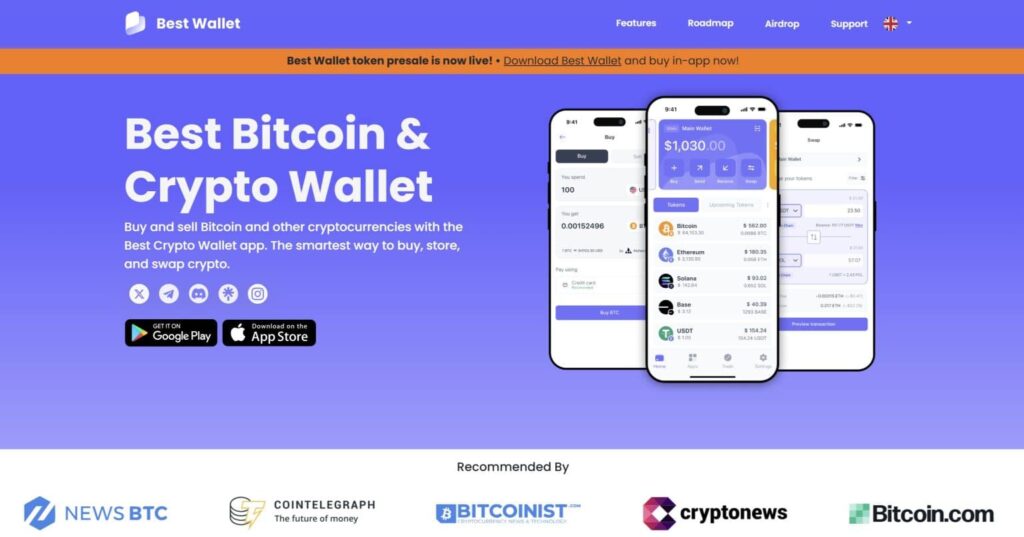
Many wallets only support a handful of blockchains, which means if you’re holding Bitcoin, Ethereum, Solana, or Stablecoins like USDT, you’re constantly switching between apps just to keep track of everything. Best Wallet makes that problem disappear by supporting over 60 blockchains, so all your assets live in one place. No more juggling multiple wallets or losing track of where your crypto is stored.
Best Wallet has the added advantage of being non-custodial, which grants the holder total control over their coins. This is in contrast to several exchanges that have the power to freeze accounts whenever they wish to. Hacks and collapses are also still unfortunately common issues to contend with, so having constant access to their funds is essential for buyers. But with Best Wallet, these won’t be a problem, as you keep your private keys with you, as it should be.
Best Wallet isn’t just for storing crypto; it’s built to simplify portfolio management. The app integrates a decentralized exchange, letting you swap tokens, monitor assets, and stake for rewards in one place. With real-time market updates, you stay informed without switching between multiple platforms.
With all this and more going for it, it’s no wonder that Best Wallet gets the top web3 wallet ranking out of our list.
So whether you’re just getting started or tired of wallets that overcomplicate things, Best Wallet is here to make crypto simple, secure, and actually useful, all in one sleek, easy-to-use app.
Why Best Wallet Is Our Top Choice
Best Wallet offers a nice balance of simplicity and useful tools, making it a solid choice, especially for beginners. Here’s what we like about it:
- Very Easy to Use: The app has a clean design, making it easy to find your way around. Plus, it has helpful features like an address book for quick transactions and clear fee breakdowns so you know exactly what you’re paying.
- Supports Tons of Cryptos: With access to over 60 blockchains, you can manage all your favorite cryptocurrencies in one place. No need for multiple wallets.
- Swap and Trade Directly in the App: No need to visit an exchange. You can swap tokens right in the wallet using their built-in DEX (decentralized exchange) aggregator. It even handles cross-chain swaps with competitive rates.
- Strong Security: Security is a top priority. The wallet is non-custodial, meaning only you have access to your private keys. Plus, they’ve added two-factor authentication (2FA) and biometric login (like fingerprint or face ID) for extra protection.
- Keep Track of Your Portfolio: Want to know how your investments are doing? Best Wallet gives you real-time profit and loss tracking and easy tools to organize and search through your holdings.
- Stay Informed: You can check live market updates, get price alerts, and catch up on industry news without leaving the app.
- Save on Fees with $BEST Tokens: If you hold $BEST tokens (Best Wallet’s native token), you get discounts on transaction fees when buying, selling, or swapping crypto in the app.
Best Wallet Pros and Cons
Pros:
- Beginner-Friendly Interface: Simple and easy to navigate.
- Supports 60+ Blockchains: Best web3 blockchain platform; manage multiple cryptocurrencies in one app.
- Built-in Swaps and Trading: Swap and trade crypto without using an external exchange.
- Strong Security Features: Non-custodial with 2FA and biometric login.
- Portfolio Management Tools: Track your profits, losses, and holdings easily.
- Market Updates and News: Stay informed without switching apps.
- $BEST Token Perks: Save on fees if you hold their native token.
Cons:
- Occasional Connection Issues: Some users report frequent “lost connection” errors.
- Lack of Transparency: There’s limited information on the company’s leadership, which may raise concerns for some.
- No Live Customer Support: You may find it hard to get quick help if you run into a problem.
Best Wallet has a lot going for it, especially for beginners who want full control and a secure and easy-to-use crypto wallet. It offers plenty of helpful tools without feeling overwhelming.
That said, it’s not perfect. Connection issues and a lack of customer support could be frustrating for some users. Overall, it’s a solid option, but it’s always worth trying it out yourself to see if it meets your needs.
Since Best Wallet has an integrated DEX, presales platform, fiat on-ramp, and off-ramp, you won’t have to bounce around different apps and keep going back to your 2FA app to get multiple authentication codes, which can be annoying.
For example, imagine you’re using a regular wallet, and you have some crypto; you want to sell crypto for cash, usually you have to go through the following hoops:
- Make sure you have enough of the gas token to send your crypto to an exchange (if not, you need to buy some and send it to your wallet, which is another 5+ steps)
- Send crypto to a centralized exchange (since almost all of them have fiat off-ramps)
- Log in to exchange
- Grab the authentication code from the 2FA app
- Sell crypto for cash
- Withdraw from the bank account
- Grab another code from the 2FA app
- Confirm withdrawal on the exchange
- Confirm via email
- Grab another 2FA code
- Wait
That’s 11 steps to take, 16+ if you don’t have the gas token (ETH, for example, if you want to sell USDC for fiat). You’ll also have to fiddle with 3-4 different apps (DEX, wallet app, centralized exchange app, and 2FA app) just to cash out.
That’s one of the biggest reasons why Best Wallet is one of the best Web3 wallets; it just makes the overall experience smoother and easier to deal with.
For a full breakdown on Best Wallet, check out our detailed Best Wallet review.
Zengo: Most Secure Self-Custodial Web3 Wallet
Another great web3 wallet example, Zengo is a mobile-based, non-custodial crypto wallet that ditches traditional seed phrases, making your crypto experience more secure and convenient.
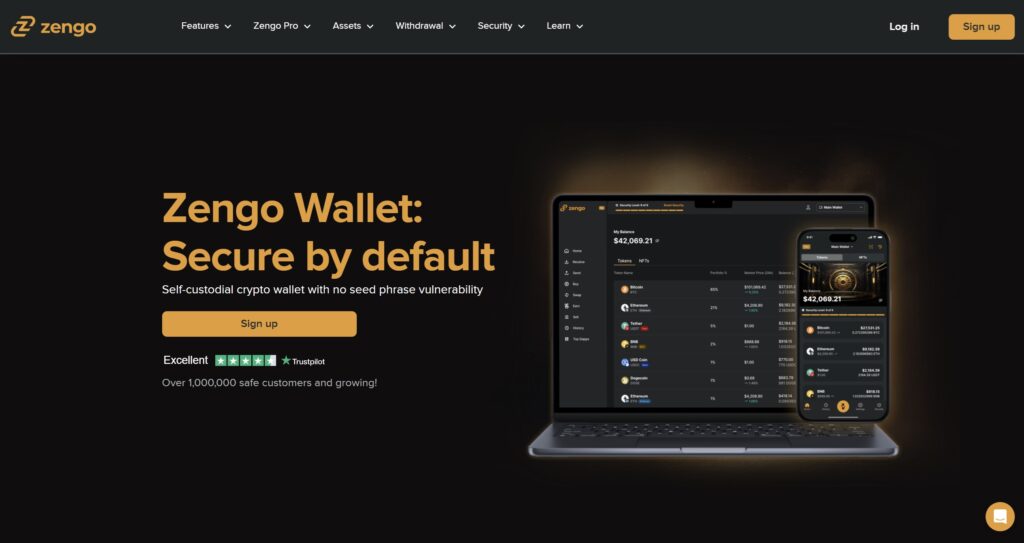
Instead of relying on a single private Web3 key, Zengo uses advanced Multi-Party Computation (MPC) technology to split your private key into encrypted parts, one on your device and one on Zengo’s servers. This way, no single person or system can control your assets, massively reducing the risk of hacks or loss. It’s why Zengo is assuredly a safe investment in web3.
Zengo works on both iOS and Android, supporting over 380 cryptocurrencies, including Bitcoin, Ethereum, and Polygon, so you can manage a diverse portfolio in one place. On top of that, you can buy, sell, and swap crypto right inside the app without needing a separate exchange. The wallet also supports NFT storage and connects with decentralized apps (dApps) through WalletConnect, making it a complete Web3 solution for beginners and experienced users alike.
What Makes Zengo Unique?
- No Seed Phrases: MPC technology eliminates seed phrases, boosting security and peace of mind.
- 3FA Recovery: Triple-layer security with email, 3D face scan, and a secure recovery file.
- Simple and Intuitive: A clean, easy-to-navigate app suitable for beginners and pros.
- 24/7 Support: Round-the-clock customer service is available directly in the app.
- Zengo Pro Perks: Extra features like multiple wallets, legacy transfers, and a Web3 firewall.
Zengo Wallet Pros and Cons
Pros:
- Next-Level Security: No seed phrases plus MPC and 3FA make Zengo one of the most secure wallets out there.
- All-in-One Convenience: Manage over 380 cryptos, buy, sell, swap, and store NFTs, without leaving the app.
- User-Friendly: Clean design that’s perfect for beginners but still powerful for experienced users.
- 24/7 Support: Real humans, real help
Cons:
- Mobile-Only: If you prefer managing crypto on your desktop, you’re out of luck, Zengo is mobile-only.
- Pro Features Aren’t Free: Advanced tools like multiple wallets and legacy transfers are behind a Zengo Pro paywall.
- Region Restrictions: Some features may be limited depending on where you live.
- Biometric Concerns: Not everyone loves using facial recognition for security.
Zengo crushes the old-school crypto wallet experience. No seed phrases, no headaches, just smooth, secure asset management. It’s easily the Bitcoin wallet with the most reliable web3 infrastructure. With features like built-in trading, NFT support, and always-on customer service, it’s easy to see why Zengo stands out. Sure, it’s mobile-only, and some perks are behind a paywall, but if you want a wallet that’s secure, easy to use, and packed with features, Zengo is a top contender.
If you want to learn more about the Zengo wallet, read our Zengo Wallet Review 2026
Binance Wallet: A Self-Custody Wallet for Blockchain Apps
Binance Wallet is a self-custody crypto wallet that gives you full control over your digital assets while making it easy to explore the world of decentralized apps (dApps) and DeFi opportunities. Built into the Binance mobile app, this wallet lets you manage, trade, stake, and swap crypto, all in one place.
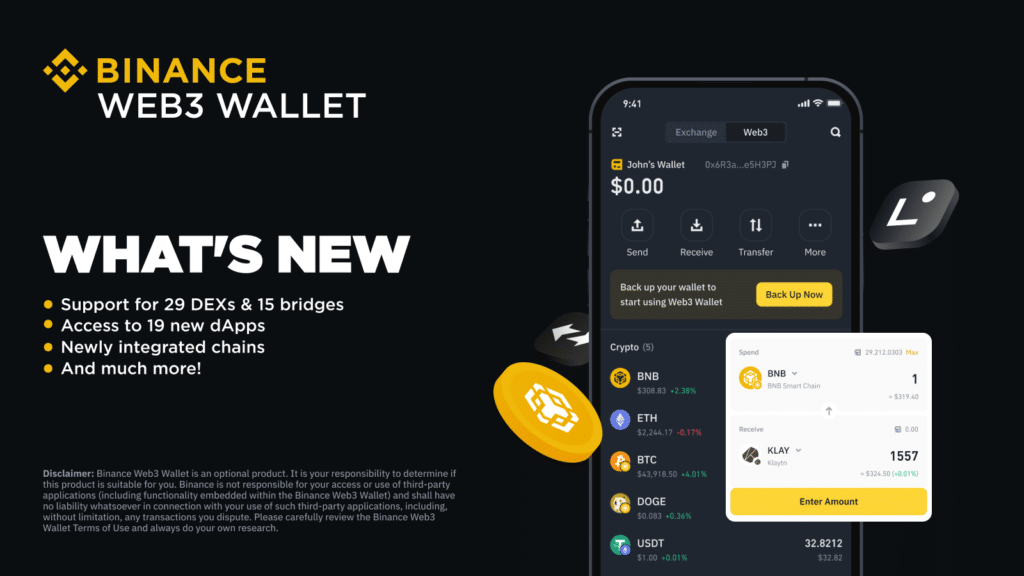
It supports a wide range of new cryptocurrencies and multiple blockchains, so you can store and manage your assets without jumping between different platforms. Security is a top priority; Binance Wallet utilizes Multi-Party Computation (MPC) technology to eliminate traditional private keys and distribute cryptographic secrets across multiple parties. This means your wallet is safer without adding extra complexity.
Plus, with features like staking, yield generation, and cross-chain swaps, Binance Wallet is a powerful tool, and it makes our list for the best BNB wallets.
What Makes Binance Wallet Stand Out?
- Unified Wallet: View and manage your entire Web3 portfolio from one place. No need to juggle multiple wallets or apps.
- Cross-Chain Swaps with Binance Bridge: Swap tokens across different blockchains quickly and at competitive rates.
- Enhanced Security: Built-in features like wrong address protection and malicious contract alerts help keep your assets safe.
- Easy Access to dApps and DeFi: Leverage Web3 dApps by connecting to DeFi platforms, NFT marketplaces, and more, without ever leaving the wallet.
- 24/7 Customer Support: Need help? Binance Wallet offers round-the-clock support to resolve issues quickly.
Binance Wallet Pros and Cons
Pros:
- Supports Many Cryptocurrencies: Manage a wide range of digital assets across multiple blockchains in one wallet.
- User-Friendly Design: Intuitive interface makes it easy for beginners and experienced users alike.
- Built-In Staking and Yield Opportunities: Earn passive income directly from the wallet with staking and yield farming options.
- Seamless Integration with Binance: Easily transfer assets between Binance Wallet and Binance Exchange for quick trades and withdrawals.
Cons:
- Mobile-Only Access: The wallet is currently only available on the Binance mobile app
- May Be Overwhelming for Beginners: The wide range of features could feel intimidating to users new to crypto.
- Regulatory Concerns: Binance has faced regulatory issues in some countries, which may be a concern for users worried about long-term stability.
Binance Wallet offers a secure, all-in-one solution for managing your crypto and exploring the Web3 world. With features like cross-chain swaps, staking, and easy dApp access, it’s a powerful tool for both beginners and experienced users. While the mobile-only access and regulatory concerns may be worth considering, Binance Wallet’s security, convenience, and deep integration within the Binance ecosystem make it a solid choice for those seeking a reliable self-custody wallet.
Trust Wallet: Popular With Both Beginners and Experienced Users
Trust Wallet is a decentralized, open-source crypto wallet designed for both beginners and experienced users. Owned by Binance since 2018, it supports over 4.5 million digital assets across 65 blockchains, covering everything from Bitcoin and Ethereum to Binance Coin.
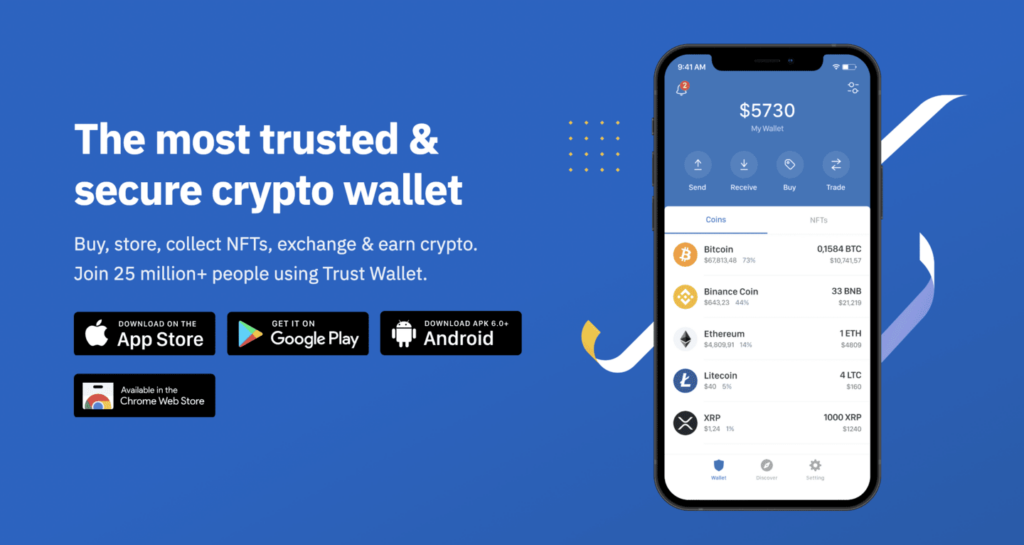
Available as a mobile app and browser extension, Trust Wallet lets you manage your entire crypto portfolio in one place. We explore much more deeply in our Trust Wallet review
With Trust Wallet, you can store, send, and receive digital assets securely, plus access decentralized apps (dApps) directly through the built-in browser. You can even stake your crypto to earn rewards without using third-party platforms. Security is top-notch, with local encryption of private keys and biometric login options. And thanks to its easy-to-use interface, it’s a wallet anyone can pick up and use with confidence.
What Makes Trust Wallet Unique?
- Supports Millions of Assets: Manage over 4.5 million digital assets on 65+ blockchains from a single wallet.
- Built-In dApp Browser: Explore DeFi platforms, NFT marketplaces, and more.
- In-App Staking: Stake your crypto directly in the wallet to earn rewards, no third-party apps needed.
- Simple, User-Friendly Design: Easy to navigate for beginners, powerful enough for experts.
- Strong Security: Private keys are encrypted and stored locally, with optional biometric authentication for extra protection.
Trust Wallet Pros and Cons
Pros:
- Free to Use: No charges for downloading or using the wallet, just pay standard network fees for transactions.
- Manage a Wide Range of Assets: From cryptocurrencies to NFTs, handle all your digital assets in one app.
- Fast, Built-In Swaps: Exchange tokens quickly without leaving the wallet.
- Active Developer Community: As an open-source project, Trust Wallet is constantly improving and is fully transparent.
Cons:
- No Two-Factor Authentication (2FA): Some users may find the lack of 2FA a security drawback.
- Risk of Unverified Tokens: With access to many tokens, users should be cautious about scams or low-quality assets.
- Mobile-First Experience: The mobile app is fantastic, but some users may prefer a full desktop version instead of a browser extension.
Trust Wallet is a solid choice for anyone looking for a secure, all-in-one crypto wallet. It supports a huge variety of assets, offers built-in staking and swaps, and lets you interact with dApps easily. Plus, it’s free to use and constantly improving thanks to an active open-source community. While it lacks 2FA and is more mobile-focused, its security features, user-friendly design, and powerful tools make it a top pick for managing digital assets and exploring the decentralized web.
Top Web3 Hardware Wallets
While software wallets (hot wallets) are convenient for daily use but they come with risks; mainly the fact that they’re connected to the internet and more vulnerable to hacks, phishing, and malware. That’s where hardware wallets shine.
Hardware wallets protect private keys by keeping them offline, significantly reducing the risk of remote extraction. However, they do not prevent users from signing malicious transactions.
A hardware wallet will faithfully sign whatever transaction the user approves. For this reason, hardware wallets are most effective when paired with wallets that provide transaction simulation, contract warnings, and clear human-readable signing prompts.
In modern Web3 usage, hardware wallets are best viewed as key isolation tools, not complete security solutions.
For users who frequently use Web3 but don’t want to compromise security, a hardware wallet is a no-brainer. It keeps your assets safe while you can connect to Web3 services as needed. Below, we’ll go over some of the best Web3 hardware wallets out there.
Trezor Safe 5: Top Wallet for Secure Crypto Storage
If you’re serious about keeping your crypto safe, the Trezor Safe 5 is one of the best tools out there. Built by SatoshiLabs, this sleek little device has been a top pick for crypto holders since it launched.
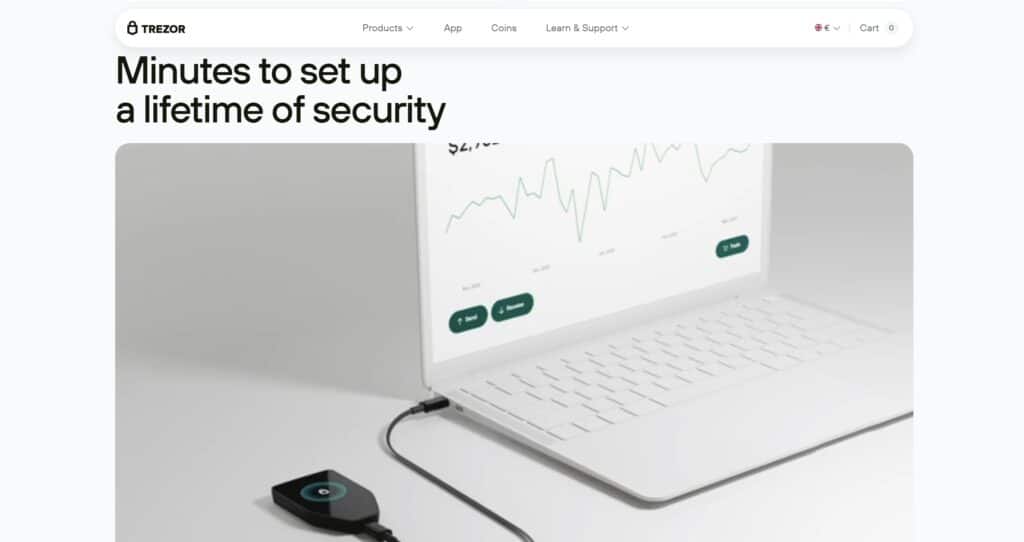
It’s packed with advanced security features but keeps things simple enough for everyday use.
Why Does the Trezor Safe 5 Stand Out?
- Touchscreen That Makes Life Easier: No more clunky buttons; this 1.54-inch color touchscreen lets you navigate, approve transactions, and manage your assets without the hassle of tiny, hard-to-press controls.
- Haptic Feedback: The Safe 5 features haptic feedback so that you never miss a transaction notification.
- Supports Over 1,800 Cryptocurrencies: Whether you’re holding Bitcoin, Ethereum, Litecoin, or other altcoins, the Safe 5 covers a wide range of cryptocurrencies.
- Shamir Backup = Extra Peace of Mind: Unlike wallets that give you a single recovery phrase, the Safe 5 lets you split it into multiple parts. If one part gets lost, your funds stay protected.
- Open-Source & Built for Transparency: No black-box software here. The Safe 5 runs on open-source firmware, meaning security pros and developers around the world can review and improve it.
How to Use Trezor Safe 5 as a Web3 Wallet
The Safe 5 isn’t just a hardware wallet; it’s also a gateway to Web3, letting you safely interact with DeFi, dApps, and NFTs without exposing your private keys to the internet.
- Plug It In & Follow the On-Screen Guide
Connect your Safe 5 to your computer using the USB-C cable that comes in the box. The device will guide you through setup, including writing down your recovery phrase (do not lose this). - Install Trezor Bridge
This software allows your Trezor to communicate with your browser. Download it straight from Trezor’s official website. - Connect to MetaMask (or Other Web3 Wallets)
- Install MetaMask if you haven’t already.
- Open MetaMask and go to Account Settings.
- Select “Connect Hardware Wallet”, then choose Trezor and follow the prompts.
- Start Using dApps Without Worry
By using the Safe 5, you get the best of both worlds: secure offline storage for your assets while still being able to interact with the growing world of decentralized finance.
Trezor Safe 5 Pros and Cons
Pros
- High-Level Security: Private keys stay offline, and Shamir Backup adds an extra layer of recovery protection.
- Easy-to-Use Touchscreen: The responsive display makes managing crypto straightforward, even for beginners.
- Haptic Feedback: The Device vibrates whenever you receive notifications and signature requests.
- Supports a Wide Range of Cryptos: Works with over 1,800 digital assets, so you’re not limited to just Bitcoin and Ethereum.
- Works with MetaMask and dApps: Lets you interact with DeFi apps and Web3 platforms while keeping your assets secure.
- Transparent and Open-Source: Regular security updates and improvements from the global developer community.
Cons
- Pricey Compared to Other Wallets: At around $213 USD, it’s more expensive than many competitors.
- Touchscreen Gets Smudgy: The screen is handy but picks up fingerprints easily, so you might need to clean it often.
- No Native NFT Support: You’ll need third-party apps to manage NFTs, as the Trezor Suite software doesn’t support them directly.
The Trezor Safe 5 is one of the best hardware wallets for long-term crypto investors. It has great security, a clean user experience, and strong Web3 compatibility, while keeping your private keys safely offline.
Yes, it’s a bit more expensive, but when it comes to securing your crypto, you get what you pay for. If you want a reliable, no-compromises hardware wallet that won’t leave you second-guessing your security, the Safe 5 is a solid bet.
Check out our detailed review of TREZOR Safe 5 for more information.
Ledger Flex: Best Hardware Wallet For Web3
The Ledger Flex is a mid-range hardware wallet from Ledger. It’s a rock-solid choice for anyone diving into Web3 due to its secure and battle-tested nature. The device features a 2.84-inch touchscreen display that makes it easy to verify transactions and signature requests. Bluetooth and NFC support allow you to wirelessly connect your Ledger wallet to your smartphone and laptop for easy token management using the Ledger Live App.
The most important feature of any hardware wallet is its security. Ledger Flex is built like a vault. Protected by Secure Element Chip and CC EAL6+ certification, the device provides an extra layer of security by keeping your crypto assets in isolation from the internet.

How to Use Ledger Flex
So, you’ve got your Ledger Flex in hand, and you’re ready to use it with dApps? Here’s how to get it running:
1. Install Ledger Live (Your Command Center)
- First, download Ledger Live from the official Ledger website. Don’t download from random links, as phishing scams are everywhere!
- Install it and launch the app.
2. Set Up Your Ledger Flex (If You Haven’t Already)
- Connect Ledger Flex to your smartphone or laptop via Bluetooth.
- Create a PIN code (this keeps your device safe if someone gets their hands on it).
- Write down your 24-word recovery phrase (DO NOT store it online or take a screenshot). This is your ultimate backup if your device gets lost or stolen.
3. Install the Right Blockchain Apps
- Open Ledger Live, go to the Manager tab, and install the blockchain apps you need (like Ethereum, Solana, or Polygon).
4. Connect Ledger to a Web3 Wallet (Like MetaMask)
Since most dApps don’t integrate directly with Ledger, you’ll need to connect it through MetaMask:
- Install MetaMask.
- In MetaMask, go to Settings > Connect Hardware Wallet and choose Ledger.
- Follow the prompts, and make sure the right blockchain app is open on your Ledger while doing this.
5. Start Using dApps Securely
Once connected, you can use your Ledger Flex with popular Web3 apps like Uniswap, OpenSea, Aave, and more. When making transactions:
- Always verify the details on your Ledger screen.
- Confirm the transaction on your device.
Boom, you’re now securely interacting with Web3!
Ledger Flex Pros and Cons
Pros:
- Touchscreen: Seamlessly verify and confirm signature requests.
- Bluetooth: Wirelessly connect to your iOS and Android smartphone or laptop via Bluetooth.
- Security: Keeps private keys offline, reducing the risk of online threats.
- Multi-Currency Support: Supports a wide range of cryptocurrencies, allowing for diversified asset management.
- Compact Design: Its small size makes it portable and easy to store securely.
Cons:
- Cost: Ledger Flex is priced at $249.
- Grayscale: Touchscreen does not support colour.
If you have extra cash to spare, you may want to consider Ledger’s Flagship model: Stax. Know more about this top-notch hardware wallet by reading our Ledger Stax Vs. Flex Reviews 2025: Features, Benefits, User Guide.
Tangem Wallet: High-Security Web3 Wallet
Tangem Wallet is a hardware wallet that looks like a credit card but works like a high-security vault for your crypto. It uses NFC technology, so all you have to do is tap it on your phone; no cables, no batteries, no hassle.
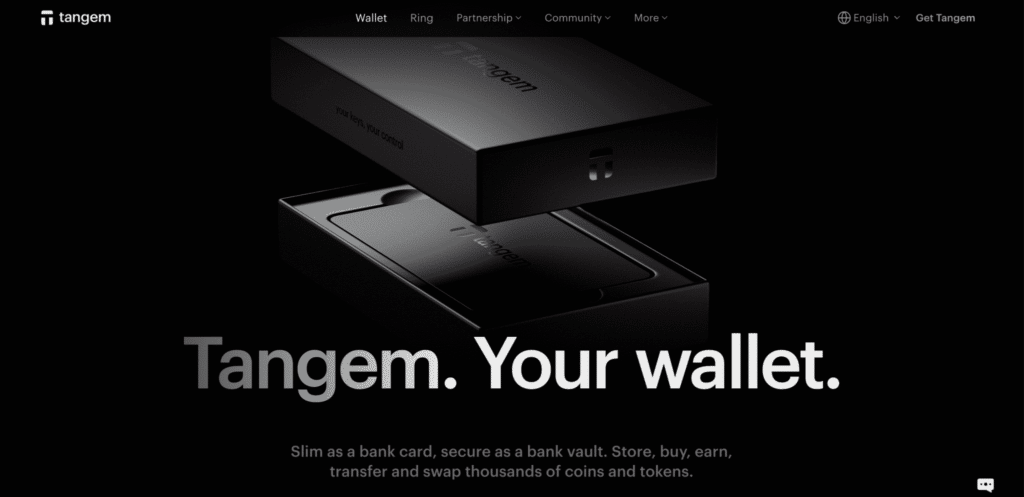
You can manage over 6,000 cryptocurrencies through the Tangem app, with your private keys securely stored inside the card’s EAL6+ certified chip.
One of its standout features? No recovery phrases. Instead, you can set up backup cards, so if you lose one, you can still access your funds. That means no stress over writing down long seed phrases.
How to Use Tangem Wallet
Want to connect your Tangem Wallet to a Web3 app? It’s super simple:
- Go to the DApp: Open the decentralized app (DApp) you want to use.
- Click Connect Wallet: Most Web3 apps will have this button somewhere on the home screen.
- Select WalletConnect: Since Tangem doesn’t plug into your computer, you’ll use Wallet Connect to link it.
- Open the Tangem App: Fire up the Tangem app on your phone.
- Scan the QR Code: If you’re using a desktop browser, a QR code will pop up. In the Tangem app, tap the three dots in the top right corner, select “Wallet Connect,” and tap the “+” to scan the QR code.
- Confirm the Connection: When the app asks, tap your Tangem card to your phone to approve the connection.
You’re now ready to interact with Web3 apps, whether they’re DeFi, NFTs, or anything else in the decentralized world.
Tangem Wallet Pros and Cons
Pros:
- Super Easy to Use: Just tap your phone; no complicated setup.
- No Seed Phrases: Backup cards replace traditional recovery phrases, making it stress-free.
- Top-Notch Security: Uses an EAL6+ certified chip, which is serious protection.
- Ultra-Durable: It’s water-resistant, dustproof, and doesn’t need charging.
- Supports Tons of Cryptos: Over 6,000 assets across different blockchains.
Cons:
- Not Great for Desktops: Mostly designed for mobile users, with no native desktop app.
- Still a Newer Option: Doesn’t have the same long track record as older hardware wallets.
- Tied to the Tangem App: You need the app to manage funds, which could be a downside if app support ever changes.
Tangem Wallet is a fresh take on hardware wallets, offering a sleek, simple, and secure solution. If you like the idea of tapping a card instead of dealing with seed phrases and bulky devices, this could be a great choice. It’s perfect for mobile users, but if you’re big on desktop trading, you might want to consider other options. Either way, it’s an innovative and easy-to-use solution for keeping your crypto safe.
To know more about this wallet, check out our separate Tangem Wallet review.
What is a Web3 Wallet?
Unlike basic crypto wallets that focus on sending and receiving assets, Web3 wallets are designed for active on-chain participation. They allow users to interact with decentralized exchanges, lending protocols, NFT marketplaces, DAOs, and blockchain games directly from the wallet interface.
Rather than acting as passive storage, a Web3 wallet functions as both an identity layer and a transaction approval engine for the decentralized internet.
Features of Web3 Wallets
A Web3 wallet comes with powerful features that traditional wallets simply don’t offer. Here’s what sets them apart:
1. Full Self-Custody and Private Key Control
Owning a Web3 wallet means you own your assets outright. Unlike custodial wallets (where an exchange holds your funds for you), a Web3 wallet generates and stores your private keys, which are cryptographic signatures that prove ownership of your crypto.
Your wallet also comes with a 12-24 word recovery phrase that acts as the master key to your funds. Lose this, and your wallet is gone for good; no customer support, no resets, no safety nets. This puts you in complete control but also full responsibility for your security.
2. Instant dApp Connectivity
Want to swap tokens on Uniswap, stake assets in Aave, or buy NFTs on OpenSea? Instead of creating an account, you just connect your Web3 wallet.
Since dApps use smart contracts instead of centralized databases, your Web3 wallet acts as your login credential. No email sign-ups, no passwords, just direct blockchain interaction.
3. Multi-Chain Compatibility
Many Web3 wallets support multiple blockchains, letting you store and use different cryptocurrencies in a single place. Instead of juggling multiple wallets, you can switch between Ethereum, Solana, Binance Smart Chain, Avalanche, and more within one interface.
For example:
- Best Wallet supports over 60 blockchains, including Ethereum, Solana, Binance Smart Chain, TRON, Polygon, and more.
- Phantom Wallet is built for Solana-based tokens and dApps.
- Trust Wallet supports Ethereum, BSC, Solana, Avalanche, and many more.
This makes Web3 wallets highly versatile for users who want to interact with multiple ecosystems without managing separate wallets for each.
4. Smart Contract Interactions
A Web3 wallet does more than just send and receive funds. It can execute smart contract transactions, allowing you to:
- Swap one token for another without an exchange.
- Lend and borrow assets through DeFi platforms.
- Mint NFTs directly from blockchain projects.
- Provide liquidity and earn rewards from decentralized pools.
Instead of relying on financial institutions, smart contracts automate these transactions. Your wallet just provides the authorization to execute them.
5. Security Without a Central Authority
With traditional finance, security is outsourced to banks and financial institutions. With Web3 wallets, security is your responsibility.
- Cold Storage Options: Hardware wallets like Ledger or Trezor add an extra layer of protection by keeping your private keys offline.
- Multi-Signature Wallets: Some Web3 wallets allow multi-sig transactions, requiring multiple approvals before funds can be moved.
- Smart Contract Security: Certain wallets use smart contract-based security measures like spending limits and social recovery.
Since Web3 wallets eliminate third-party risks, your funds can’t be frozen, seized, or manipulated by outside entities.
Benefits of Web3 Wallets
Web3 wallets provide financial autonomy, security, and flexibility. Here’s what makes them essential:
1. Total Control Over Your Assets
No banks, no intermediaries. Your Web3 wallet puts you in direct control of your funds.
- No one can freeze or restrict your transactions.
- Your funds are only accessible through your private key.
- You decide how and where to use your assets.
2. Access to DeFi & Passive Income
With a Web3 wallet, you can earn crypto beyond just holding it.
- Stake assets on platforms like Lido or Rocket Pool.
- Provide liquidity to DEXs and earn trading fees.
- Borrow against your assets without needing a bank.
3. NFT and Digital Asset Management
Web3 wallets aren’t just for cryptocurrencies; they also store NFTs and other digital collectibles.
- Buy and sell NFTs on OpenSea, Magic Eden, and Rarible.
- Store, view, and transfer NFTs across supported chains.
- Some wallets even offer gallery views to showcase your collection.
4. Permissionless and Global Financial Access
Traditional banks have restrictions. Web3 wallets don’t.
- No minimum balance or approval needed.
- Send money across borders instantly and without fees.
- Open financial access to anyone with an internet connection.
5. DAO and Governance Voting
Holding governance tokens? Your Web3 wallet lets you vote on proposals and influence blockchain projects.
- Participate in decentralized decision-making.
- Vote on upgrades, community funds, and protocol changes.
- No centralized control- decisions are made by the token holders.
How are Web3 Wallets Different from Other Crypto Wallets?
If you’ve ever used a non-custodial crypto wallet, you get the gist of how it works: you hold the keys, you call the shots. No banks, no third parties.
But if you’ve only used a basic crypto wallet, stepping into Web3 might feel like opening the door to a whole new world. Because that’s exactly what the best web3 wallets do; it doesn’t just store your crypto, it puts it to work.
With a Web3 wallet, you’re not just holding tokens; you’re swapping, staking, trading, collecting NFTs, joining DAOs, and interacting with dApps. It’s the difference between a savings account and a fully loaded investment portfolio. One is passive, the other is built for action.
Many Web3 wallets now come with built-in support for hardware wallet connections, gas fee estimators, and multichain dashboards, empowering users with granular control over each transaction. This level of functionality makes them indispensable for active DeFi users, NFT collectors, and GameFi enthusiasts alike.
Below is a table that breaks down the main differences between Web3 wallets and regular wallets. After the table, we’ll dive in deep into the differences.
| Feature | Traditional Non-Custodial Crypto Wallet | Web3 Wallet |
|---|---|---|
| Purpose | Primarily for storing and transferring crypto | Designed for both storing and using crypto in dApps, DeFi, and NFTs |
| dApp Integration | Requires manual connection via external tools | Directly integrates with dApps for seamless access |
| Security | Focuses on asset protection and private key management | Includes transaction previews, permission management, and phishing protection for interacting with dApps |
| Smart Contract Interactions | Limited; mainly used for sending/receiving crypto | Fully supports smart contract interactions for staking, lending, and governance |
| User Experience | Simple interface optimized for basic crypto management | Built-in features for token swaps, staking, and multi-chain support |
| Multi-Chain Support | Often limited to one or a few blockchains | Supports multiple blockchains and cross-chain interactions |
| Future-Proofing | Static; new features require external integrations | Continuously updated to support new Web3 applications and technologies |
A standard non-custodial wallet is a solid tool for storing and transferring crypto. You can send and receive Bitcoin, Ethereum, or whatever tokens you hold, but that’s about it. Want to use DeFi? Trade on a DEX? Join a blockchain game? You’ll have to jump through a few extra hoops, connecting your wallet to external platforms manually.
A Web3 wallet flips the script, allowing users to interact with decentralized apps (dApps) seamlessly, whether they’re swapping tokens, staking assets, or minting NFTs. Everything happens from the wallet itself, no extra tools required. Think of it like a Swiss Army knife for crypto: storage, trading, and dApp access all in one place.
Built to Work Directly with Decentralized Applications
Traditional wallets keep things separate. If you want to connect to a blockchain app, you usually need to go through a third-party extension or service. That can mean extra steps, compatibility issues, or even moving funds manually between different networks. It works, but it’s not exactly smooth.
The best web3 wallets are built for integration. They let you connect directly to DeFi platforms, NFT marketplaces, staking protocols, and gaming dApps with a single click. You don’t need a separate login, a password, or a centralized account. Your wallet is your identity.
Want to swap ETH for stablecoins on Uniswap? Stake tokens on Aave? Pick up an NFT on OpenSea? Just connect your Web3 wallet, approve the transaction, and you’re in. No middlemen, no unnecessary steps, just direct interaction with the decentralized world.
What’s more, many top-tier Web3 wallets offer embedded browser interfaces or native dApp browsers, especially on mobiles, so you can explore and use thousands of dApps without ever leaving the wallet. These features also include automatic network switching and real-time smart contract interaction previews, helping users avoid failed transactions or malicious contracts.
This makes them perfect for crypto investors who frequently interact with GameFi ecosystems, liquidity pools, or cross-chain bridges.
On top of that, leading Web3 wallets now integrate features like push notifications for pending dApp approvals, customizable spending limits for smart contracts, and even support for DAO governance voting.
This means you can have a say in protocol upgrades or community decisions directly from your wallet, turning it into more than just a financial tool; it becomes your all-access pass to the decentralized economy. By cutting out third-party friction and offering a unified interface, Web3 wallets empower both newcomers and seasoned crypto investors to explore DeFi, NFTs, and Web3 gaming with confidence and security.
Future Proofing
Crypto is evolving fast. Layer-2 scaling solutions, cross-chain interoperability, and metaverse applications are all happening at lightning speed. Traditional wallets are great for storage, but they aren’t built to keep up with new blockchain innovations. If you want to access the latest DeFi protocols or NFT standards, you’ll likely need extra tools.
Web3 wallets, on the other hand, are designed for adaptability. They constantly integrate with new dApps, support emerging blockchain protocols, and stay ahead of trends like cross-chain bridges and decentralized identity. Instead of being stuck in the past, they evolve alongside Web3 itself.
Many leading Web3 wallets now also integrate support for real-world asset (RWA) tokenization, decentralized autonomous organization (DAO) governance, and next-gen privacy protocols like zero-knowledge proofs (ZKPs). This continuous evolution ensures users can tap into the most innovative sectors of the blockchain economy without needing constant wallet upgrades.
If you want to stay ahead of the curve, a Web3 wallet is a must-have. In an environment where DeFi lending, blockchain gaming, metaverse ownership, and decentralized social networks are expanding daily, having a future-proof wallet means unlocking endless opportunities. Whether you’re yield farming across multiple chains or participating in tokenized real estate investments, a Web3 wallet ensures you’re equipped for the Web3 revolution.
What Can You Do With a Web3 Wallet?
Web3 wallets can do a lot more than simply holding crypto, and here is a list of what you can do:
- Store & Manage Digital Currencies: Keep your crypto safe while easily sending, receiving, and organizing your assets. Since you control the private keys, only you have access to your funds.
- Exchange Tokens: Swap one cryptocurrency for another directly in your wallet. No need for centralized exchanges.
- Generate Passive Income: Earn rewards by staking your crypto, providing liquidity, or participating in DeFi. Your assets don’t just sit there; they can work for you.
- Buy, Sell & Hold NFTs: Store your digital collectibles, trade them on NFT marketplaces, and prove ownership on the blockchain. No third parties, just you and your NFTs.
- Participate in Blockchain Gaming: Own and trade in-game items that actually belong to you. Play-to-earn games let you collect rewards and turn gaming into an investment.
- Explore the Metaverse: Jump into virtual worlds where you can buy land, collect digital assets, and interact with other users. Your wallet is your identity and payment tool in these spaces.
- Create, Manage & Join DAOs: Have a say in decentralized communities by voting on proposals and funding projects. Holding governance tokens in your wallet gives you a voice in decision-making.
- Build & Develop Blockchain Projects: If you’re into coding or investing, your wallet helps you interact with smart contracts, launch decentralized apps, and participate in the Web3 space.
CEX vs. DEX: Where Do Web3 Wallets Fit In?
Web3 wallets let you interact with both centralized exchanges (CEXs) and decentralized exchanges (DEXs), but what’s the difference? And which one should you use? If you’re new to crypto, you’ve probably used a CEX like Binance or Coinbase because they’re easy. But as you dive deeper into Web3, you’ll see why many prefer DEXs like Uniswap or PancakeSwap; they give you full control over your crypto. Here’s how they differ:
Standard Crypto Exchanges
Think of centralized exchanges (CEXs) like banks for crypto. They hold your funds, make trading super easy, and even help if you get locked out of your account. They’re perfect for beginners since they’re fast, user-friendly, and offer high liquidity. But there’s a catch: you don’t actually own your crypto, the exchange does. If the platform gets hacked or goes down (like FTX did), your funds could be at risk. Plus, you have to complete KYC (ID verification), so there’s no real privacy.
Decentralized Exchanges
DEXs cut out the middleman, letting you trade crypto straight from your Web3 wallet; no sign-ups, no KYC, no one holding your funds but you. They give you full control, better privacy, and access to tokens that aren’t available on CEXs. The downside? They can be trickier to use, have lower liquidity, and if you lose access to your wallet, there’s no customer support to save you.
| Feature | CEX | DEX |
| Who controls your funds? | The exchange holds your crypto (like a bank) |
You control your crypto (self-custody)
|
| Ease of use | Super easy, beginner-friendly |
Takes some learning
|
| Privacy | Requires KYC (ID verification) |
No KYC, more privacy
|
| Security | Higher risk—CEXs can be hacked |
Safer—no central point of failure
|
| Liquidity | High—fast trades, lots of buyers/sellers |
Lower—some tokens have fewer trades
|
| Access to tokens | Limited selection, mostly top cryptos |
Huge variety—including smaller/newer tokens
|
| Customer support? | Yes, they can help if you lose access |
No support—if you lose keys, you lose funds
|
For serious crypto users, a Web3 wallet + DEX combo is the best way to stay in control of your assets. But if you’re just starting, a CEX might be an easier way to buy your first crypto before transferring it to a Web3 wallet.
How to Select the Right Web3 Wallet
Picking a Web3 wallet isn’t just about downloading the first one you see; it’s about finding the right balance of security, ease of use, and functionality.
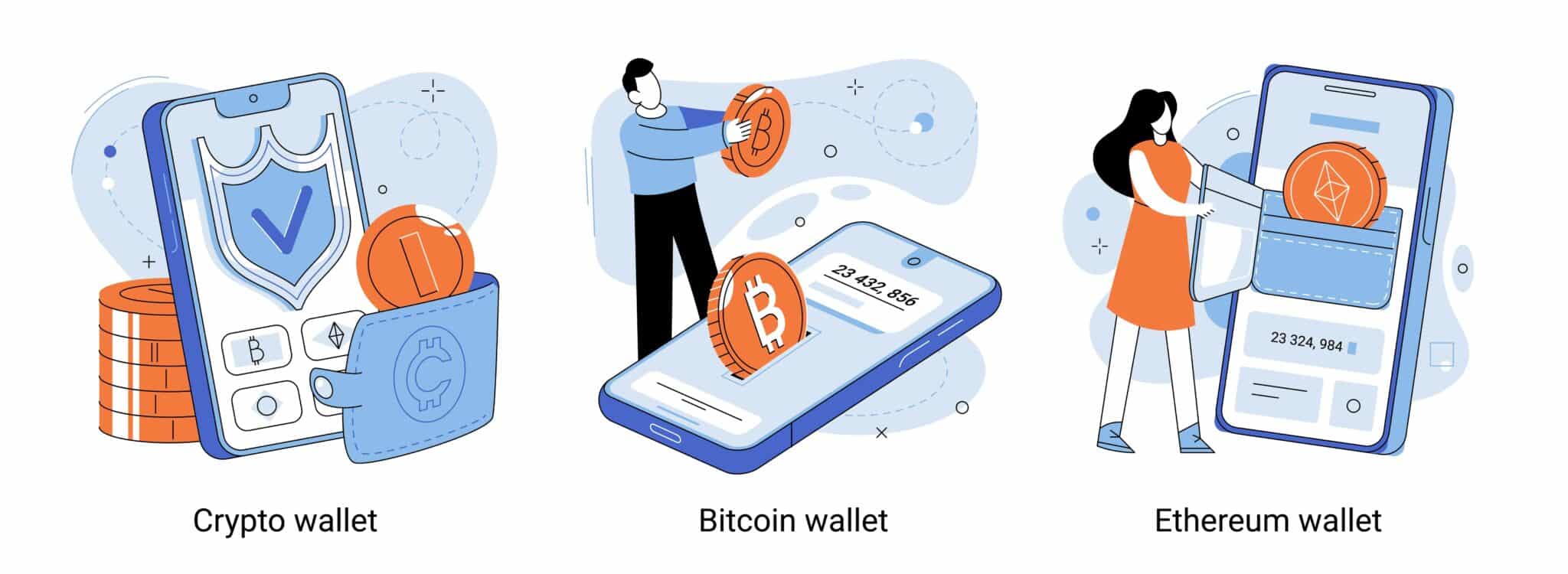
Whether you’re holding crypto, trading NFTs, or exploring DeFi, here’s what you need to consider.
Security
When exploring the best Web3 wallets, it’s crucial to understand that your wallet’s safety depends entirely on its built-in protections. Non-custodial wallets, where you hold your own private keys, give you complete control, but also full responsibility for safeguarding them. For added protection, hardware wallets such as Ledger or Trezor keep your keys offline, making them nearly impossible to hack.
Look for Web3 wallets that implement strong encryption, backup recovery options, and two-factor authentication, as losing access to your keys means losing access to your funds.
Many of the leading Web3 wallets now integrate biometric authentication, secure enclaves on mobile devices, and password manager compatibility to minimize user error and phishing risks. It’s also smart to choose wallets that undergo independent security audits and open-source code reviews, ensuring transparency and continuous protection against emerging threats.
Supported Cryptocurrencies
Not all wallets support every token. Some, like MetaMask, mainly work with Ethereum-based assets, while others, like Trust Wallet or Rabby, handle multiple chains. If you’re planning to invest in different ecosystems (Ethereum, Solana, Binance Smart Chain, etc.), go for a multi-chain wallet to keep everything in one place.
User Experience
A wallet should make your life easier, not frustrate you with a clunky interface. A good wallet is intuitive, with clear navigation, simple transaction processes, and reliable customer support. If you have to watch a tutorial just to send crypto, it might not be the best fit.
Support for Tokens & NFTs
If you’re into NFTs or tokens beyond Bitcoin and Ethereum, not every wallet will cut it. Some, like Phantom and Frame, are built for NFT trading, while others offer only basic token support. Make sure your wallet can handle the assets you actually use.
Transaction Fees
Some wallets let you tweak gas fees to speed up transactions or save on costs, while others set fees automatically. If you’re an active trader or DeFi user, having control over transaction fees can make a big difference.
Integration with DeFi & dApps
Planning to stake, swap, or lend your crypto? You’ll need a wallet that plays well with DeFi platforms. MetaMask, Rabby, and XDEFI Wallet are great for connecting to dApps without extra steps. The smoother the integration, the better your experience.
There’s no “one-size-fits-all” wallet. If security is your top concern, a hardware wallet is the way to go. If you need something versatile, a multi-chain software wallet might be better. And if you’re deep into DeFi, choose one that integrates well with dApps.
Take your time, compare your options, and pick a wallet that fits your needs, because the right one makes all the difference.
How to Use Web3 Wallet: A Step-by-Step Guide
In this section, we’ll walk through the process of installing and using a Web3 wallet. The good news is that Web3 wallets are very simple to use, and for this example, we’ll use Best Wallet.
Via the Official Site: Visit bestwallet.com and click “Get it on Google Play” (Android) or “Download on the App Store” (iOS) to reveal a scannable QR code. Direct QR Scan: Click “Download Best Wallet” on the site to show a QR code you can scan directly with your smartphone camera. App Store Search: Open Google Play or the Apple App Store, search for “Best Wallet,” and download the app directly to your device. Important Step: Create your secret recovery phrase. This is the only way to recover your funds if you lose your phone. Store this phrase in a physical, offline location—never store it in a notes app or on any internet-connected device.
Download and Install Best Wallet
The first step is to download the Best Wallet app.
Create Your Wallet
Once installed,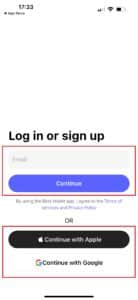
Fund Your Wallet
To add funds,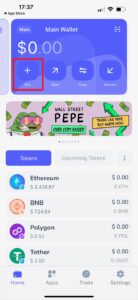
Get Started with Web3
Managing your crypto is simple from the home page.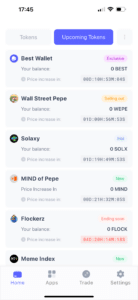
Conclusion: Best Web3 Wallets
Web3 wallets have evolved into complex execution environments that sit at the center of decentralized finance, NFTs, and on-chain governance. Choosing the right wallet in 2026 requires understanding not just which assets it supports, but how it manages keys, approvals, recovery, and regulatory constraints.
No single wallet is perfect for every user. Hardware wallets excel at key security, MPC wallets prioritize recovery and ease of use, and DeFi-native wallets offer the deepest composability. The best choice depends on your threat model, experience level, and how actively you engage with Web3.
As blockchain ecosystems continue to mature, Web3 wallets will remain the primary interface between users and decentralized systems—making informed selection more important than ever.
See also:
- Best Monero Wallets in 2026 to Store XMR
- Best Crypto Wallets for Gambling in 2026
- Best XRP Wallets in 2026: Tested & Verified
- Best No-Fee Crypto Wallets in 2026
- Bitcoin Staking: How to Earn Rewards by Staking Crypto?
- Best Low Market Cap Crypto with 100x Potential
- Next 1000x Crypto – 13 Coins That Could 1000x in 2026
- 10+ Best Play to Earn (P2E) Games List
FAQs
What is a Web3 wallet?

A Web3 wallet is your gateway to the next generation of the internet. It’s not just for storing crypto assets; it lets you interact with dApps, trade NFTs, and even use DeFi services. Whether it’s a social wallet like Rainbow Wallet, an Ethereum wallet for smart contracts, or a Phantom Wallet for the Solana ecosystem, your Web3 wallet connects you to everything happening on blockchain networks.
Why should I use a Web3 wallet?
A Web3 wallet gives you total control over your crypto assets without relying on a third party. You can store cryptocurrencies, trade on decentralized exchanges, and manage NFT collections directly. If you’re into DeFi, staking, or exploring financial services on the Solana blockchain, a Web3 wallet is a must. You can also access lending protocols. Whether you’re using a mobile wallet, a web browser extension, or a desktop browser, wallets like OKX Wallet and Trust Wallet make it easy to get involved in staking and liquidity pools across various blockchain networks. A mobile wallet is the most convenient, as you can manage everything from anywhere.
How do Web3 wallets differ from crypto wallets?
All Web3 wallets are crypto wallets, but not all crypto wallets are Web3-ready. Traditional crypto wallets just store cryptocurrencies and process transactions. A Web3 crypto wallet connects to dApps, letting you swap tokens, trade NFTs, and stake assets on different blockchain networks. It’s like the difference between a basic savings account and a full-service investment platform.
What makes a Web3 wallet secure?
A Web3 wallet is secure when it keeps your crypto assets safe through strong encryption, private key control, and an extra layer of security like biometrics or multi-factor authentication. Non-custodial wallets let you hold your own keys, while hardware wallets store them offline for secure storage. The safest approach? Keep your recovery phrase private—because once it’s gone, so are your funds.
Can I use multiple Web3 wallets?
Sure. The best web3 wallets even support creating multiple wallets in the app. Many cryptocurrency users have different wallets for different use cases. Maybe you have an Ethereum wallet for DeFi, a Solana blockchain wallet for NFTs, and a mobile wallet like Trust Wallet for quick transactions. Whether you’re using a web browser, mobile application, or desktop browser, juggling multiple wallets is common—and sometimes necessary.
How do I recover my Web3 wallet if I lose my phone?
If you backed up your recovery phrase, just install the mobile application or browser extension on a new device and enter the phrase. Your wallet and crypto assets will be restored. No backup? Unfortunately, not even customer support can help you—it’s gone for good. That’s why secure storage of your seed phrase is critical.
What are the best Web3 wallets to use in 2026?
Choosing one of the best web3 wallets depends on what you need. Phantom Wallet is perfect for the Solana ecosystem, MetaMask is the go-to Ethereum wallet, and Trust Wallet works across multiple blockchain networks, including BNB Chain. Rainbow Wallet is great for NFT collectors, while OKX Wallet is a solid option for DeFi and staking. If security is your main concern, a hardware wallet with secure storage is the way to go.
Can I store NFTs in a Web3 wallet?
Yes. Most Web3 wallets let you manage NFT collections easily. Whether you’re holding Ethereum wallet NFTs, Solana blockchain collectibles, or assets on BNB Chain, wallets like Phantom Wallet, Trust Wallet, and Rainbow Wallet are built for NFT management. Some even include social features, so you can show off your collection.
Can I use Web3 wallets on mobile devices?
Definitely. Many Web3 wallets have mobile applications available on Google Play and the App Store. Whether you’re using Phantom Wallet for Solana, OKX Wallet for DeFi, or Trust Wallet for multi-chain support, a mobile wallet gives you access to the digital world anytime, anywhere.
Do I have to pay any fees for using Web3 wallets?
The wallet itself is usually free, but transactions on a blockchain network aren’t. Sending crypto assets, swapping tokens, or interacting with dApps on networks like the Ethereum wallet or the Solana blockchain will cost you gas fees. Some wallets let you adjust fees, but you can’t avoid them entirely.
References:
- Ethereum Foundation. “Gas.” Ethereum, https://ethereum.org/en/developers/docs/gas/.
- Evans, David G. “Pragmatic MPC.” University of Virginia, https://www.cs.virginia.edu/~evans/pragmaticmpc/pragmaticmpc.pdf.
- Mulligan, Casey. “What Is Web3?” Harvard Business Review, 2022, https://hbr.org/2022/05/what-is-web3.
- Zengo. “Security.” Zengo Wallet, https://zengo.com/security/

Why you can trust 99Bitcoins
Established in 2013, 99Bitcoin’s team members have been crypto experts since Bitcoin’s Early days.
Weekly Research
100k+Monthly readers
Expert contributors
2000+Crypto Projects Reviewed