
In This Article
The 2023 launch of the ARB token effectively transferred control of the Arbitrum network to the Arbitrum DAO, which, as its name suggests, is the chain’s community governance mechanism. Holding ARB is your ticket to voting on protocol changes.
Because ARB lives on both the Ethereum mainnet and Arbitrum Layer 2 (L2), you can store it in almost any ERC-20 compatible wallet. Just remember that voting is an L2 activity. To actually participate in governance, you’ll need to choose from Arbitrum wallets that can connect directly to the Arbitrum L2 network.
A crypto wallet holds the private keys that control your tokens on the blockchain. But choosing a crypto wallet isn’t just about storage. It’s about what you actually do with your crypto. Perhaps you require the latest token launches or the most straightforward security model, or perhaps you prioritize data privacy. Each wallet in our roundup performs well in specific areas, but one still earns the title of overall best.
In this guide, we’ll highlight the features and advantages of the best ARB wallets. We’ll also examine the drawbacks or limitations, as well as who they are intended for. Let’s dive in and review the top Arbitrum wallets to find the one that best suits your needs.
Best Arbitrum Wallets Ranked
Below is a quick summary of our top ARB wallet picks. We ranked the best Arbitrum wallets based on their specific strengths for holding the ARB token, from active trading to secure long-term storage, as well as additional features each offers.
- Best Wallet – Best Overall and Best for New Tokens
- Zengo Wallet – Best for Beginner-Friendly Security
- Kraken Wallet – Best for Privacy and Exchange Users
- Cropty Wallet – Best for Simple Custodial Storage
Each of these ARB wallets has its own take on UI, features, and security. Read on to discover which one matches your specific needs for security, fees, and usability.
Top Arbitrum Wallets Reviewed
We selected these four wallets for our roundup because they address specific user priorities better than their competitors. Countless wallet apps offer generic private key storage and access to blockchain networks. Best Wallet, Zengo, Kraken Wallet, and Cropty each target a distinct type of user better than other apps.
Whether you need advanced trading tools for presales, a foolproof security model that eliminates seed phrases, or a privacy shield for your transactions, one of these options is built for you. Let’s review the features to learn why each of these apps is best-of-breed in a crowded field.
1. Best Wallet: Best Overall and Best for New Tokens
Best Wallet lives up to its bold name by reimagining the role of a crypto wallet in 2025. Simply put, it’s easy to use while offering powerful features for users of any experience level.
Best Wallet supports dozens of blockchains, following an ambitious roadmap that promises several new features like advanced orders and derivatives. But for many, the draw is ease of use and new token listings: Best Wallet’s Upcoming Tokens feature serves as a launchpad for presales with detailed descriptions of vetted presale projects and one-click buys.
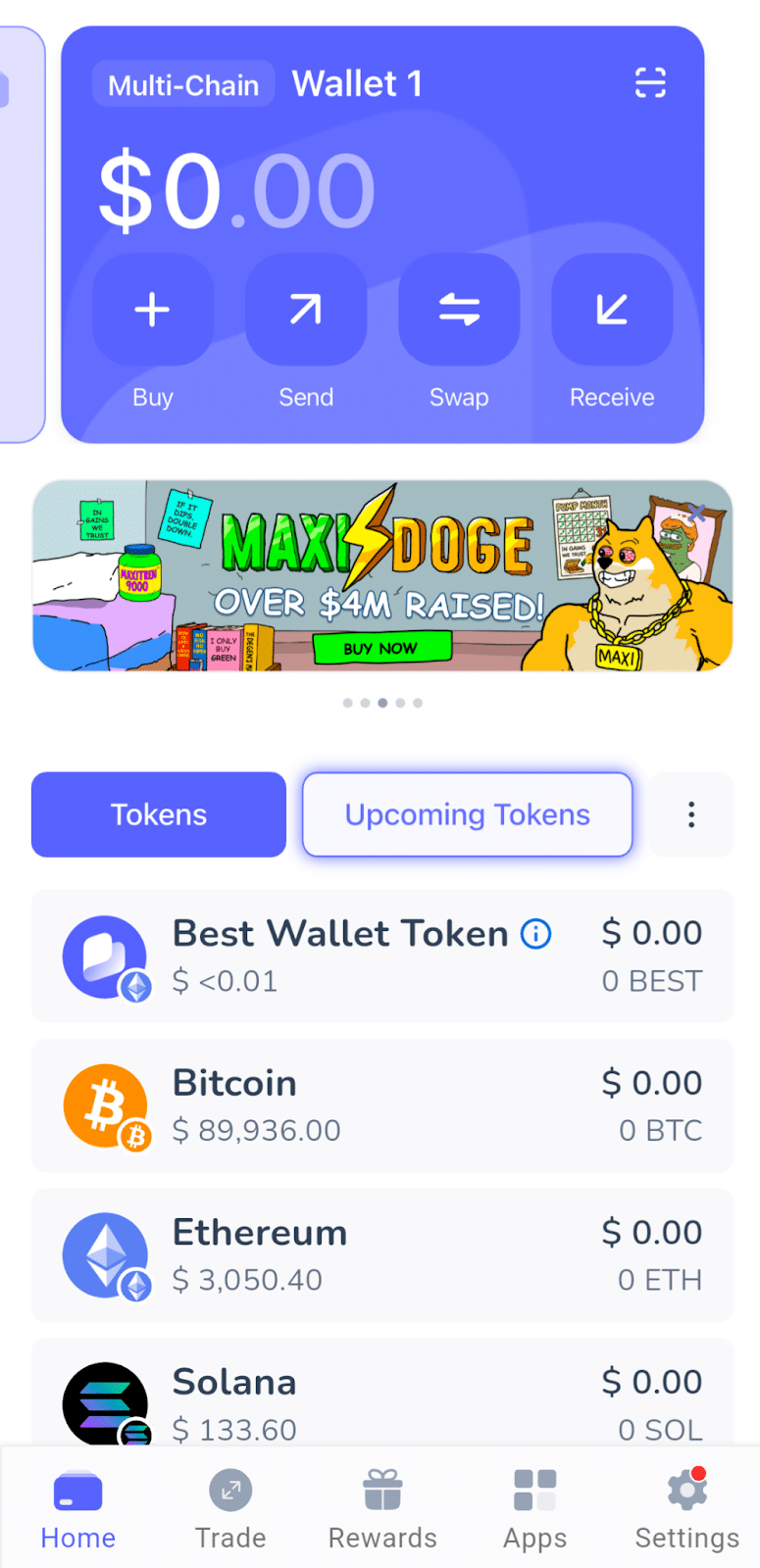
Despite these advanced “Alpha” hunting tools, the user experience is intuitive, and the app offers state-of-the-art security. Best Wallet utilizes MPC (Multi-Party Computation) technology to simplify the onboarding process. Users can create a wallet and get started without wrestling with complex seed phrases or wondering how to protect private keys. Best Wallet is more than just a simple key storage. The app strikes a balance between advanced features and simplicity, making it accessible to first-time users.
Best Wallet supports top chains as well as a growing list of popular networks. The app gives you instant access to Bitcoin, Ethereum, Solana, BNB, and other chains, and also supports in-app purchases of the ARB token on the Ethereum network. Support for Arbitrum’s L2 is planned on the roadmap.
Pros
- Exclusive access to presales and new launches directly in-app.
- MPC technology for instant setup without complex seed phrase management.
- Support for many blockchains, including Bitcoin, Ethereum, Solana, and BNB.
- In-app crypto purchases.
Cons
- Less track record than competing wallets.
- Some features are still under development.
2. Zengo Wallet: Best for Beginner-Friendly Security
Zengo is widely recognized as the safest option for beginners because it eliminates the single biggest risk in crypto: the seed phrase. In a standard secure Arbitrum wallet, if you lose your 12-word recovery phrase, you can’t recover your wallet, and your crypto assets stay trapped on the blockchain. Zengo replaces this common-but-riskier model with its own MPC (Multi-Party Computation) solution based on open-source cryptography.
Under the hood, the app splits your private key into encrypted shares. One is stored on your device and the other on Zengo’s servers, similar to Best Wallet and other MPC wallets. Both shares are needed to sign transactions. This means there is no single point of failure, and even if your phone is hacked or cloned, the server’s biometric check protects your crypto.
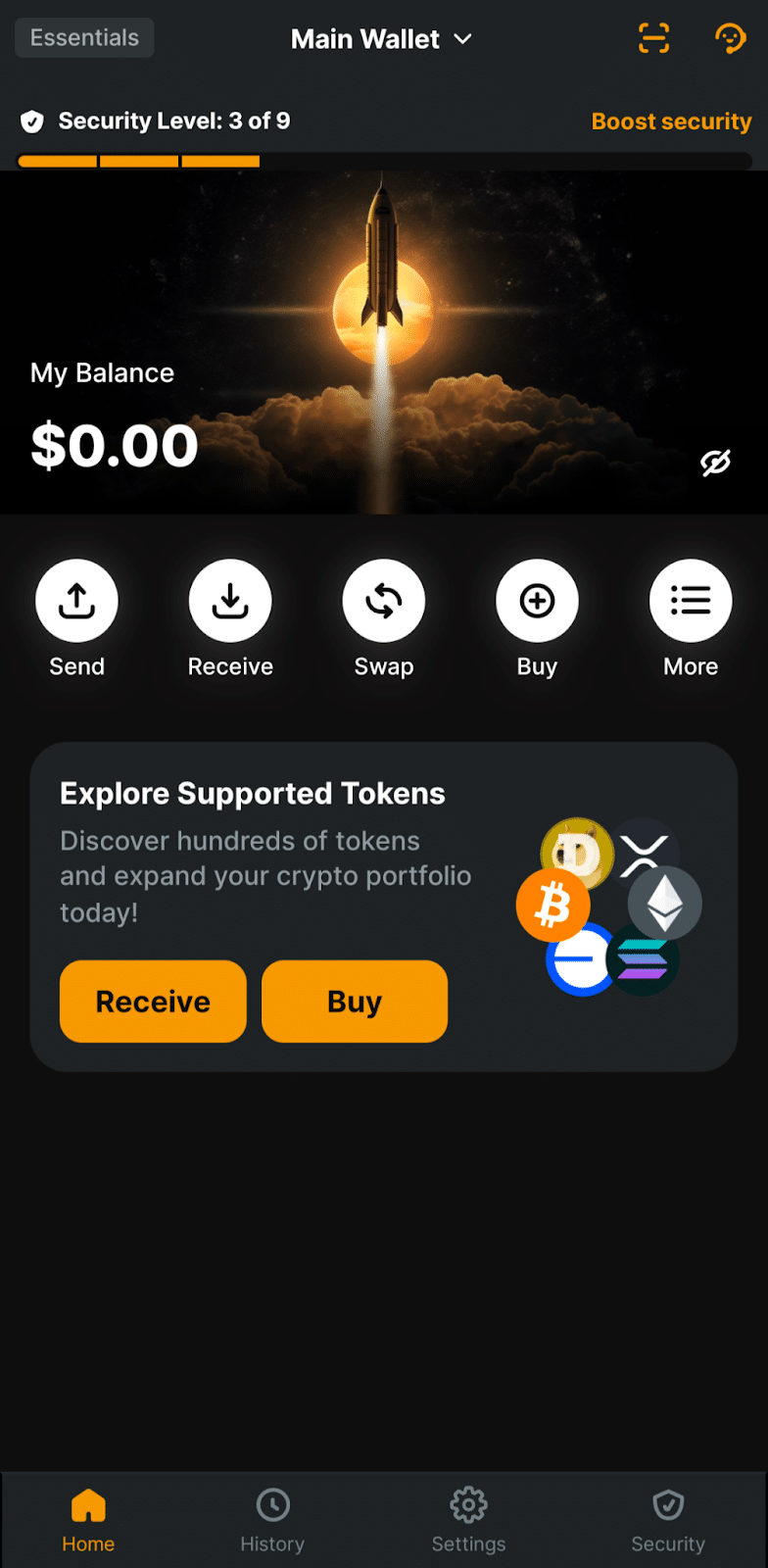
Zengo solves the main concern users have about server-dependent wallets: What if Zengo goes out of business? The app features a Guaranteed Access (formerly Chill Storage) option. If Zengo ever closes its doors, a master recovery key (held in escrow) is automatically released to a public GitHub repository. This failsafe feature ensures users can always recover their crypto.
Zengo Wallet enables users to access over 14 blockchains securely. You’ll find easy access to the most popular networks, like Ethereum, Bitcoin, Solana, XRP, and Dogecoin. Zengo supports the ARB token on Ethereum or Arbitrum.
Pros
- Eliminates the risk of phishing or lost paper backups.
- Failsafe recovery tool ensures you always own your funds.
- Real human customer support is available 24/7 directly in the app.
- Enterprise-grade MPC security tech prevents unauthorized withdrawals.
Cons
- Advanced “Theft Protection” (transaction biometric lock) and the Web3 Firewall are paid “Pro” features.
- Lacks support for some popular chains like Cardano (ADA).
- In-app crypto purchases and swaps can have higher spreads than competitors.
3. Kraken Wallet: Best for Privacy and Exchange Users
Launched by the Kraken Exchange, a long-respected platform for transparency, Kraken Wallet is a standalone self-custody app that boasts a strong reputation for security and a surprising focus on privacy. While most wallets simply store your keys and add a few features, Kraken Wallet is designed to protect your identity.
The killer feature here is the app’s privacy-first approach to transactions. Most crypto wallet apps route your transactions through blockchain nodes that can log your IP address. What’s the problem with that? This base-level doxxing creates a potential privacy risk because your physical location can be linked to your crypto balance.
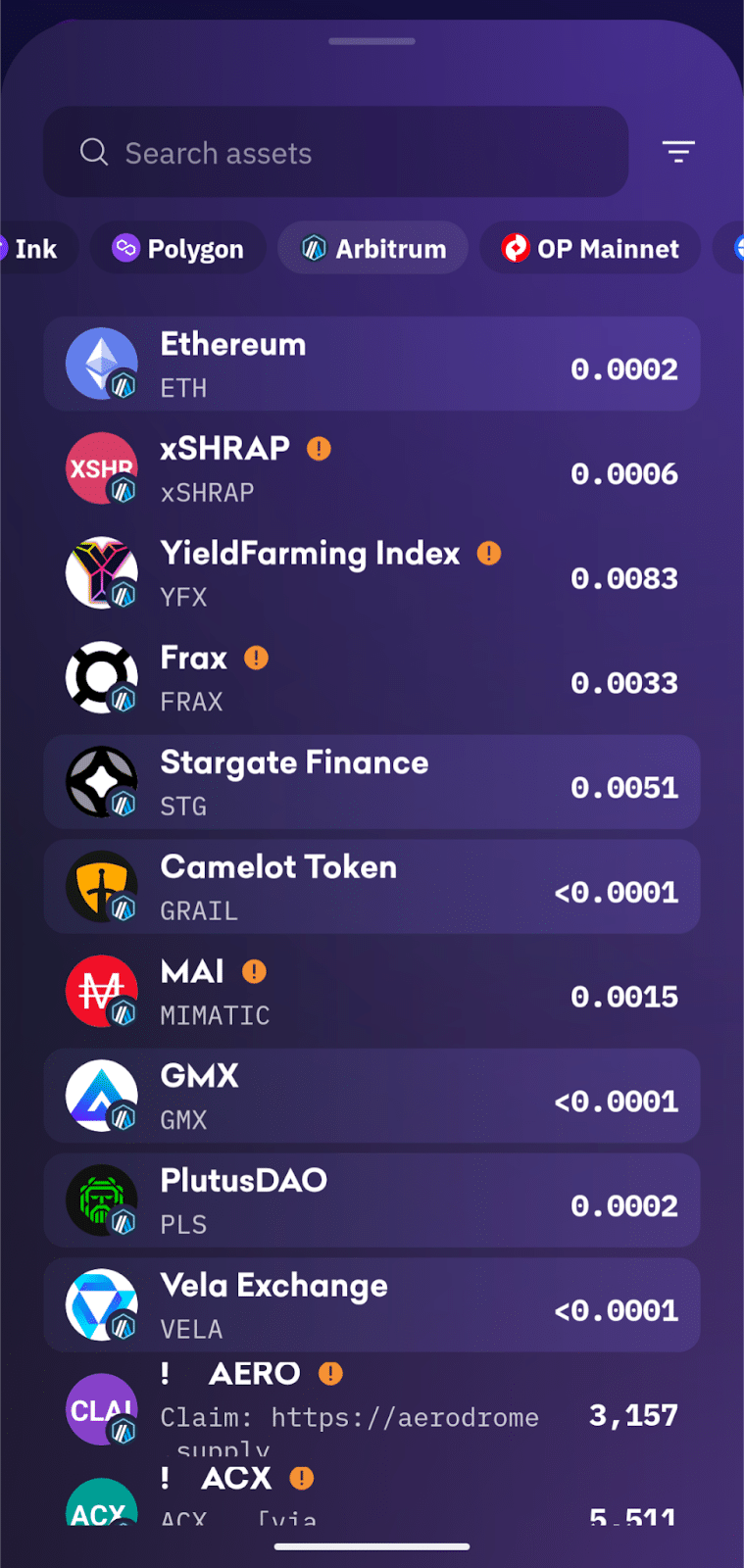
Kraken Wallet acts as a middleman in transaction requests to shield your IP. Instead of connecting directly to the blockchain with the app, Kraken routes your requests through its own servers. This VPN-like buffer hides your location from the node operators that power the crypto networks you use.
For users who already use the Kraken exchange, this free Arbitrum wallet bridges the gap well with its Kraken Connect feature. However, the exchange isn’t fully supported, as you can’t buy directly through the wallet app using your Kraken account. The wallet also supports fewer chains than competing apps, with only ten networks. However, transactions on popular networks like Bitcoin, Ethereum, and Solana enjoy better privacy than other wallets typically offer. Kraken’s L2 support makes it the best wallet for Arbitrum tokens if you’re using the chain for voting or decentralized finance (DeFi).
Pros
- Blocks IP tracking and data collection from node providers.
- The Kraken Wallet code is published and verifiable on GitHub.
- Kraken Wallet connects with the Kraken exchange for easy transfers to and from the exchange.
- A minimalist interface makes the app easy for beginners.
Cons
- No direct in-app crypto purchases.
- Supports only 10 core networks compared to 60+ on Best Wallet.
- Lacks advanced tools like built-in bridging aggregators or presale finders.
4. Cropty Wallet: Best for Simple Custodial Storage
The Cropty Wallet takes a different approach compared to the other Arbitrum wallets in our roundup. It’s a custodial wallet that functions more like a bank app than a traditional crypto wallet. You don’t manage the wallet’s private keys. Cropty takes care of that. Instead, you simply log in with a password or PIN. For beginners who prefer not to take on the responsibility of self-custody (where losing keys means losing funds), Cropty offers a familiar and stress-free interface. Think of it as an online Arbitrum wallet.
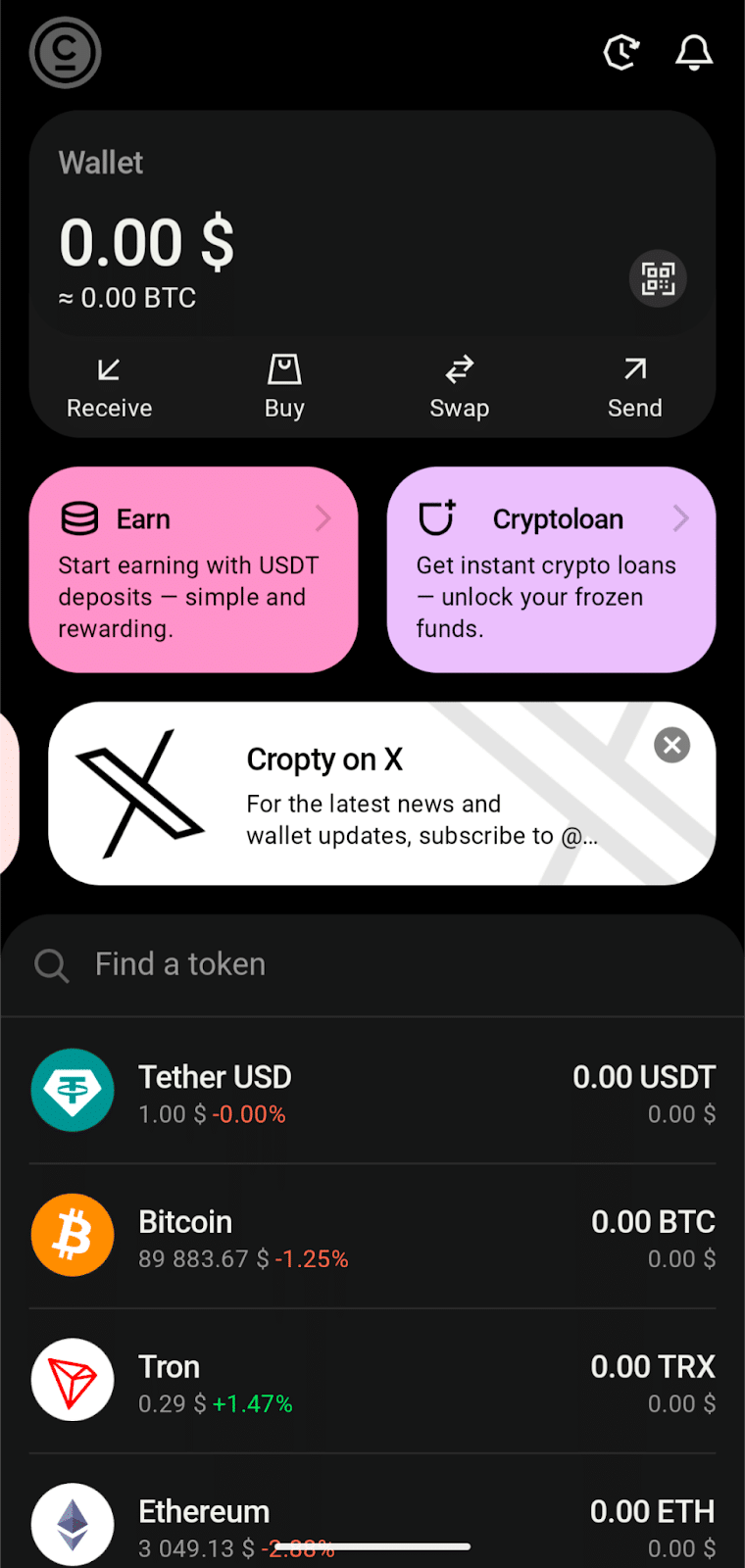
Cropty supports ARB as an ERC-20 token on the Ethereum network. The app also offers features that set it apart, such as crypto-backed loans, which allow you to use your cryptocurrency on the platform as collateral to borrow stablecoins. Cropty simplifies the crypto experience by removing the technical jargon of “gas fees” and “bridges.” Effectively, the Cropty app eliminates the need for traditional cryptocurrency exchanges and introduces additional tools, including lending and borrowing. Cropty supports dozens of chains with new chain support added regularly.
Pros
- No private keys to manage or lose (Custodial).
- Features lending and borrowing options for supported assets.
- Clean interface designed specifically for non-technical users.
- No KYC identity verification required for basic use.
Cons
- If the service goes down, you rely on Cropty for recovery.
- No Web3 support for dApps (storage and trading only).
- Unclear regulatory compliance for lending markets.
What is Arbitrum?
Arbitrum is a Layer 2 (L2) scaling solution that enables Ethereum Virtual Machine (EVM) transactions to be faster and significantly cheaper, while utilizing the Ethereum Layer 1 chain to secure the transaction ledger. Ethereum’s billions of dollars’ worth of staked ETH ensures the transactions can’t be changed.
Arbitrum uses Optimistic Rollups to bypass the network congestion that can make Ethereum slow and expensive to use. The protocol bundles thousands of transfers into a single batch and processes them off-chain. It then sends a compressed summary back to Ethereum. This “zipper” method reduces congestion and drops gas fees from dollars to pennies.
The Difference Between the Network and the Token
For wallet users, it’s critical to distinguish between the network and the asset that shares the same name.
- Arbitrum One (The Network): This is the blockchain layer where you trade, buy NFTs, and use DeFi apps. You pay for transaction fees on the network using ETH, not ARB.
- ARB (The Token): This is the governance asset launched in 2023. ARB acts as a voting slip. Holding ARB on the Arbitrum network lets you vote on proposals and treasury usage via the Arbitrum DAO.
How to Pick the Best Arbitrum Wallet for You
Choosing the right wallet for your ARB tokens depends entirely on your goals. A frequent trader requires a different set of tools than a long-term investor seeking secure storage. Let’s examine some key factors to consider when selecting the ideal Arbitrum wallet for your specific needs.
Security: Control vs. Convenience
Your choice comes down to a simple trade-off: responsibility versus ease of use.
- Self-Custody (Best Wallet, Zengo, Kraken Wallet): Select this option if you prefer complete control. You are the only one who can access your funds, but you are also the only one who can recover them if you lose your backup.
- Custodial (Cropty): Choose this if you prefer a “forgot my password” safety net. It feels like a traditional bank app, but you have to trust the company to keep your funds safe.
Network Support (The “Voting” Factor)
For ARB holders, this is the most critical technical detail.
- Layer 2 Support: If you want to use your ARB to vote in the Arbitrum DAO or trade on decentralized exchanges (DEXs), you’ll need to choose a wallet that supports Arbitrum One.
- Layer 1 Only: If you only care about the investment value of ARB and don’t plan to vote, a wallet that only supports Ethereum Mainnet is sufficient, although you’ll pay higher transaction fees to move your tokens.
Wallet Fees
Fees are divided into two categories: Network Gas Fees and App Fees.
- Network Gas Fees: These are transaction fees paid to the blockchain. Wallets that support Arbitrum L2 will save you a fortune compared to Ethereum wallets. Sending ARB on Layer 2 costs pennies, whereas sending it on Ethereum Layer 1 can cost $3 to $10. Network demand drives transaction costs.
- App Fees: Most wallets charge a fee (usually 0.5% to 1%) when you swap tokens using the app. Best Wallet often provides better rates in this area by aggregating multiple decentralized exchanges and liquidity sources to find the lowest price. By comparison, custodial wallets typically have wider spreads.
Anonymity and Privacy
If privacy is important to you, look for non-custodial wallets that offer privacy features and don’t require KYC (Know Your Customer) identity verification for basic use.
Best Wallet allows you to create a wallet and start trading without requiring identity verification. Kraken Wallet offers privacy features that mask your IP address.
How to Get an Arbitrum Wallet
Setting up a wallet for Arbitrum is faster than it used to be. Modern wallets like Best Wallet eliminate the beginner-unfriendly steps of writing down and verifying seed phrases. Let’s use our top pick, Best Wallet, to learn how to set up an ARB wallet.
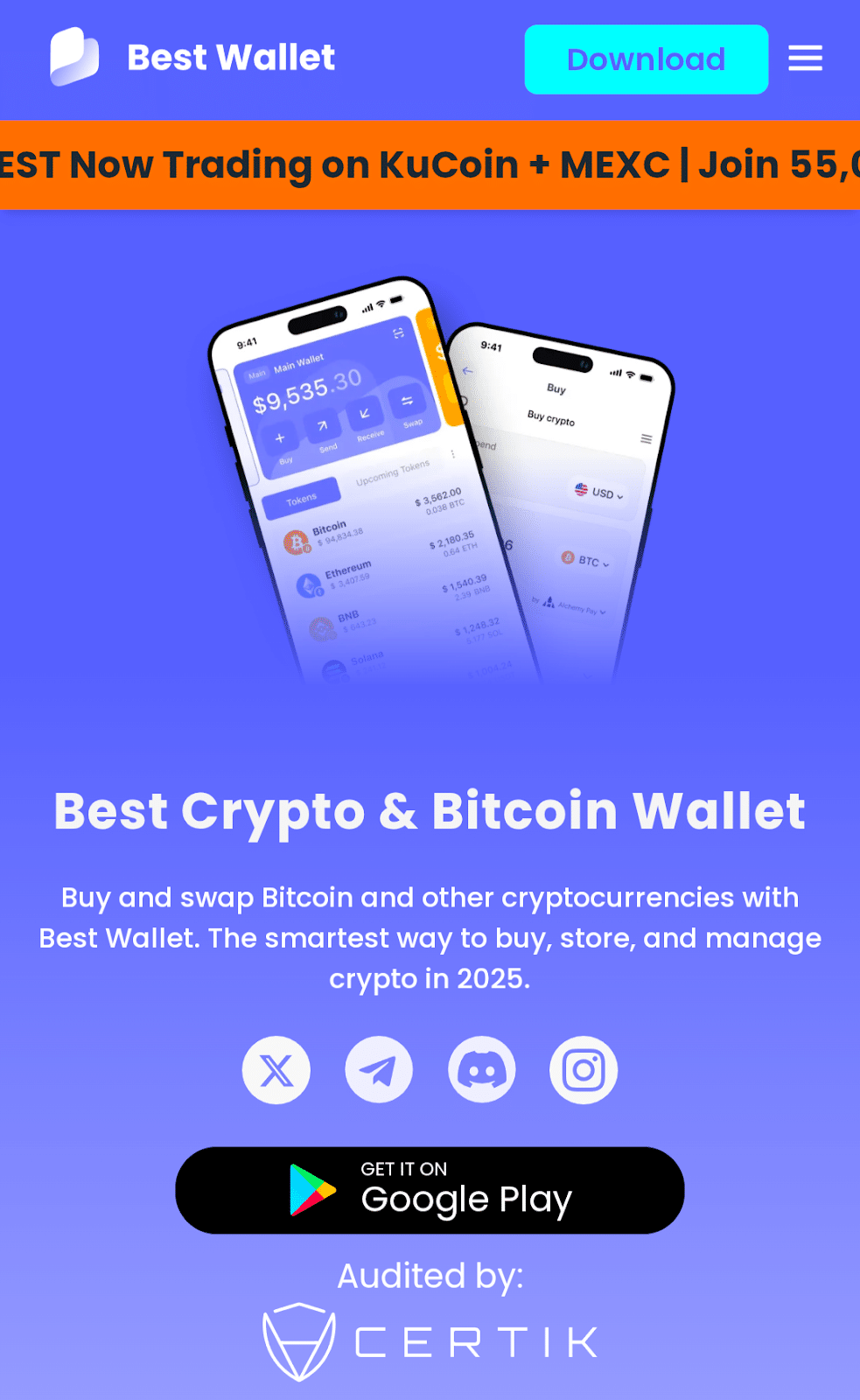
Step 1: Download the Best Wallet App
Visit the Best Wallet website to get the verified download link for the mobile app. Best Wallet supports iOS and Android mobile devices.
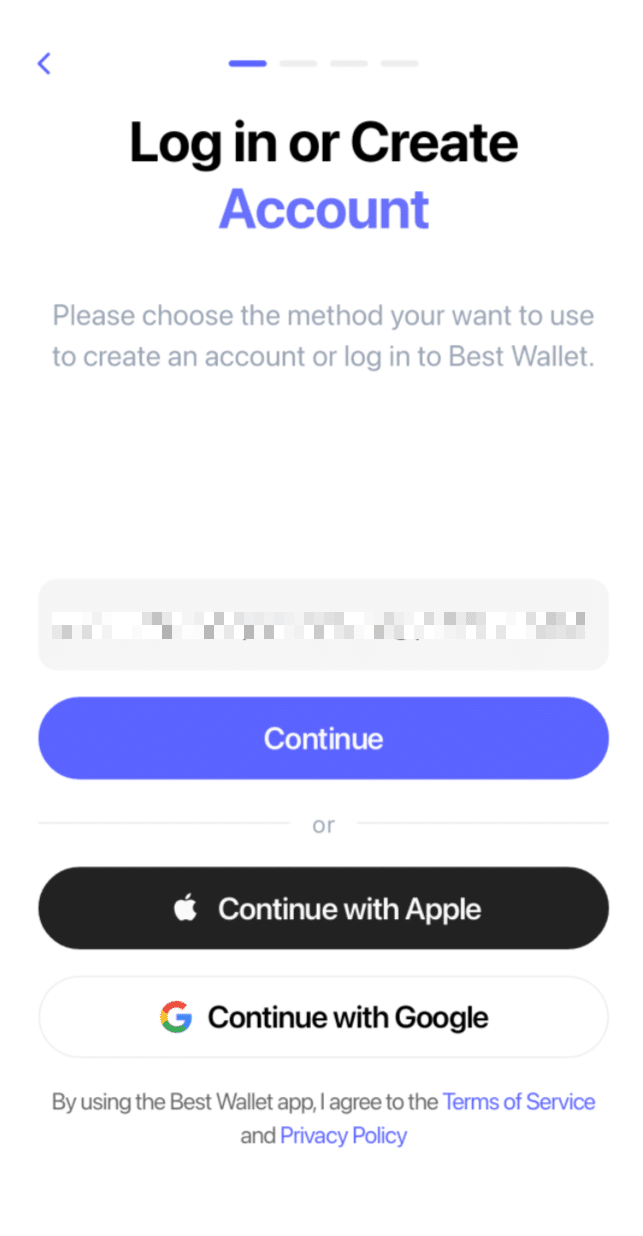
Step 2: Create Your Account
Open the app and tap the Get Started button. Enter your email address or create an account using your Apple or Google ID. Best Wallet uses MPC technology to generate your secure wallet instantly, using either your email or social login. This creates a non-custodial wallet where you still own the keys, but without needing to store a seed phrase or private key.
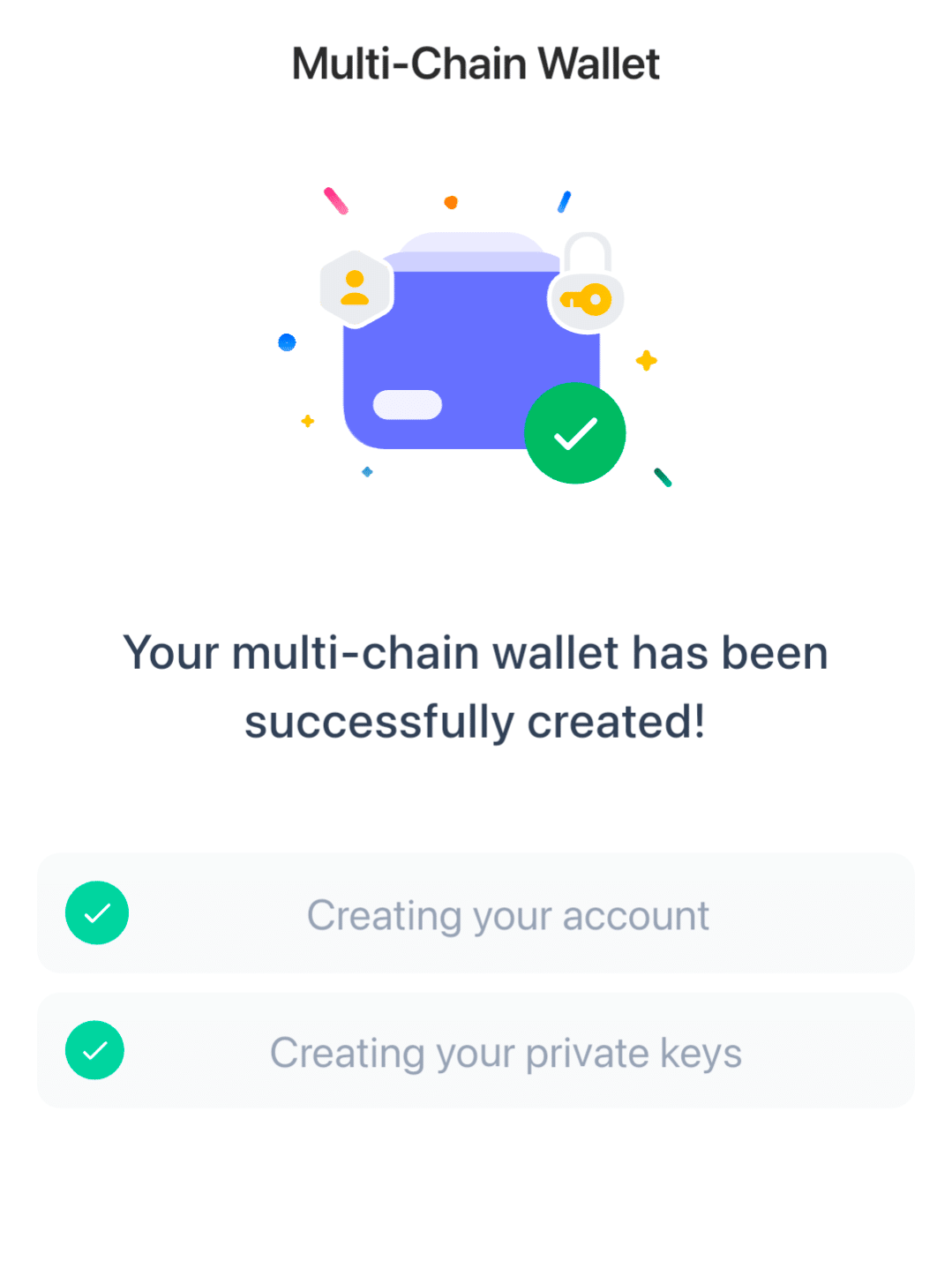
 Step 3: Create a Multichain Wallet
Best Wallet automatically creates a wallet for you. This process takes a minute, so please be patient and refrain from closing the app.
Step 4: Security Setup
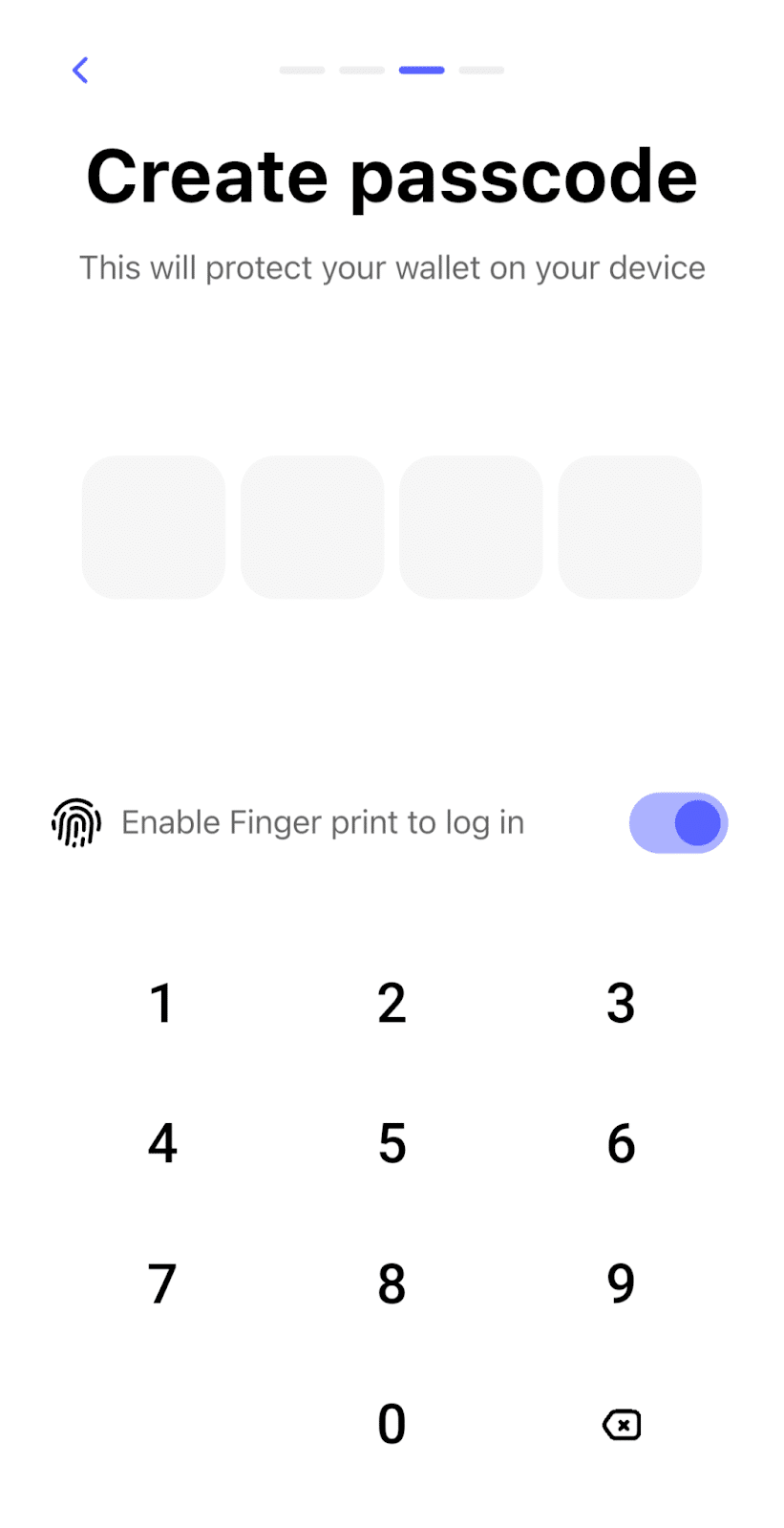
Select a PIN and enable biometric authentication (fingerprint). This prevents access to your wallet when your device is unattended.
Step 5: Cloud Backup
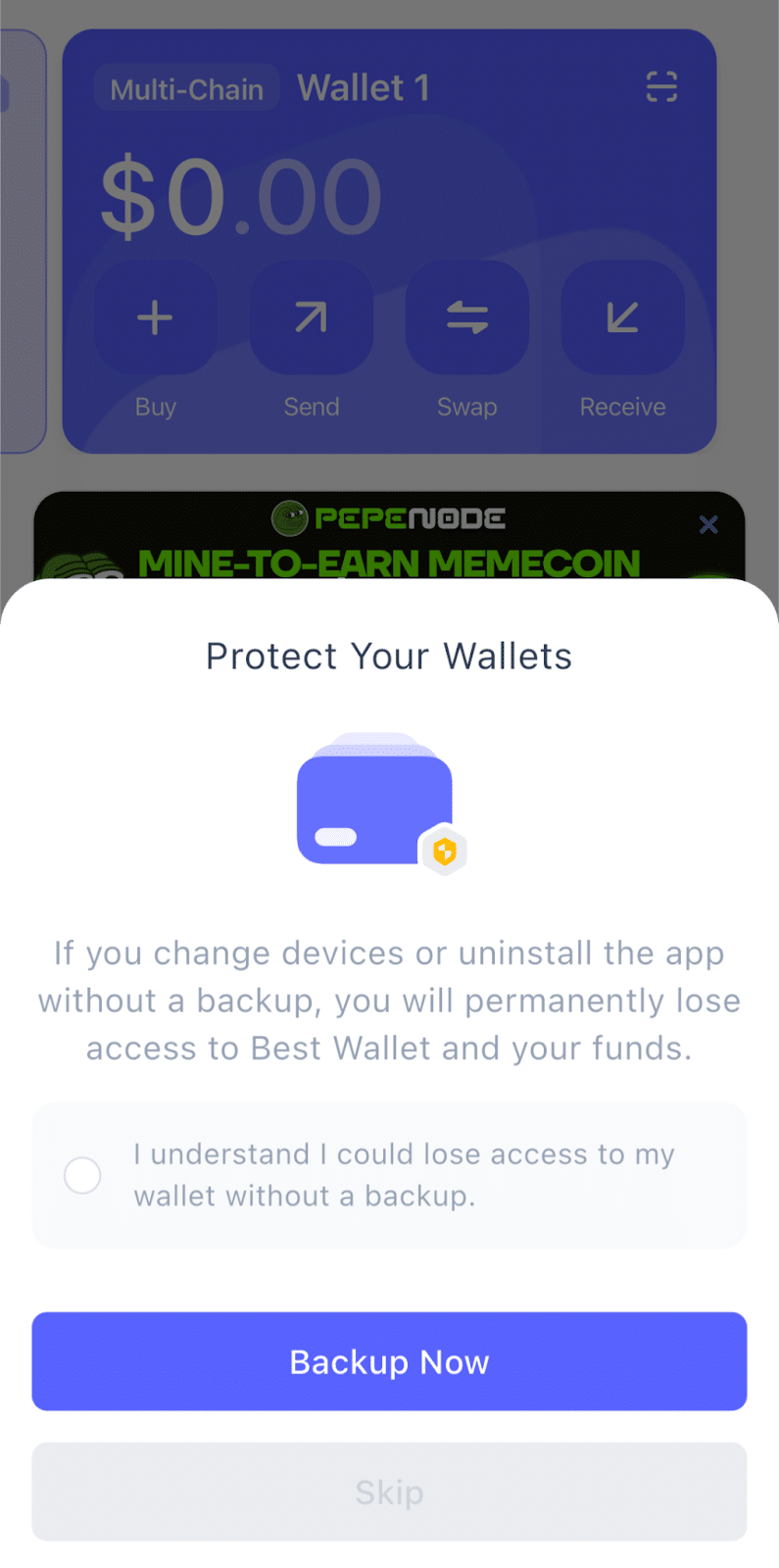
Best Wallet lets you create an encrypted backup using Google or Apple cloud services. This lets you restore your wallet if needed. Advanced users can also export a private key for safe offline storage.
Step 6: Buy ARB
Best Wallet supports in-app crypto purchases. To buy ARB, tap on the Trade icon and search for ARB in the Buy screen. The Best Wallet app compares prices among several providers and highlights the best exchange rate for your currency.
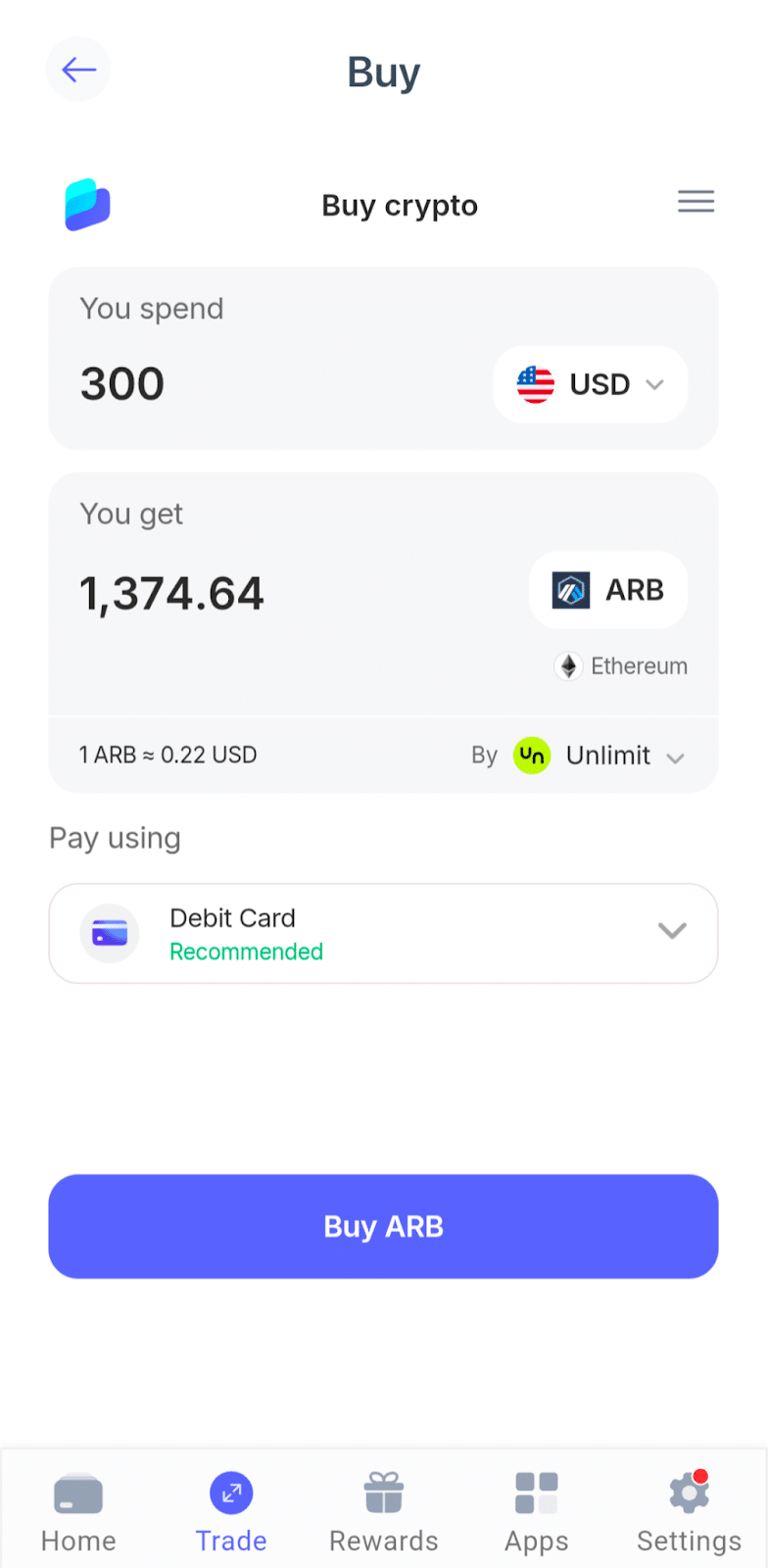
Enter a purchase amount and your payment details to complete the purchase. After the transaction completes, your ARB tokens will show in your Best Wallet balance.
That’s it. Best Wallet makes it easy to buy ARB tokens.
Visit Best WalletTypes of Arbitrum Wallets
Just like there are different Arbitrum wallet apps to choose from, there are different types of crypto wallets in general. Here, rather than features, it’s all about the wallet’s keys, meaning who holds them and where the keys are stored.
Hot vs. Cold Wallets
- Hot Wallets (Software Wallets): Hot wallets store your private keys on a device connected to the internet. This “always ready” characteristic makes them convenient to use. However, constant connectivity means they carry a higher risk of malware attacks.
- Cold Wallets (Hardware): These are physical devices that store your private keys offline. They are the gold standard for storing larger amounts of ARB that you don’t plan to touch for years.
Most hardware wallets can’t interact with Arbitrum dApps directly. They connect to hot wallets or companion apps as needed to authorize transactions.
Custodial vs. Non-Custodial
- Non-Custodial (Self-Custody): Your wallet’s private keys are generated on your device. If the wallet company were to disappear tomorrow, you could still recover your funds on the blockchain using your backup.
- Custodial: A third-party custodian holds the private keys. You access the account via a traditional login. If you lose your password, they can assist you in recovering it. However, if the company disappears or freezes withdrawals, you may lose access to your funds.
Notably, MPC wallets use a combination of local shares and remote shares to authorize transactions, yet they are still considered non-custodial.
Whether you’re hunting for the next big presale token or simply securing your long-term ARB governance stack, your choice of wallet acts as the gateway to your digital assets.
Final Verdict: Choosing the Best Arbitrum (ARB) Wallet
Ultimately, the best wallet for you is the one that aligns with your personal cryptocurrency strategy. For most users, the Best Wallet app strikes the perfect balance among the best Arbitrum wallets. This versatile mobile app offers advanced trading tools and presale token access packaged in a beginner-friendly UI. With MPC as an easy-to-use core security feature to protect user assets, Best Wallet tops our list.
Visit Best WalletSee Also: Top Bittensor (TAO) Wallets for October 2026
FAQs
How do I move my assets to Arbitrum?

To move ETH or ARB from Ethereum (Layer 1) to Arbitrum (Layer 2), you’ll need to use the Arbitrum One Bridge. This tool locks your crypto assets on the mainnet and mints them on Arbitrum.
Is ARB on Ethereum different from ARB on Arbitrum?
It’s the same ERC-20 token, but it lives on different networks. ARB on Ethereum (Layer 1) is secure but expensive to move. ARB on Arbitrum One (Layer 2) costs pennies to transfer. Only ARB tokens that are held on Arbitrum One can vote on DAO proposals.
Can I stake ARB to earn rewards?
Technically, you can’t stake ARB to earn yield at the protocol level as you do with Ethereum. Instead, you delegate your ARB to vote on governance proposals. Some third-party DeFi apps may offer interest for lending your tokens, though this comes with extra risks and isn’t staking in the traditional sense.
Do I use ARB to pay for gas fees?
No. This is a common source of confusion. The Arbitrum One network uses ETH (Ethereum) to pay for transaction fees. The ARB token is strictly for governance and utility.
References:
- What is MPC (Multi-Party Computation)? (fireblocks.com)
- What is an MPC Wallet? (zengo.com)
- How Zengo guarantees access to customers’ funds (zengo.com)
- Kraken Crypto Wallet: Simple, secure, powerful (kraken.com)
- Save your crypto, borrow USDT against it (cropty.com)
- Ethereum Virtual Machine (EVM) (ethereum.org)
- Inside Arbitrum Nitro (abritrum.io)
- Proposals (arbitrumhub.io)

Why you can trust 99Bitcoins
Established in 2013, 99Bitcoin’s team members have been crypto experts since Bitcoin’s Early days.
Weekly Research
100k+Monthly readers
Expert contributors
2000+Crypto Projects Reviewed