
In This Article
Looking for the perfect place to store your SPX6900 tokens? We’ve got you covered with a list of the best SPX6900 wallets to use today. We explain everything you need to know about each wallet and how to keep your tokens safe.
Best SPX6900 Wallets Ranked
Here’s an overview of the four best SPX6900 wallets for 2026:
- Best Wallet – Self-custody software wallet with support for 60+ networks and cutting-edge security.
- Ledger Nano X – Top SPX6900 hardware wallet with user-friendly management app.
- Trezor Safe 5 – Touchscreen wallet that makes trading SPX6900 simple.
- D’CENT Wallet – High-security biometric wallet with 4,600+ supported tokens.
Top SPX6900 Wallets Reviewed
Let’s take a closer look at each of the top SPX6900 wallets so you can decide which one is right for you.
1. Best Wallet – Self-custody SPX6900 Software Wallet with Cutting-edge Security
Best Wallet is our top pick for buying, storing, and trading SPX6900 in 2026. This self-custody software wallet is one of the most secure on the market thanks to its multi-layered safety features. Your tokens are protected by a custom PIN, biometric authentication, and two-factor authentication. Plus, Best Wallet undergoes regular security audits, and the wallet has never been hacked.
Best Wallet supports 60+ major blockchains, so you can trade SPX6900 across Ethereum, Solana, and Base. It’s easy to swap with other meme coins thanks to Best Wallet’s built-in decentralized exchange. An aggregator ensures you get the best price for your tokens and pay the lowest swap fees every time.
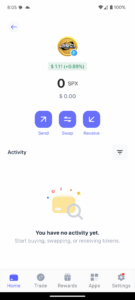
Another benefit to using Best Wallet is that if you want to buy more SPX6900, you can go straight from fiat to crypto with no KYC. Best Wallet supports a wide range of fiat payment methods, including credit and debit cards, PayPal, Venmo, and bank transfers. You never have to leave the app to buy, hold, and trade.
To top it all off, Best Wallet includes a built-in dApp marketplace and a token launchpad with access to the best new meme coins. It’s perfect for meme coin holders who want to discover the next explosive coin like SPX6900 before its price takes off.
Pros
-
Airtight security with multiple protective measures
-
Supports 60+ blockchains including Ethereum, Solana, and Base
-
Discover new meme coins with built-in launchpad
-
Full self-custody and anonymity
-
Buy SPX6900 directly with fiat
Cons
-
Doesn’t offer a web platform yet
-
Not as secure as a cold storage wallet
2. Ledger Nano X – Top SPX6900 Hardware Wallet
The Ledger Nano X is our top pick if you want to keep your SPX6900 tokens in a cold storage wallet. This convenient, pocket-sized hardware wallet supports more than 5,500 cryptocurrencies, including SPX6900. Your tokens are protected by a Secure Element chip, and the wallet comes with recovery software so you can ensure you’ll always have access to your crypto.
The Nano X connects to the Ledger Live app via Bluetooth, allowing you to manage your tokens seamlessly. With Ledger Live, you can send, receive, and swap Nano X with just a few taps. Transactions require a tap on your Nano X wallet, ensuring unswerving security. Ledger Live is available for both desktop and mobile devices.
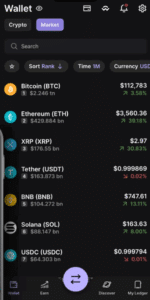
The Ledger Nano X costs $149, which is relatively inexpensive for a hardware wallet. While it’s not the most feature-rich device—it doesn’t have a touchscreen or fingerprint pad—we think the Nano X is a great value for storing valuable tokens like SPX6900.
Pros
-
Pocket-friendly hardware wallet
-
Easily restore your wallet from a seed phrase of Ledger Recover
-
Supports 5,500+ tokens
-
Seamless swaps through Ledger Live app
Cons
-
No touchscreen or fingerprint pad
-
Ledger Recover subscription not included
3. Trezor Safe 5 – Touchscreen Wallet Making It Easy to Trade SPX6900
The Trezor Safe 5 is an advanced hardware wallet designed for serious crypto traders and investors. It offers several elevated features like a 1.54-inch color display, a responsive touchscreen, and haptics to make it easier to manage your crypto and sign transactions.
The wallet offers USB connections only to enhance security and can be connected to the Trezor Suite app on Windows, Mac, Linux, and Android devices. The Trezor Suite app enables sending and trading your SPX6900 with a built-in DEX. Notably, the Trezor Safe 5 is view-only on iOS devices, making this less desirable for iPhone owners.
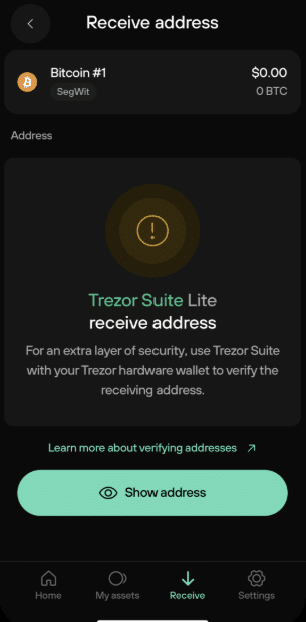
The Trezor Safe 5 offers a 20-word wallet backup and supports multi-share backups to ensure you never lose access to your tokens. At $169, it provides high-end wallet features at a value-focused price.
Pros
-
Color touchscreen with haptics
-
Supports multi-share backup with 20-word recovery phrase
-
Store and swap thousands of tokens
-
Durable design and scratch-free glass
Cons
-
No Bluetooth connectivity
-
Trezor Suite app is view-only on iOS
D’CENT Wallet – High-security Biometric Wallet for SPX6900
The D’CENT Wallet is a high-security biometric crypto wallet that stores SPX6900 and more than 4,600 other tokens. It’s one of the only hardware wallets with a built-in fingerprint pad, enabling you to securely sign transactions from your device without connecting to a smartphone. Unlike other wallets, the D’CENT Wallet doesn’t require a password.
The D’CENT Wallet connects to a mobile management app through Bluetooth or USB, making it convenient to send, receive, and trade SPX6900. The app includes automated threat flagging and support for NFTs to store all your digital assets in one place. You’ll also get real-time notifications about price changes in SPX6900 so you can trade effectively.
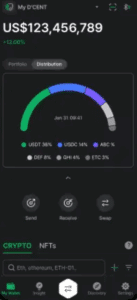
D’CENT Wallet costs $139. You can also purchase a card wallet, which interfaces with the D’CENT app through NFC, for just $38 more. This is a very affordable price for a highly secure biometric wallet.
Pros
-
Integrated fingerprint pad for biometric authentication
-
Supports 4,600+ tokens including SPX6900
-
Connects to mobile app via Bluetooth and USB
-
Integrated DEX and dApp library
Cons
-
No desktop app available
-
Limited customer support
What is SPX6900?
SPX6900 ($SPX) is a meme coin launched on the Ethereum blockchain in 2023. It pokes fun at the S&P 500 index of stocks, riffing on the idea to create an imaginary index of 6900—because ‘6900 is more than 500.’
The meme coin has no utility, but it caught on with crypto traders during the crypto bull run in late 2024 and early 2025. It set an all-time high of $2.28 on July 28, 2025, corresponding to a market cap of nearly $1.7 billion. Today, SPX6900 is the eight-largest meme coin by market cap.
While SPX6900 began on Ethereum, it has since launched on Solana and Base. The token can be traded on most major crypto exchanges, including Binance, ByBit, and MEXC.
How to Pick the Best SPX6900 Wallet for You
Now that you know more about top SPX6900 wallets, you need to decide which one is right for you. We’ll highlight a few key factors to consider when choosing the best wallet for SPX6900 traders.
Security
The first thing to consider when choosing the top crypto wallet is security. You need to be absolutely certain that your tokens are safe in your wallet.
In general, hardware wallets are more secure than software wallets because they keep your tokens disconnected from the internet. However, there’s a trade-off in convenience since you have to connect your hardware wallet to an app in order to send or trade SPX6900. We’ll cover the differences between hardware and software wallets in more detail below.
That distinction aside, be sure to look for security features like biometric authentication and two-factor authentication. These ensure that even if your wallet falls into the wrong hand or someone gets hold of your password, they still can’t access your tokens. Best Wallet, for example, offers fingerprint and face ID access so that only you can access your wallet.
Also consider what options your wallet offers for recovering your tokens if you lose your device. Most wallets offer a recovery phrase, which you should write down and store in a safe place.
Fees
It’s also important to think about the cost of storing your tokens. Software wallets like Best Wallet are completely free to download and don’t charge anything for holding your SPX6900. You’ll only pay a fee to swap your tokens using the wallet’s built-in DEX.
Hardware wallets, on the other hand, cost money to purchase. Expect to pay $130-$180 for a reliable hardware wallet. You may also have to pay an ongoing subscription fee to ensure your wallet is recoverable. For example, Ledger charges $9.99 per month for its Ledger Recover wallet restoration service.
Anonymity
Anonymity is a big deal in the crypto world. You don’t want to be doxxed because of a data leak by your wallet provider. In addition, remaining anonymous is important to protecting your SPX6900 holdings so that you don’t become a target for attackers.
Most hardware wallets and some software wallets are no KYC wallets, meaning they let you remain anonymous. Best Wallet doesn’t require KYC checks to use the wallet or to purchase SPX6900 or other tokens, so your token holdings are fully private.
Tokens Supported
While we only covered wallets that support SPX6900, it’s still worth looking at the total range of tokens and blockchains that each wallet accepts. That’s because you may want to use the same wallet to store multiple tokens on different blockchains—including other meme coins like Dogecoin, Pepe, and Bonk. You also might want to trade your SPX6900 for another token, and wider token support within your wallet gives you more options.
Features
Finally, be sure to think about what features you need in an SPX6900 wallet app. Most wallets—including both software and hardware wallets—offer a built-in DEX so you can swap between SPX6900 and thousands of other tokens. Best Wallet adds an extra layer of convenience by even letting you swap across blockchains with a single tap, making it one of the best crypto wallets for trading.
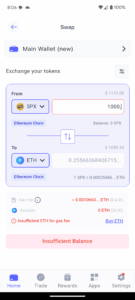
Another feature to consider is whether a wallet supports NFTs or has a built-in NFT marketplace. This isn’t essential, but it can be very nice if you own any NFTs alongside your SPX6900 tokens.
Finally, look for unique features that can help you get more out of your tokens. For example, Best Wallet offers integrated staking for popular tokens and a token launchpad so you can invest in up-and-coming meme coins.
How to Get a SPX6900 Wallet
Getting started with an online SPX6900 wallet is easy. We’ll walk you through how to set up Best Wallet to store SPX6900.
Step 1: Download Best Wallet
To get started, download the free Best Wallet app from the Apple App Store or Google Play and install it on your device.
Step 2: Sign Up
Open Best Wallet and enter your email address to create a new account. Best Wallet will send you a verification code—enter this to complete the sign-up process. No personal information is required to use Best Wallet.
To secure your wallet, select a four-digit PIN. You can also add a fingerprint or face ID to make your wallet even more secure. Finally, write down the 12-word backup passphrase on a piece of paper and store it somewhere safe.
Step 3: Transfer or Buy SPX6900
Now you can transfer SPX6900 from a crypto exchange or another wallet you already own. Tap Trade in the Best Wallet dashboard, then select Receive. Choose the Ethereum Chain as the blockchain to use. Then use the QR code or wallet address provided as the address to send SPX6900 tokens from your existing wallet.
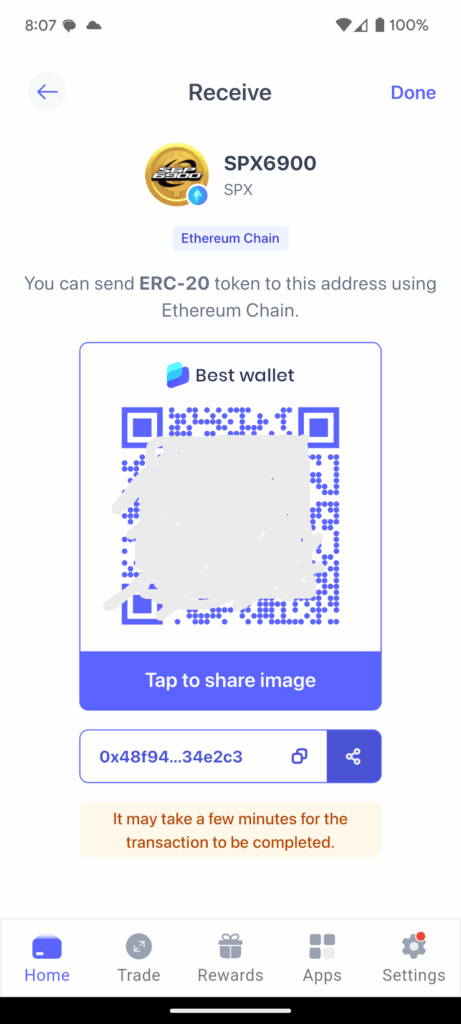
You can also buy SPX6900 tokens directly in the Best Wallet app. Tap Trade, then select Buy. Choose SPX6900 as the token to buy and enter the amount to purchase. Then choose a payment method and enter your payment details to complete your purchase. Your SPX6900 tokens will be available in Best Wallet immediately.
Visit Best WalletTypes of SPX6900 Wallets
When choosing the best SPX6900 wallet, two very important distinctions to be aware of are hot vs. cold wallets and custodial vs. self-custody wallets.
Hot vs. Cold Wallets
Hot wallets are synonymous with software wallets. They are constantly connected to the internet, which makes them convenient to use for managing your SPX6900 tokens and trading. You don’t have to manually connect your wallet to an app or device before making a trade. Most software wallets also don’t cost anything, meaning you can get a free SPX6900 wallet.
However, being always-on also means hot wallets could be vulnerable to hackers using the internet to get into your wallet. This is why it’s so important to choose a high-security software wallet like Best Wallet, which offers multiple layers of protection.
Cold wallets, also known as hardware wallets, are disconnected from the internet most of the time. This makes them extremely safe. The only way someone could access your tokens is if they have physical access to your wallet or seed phrase.
Many of the best cold storage wallets let you monitor your crypto balances from a screen on your wallet, but you have to connect the wallet to the internet—usually through a mobile or desktop app—in order to make trades or connect to dApps. This adds an extra step when you want to actually use your SPX6900 tokens. So, cold wallets are best-suited for long-term crypto holdings that you don’t plan to trade or use very often.
Custodial vs. Self-custody Wallets
Custodial wallets are wallets that are managed by your wallet provider. They’re used by most major centralized crypto exchanges to hold your tokens in your exchange account.
The benefit of custodial wallets is that you’re not responsible for managing your wallet’s private keys. In effect, your provider is in charge of keeping your wallet secure.
However, since your provider has your wallet’s keys, they also have control over your tokens. There’s a common saying in crypto: ‘not your keys, not your wallet.’ There have been many instances of crypto exchanges going bankrupt and taking users’ crypto that was held in custodial wallets.
Self-custody wallets, also known as non-custodial wallets, put you in control. You alone hold your wallet’s private keys, and you’re responsible for your wallet’s security. At the same time, no one but you can claim your tokens or lock you out of your wallet. Self-custody wallets give you full ownership over your SPX6900 tokens.
Importantly, all of the SPX6900 wallets we recommended are self-custody wallets.
Choosing the best SPX6900 wallet is key to getting the most out of your tokens and keeping them secure. You can choose either a software wallet like Best Wallet or a hardware wallet like the Ledger Nano X, Trezor Safe 5, or D’CENT Wallet. All of these wallets support thousands of tokens alongside SPX6900 and give you full ownership over your tokens.
Ready to buy, hold, and trade SPX6900? Check out our step-by-step guide on how to buy SPX6900 today.
Visit Best WalletFAQs
Do I need a crypto wallet to buy SPX6900?

You can buy SPX6900 through a centralized crypto exchange without having your own crypto wallet. However, your tokens will be stored in a custodial wallet that the exchange controls, so they won’t be fully owned by you. It’s much safer to store your SPX6900 tokens in a self-custody crypto wallet like Best Wallet.
How many SPX6900 tokens are there?
SPX6900 has a total supply of 930.99 million $SPX tokens, all of which are in circulation. There can never be more SPX6900 tokens created.
How to buy SPX6900 tokens?
You can buy SPX6900 tokens through a centralized crypto exchange or by using a crypto on-ramp like the one provided in Best Wallet. Best Wallet lets you buy SPX6900 anonymously with a credit card, debit card, Google Pay, Apple Pay, PayPal, Venmo, or bank transfer. If you already own crypto, you can also swap your tokens for SPX6900 using a decentralized exchange.
What wallets support SPX6900?
All wallets that are compatible with ERC-20 tokens on the Ethereum blockchain support SPX6900. That includes most major software wallets, like Best Wallet, and most hardware wallet models from companies like Ledger, Trezor, and D’CENT.
Can I buy SPX6900 anonymously?
Yes, you can buy SPX6900 anonymously using Best Wallet. There’s no KYC verification required to create a Best Wallet account or to purchase tokens using the app. You can buy SPX6900 with a credit or debit card, mobile wallet, PayPal, Venmo, or bank transfer.
References

Why you can trust 99Bitcoins
Established in 2013, 99Bitcoin’s team members have been crypto experts since Bitcoin’s Early days.
Weekly Research
100k+Monthly readers
Expert contributors
2000+Crypto Projects Reviewed