
In This Article
Render (RENDER) is a decentralized network and peer-to-peer rendering ecosystem for artificial intelligence (AI) use cases. Originally built on Ethereum, Render migrated to the Solana blockchain in 2023.
To store Render tokens, you need a wallet that supports either the Ethereum or Solana standard, as well as excellent security and a user-friendly interface.
We tested over 25 Render wallets and reveal our findings in this comparison guide. Discover the best Render wallets for safety, user experience, and built-in features like token swaps and fiat on-ramps.
Here are the best Render wallets for investors in 2026:Best Render Wallets Ranked
Key Takeaways
- Render’s mainnet protocol launched on the Ethereum blockchain in 2020. The AI project migrated to Solana in 2023 to improve network efficiency.
- Investors can store Render in any wallet that supports Ethereum or Solana. Non-custodial wallets ensure full asset control, while custodial providers suit beginners uncomfortable with private key management.
- Hot wallets like Best Wallet and Cropty Wallet provide the most convenient way to store Render. In addition to storage, hot wallets let users buy, sell, and trade cryptocurrencies seamlessly.
- Cold wallets appeal to Render investors with substantial portfolio values. Ledger and Trezor store private keys in cold storage, so users avoid internet threats.
- When choosing the best Render wallet, consider security mechanisms, supported network standards, usability, and trading features.
Top Render Wallets Reviewed
Learn more about the best wallets for Render tokens. The following reviews discuss the top hot and cold wallet providers for 2026.
1. Best Wallet: The Overall Best Render Wallet for 2026
Our research confirms that Best Wallet is the overall best place to store Render tokens. The multi-chain wallet supports Ethereum, Solana, and over 60 other blockchains, making it a top choice for diversified portfolios.
Available as a free mobile app for iOS and Android, Best Wallet is a non-custodial provider. Users download encrypted private keys to their smartphones, giving users complete control over the stored digital assets. The app offers excellent security controls, including two-factor authentication and biometric authentication via fingerprint ID or facial recognition.
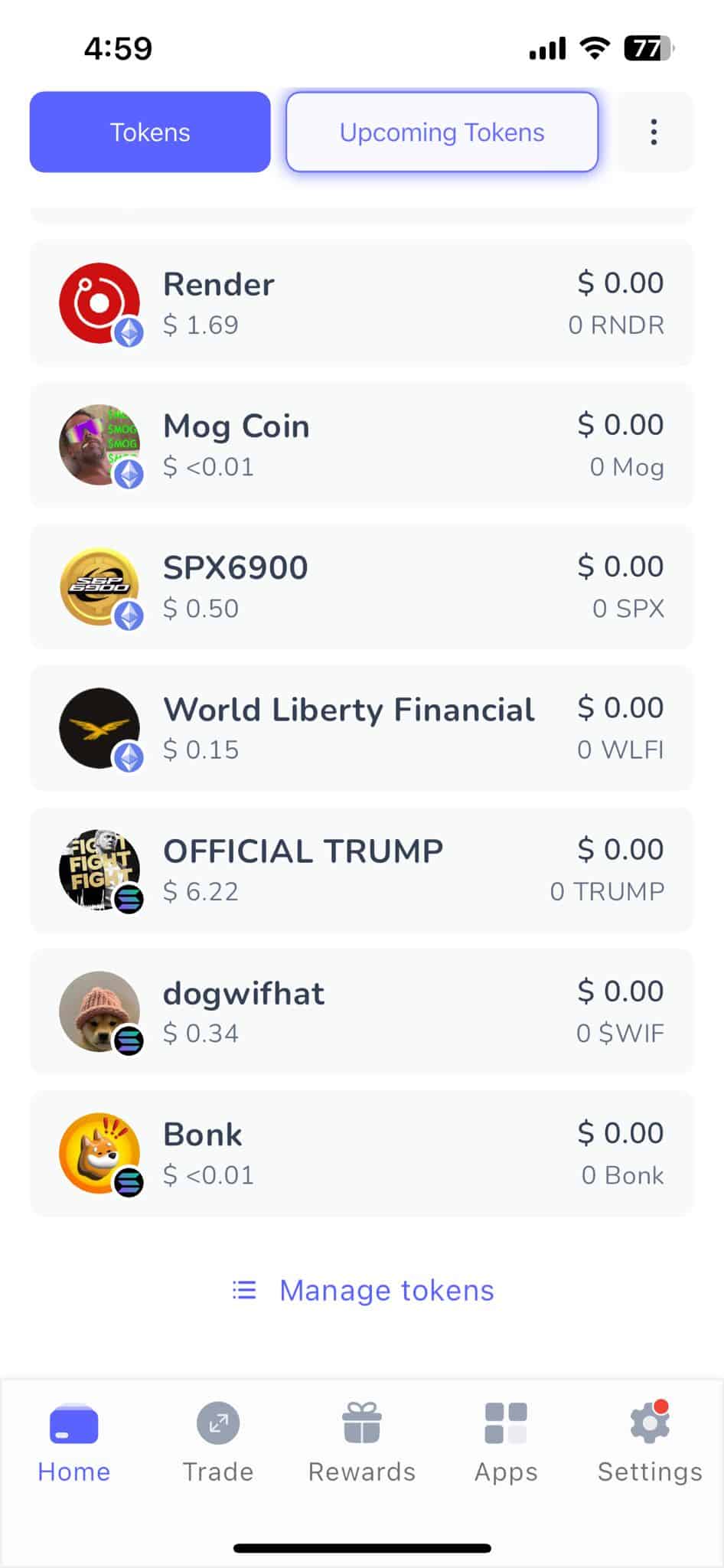
As one of the best anonymous wallets, it allows users to manage Render investments without requiring know-your-customer (KYC) verification. Users can also trade Render for thousands of other cryptocurrencies in a self-custodial ecosystem. Best Wallet’s decentralized exchange (DEX) connects with liquidity providers from major blockchains, and the cross-chain feature enables instant token swaps across different networks.
We also rate Best Wallet’s on-ramp partnerships. Gateways like MoonPay and Banxa enable users to purchase cryptocurrencies using debit and credit cards, as well as e-wallets. Once users purchase assets, they appear in the Best Wallet balance within seconds. Best Wallet also offers exposure to new cryptocurrencies. The native token launchpad provides access to innovative Web3 startups before they are listed on major exchanges.
Best Wallet Pros & Cons
Pros
-
In our view, the overall best wallet for Render tokens in 2026
-
Store Render tokens in a non-custodial and anonymous environment
-
The wallet supports cryptocurrencies from 60+ blockchain ecosystems
-
Trade Render for other digital assets instantly through the native DEX
-
Offers the perfect balance between security and user-friendliness
Cons
-
Currently available as a mobile app only
-
Does not connect with third-party hardware wallets
-
The derivative trading feature launches later in the roadmap
2. Ledger Nano X: Top Hardware Wallet for Render With Strong Security Framework
Ledger is an established hardware wallet provider with millions of long-term customers. Its Nano X model offers cold storage solutions for an affordable $74 (temporarily discounted from $149). Users store encrypted private keys in a USB-drive-like device, which helps them avoid remote hacking risks.
To send Render to another wallet, users set up transfers on the Ledger companion app. They enter a PIN on the Ledger device, which broadcasts the transaction via USB-C cable or Bluetooth. If the Ledger owner loses access to the device, they can recover their Render tokens through the use of seed phrases. The recovery process completes on any wallet that accepts private key imports.
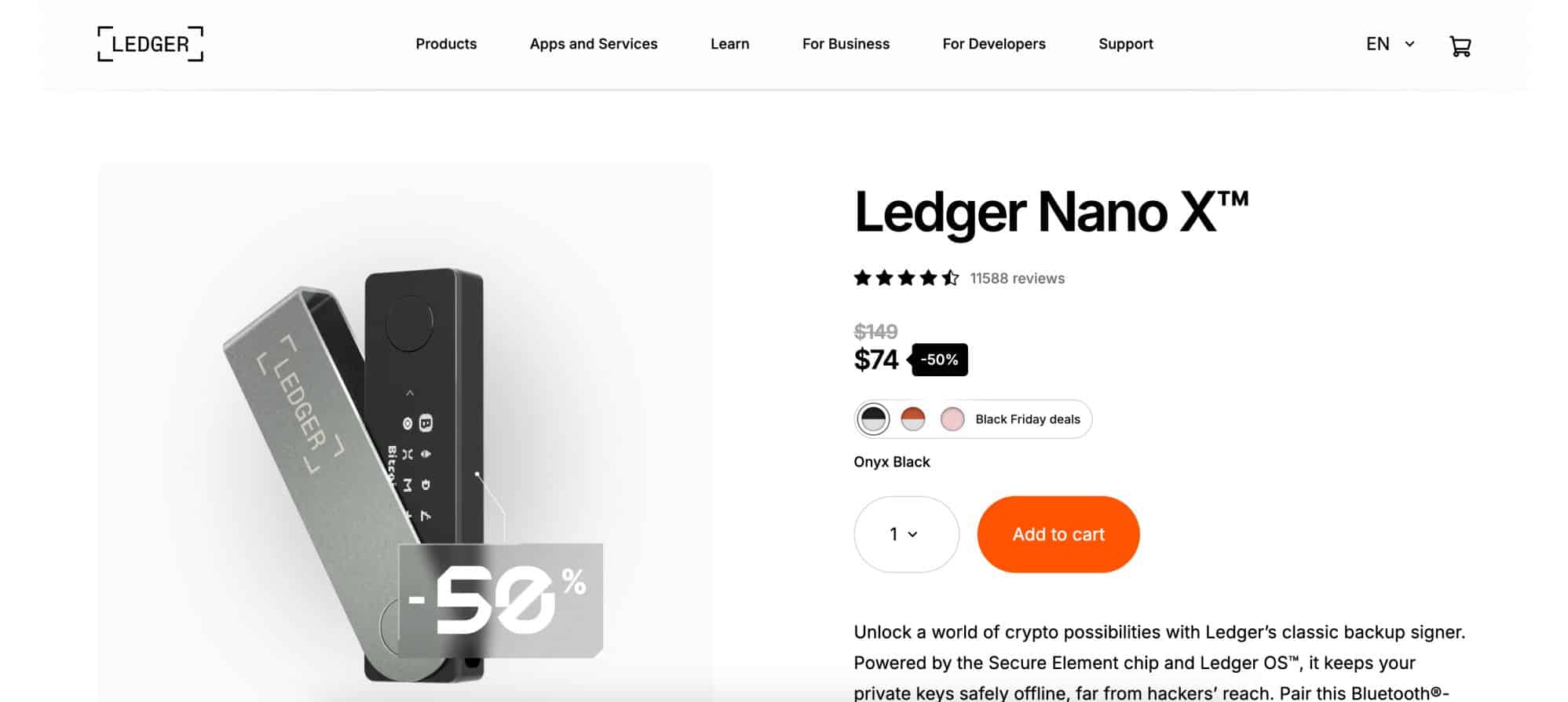
While Ledger Nano X is one of the best Render wallets for safety, the native app offers various Web3 features. It supports instant crypto purchases with fiat money, cross-chain trading, and access to decentralized finance (DeFi) concepts like lending and staking. Software wallets suit active traders, though, as Ledger’s strict authorization process can be cumbersome.
Ledger Nano X Pros & Cons
Pros
-
Store Render in cold storage for the safest experience
-
Users must enter a PIN on the device to approve transfers
-
Recover lost, damaged, or stolen devices remotely via seed phrases
-
Supports 5,550 additional coins and tokens
-
The Ledger companion app connects users to the Web3 economy
Cons
-
Does not suit casual investors with small Render holdings
-
Third-party services like token swaps incur high fees
-
Only the more expensive Ledger models support NFC transfers
3. Cropty Wallet: A Beginner-Friendly Render Wallet With Custodial Storage
Cropty Wallet suits complete crypto beginners who feel intimidated by seed phrases and private key management. As a custodial solution, the provider holds responsibility for client-owned assets. It stores the majority of customer funds in cold storage wallets. Account protections include two-factor authentication, SSL encryption, and transaction notifications.
The user-friendly interface is available on three device types: mobile apps, browser extensions, and standard web access. Cropty Wallet supports the best cryptocurrencies to buy, including Render, Bitcoin (BTC), XRP (XRP), and Solana (SOL). Account holders also access cross-chain token swaps and fiat services, which accept debit/credit cards, e-wallets, and bank accounts.
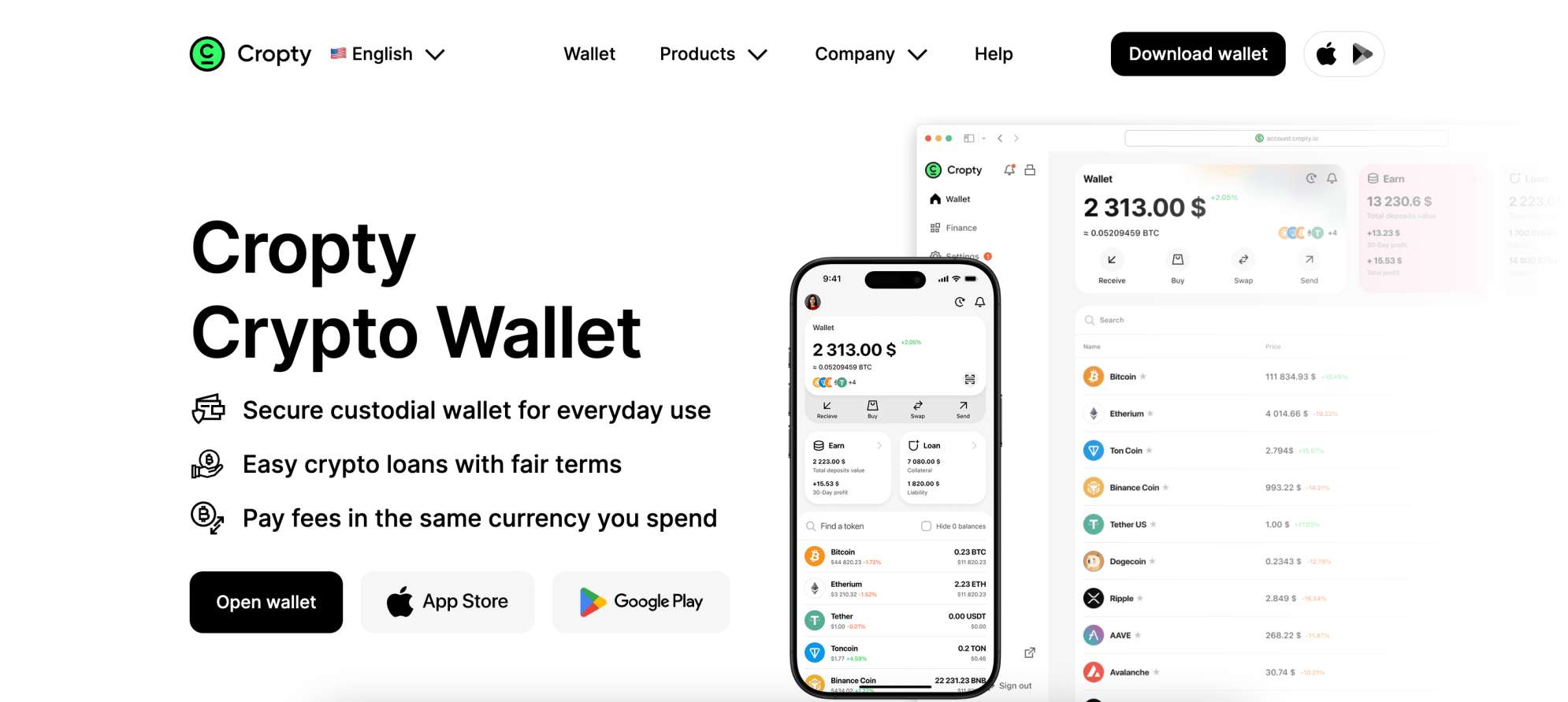
Customers also appreciate Cropty Wallet’s direct support for DeFi features. They earn yields of up to 6% on crypto savings accounts with flexible withdrawal terms. Users can also borrow digital assets through collateralized loans. Borrowers can secure instant financing without undergoing application processes or undergoing credit checks.
Cropty Wallet Pros & Cons
Pros
-
The best Render wallet for custodial storage solutions
-
Avoid managing seed phrases and private keys
-
Send and receive Render on a user-friendly app, browser extension, or web account
-
Security features include cold storage and two-factor authentication
-
Additional crypto support for BTC, XRP, SOL, and other top altcoins
Cons
-
Users do not truly own their crypto assets when using a custodial wallet
-
The provider must approve wallet transfers before they are posted to the blockchain
-
The wallet interface is too basic for seasoned crypto investors
4. Trezor Safe 5: A Portable Cold Wallet Solution for Render With a Certified Chip EAL6+
Trezor Safe 5 is another good option for investors with large-scale holdings in Render. The cold wallet provider has open-sourced software with a secure element chip EAL6+, and offers privacy protection through TOR integration. Device holders approve transactions on a 1.54” touchscreen, and the Gorilla® Glass 3 design ensures long-term durability.
Trezor’s native application provides a smooth user experience. Compatible with Mac, Windows, Linux, iOS, and Android, users connect to the Trezor software through USB-C cables. Because Trezor lets you connect with popular software wallets like MetaMask and Exodus, you can buy and sell cryptocurrencies without exposing your private keys online. The same safeguard applies to WalletConnect, which lets Trezor users interact with decentralized applications (dApps) such as Uniswap and Aave.
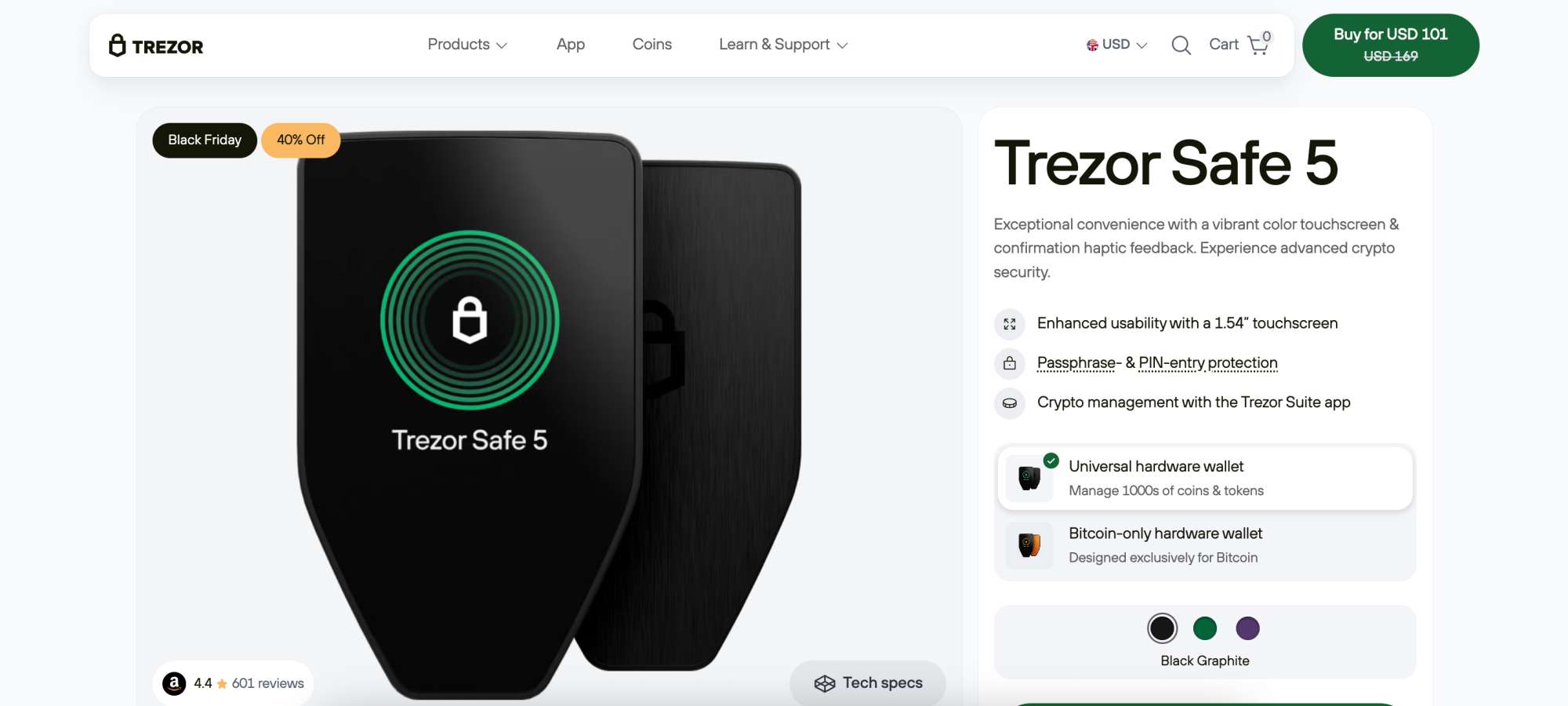
In terms of pricing, Trezor Safe 5 costs $101 (temporarily discounted from $169) direct from the manufacturer. Alongside Render, the wallet stores other top AI crypto coins like Bittensor (TAO), Internet Computer (ICP), and Filecoin (FIL).
Trezor Safe 5 Pros & Cons
Pros
-
A highly secure cold wallet with a certified chip EAL6+
-
The 23g device weight makes the wallet highly portable
-
Advanced multi-share backup enhances the wallet recovery process
-
The native companion app connects to dApps via WalletConnect
-
Easily set up transactions on a desktop or mobile device
Cons
-
Trezor charges $99 for one-on-one wallet onboarding
-
The Safe 5 lacks Bluetooth or NFC support
-
The small 1.54” touchscreen might not suit the visually impaired
Render Wallet Comparison: Which Wallet Is Best for You?
Here we compare the best Render wallets based on use case and core features. Use it to quickly identify which wallet suits your storage needs, security preferences, and experience level before choosing where to store your RENDER tokens.
| Wallet | Best For | Key Trait |
| Best Wallet | Everyday Render storage & trading |
Non-custodial, ETH + Solana, swaps & fiat
|
| Ledger Nano X | High-value Render holdings |
Cold storage, offline security
|
| Cropty Wallet | Absolute beginners |
Custodial, simple web & app access
|
| Trezor Safe 5 | Long-term secure holding |
Hardware wallet, touchscreen approval
|
What is Render?
Render is a decentralized framework, launched in 2020, that unlocks rendering power for several end users, including AI developers, 3D designers, and animators. These entities require significant GPU resources, which Render facilitates via a peer-to-peer system.
Anyone can provide GPU power to the network by contributing spare computing resources. The ecosystem incentivizes providers with RENDER tokens, while end-users secure lower fees compared to traditional rendering sources. The peer-to-peer structure offers unprecedented scalability, since rendering capabilities increase with ecosystem adoption.
Stakeholders pay rendering fees in RENDER, which creates organic long-term demand. The project, supported by the Render Network Foundation,
originally launched RENDER as an ERC-20 token, although it migrated to Solana in 2023. Users hold RENDER in either token standard, and both align with global spot prices.
How to Pick the Best Render Wallet for You (Methodology)
As Render operates on Ethereum and Solana blockchains, hundreds of crypto wallets support the token. Our methodology ranks the best wallet providers based on core factors such as custodianship, security, device types, privacy, and features.
| Factor | Why It Matters |
| Network support |
Must support Ethereum or Solana (RENDER standards)
|
| Custody model |
Determines asset control and risk exposure
|
| Security features |
Protects against hacks and unauthorized access
|
| Ease of use |
Important for beginners and daily use
|
| Built-in tools |
Swaps, fiat on-ramps, and portfolio management
|
Learn more about our research methods in the following sections, which help readers navigate the best Render wallets.
Compatibility
The first step is to ensure the wallet supports Render.
We found that some wallets initially omit Render from their list of available assets, so users must add tokens manually. This extra step is simple, yet beginners may find the process intimidating.
Device Type
Choose an online Render wallet that supports your preferred device type.
Use a mobile wallet if you prefer managing cryptocurrencies on a smartphone. These wallets are extremely convenient, as users can send, receive, and store tokens through an iOS or Android app. They also streamline portfolio management, as you can easily check real-time prices and rebalance assets at the tap of a button.
Some Render holders favor desktop solutions. In addition to native software for Windows, Mac, and Linux, several providers offer extensions for Chrome, Firefox, and other popular browsers.
Custodianship
We recommend Render wallets that offer non-custodial storage. Best Wallet users, for instance, receive encrypted private keys when they download the app. This framework provides full asset control, allowing users to transact without relying on third parties, such as centralized exchanges. The non-custodial system also helps users avoid counterparty risks.
Since investors are responsible for safeguarding non-custodial wallets, complete beginners may like custodial solutions. Cropty Wallet is a popular option, as it keeps the vast majority of client-owned funds in cold storage. It also supports web access, so beginners log into their accounts without needing native software.
Security Controls
The best Render wallets offer advanced security features to keep user assets safe. Security experts recommend wallets with two-factor authentication and biometrics, as these features add an extra layer of security to the login process. They also promote multi-party computational (MPC) wallets, which split private key credentials to eliminate single points of failure.
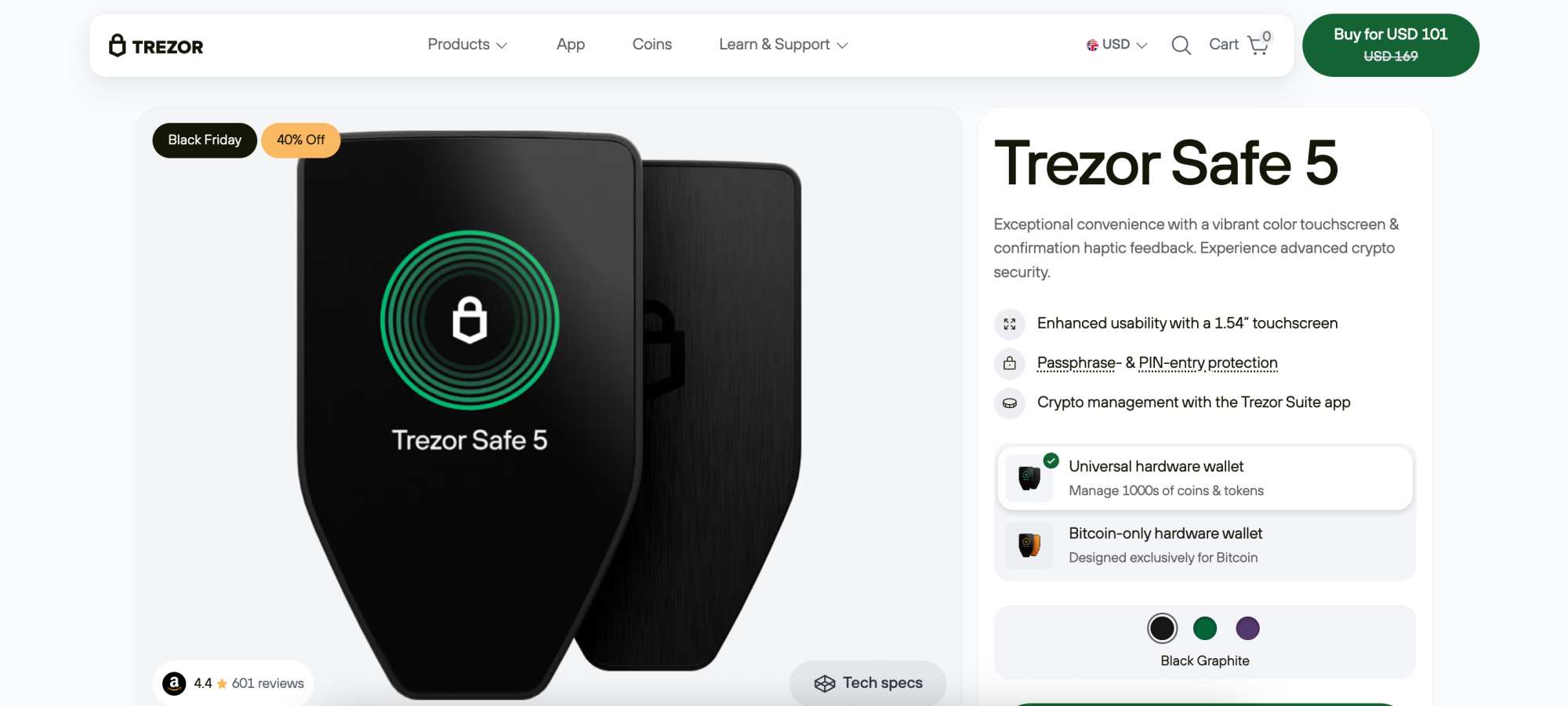
An even safer option is to purchase a hardware wallet. These Render wallets prevent cybersecurity risks by storing private keys within a physical device. It remains offline indefinitely, and users must authorize transactions on the device itself. On-device approval methods include PIN, biometrics, and air-gapped QR scans.
Supported Networks
You can store Render on the ERC-20 or SPL standard, and by choosing a wallet with a custom token feature, store millions of other digital assets from these ecosystems.
We prefer Render wallets that support a wide range of other blockchains, as they enable users to diversify their holdings without the need to open multiple accounts.
Trezor is a good option for asset diversity, as it supports thousands of assets across dozens of networks, including BNB Chain, Bitcoin, Cardano, XRP, and Monero.
Wallet Features
Modern crypto wallets now function like online trading platforms, as many providers partner with third-party exchanges.
Our research shows that Best Wallet is a popular choice for storing and trading Render in one secure place. The wallet connects with over 330 DEXs and 30 cross-chain bridges to offer an all-in-one trading ecosystem. Users can swap RENDER with millions of other tokens at competitive fees without relinquishing control of their private keys.
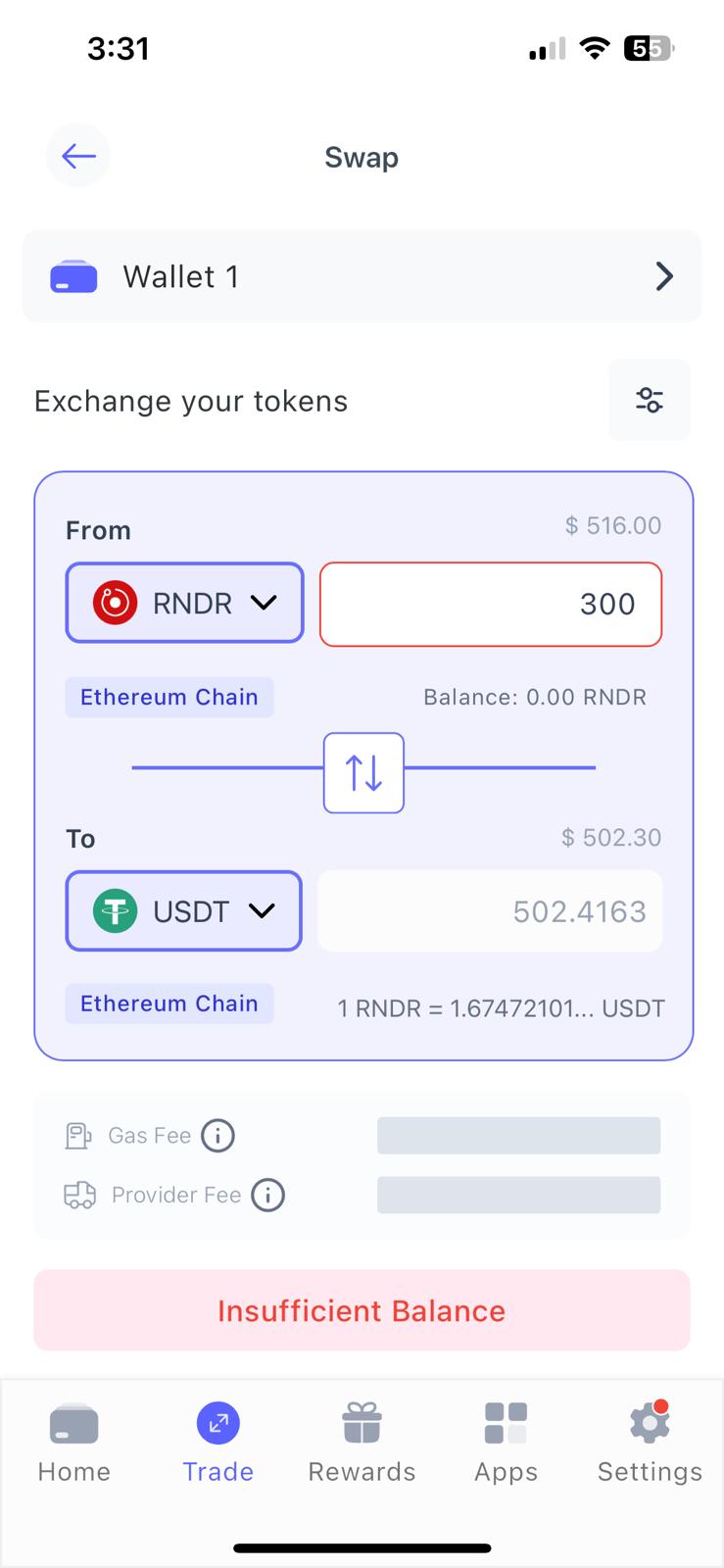
The mobile app also allows fiat purchases, so users can buy RENDER with real money. Convenient payment methods include PayPal, Visa, MasterCard, and local bank transfers.
User Friendliness
Consider the user experience when browsing Render wallets, especially if you are new to cryptocurrencies. As some wallets require a steeper learning curve than others, they might not appeal to beginners.
Most software wallets are free to use, allowing you to explore the interface before depositing funds. Evaluate core functions like sending and receiving assets, adding custom tokens, and securing seed phrases.
How to Get a Render Wallet
Our step-by-step guide helps beginners set up a Render wallet, deposit tokens, and transact. We explain the process with Best Wallet, which is the overall best option for first-time users.
-
Download the Wallet App
Visit Best Wallet and select “Google Play” or “App Store” to download the app. Open the app and enter your email address, then confirm it using the verification code sent to your inbox.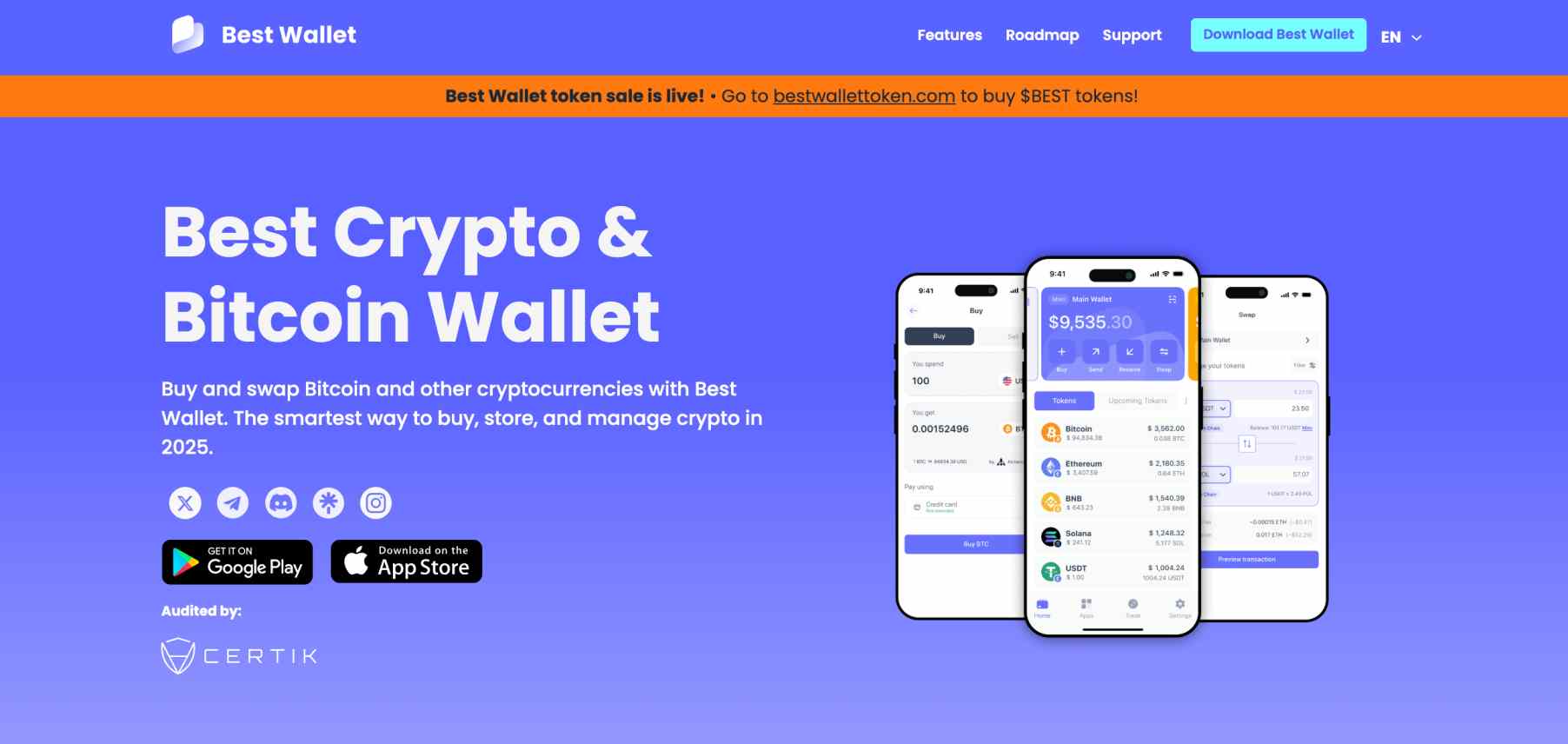
-
Secure Your Wallet
Set a four-digit PIN and carefully write down the 12-word recovery phrase. Store this phrase offline and never share it. In the Settings menu, enable biometric login (fingerprint or facial recognition) and activate two-factor authentication for added security.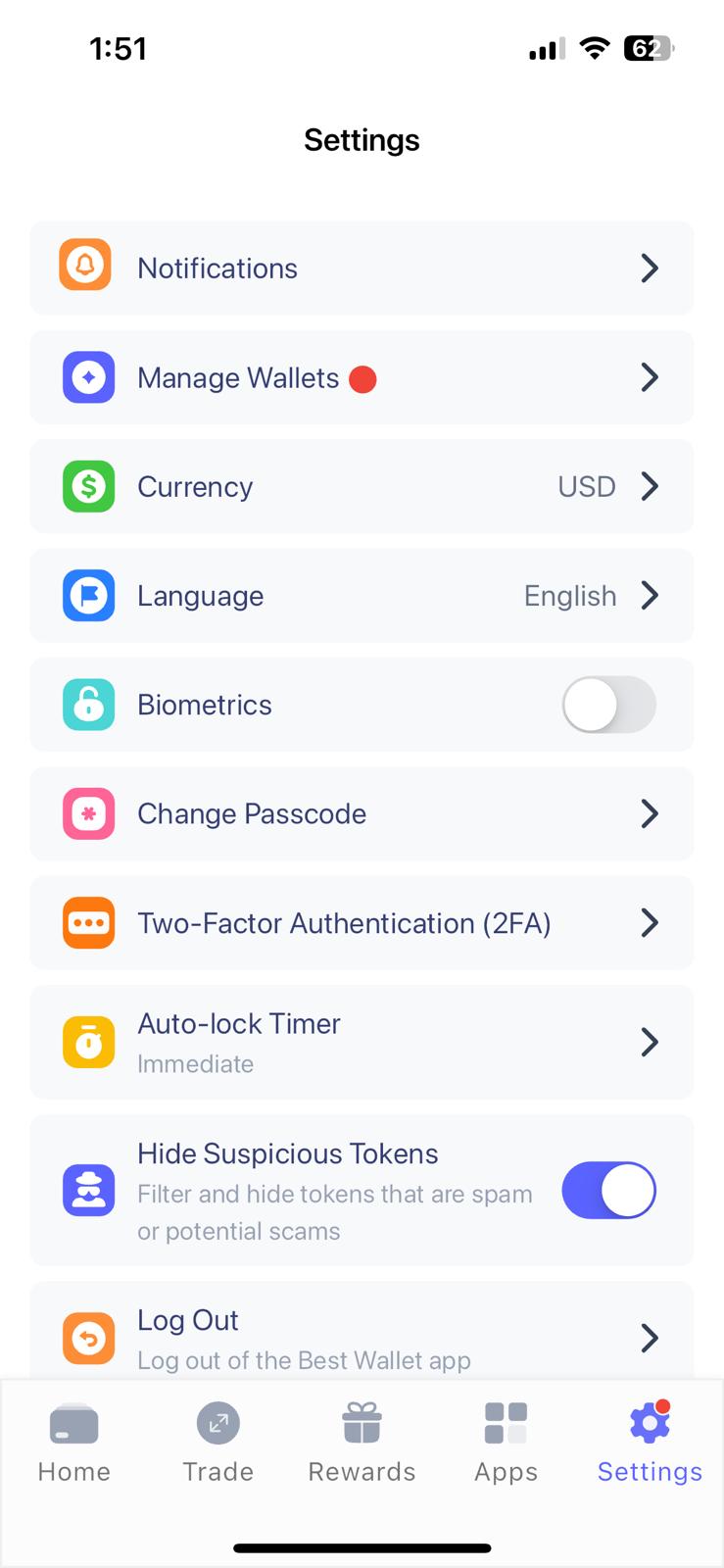
-
Activate Render and Add Funds
From the Home screen, tap the three-dot menu next to “Upcoming Tokens,” choose “Manage Tokens,” and search for Render. Select the correct network (Ethereum or Solana). To deposit funds, tap “Receive” and send Render tokens to the displayed wallet address.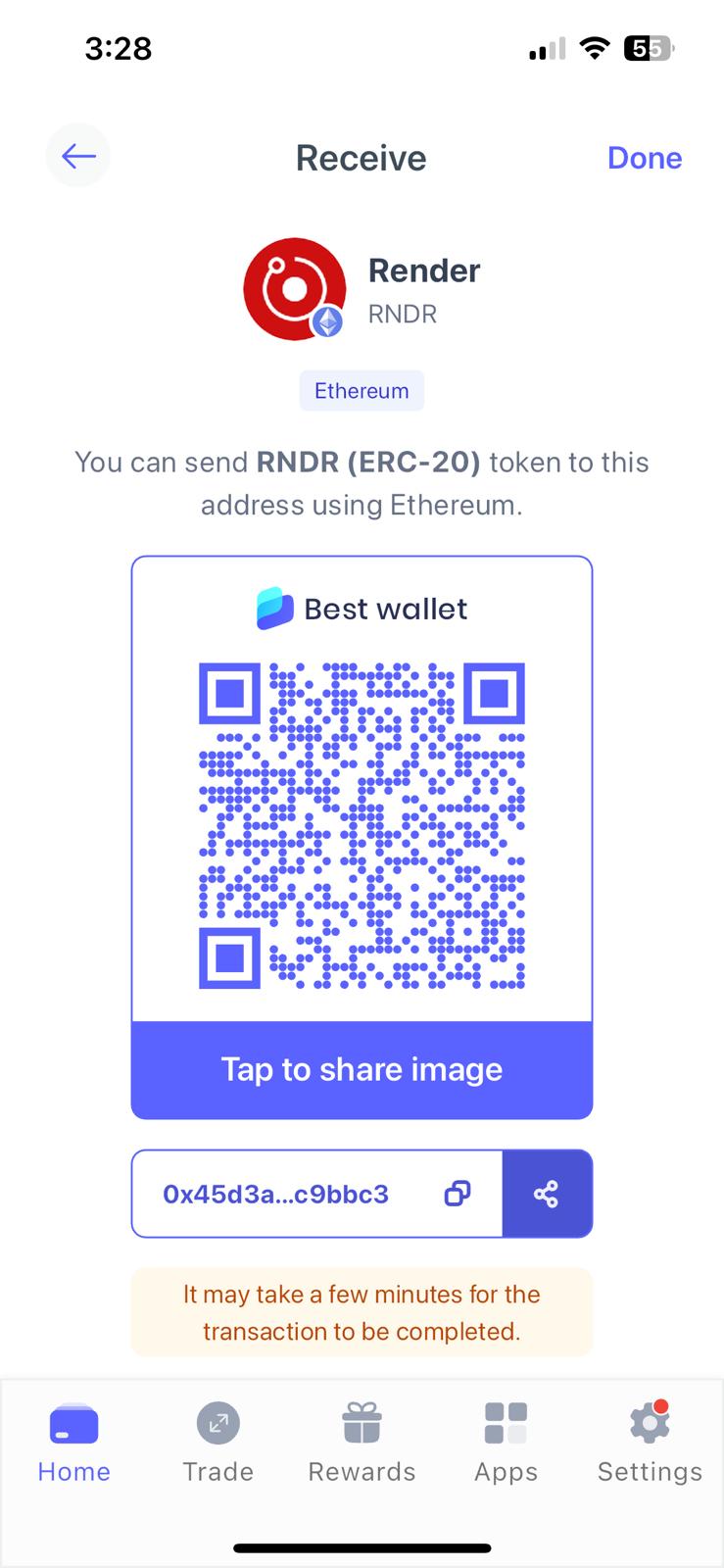
-
Send Render Tokens
Tap “Send,” paste the recipient’s wallet address, enter the amount, and confirm the correct network. Review the displayed gas fee and approve the transaction to send Render instantly.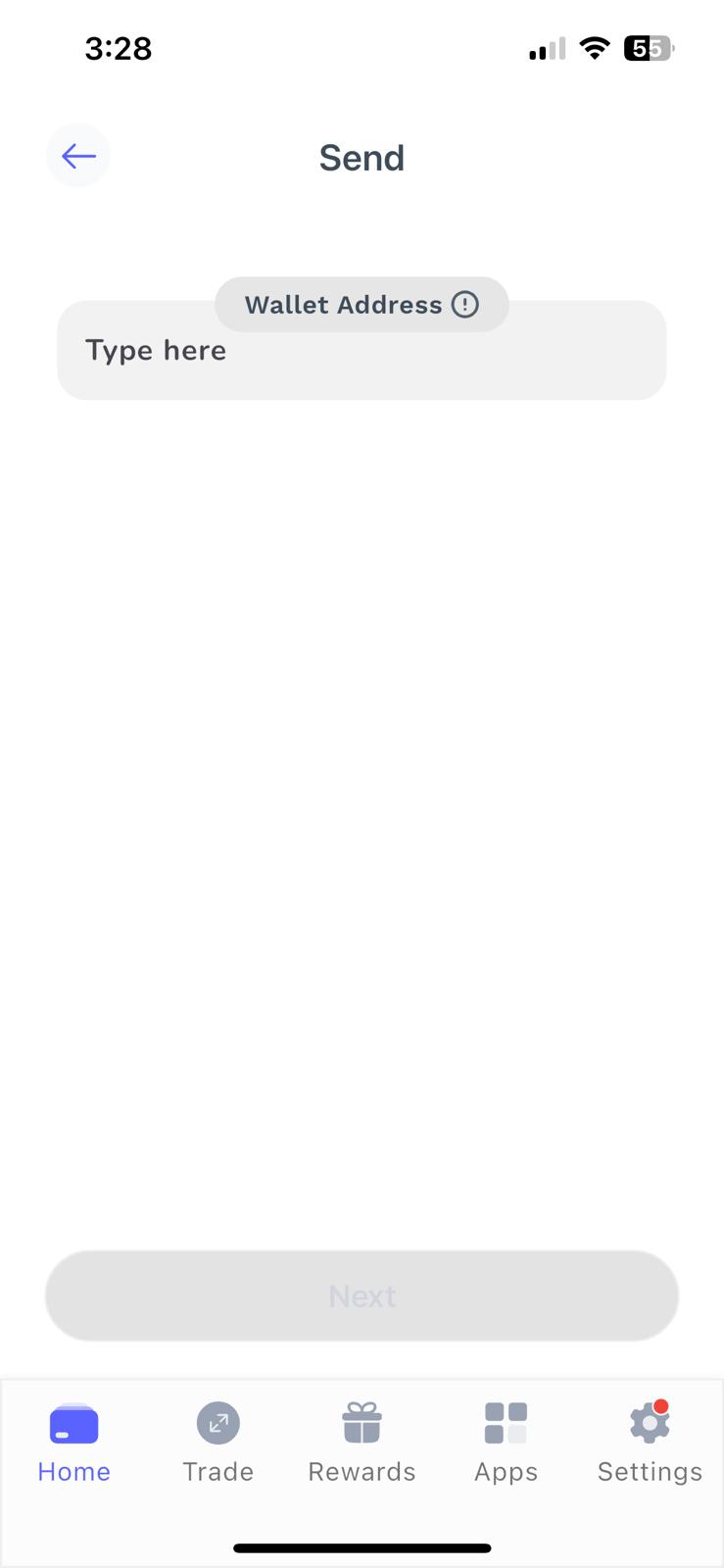
-
Swap Render Tokens
Open the Trade section and select “Swap.” Choose Render and the token you want to receive, then confirm the details. The wallet pulls prices from multiple liquidity pools and completes the swap automatically.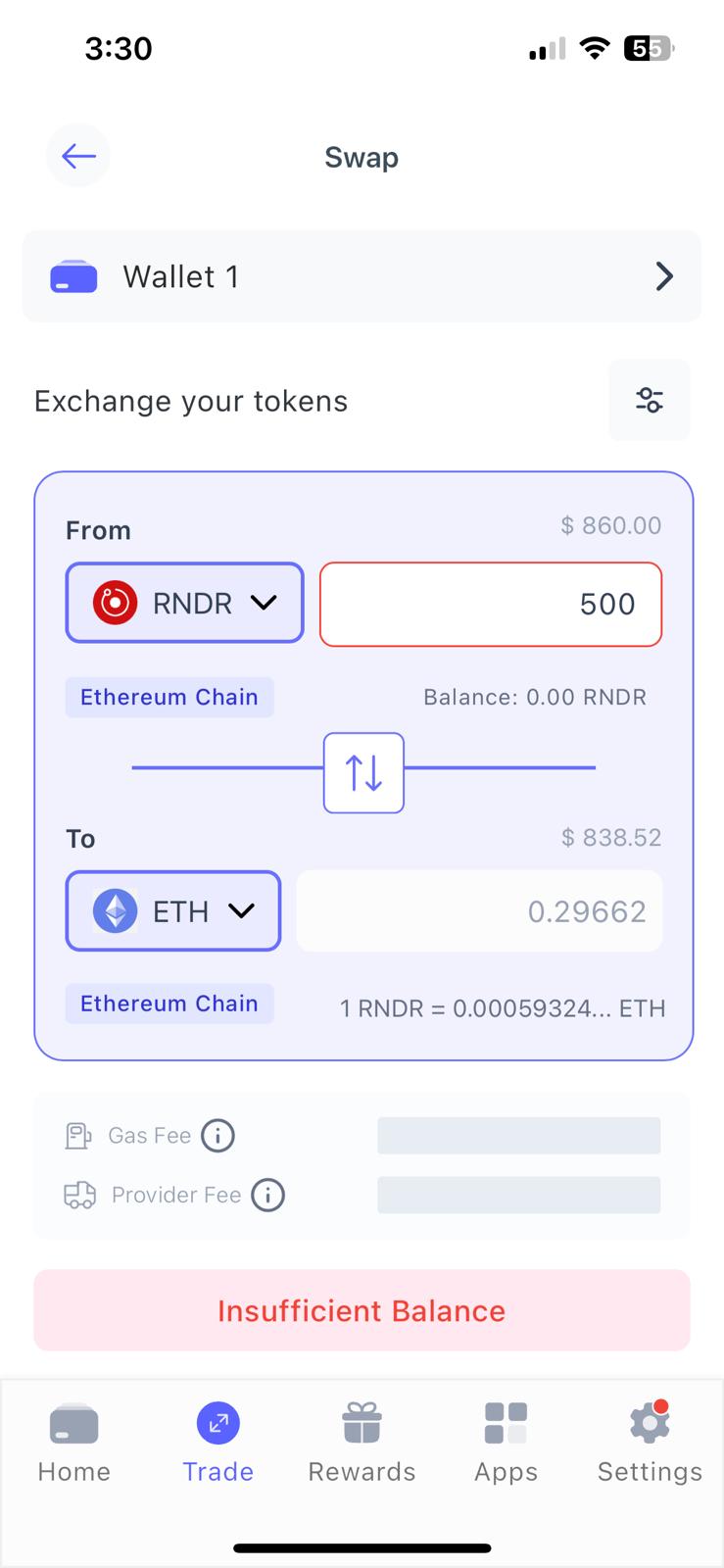
Once completed, your Render wallet is fully set up and ready for storage, transfers, and token swaps within a secure, self-custodial environment.
Types of Render Wallets
Understanding the different ways to store Render tokens is essential, especially as key wallet terms like hot, cold, custodial, and non-custodial confuse beginners.
What Are Hot & Cold Wallets?
“Hot” and “cold” mechanisms determine how Render wallets store private keys.
Cold wallets are the safest option, as they keep private keys offline. They operate as hardware devices without internet features, so users broadcast transactions via Bluetooth, USB-C cables, or NFC. The key takeaway is that cold wallets eradicate online threats like viruses and hacks, which suits Render investors with significant holdings.
Cold wallets, while secure, are less convenient than hot wallets.
Providers offer hot wallets as mobile apps, browser extensions, or desktop software. They remain connected to the internet, which lets investors access the crypto markets seamlessly. Users can send and receive Render on the move, as hot wallets require no physical approval like cold storage solutions. However, their internet exposure makes them vulnerable to cybersecurity risks. As such, experts recommend keeping hot wallet balances modest.
What Are Custodial & Non-Custodial Wallets?
“Custodial” and “non-custodial” frameworks refer to the control of private keys.
Third parties (such as crypto exchanges and brokers) back custodial wallets. These platforms manage private keys on behalf of the user and handle security controls. The drawback is that investors lose autonomy over their Render tokens, as they require approval to transact. The custodial structure also incurs risks, such as client-fund mismanagement or bankruptcy.
Storing Render in a non-custodial wallet is a safer alternative. Only the wallet user controls private keys and has the authority to approve transfers. Non-custodial providers require no personal information, which allows users to store Render in a decentralized ecosystem.
Final Verdict: Best Render Wallet Choice
Choosing the right Render wallet ultimately depends on how much control, security, and convenience you want when managing tokens across Ethereum and Solana. Cold storage solutions offer the highest level of protection and suit users with larger holdings, while custodial wallets reduce complexity for beginners at the cost of full ownership. For most investors, a non-custodial hot wallet strikes the best balance of providing self-custody, strong security features, and easy access to swaps, fiat purchases, and portfolio management.
Having reviewed over 25 reputable providers, Best Wallet ranks as our top pick for Render holders. The beginner-friendly app offers non-custodial storage on over 60 blockchains, and key features include cross-chain swaps, launchpad events, and fiat purchases. Setting up the free Render wallet app on an iOS or Android device takes less than five minutes.
See Also: Top Bittensor (TAO) Wallets for October 2026
FAQs
Which wallet supports Render?

You can store Render in any wallet that supports Ethereum or Solana, as it uses both the ERC-20 and SPL token standard.
How many wallets hold Render?
According to exchange data, over 202,000 wallets hold Render. This feat makes Render one of the most popular AI crypto projects.
How many Render tokens are there?
The total Render supply is 644.16 million tokens. Approximately 518.58 million tokens circulate in the public float.
Does Coinbase Wallet support Render?
Yes, Coinbase Wallet supports Render on the Ethereum and Solana blockchains. Coinbase exchange users can also store Render on the platform’s centralized wallet.

Why you can trust 99Bitcoins
Established in 2013, 99Bitcoin’s team members have been crypto experts since Bitcoin’s Early days.
Weekly Research
100k+Monthly readers
Expert contributors
2000+Crypto Projects Reviewed