






In This Article
The most secure way you can store your Bitcoin and other cryptocurrencies is on a hardware wallet – a small physical device that holds your private keys offline, also known as crypto cold wallets. In this post, we’ll explain exactly how these devices work and cover the best hardware wallets around.
Hardware wallets provide the most secure cold storage for crypto, combining the safety of a paper wallet with user-friendly interfaces for a better experience.
TL;DR? Watch Our Video Guide Instead
Hardware Wallets Summary
Hardware wallets use two-factor authentication, or 2FA. This method requires you to verify your identity to access your funds by combining something you have (the physical wallet) and something you know (the wallet’s PIN code).
If you’re serious about Bitcoin and cryptocurrency security in general, you need to get a crypto hardware wallet to find the best crypto cold storage wallet. Many users have multiple external wallets as well to avoid a single point of failure risk. Here are the leading models on the market:




That’s hardware wallets in a nutshell. For a full review of each of our picks for the top cold wallets in-depth explanations, keep on reading.
The Best Hardware Wallets in 2026: Expert Reviews
Now we will break down and cover the best crypto hardware wallets in the market today.
1. Ledger Hardware Wallets
Pros
-
Thousands of crypto assets supported, connection to dApps, and mobile compatibility
Cons
-
The Bluetooth user interface can be confusing
-
Ledger has faced security concerns and reputational damage due to controversies around Ledger Recover
Ledger has been around for a long time and is an industry leader, along with Trezor, when it comes to hardware wallets. Despite recent PR disasters like the rollout of Ledger recovery and the security blunders such as a data breach and the Ledger Connect exploit (which was quickly patched) Ledger remains among the best hardware wallet manufacturers in the industry. The company’s reputation aside, it is difficult to find fault with the actual Ledger devices themselves.
Accessing a Ledger wallet is done through Ledger Live – a free desktop application that allows you to control all of your Ledger devices, send and receive cryptocurrencies, and check your balance whenever you want.
Ledger Flex
The Ledger Flex is Ledger’s mid-range wallet that offers a great balance between top-notch security and rich features. It comes with a 2.84-inch touchscreen display that allows you to easily verify and approve transactions, while displaying your favorite NFTs on the go.
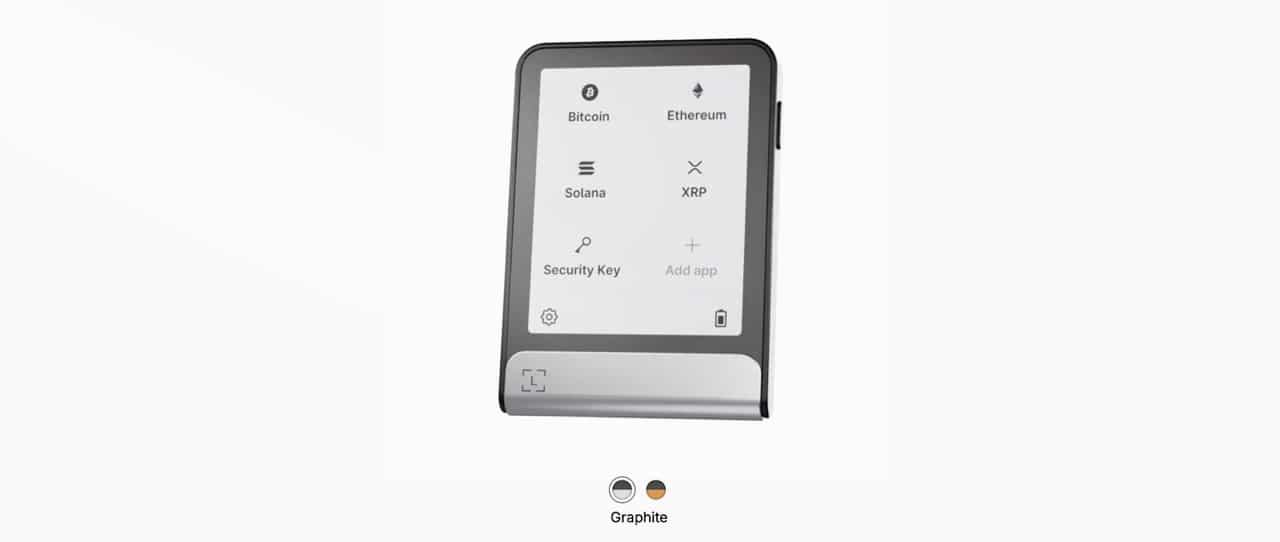
The device also has Bluetooth and NFC support for wireless connectivity with smartphones and laptops. You can manage your token held on the Ledger Flex directly from your smartphone with the help of the Ledger Live app. The main downside is that the Ledger Flex is priced at $249 which may turn off potential users, as there are cheaper hardware wallets out there.
Ledger Flex Review


Ledger Nano S Plus
The Ledger Nano S Plus is the improved version of the old, trusty Nano S, sporting a similar style with upgraded hardware and software features.
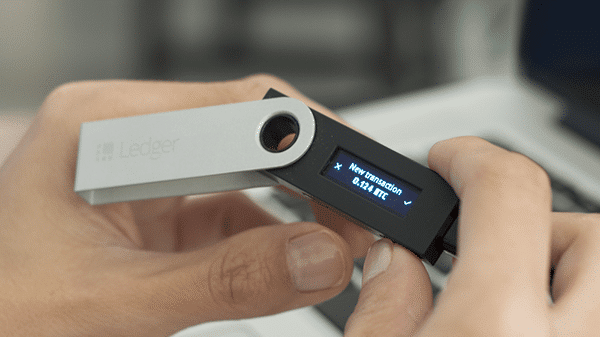
With an elegant, rounded design, larger screen, and larger memory, the Nano S Plus enables users to store more apps than its predecessor, along with a sleeker look. For $79, the Ledger Nano S Plus provides a top-notch experience for a very reasonable price.
Ledger Nano S Plus Review
2. TREZOR Hardware Wallets
Pros
-
Market veteran with open-source technology and a strong company reputation
-
Industry-leading security standards
-
Supports over 8,000 crypto assets
Cons
-
Frequently resets when upgrading, so ensure your recovery phrase is backed up
-
Asset support is not as extensive as some competitors, and DeFi/DApp access remains limited
TREZOR (meaning “vault” in Czech) was the first company to come up with the idea of a hardware wallet. The main advantage TREZOR has over its competition is its company reputation. One of the company’s founders is Marek “Slush” Palatinus, who also created the first mining pool for Bitcoin (founded in 2010).
On the downside, there is one annoying thing about TREZOR wallets – When you upgrade the wallet firmware, it frequently deletes the whole wallet. If you’re just starting out with crypto, this can definitely freak you out. As long as you have your backup seed phrase around, you can easily restore the wallet, but this is definitely something to be aware of.
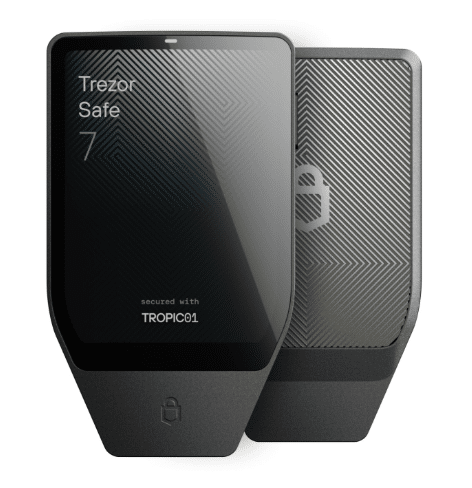
Trezor Safe 7
The Trezor Safe 7 is Trezor’s most advanced hardware wallet, designed for users who want top-tier security without compromising on usability. Built with a premium anodized aluminium unibody, the device feels solid and durable, while its IP67 dust and waterproof rating adds extra protection for real-world use. The wallet features a large 2.5-inch color touchscreen protected by Gorilla Glass, making on-device navigation, transaction verification, and setup intuitive and secure.
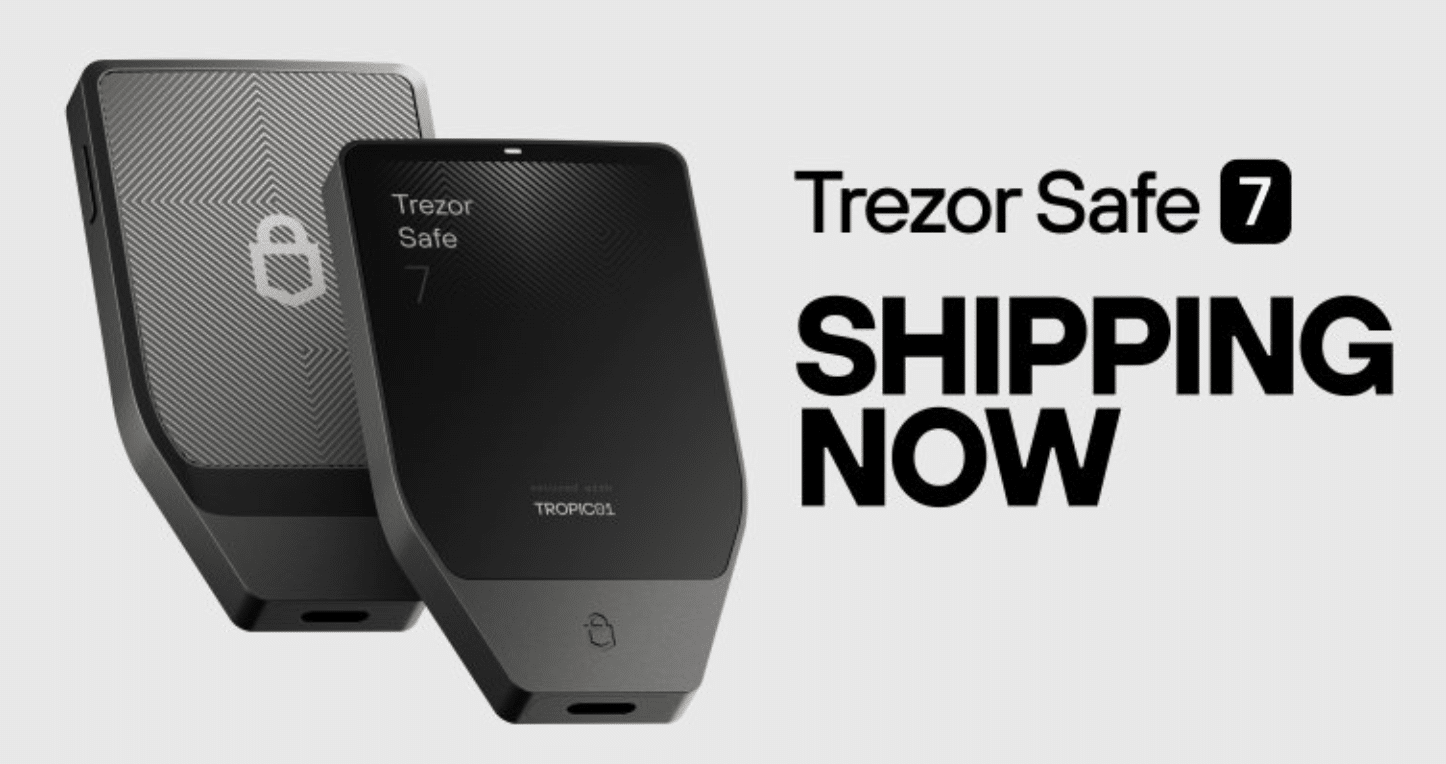
Security is where the Safe 7 truly stands out. It is the first hardware wallet to introduce post-quantum cryptography and the first to use fully auditable secure element chips. The dual-chip architecture combines TROPIC01 and an EAL6+ certified secure element, providing robust protection against both physical and digital attacks. PIN and passphrase protection further strengthen account security, while Trezor’s fully open-source approach allows continuous public auditing.
The Safe 7 supports over 9,000 assets through the Trezor Suite app and works across Windows, macOS, Linux, iOS, and Android. With Bluetooth, USB-C connectivity, a LiFePO4 battery, and wireless charging, it’s a premium option built for long-term, high-security crypto storage.
Trezor Safe 7 Review
Trezor Safe 5
The Safe 5 is Trezor’s flagship hardware wallet that features a 1.54-inch color touchscreen display and haptic feedback which allow easy transaction signing and notifications. This hardware wallet is compact, easy to use, and supports almost any major asset or Ethereum-based token you could think of. One of the most notable security features is the addition of the Secure Element Certified Chip EAL6+. The Safe 5 wallet also support Shamir Backup for recovering your seed phrase.
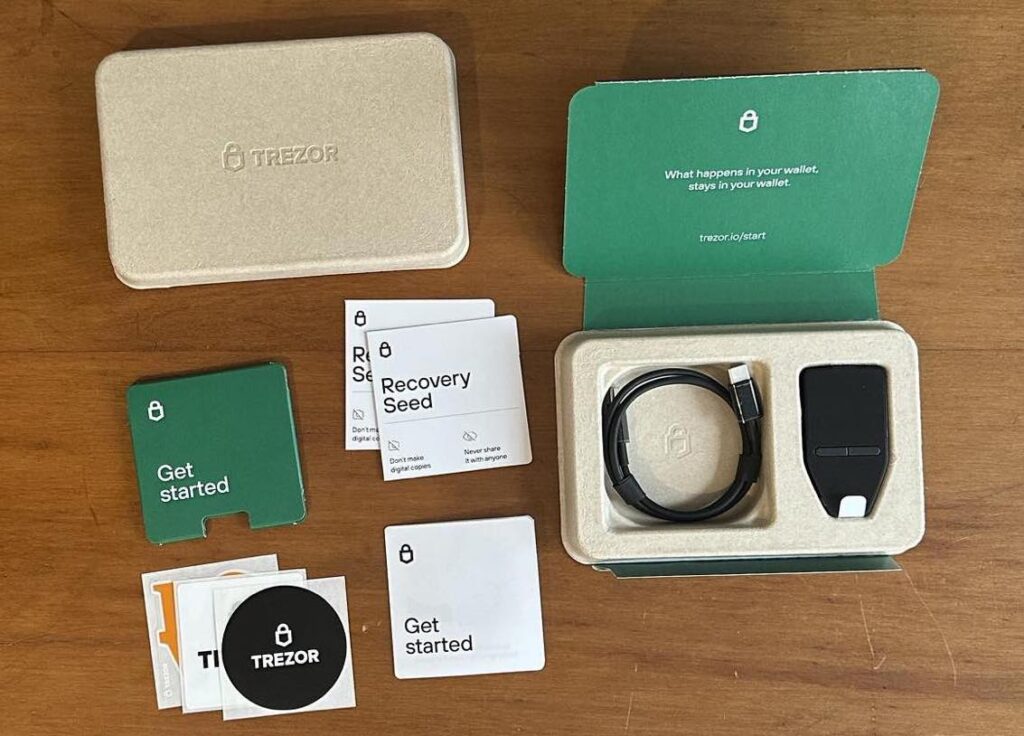
Like all hardware wallets, the Trezor Safe 5 comes at a price. It costs $169 if you order directly from Trezor. The price is significantly cheaper than the Ledger Flex wallet we talked about earlier, which is priced at $249. The main difference is that the Trezor Safe 5 comes with a color display while the Ledger Flex’s display is grayscale; meanwhile, Flex has Bluetooth support, but Safe 5 does not. You can learn more in our Trezor Safe 5 Review.
Trezor Safe 5 Review
Trezor Model T
The Trezor Model T is basically a Trezor One wallet that has a large touch screen. Both wallets offer the same features, but the touch screen does make a difference.
When you restore your hardware wallet or even set it up for the first time, you are often requested to enter your seed phrase. If you do not have a suitable interface on your hardware wallet (i.e., a touch screen), you will need to type in your seed phrase on your computer.
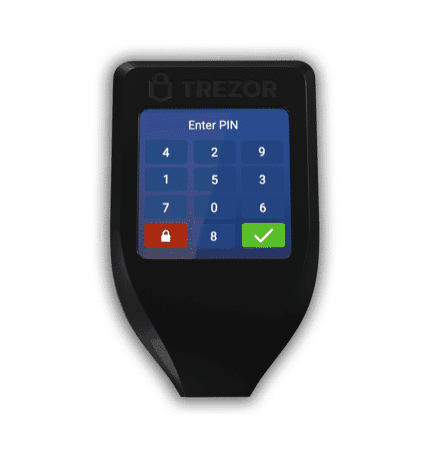
If your computer is infected with malware, this makes your seed phrase vulnerable to keylogging or other forms of hacking. Having said that, even if someone managed to get the words to your seed phrase, they still won’t know what order to put them in since that is not displayed on your computer (it’s displayed on the hardware wallet).
The Trezor Model T eliminates this threat completely since all interaction is done on the hardware wallet’s touch screen, so you don’t need to be afraid of malware (these devices are malware-free by design). The Trezor Model T also supports some coins that the Trezor One does not (e.g., XRP, ADA, and XMR).
The Trezor Model T costs $219 when VAT is excluded.
Trezor Model T Review
Trezor Model One
The Trezor One is the original hardware wallet and is a great, low-cost option for storing cryptocurrencies. The Trezor One (formerly known just as “TREZOR”) is the oldest hardware wallet on the market and probably the most reputable one as well.
The Trezor One has a nice, simple design with a very easy-to-understand user interface, and it supports a wide array of cryptocurrencies, including Bitcoin, Ethereum, Bitcoin Cash, Tether (USDT), Ethereum Classic, Litecoin, Dogecoin, and Polygon.
The only coins that are missing and have gained massive public attention are XRP and ADA.
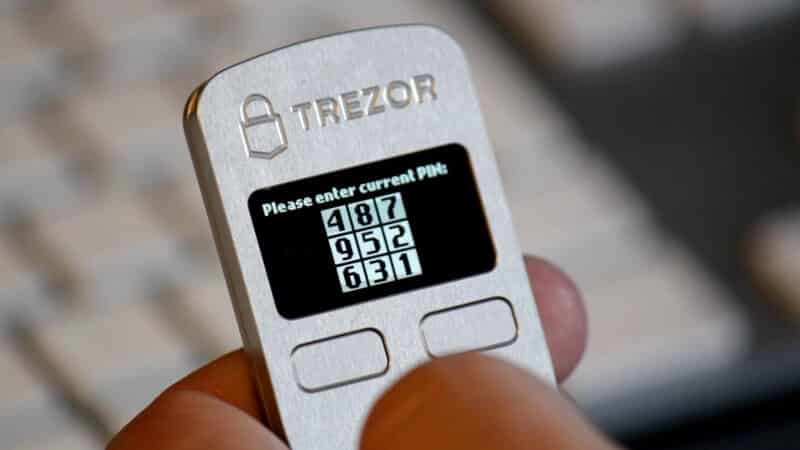
The price of the Trezor One is currently $69, making it affordable and one of the cheaper hardware wallets on the market. This is a great hardware wallet, in my opinion, that is very easy to set up and use. Take a look at our: Trezor vs. Ledger: Which is Better in 2026?
Trezor Model One Review
3. D’Cent Hardware Wallet & App
Pros
-
Biometric authentication and Bluetooth support for seamless connectivity
-
EAL5+ secure element for enhanced hardware-level protection
-
Mobile app integration with support for 3,500+ coins
-
NFT and DApp access for broader Web3 functionality
-
Easy backups and a user-friendly interface
-
Multi-wallet support and a gasless fee program for convenient transactions
Cons
-
Limited desktop support
-
Slightly bulky design
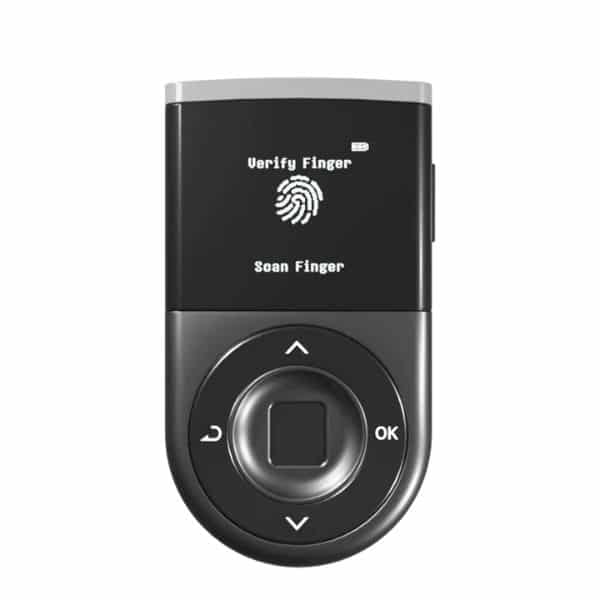
D’Cent Wallet is known as the world’s first hardware wallet with integrated fingerprint authentication, along with a CC EAL5+ secure element. It offers strong offline security with the added convenience of being a mobile-first Bluetooth system. Supporting over 4,500 cryptos across 80 blockchains, D’Cent Wallet provides several perks, including seamless cross-chain swaps, portfolio viewing, and fast transactions on the go.
The latest update introduced by developers IoTrust added multi-wallet support, which lets users create and delete up to 100 app wallets inside a single interface, which is ideal for users who want to separate their investment, testing, and blockchain gaming activities. The update also allows users to import wallets from third-party providers such as MetaMask and Phantom, which is a game-changer. The v8.1.0 update builds on the GasPass program launched earlier in 2025, which enables fee-less onchain transactions.
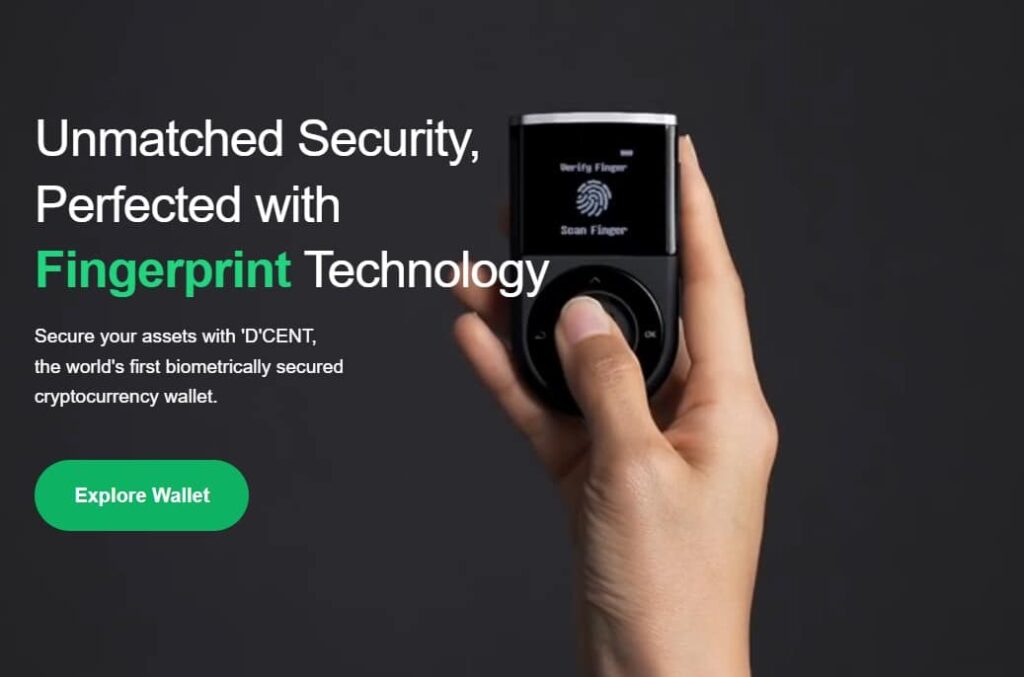
That said, it lacks a dedicated desktop app. Combined with its slightly high cost, it can be a significant investment for budget-conscious users. However, it remains a strong contender thanks to its biometric protection and high-level security. For further details, check out our D’Cent wallet review.
Alternatively, if you want to see how this wallet performs when compared to another market leader, why not read our D’CENT Wallet vs Ledger Nano X comparison review?
D'Cent Wallet Review
4. Tangem Wallet
Pros
-
EAL 6+ certified secure chip for maximum hardware protection
-
Offers dual security protection for enhanced safety
-
Supports swapping and staking features directly from the wallet
Cons
-
No desktop support
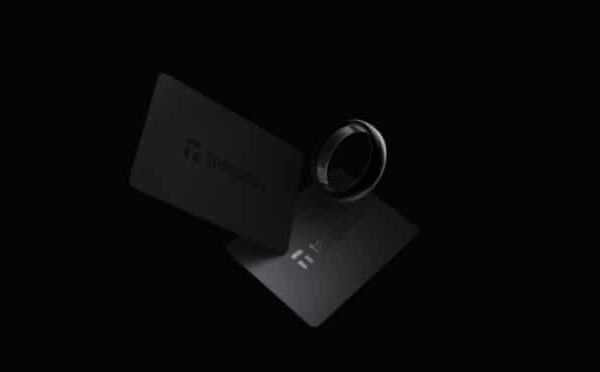
Tangem is a highly secure hardware wallet that offers complete autonomy while managing thousands of cryptocurrency assets – and with the latest update, NFTs as well. The Tangem wallet card is as thin and sleek as a bank card, and as secure as a bank vault.

You can simply tap the wallet card on your compatible mobile device to conduct transactions. The wallet card contains an EAL 6+ secure embedded chip, which automatically generates a private key that is never exposed.
Notably, Tangem offers dual protection via biometric authentication as well as passcode protection. This hardware wallet also provides maximum resistance against extreme temperatures and environmental protection.
NFTs are now fully supported, and you can buy, mint, and store NFTs across various blockchains (including Arbitrum, Avalanche, Base, BSC, Ethereum, Polygon, Solana, and many more).
The stylish wallets work in conjunction with the Tangem app, which lets you easily buy, sell, and swap over 16,000 cryptocurrencies across 85 blockchains. The app also provides valuable insights, helping you make smarter trading decisions, and can connect to DeFi apps for staking and other cryptocurrency uses.
The 2-card wallet set is priced at $54.90, while the 3-card set is priced at $69.90. Use the link below to secure a 10% discount on your purchase. For more information, check out our full Tangem wallet review.
Tangem Wallet Review
5. Ellipal Hardware Wallets
Pros
-
Air-gapped design for complete offline security
-
Supports more than 10,000 tokens and NFTs
-
Comes with a companion mobile app for easy management
-
User-friendly interface with a large, clear display
-
Tamper-proof construction for added device integrity
Cons
-
No desktop app
-
Limited customer service
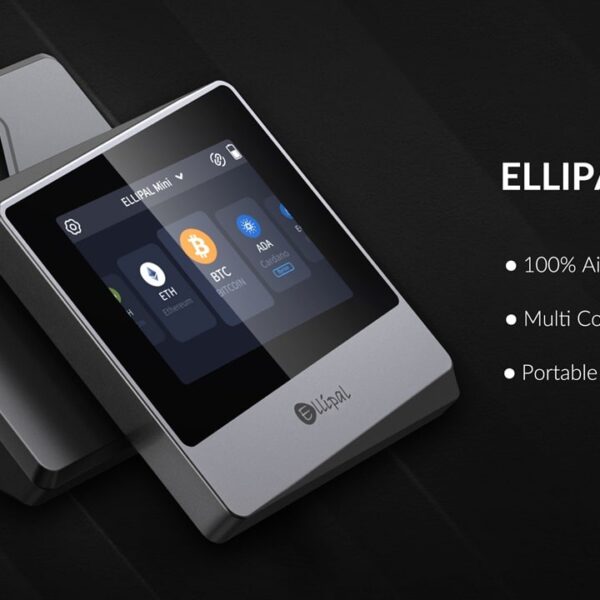
Ellipal is a hardware wallet company that aims to be completely isolated from the outside world. Founded in 2018 by David Tian and Tong Chen, Ellipal is a robust, self-custodial hardware wallet designed to maximize security and user convenience. Built from metal and fully air-gapped, it ensures that your crypto assets remain safe from both cyber and physical attacks.
It has no wired or wireless connectivity — no Bluetooth, WiFi, USB, or NFC — instead, it communicates through QR codes via a camera on the rear end. Their standard Titan 2.0 Cold Wallet costs $169, while their Titan Mini Cold Wallet is $99. These are our picks for the best cold wallet for crypto options.
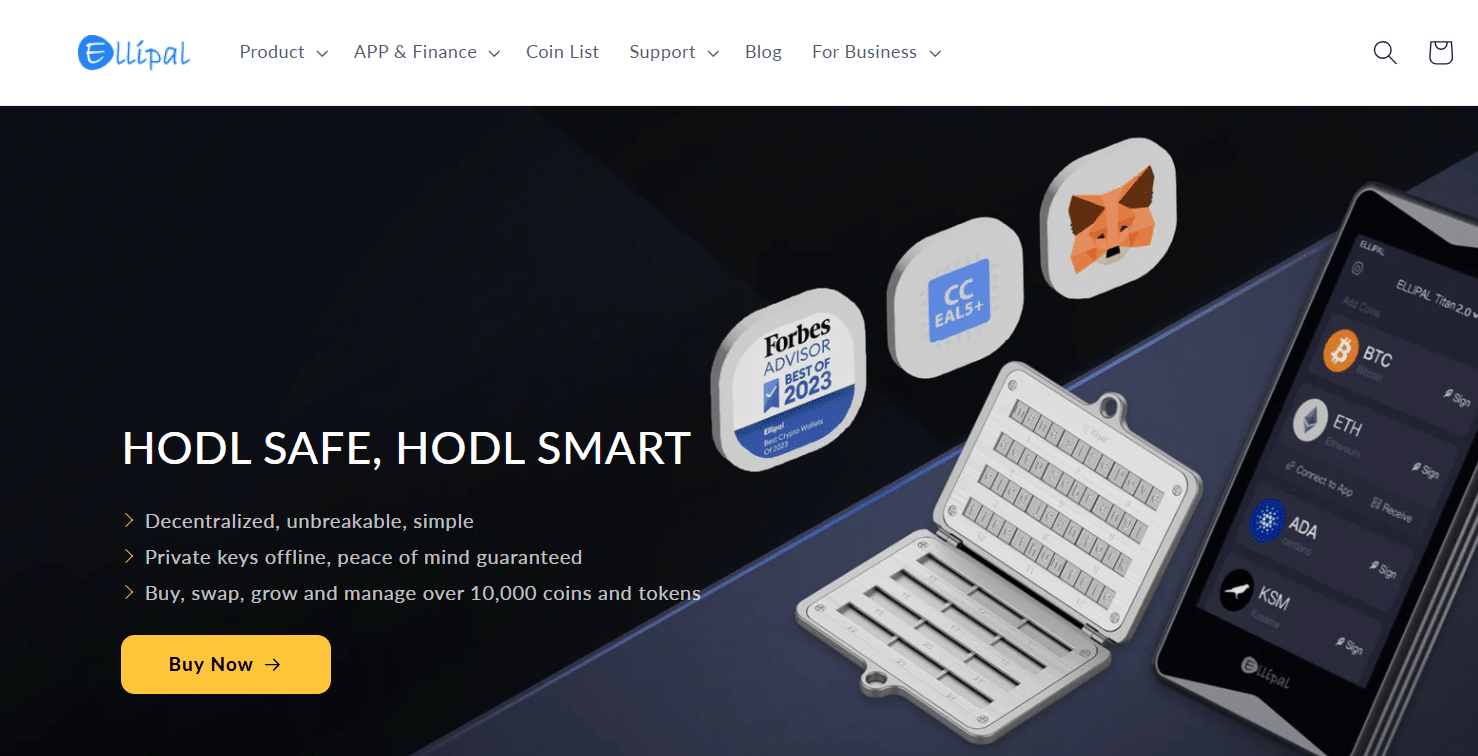
Ellipal excels in security, ensuring your private keys never touch the internet. It boasts EAL 5+ certification, indicating top-tier security against penetration. The wallet’s anti-tamper and anti-disassembly measures further safeguard against physical breaches. There is even a self-destruct feature if tampered with.
The hardware wallet supports more than 10,000 coins and tokens across 40 blockchains, including major ones like Bitcoin, Ethereum, Solana, and more. NFT enthusiasts will appreciate its support for NFTs on Ethereum and Polygon, with connectivity to over 50 NFT marketplaces. The ELLIPAL wallet is great for users who want fantastic asset support and easy access to DApps and DeFi platforms.
You can read our full Ellipal Titan 2.0 review to learn more.
Ellipal Review
6. Keystone
Pros
-
Air-gapped security with open-source firmware
-
Fingerprint authentication and EAL5+ secure element for robust protection
-
Large touchscreen display with QR code-based signing
-
Supports over 5,500 coins and offers seamless MetaMask integration
Cons
-
No Bluetooth support and no USB connection by default
-
Requires QR scanning for all actions
-
Bulky design and higher price point
-
Limited native NFT features
With Keystone, users get access to an open-source, air-gapped hardware wallet that focuses primarily on security through its triple secure-element protection, Shamir Secret Sharing backup system, and biometric fingerprint authentication. It eliminates Bluetooth and USB connections to remain isolated from major remote attack vectors. The hardware features a 4-inch touchscreen that offers a smartphone-like interface, making navigation and transaction signing intuitive and smooth through QR code scanning.
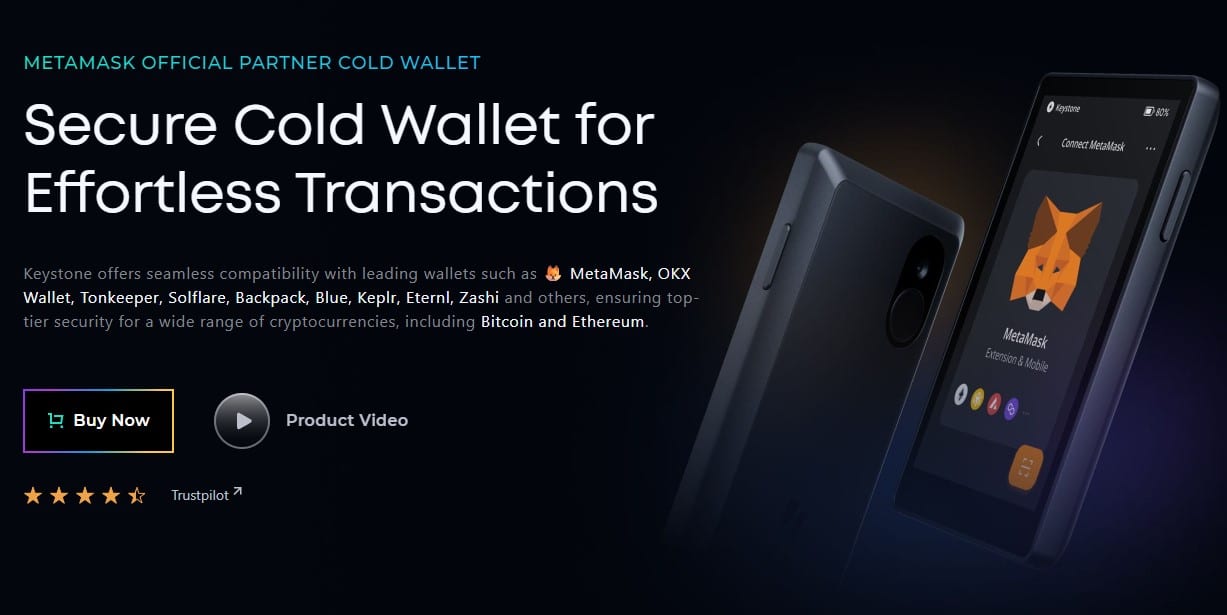
The platform is known for its wide compatibility with wallets and platforms such as MetaMask, BlueWallet, Keplr, and Solflare. Supporting over 5,500 cryptocurrencies and tokens, it is a suitable pick for those looking to invest in multiple assets. Additionally, the QR code-based signing process ensures that all actions remain fully offline, further reinforcing its security and privacy credentials.
The only major concern users may have is the non-removable battery, which could be a drawback for long-term storage. Furthermore, the initial setup can feel slightly complex for beginners. Despite these minor shortcomings, which can be addressed with a bit of research before usage, the platform remains a solid pick for those seeking a versatile wallet with robust integration into the DeFi and NFT ecosystems.
For further details, check out our Keystone wallet review.
Keystone Review
7. Cypherock Hardware Wallet
Pros
-
No backup seed phrase vulnerabilities thanks to Shamir Secret Sharing
-
Supports over 9,000 crypto assets
-
Stores up to four wallet accounts in one device
-
Equipped with an EAL6+ Secure Element chip for enhanced protection
Cons
-
Mobile app still in development; companion app currently has limited features
Established in 2018, Singapore-based hardware wallet startup Cypherock raised $1 million to develop Cypherock X1, a crypto wallet that secures digital assets through Shamir Secret Sharing. Crypto keys are decentralized and cryptographically stored across the wallet’s 5 hardware parts. This is currently the only crypto cold wallet the company provides, but it’s packed with secure features, 24/7 support, and intuitive crypto management.
Cypherock X1 can be broken down into two main components: the X1 Vault and X1 Cards. The X1 Vault is a dual-chip device and the primary hardware component of the Cypherock X1 system. It provides offline computation and verification and functions as a gateway for managing crypto holdings, executing transactions, and storing private keys across the X1 Cards. The X1 Vault comes with a 0.96” OLED display and can connect to a desktop device via USB-C. As an offline crypto wallet, this means Cypherrock X1 cannot be hacked in the same way as an online crypto wallet.
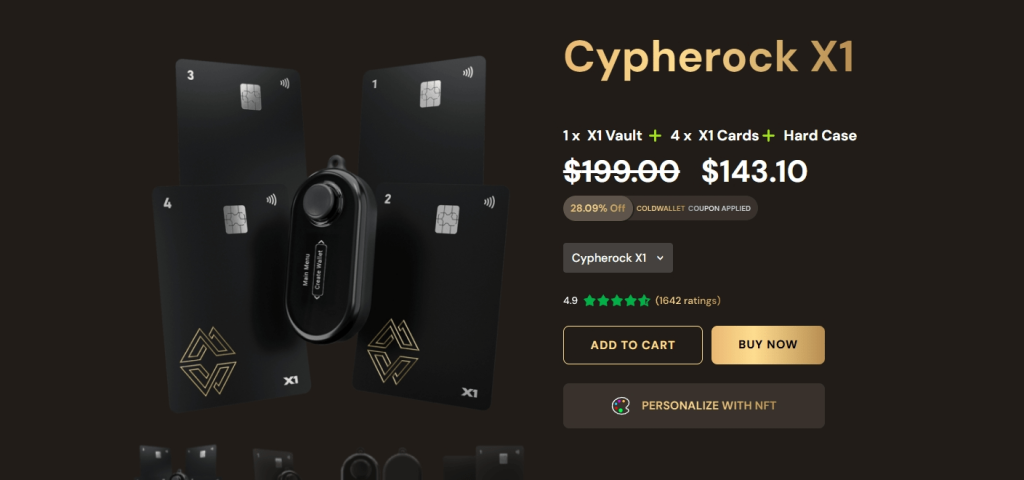
Cypherock’s X1 Cards are NFC-powered smartcards that contain the EAL 6+ Secure Element (SE) chips that safely store users’ crypto assets. These cards use end-to-end encryption when sending and receiving data and are built to last for at least 20 years with 500,00+ taps.
Cypherock X1, featuring one X1 Vault, four X1 Cards, and a hard case, costs $159. Each component of the package can be purchased separately. The hardware crypto wallet supports more than 9,000 crypto assets, including Bitcoin, Ethereum, and BNB Smart Chain. Overall, Cypherock provides the best cold crypto wallet suitable for crypto enthusiasts of all experience levels.
Check out what makes Cypherock one of our highest-rated wallets in our in-depth Cypherock Review.
Cypherock Review

Use promo code “coldwallet” to get 34% off the Cypherock X1.
Additional Hardware Wallets in the Market
Throughout the years, we’ve also explored some additional hardware wallets that didn’t make the top of the list, so I’d like to mention them here.
NGRAVE is a security-focused hardware wallet that is 100% air-gapped with its very own private key creation process. The device supports thousands of different assets, including Ethereum-based tokens such as ERC-20 tokens and NFTs. The wallet has a custom operating system and biometric security and functions entirely without Wi-FI, Bluetooth, NFC, or 4G. NGRAVE is the highest-rated cryptocurrency wallet ever created and is a seriously impressive piece of kit. The reason it did not make our top list is that it is quite expensive and lacks asset support.
Bitfi is a hardware wallet that was owned by John McAfee, a controversial figure in the cryptocurrency space. The wallet originally claimed to be “unhackable.” However, after it was torn apart by security researchers and several security flaws were exposed, that claim was removed. The newer Bitfi wallets have addressed these security concerns.
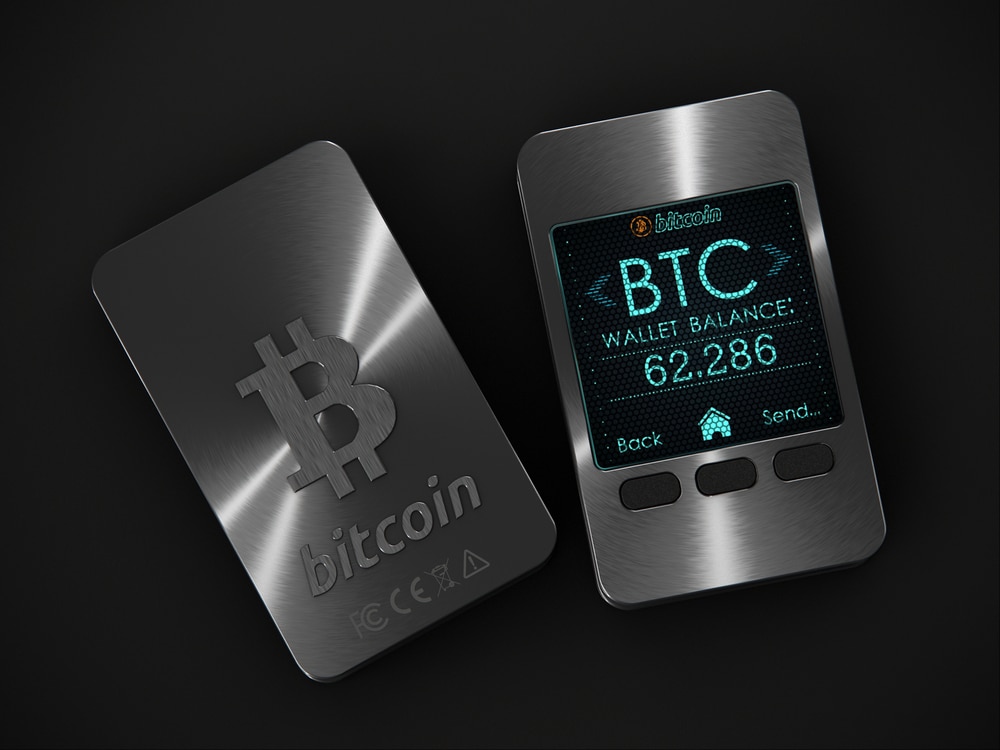
CoolWallet is a credit card-like hardware wallet that you can carry around in your pocket. Our CoolWallet review was positive. However, the wallet hasn’t gained enough market share in order for me to consider it a stable product.
BitLox is another hardware wallet we have reviewed. However, it was in the early stages, and we couldn’t get it to work properly. We haven’t taken another look at the product since then (this was a few years ago), and the product may have become more user-friendly.
BitBox02 is a hardware wallet from the Swiss company Shift Crypto. The coolest thing about BitBox02 is its rapid backup process, which uses a MicroSD card instead of a mandatory seed phrase. It’s a handy one-piece design with a built-in USB-C connector and some of the best security features available. BitBox has a number of other cryptocurrency-related products as well. You can read our full BitBox02 review here.
There are also other hardware wallets that can be used by both beginners and experts, such as Cypherock X1, BC Vault, and GridPlux Lattice1.
Bitcoin Wallets in a Nutshell
The term Bitcoin wallet is a bit misleading, as a Bitcoin wallet doesn’t really hold any Bitcoin. Technically speaking, a Bitcoin wallet is a piece of software that holds passwords, sometimes referred to in cryptographic terms as keys.
These keys give your wallet access to the Bitcoins allocated to it on the Bitcoin transaction ledger called the blockchain. So, when you use any Bitcoin wallet, you’ll encounter two important terms.
The first is a Bitcoin address, also known as a public key. This is what you share with people who want to pay you in BTC, kind of like an email address.
The second is a private key. The private key allows you to access and control the Bitcoin and other cryptocurrencies you own. For my email account analogy, you might think of your private key as the password to your email account.
Aside from holding your private key, the wallet also signs Bitcoin transactions on your behalf using your private key and broadcasts them to the Bitcoin network. Let me explain:
When you want to send Bitcoin to someone else, you need to prove ownership of those coins to the whole network so it will agree to change the ledger of transactions. To achieve this, your Bitcoin hardware wallet takes your requested transaction, signs it on your behalf using your private key, and broadcasts this digital signature to the network.
In a nutshell, a digital signature is a way to prove you own a certain private key without needing to expose it. It’s done through the use of complex mathematical rules known as cryptography. This whole process is kind of similar to you signing a check authorizing the transfer of money from your account.
Once a transaction is signed, the wallet then broadcasts it to the whole network, which validates its authenticity. Eventually, this transaction will be entered by Bitcoin miners onto the blockchain, and the transaction will be considered complete.
Hardware Wallets
As you probably know, stealing a piece of information from a computer isn’t that hard these days. If the computer running your Bitcoin hardware wallet is infected with malware, it may expose your private key to bad actors.
Hackers may be able to take control of your computer or see what’s displayed on your screen. Once your private key is exposed, your Bitcoin and other cryptocurrencies are no longer under your control. They could be easily transferred to anywhere the hacker chooses.
In order to avoid this situation, you have two options:
Simply put, hardware wallets are a form of physical crypto wallet; essentially, computers that have been stripped down of all logic except for a small screen, a button or two, and the simple action of storing keys and signing transactions.
Hardware wallets look like small USB devices, and they offer a minimalist approach to security physical crypto wallet This is based on the logic that the more complex a device is, the more opportunities hackers have to infiltrate it.
In the case of hardware wallets, the device is so “dumb” that it’s practically impossible to hack or infect it with anything. Hardware wallets have no data transmission in or out via wifi, NFC, Bluetooth, or mobile data, effectively removing any remote attack surfaces that hackers may exploit.
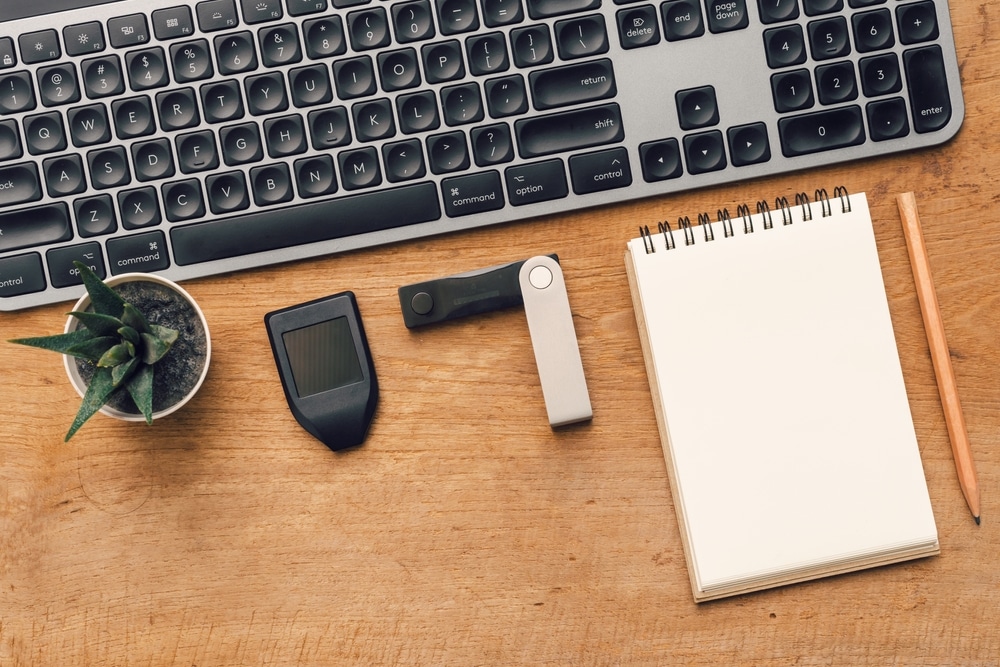
Due to that simple design, hardware wallets can’t connect to the internet or run complicated apps. They are just a form of storing your private key offline in cold wallets.
This approach is known as cold storage, unlike devices that connect to the internet, which are called “hot wallets.” Cold storage wallets are considered more secure but less accessible than hot wallets that provide easier access to DeFi applications. This makes cold wallet storage the most secure crypto wallet option.
How Do Hardware Wallets Work?
Let’s say you want to send a Bitcoin transaction using a hardware wallet. The first thing to know is that because a hardware wallet is such a simple device that can only sign transactions, it needs to use a more sophisticated computer for all other functions, such as preparing the transaction and broadcasting it to the network.
So, in order to use a hardware wallet, you’ll need to connect it to your personal computer and download a program that can communicate with it. I’ll call this program a “bridge,” and the bridge allows you to prepare your transaction for signing.
Hardware wallets only allow very specific types of data to pass through to them, such as cryptocurrency transactions. Once a hardware wallet receives a transaction from the bridge program, it signs it on the hardware wallet itself and then sends it back to the bridge program.
Your private key never leaves the hardware wallet. The only thing that gets transferred between your computer and the hardware wallet is the unsigned and signed transaction.
Because of its minimalistic and simple design, a hardware wallet can be used with any computer without fear of being hacked or infected – even a public library computer or your mom’s laptop
The only thing you’ll need to do to make sure your Bitcoin is safe is to make sure the transaction you’re approving on the hardware wallet’s screen matches the transaction your bridge program is showing on your personal computer. Even the best hard wallet for crypto needs to be double-checked!
What is a Private Key?
A private key is a long string of numbers and letters that acts as the password to your crypto wallet, allowing you to send funds. It also generates your crypto addresses, which others use to send you digital assets.
Most crypto wallets manage private keys by automating complex cryptography. HD (hierarchical deterministic) wallets improve on this by generating a seed phrase, usually a set of common words that can restore your private key if lost. An HD wallet can also generate multiple Bitcoin addresses from the same seed.
Because private keys and seed phrases control your crypto, they must be kept secure. A standard wallet stores private keys in a wallet.dat file, which should be backed up to a secure location. HD wallets provide a seed phrase of up to 24 words, which should be written down and stored safely.
IMPORTANT! Your Seed Phrase
Setting up a hardware wallet is fairly easy. The main thing to do is write down the set of words you’ll be given when first setting up the device. This group of words, also known as a seed phrase or mnemonic phrase, is a way to restore any private key your hardware wallet generates.
This also means that whoever might get a hold of these words would also be able to control your Bitcoin and other cryptocurrencies, so it’s important to keep your seed phrase written offline and kept in a safe place.
What are Multisig Wallets?
Some crypto wallets support a feature known as Multisig. Multisig stands for multisignature, a wallet that allows sending of Bitcoins only with the approval of enough private keys, out of a set of predefined keys. Let’s explain what that means.
Let’s say that Alice, Bob, and Charlie all want to open a business together and invest some of their Bitcoins, but none of them wants only one to have the private keys to this money. So they each get one key and use a multisig wallet that requires two out of three of those keys. This way, none of them can run away with the money alone, but they also don’t need all three of them to pay the expense. For example, if Alice wants to run with the money, she can’t because she only has one key. But if Bob is missing and Alice and Charlie want to pay an expense, they can do it with their two keys.
Multisig doesn’t have to be only two out of three – it can be almost any combination. For example, a couple wants to have a shared account and decide that only if both of them agree can they spend the money, or a Company’s board of directors allows payments only by majority.
Multisig is often used for escrow services where 2 parties decide on a transaction that requires 2 out of 3 keys. If the seller and buyer don’t agree, a trusted 3rd party will arbitrate and release the funds.
What is the Best Hardware Wallet?
Today, there are over a dozen companies that offer hardware wallets on the market, with the market leaders being Ellipal, Ledger, TREZOR, and KeepKey. Each company offers different models with different features – We’ll cover the most popular ones below in no particular order, as well as the best crypto hardware wallets and best cold storage wallets.
What is the Best Offline Crypto Wallet?
For beginners looking for the best crypto cold storage option, we’d recommend using one of the hardware wallets we’ve outlined in this guide, such as Ellipal, Ledger, or Trezor.
For more advanced users, a paper wallet may be a more suitable option, especially if they plan not to touch their investment for the foreseeable future.
Hardware Wallet Risks
Here are some risks related to hardware wallets that you must consider.
Tampering
In some cases, a bad actor may tamper with your device while it’s en route to your home for the first time. To avoid this, all reputable hardware wallet manufacturers use a special holographic sticker to prove the wallet was never opened.
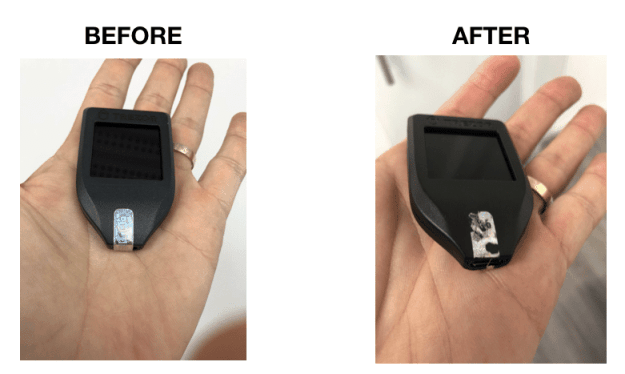
If you receive a wallet and this sticker isn’t intact, don’t use that wallet. While some wallets also run a self-tampering test when initializing, it’s better to stay on the safe side.
In order to minimize this risk even more, always buy a hardware wallet straight from the manufacturer’s website. If you want to buy from a reseller, make sure that they’re an authorized, trustworthy reseller by contacting the manufacturer first.
Preconfigured seed phrase
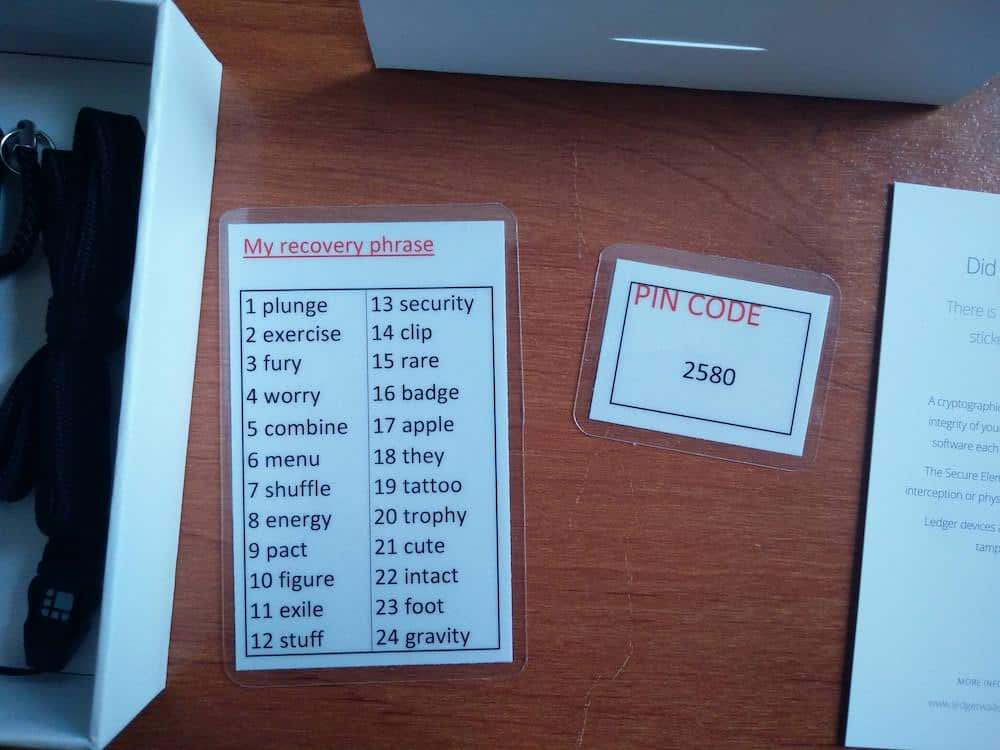
Your seed phrase should be generated at random by your wallet upon setup and is not sent to you with the device.
One unfortunate user bought a hardware wallet from a bad actor on Amazon and received a wallet with a card containing a preconfigured seed phrase. He was instructed to initiate the device using this existing seed phrase.
The user wasn’t very tech-savvy and did as they were instructed, only to find out that once they deposited coins into that hardware wallet, they were quickly removed by the hacker who knew the preconfigured seed.
How to Store Seed Phrases Securely
The seed phrase acts as a means of accessing all your stored digital tokens. Therefore, it is vital to properly secure your seed phrase and never save it online where it may be discovered by hackers or exposed due to malware or computer viruses. Even the best crypto cold wallet needs to have its seed phrase safely secured; otherwise, someone could use this information to recover your wallet and your funds.
Users can secure their seed phrases with a top-quality storage device such as Cryptotag, which stores the seed phrase in its aerospace-grade titanium plates. Users can store up to 42 seed phrases on this water and heat-resistant device. The cheapest Cryptotag storage device costs only €129.
Evil Maid Attack
Your hardware wallet device may be stolen or physically accessed by unwanted individuals, also known as the evil maid attack.
Most, if not all, hardware wallets today include PIN protection. So, even if your device is stolen, it may take the thief a while before they can access your coins.
Once you notice your device is stolen, you should immediately use your seed phrase to recover your Bitcoin and send it to a new wallet with a different seed phrase. This will basically drain your stolen wallet of all of its funds and allow you to keep safe control over your Bitcoin and other cryptocurrencies.
The $5 Wrench Attack
This refers to a scenario where someone physically threatens to hurt you with a $5 wrench if you don’t hand over your hardware wallet and unlock it with your PIN code.
In order to protect from these kinds of physical attacks, certain wallets, such as Cypherock X1, allow you to add another layer of protection called a passphrase. This means you’ll be requested to add an additional passphrase after the PIN code.
However, you can set it up so that different passphrases will show only certain accounts on your wallet. So imagine having a dummy account in your wallet with only a small amount of coins and a real account with the majority of your funds. In short, these passphrases are used to unlock “hidden wallets” of your choosing.
If someone forces you to unlock your wallet, you can use the dummy passphrase, and it will seem that the wallet only holds a small amount of coins, not revealing your complete holdings.
Looking For a Free Wallet Alternative?
While hardware wallets remain the gold standard for cold storage, the lines between wallet, exchange, and dApp interface are starting to blur. Modern wallets are no longer just key safes; they’re turning into full-stack crypto platforms. Naman Dave, CEO of NodeOps, told 99Bitcoins:
“We’re watching wallets evolve from simple key management into full coordination layers. Users can now stake, bridge, trade, and interact with dApps natively within their wallet interface. It’s vertical integration happening in real time, and it aligns perfectly with Web3’s core principle: self-custody without sacrificing functionality.”
This is why some users may want a secure and versatile wallet without the upfront cost of hardware. Best Wallet is a free software wallet that addresses this need.

Best Wallet is one of the fastest-growing wallets on the market and features a well-designed, anonymous approach to crypto storage. Best Wallet currently supports over 60 chains, so the asset support is among the top in the industry. We also like that Best Wallet provides users with the ability to swap, buy, and sell crypto directly within the wallet, and the launchpad for new projects is great for crypto users who are interested in crypto presales. You can learn more in our Best Wallet Review.
Conclusion – Is Hardware Wallet Worth It?
It doesn’t get any simpler than this headline. Top cold storage wallets are the way to go if you want secure crypto storage.
Yes, hardware wallets cost money, and no one likes spending money on things they can get for free. But the amount of security you get by using a hardware wallet is much more valuable than the $50 to $500 you’ll pay for purchasing the actual device.
In our opinion, any of the wallets from TREZOR or Ledger are a good choice, but my personal favourites are the Cypherock X1 and ELLIPAL. The latest update from D’Cent to add multi-wallet support in addition to gasless transaction is also notable.
Make sure to always buy the wallet directly from the company or from an authorized reseller. There have been many cases of fraud reported by people who bought tampered hardware wallets on eBay and sometimes Amazon.
Finally, if you’d like to consult a great guide to the top 5 no KYC wallets, our expert advice has you covered:
See Also:
- Top Cold Storage Wallets 2026 – Expert Reviewed
- Top Crypto Wallets For Privacy Coins in 2026
- SecuX PUFido Clife Key: Best 2FA Authenticator in 2026?
- How to Buy Virtuals Protocol (VIRTUAL) Crypto in 2026
FAQs
What is the best Ledger wallet?

The Ledger Nano S Plus is the best value-for-money wallet, in my opinion. Though the Ledger Flex wallet will give you more features at an extra cost.
How do I access my TREZOR wallets?
In order to access your TREZOR wallet, you’ll need to connect it to your computer and then download and access the Trezor Suite. This interface will allow you to access your funds once the wallet is connected to the computer.
What happens if the wallet manufacturer goes out of business?
The seed phrase technology used in most hardware wallets today is compatible with multiple wallets; it’s not unique to any specific company.
Therefore, if a certain company goes out of business, you can recover your Bitcoin and other cryptocurrencies directly to another company’s wallet using your seed phrase.
As you probably understand by now, your seed phrase has a lot of power. It can be used in many cases to recover your Bitcoin, including if your hardware wallet breaks or gets damaged.
Which is better - TREZOR or Ledger?
Both Ledger and TREZOR wallets have proved to be a safe and easy-to-use solution for storing your cryptocurrency. When Ledger started out, they didn’t seem to have a good enough product as TREZOR did. However, the line today between the companies has pretty much evaporated, and they are equally good, in my opinion.
However, to be on the safe side, I generally use more than one hardware wallet, and I try to make sure to use models from both companies.
One thing to keep in mind is that, unlike Ledger, TREZOR’s technology is completely open-source, which is considered more secure.
What is the Best Bitcoin wallet?
The best Bitcoin wallet is one that keeps your tokens secure! We’d recommend checking out our guide on the best Bitcoin wallets and best ERC20 wallets and taking your pick from some of the best hardware wallets on the market.
References
- Reserve Bank of Australia. Digital Currencies: Explainer. RBA, https://www.rba.gov.au/education/resources/explainers/cryptocurrencies.html.
- A Cybersecurity Guide to Safely Storing Your Cryptocurrency.” ECCU, https://www.eccu.edu/blog/cybersecurity/cryptocurrency-cybersecurity-how-to-store-your-crypto-safely/
- “Comparison of Hardware and Digital Crypto.” Journal of Social Sciences and Humanities Research, https://jsju.org/index.php/journal/article/view/1414
- “What Is a Hardware Wallet?” Ledger Academy, https://www.ledger.com/academy/crypto-hardware-wallet

Why you can trust 99Bitcoins
Established in 2013, 99Bitcoin’s team members have been crypto experts since Bitcoin’s Early days.
Weekly Research
100k+Monthly readers
Expert contributors
2000+Crypto Projects Reviewed