In This Article
The Ledger Nano X is the second hardware wallet introduced by Ledger. In this post, I will share my personal experience with the device and my thoughts about whether it’s indeed the best wallet around.
Don’t Like to Read? Watch Our Video Review Instead
Ledger Nano X Review Summary
The Ledger Nano X has long been one of the most popular hardware wallets for crypto investors, and it still holds up in 2025. It’s designed for people who want security without giving up convenience. The device connects through both Bluetooth and USB‑C, allowing you to manage your crypto safely on desktop or mobile.
You can install up to 100 apps at the same time, which means you can store, send, and receive over 15,000 coins and tokens directly through the newly renamed Ledger Wallet app (previously known as Ledger Live). Everything from Bitcoin and Ethereum to popular ERC‑20 tokens and stablecoins can be managed from one dashboard.
The Ledger Nano X is one step ahead of other hardware wallets on the market today. The increased capacity for coins, combined with its Bluetooth connectivity, makes it a powerhouse for managing crypto assets. Having said that, the user experience still requires some work. That’s the Nano X in a nutshell. If you want a detailed review of my experience with the Nano X, keep on reading.
Here’s what we’ll cover in this Ledger wallet review:
Hardware Wallets Overview
A hardware wallet is a small device that stores the private key for your cryptocurrency. The interesting thing about it is that it never exposes your private key outside of the device, meaning it is always kept offline (also known as cold storage). So even when you want to send money from it, it will sign the transaction on the device itself and not on any computer it’s connected to. For this reason, it is possible to connect your hardware wallet to any compromised computer without the risk of exposing your private key. This makes hardware wallets a very popular choice for storing cryptocurrencies as opposed to software wallets that are constantly connected to the internet (also known as hot wallets). If you’re new to cryptocurrency wallets, I suggest watching this video to get a complete overview of the topic: https://www.youtube.com/watch?v=aPprQUQljHE
Ledger and the Nano X
Ledger is one of the two biggest hardware wallet companies around today (the other one being SatoshiLabs, which is part of the wallet manufacturer TREZOR). The company was founded in 2014 and is a leader in security and infrastructure solutions for cryptocurrencies and blockchain applications. Ledger has a team of over 700 professionals. They specialize in developing a variety of products and services to safeguard cryptocurrency assets, including the Nano S Plus, the Ledger Nano X, and their latest, the Ledger Stax. 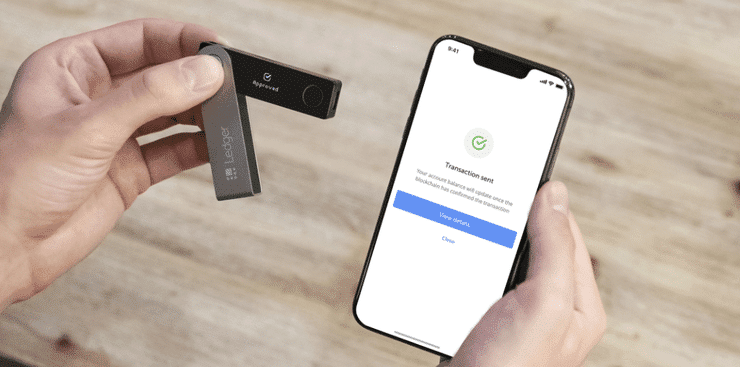 The Nano X’s main difference from previous models is its Bluetooth connectivity, which allows it to be controlled via a mobile phone and not just from a desktop computer.
Ledger Nano X Unboxing Experience
I’m a really big fan of the Nano S (the previous Ledger model), and that’s why I was anxiously awaiting the Nano X’s arrival. The mobile support was probably the final feature missing in order to make it a truly perfect hardware wallet.
What’s in the box?
The Nano X comes beautifully packaged with the device itself, a USB-C cable, a set of instructions, recovery seed cards, a keychain, and Ledger stickers. The previous bulgy buttons that were on top of the device are now seamlessly integrated into it in a way that’s even a bit hard to notice. All in all, a beautiful design. 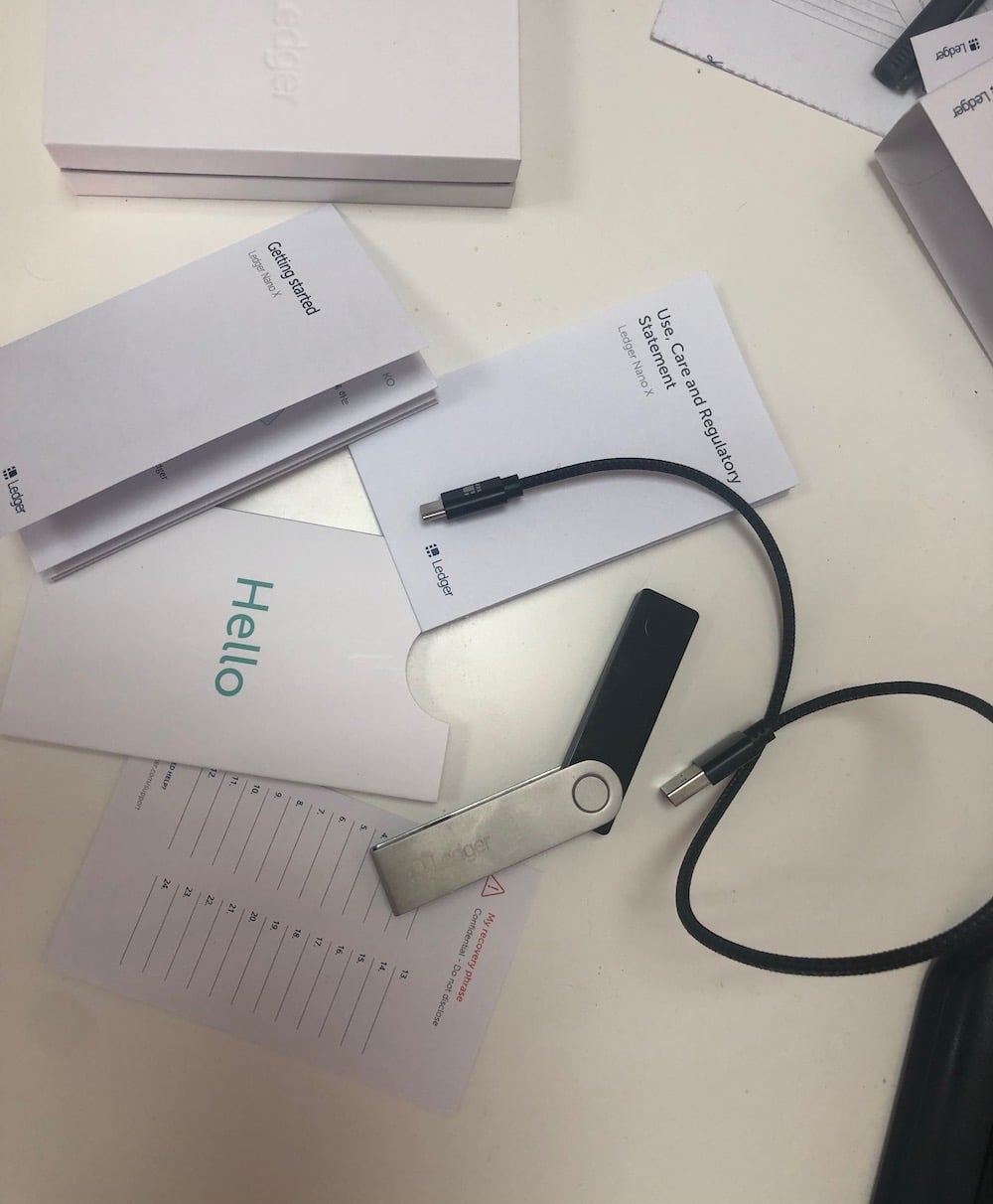
Setting up the Nano X
There are various stages you’ll need to go through to set up your Nano X.
Step 1 – Setting a PIN code
When you first power up the device, it will ask you to choose a 4-8 digit PIN code. You can toggle between numbers using the buttons, while “enter” is achieved by pressing both buttons simultaneously.
Step 2 – Writing down your seed phrase
The seed phrase is like the password to your wallet. It’s something that should be kept safe and hidden at all times. When initializing the device, you will receive 24 words, which you should write down on a piece of paper and store away. In case the device gets lost, broken, or stolen, you can recover your funds using your seed phrase on a new device. View this Ledger support article for how to restore your wallet using your 24-word recovery phrase. 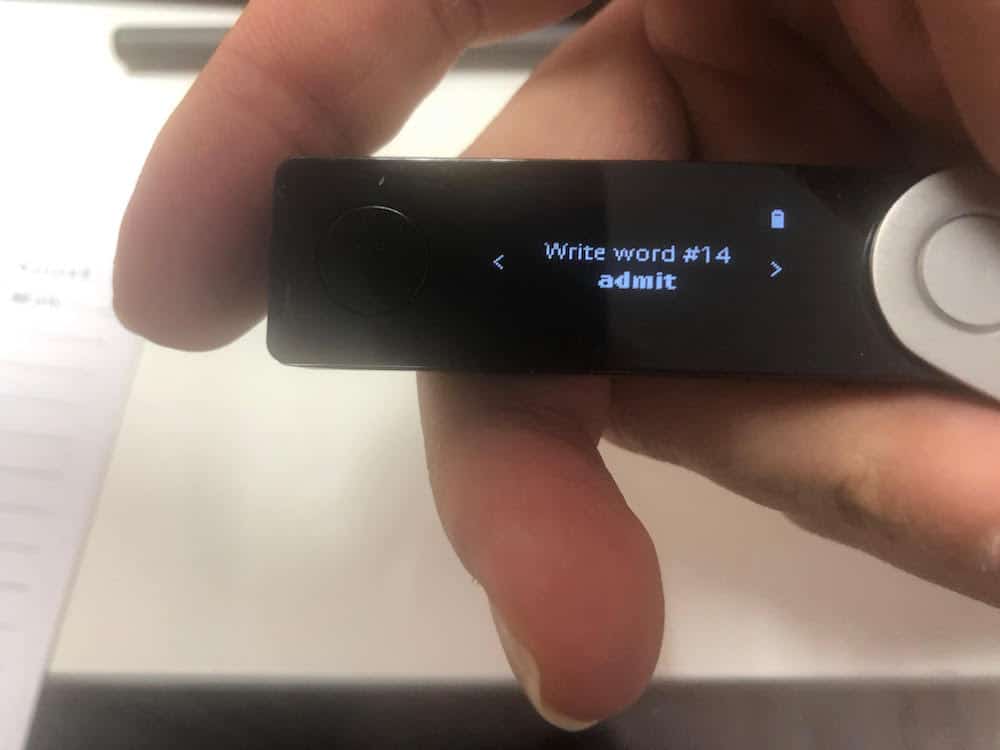 Because the seed phrase is so important, you will be asked to confirm it entirely after writing it down. Unlike the TREZOR setup process, with Ledger hardware wallets, you can’t skip this part. While I understand why Ledger insists on this, I find it a bit cumbersome and would prefer to have the option to skip this part and get back to it later.
Step 3 – Pairing the Nano X with your mobile device
Now comes the interesting part: connecting the Nano X with your mobile device. Previous Ledger versions were only controlled via the desktop software known as Ledger Live. The Nano X can also be controlled via the Ledger Live mobile app. Pairing the device should be fairly simple and straightforward, but unfortunately, that’s not what I experienced. I found it a bit buggy, and it took me two tries to get it to work. The process becomes even more cumbersome when you start controlling the device from the app. Almost every time you execute an action on the app, you need to wait for the Bluetooth connection and approve the action on the device itself. More often than not, the device doesn’t show the “approve” option, and you just need to wait a few seconds for the action to be auto-approved.
Step 4 – Installing apps
Once the device is paired and ready, you can install different apps on it depending on the coins you want to use. 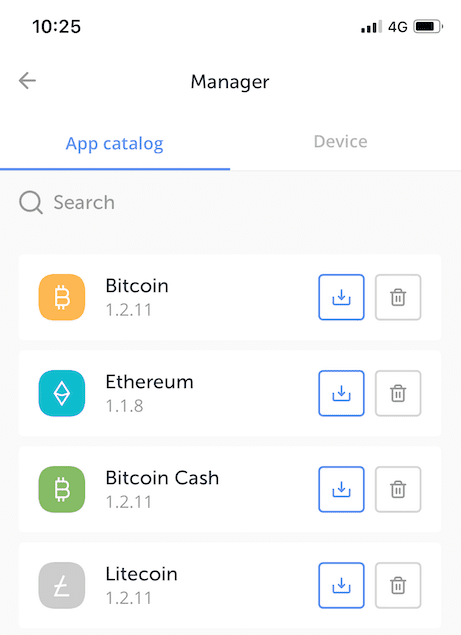
Step 5 – Adding accounts
This was, by far, the most confusing step for me. After installing the Bitcoin app, I was sure I was ready to go. Apparently, you have to also add a Bitcoin account on the device, and that is not conveyed through the user interface. Of course, you can find a complete onboarding process on Ledger’s site, but as a veteran Bitcoiner, I expected it to be more intuitive. After 5 minutes of going back and forth, I finally discovered this missing step, and from there, it was relatively easy to get a handle on how to control the device.
Mixed feelings
After setting up the Nano X and using it for a while, I have to say I have mixed feelings about the device. On the one hand, this is definitely an upgrade from previous models and other hardware wallets. But on the other hand, the interface isn’t as intuitive as I’d like it to be, and the Bluetooth connection seems to be getting in the way of every action. Perhaps these are a result of technical limitations that I’m not aware of, but in the end, if this product is aimed at the general audience, it requires a bit more polishing.
Ledger Nano X Supported Coins
The Ledger Nano X supports over 5,500 coins and tokens. The main coins can be sent/received via the Ledger Live software interface. Here’s a list of the top supported coins:
- Bitcoin (BTC)
- Ethereum (ETH)
- USD Tether (ERC20) (USDT)
- Chainlink (LINK)
- Polkadot (DOT)
- Solana (SOL)
- Polygon (MATIC)
- Ripple (XRP)
- Litecoin (LTC)
- Dogecoin (DOGE)
To interact with Ethereum and Polygon-based NFTs, you will need to download and install the Ledger Live software on your desktop or mobile device. Before purchasing a specific wallet device, make sure the coins you are interested in are compatible with that device. Visit Ledger’s website for the most up-to-date list of coins supported on all of Ledger’s hardware wallets.
How Much Does The Nano X Cost?
Ledger Nano X price stands at $149 (VAT excluded), which is nearly twice the cost of the Nano S Plus ($79 VAT excluded). Basically, you’re paying additional for Bluetooth support. While this is a very big price leap, it’s still worth the added functionality. The fact you can control your hardware wallet from your mobile phone is a huge plus.
Ledger Nano X vs. Nano S Plus and TREZOR
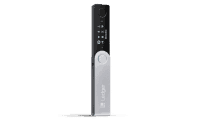
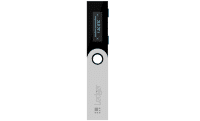
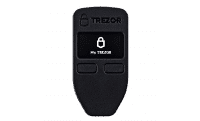
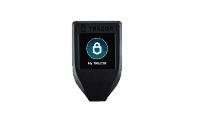
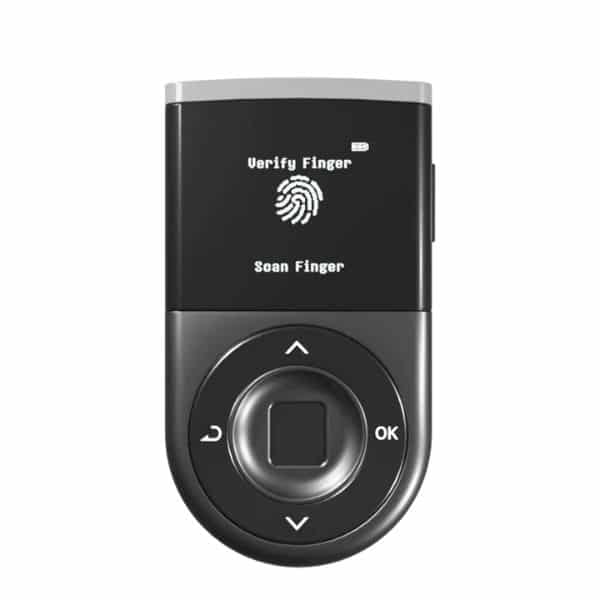
Our D’CENT Wallet vs Ledger Nano X comparison guide is a must-read if you’re still unsure.
What’s New With the Ledger Nano X
Ledger has made several important changes to the Nano X and its ecosystem recently. From a complete app rebrand to new security features and firmware updates, there’s a lot that’s been added, all aimed at improving safety, transparency, and ease of use. If you’ve read older reviews or used the Nano X in the past, here’s what’s changed since then.
App Name Has Changed
Ledger’s main app has been rebranded from Ledger Live to Ledger Wallet. The change reflects its expanded role as a full crypto management platform. You can still buy, sell, swap, and stake crypto from within the app, but the interface has been refreshed and made easier to navigate. Mobile users can also manage their hardware wallet through Bluetooth, which has improved in speed and reliability since 2024.
Security Upgrades and New Features
Ledger has added several major safety upgrades recently which include:
- Clear Signing: This feature now shows all transaction details in plain language directly on your device screen before you approve anything. You’ll see the asset, amount, destination address, and dApp involved. It removes the guesswork from interacting with smart contracts.
- Transaction Check: This newer tool simulates your transaction before it goes through, flagging possible risks such as contract swaps or suspicious destinations. It currently works for Ethereum and other EVM‑based assets and will expand to more chains soon.
Both tools are part of Ledger’s move toward open standards and safer smart contract use. They don’t replace on‑device confirmation; you still verify each action by pressing the physical buttons, but they make it much easier to understand what you’re approving.
Device Lineup and Terminology
Ledger now calls its hardware devices “signers.” The Nano X is considered the classic Bluetooth signer, sitting between the entry‑level Nano S Plus and premium options like the Nano Gen5, Ledger Stax, and Ledger Flex.
The Nano Gen5, released in October 2025, introduced AI‑powered authentication and a modern touchscreen, but the Nano X remains a reliable mid‑range option that’s easier to use and more affordable.
Mobile Firmware and Updates
Since firmware version 2.4.1, Nano X owners can update the device wirelessly over Bluetooth using the Ledger Wallet mobile app. This makes maintenance simpler for users who don’t want to connect to a computer.
Looking for a Free Software Wallet Alternative?
The Ledger Nano X is a premium hardware wallet known for its cold storage security, Bluetooth connectivity, and support for over 5,500 coins. While it excels in offline security and integrates well with the Ledger Live app for desktop and mobile, its $149 price and slightly cumbersome setup process may not appeal to everyone. So, here is our pick for the best software wallet.
Best Wallet
Best Wallet is a free, non-custodial software wallet designed for convenience and flexibility. With support for 60+ blockchains, integrated DEX trading, fiat on/off ramps, and staking, it offers a feature-rich solution for managing crypto on the go.

Unlike the Nano X, Best Wallet does not require a physical device or additional setup, making it ideal for everyday trading and DeFi interactions. Here are its top features:
- Non-custodial with full private key control.
- Supports 60+ blockchains.
- Built-in DEX for direct crypto swaps.
- Fiat on/off ramps for easy crypto purchases.
- Staking rewards with transparent returns.
- Upcoming features: debit card, browser extension.
How to Set Up Best Wallet
- Download the App: Find “Best Wallet” in your device’s app store.
- Create or Import Wallet: Set up a new wallet or import one with your recovery phrase.
- Enable Security: Set a PIN and enable biometrics for added protection.
- Backup Recovery Phrase: Safely store your recovery phrase offline.
- Add Funds: Deposit crypto or use fiat on-ramp services.
Conclusion – Is the Ledger Nano X Worth it?
There’s no doubt that Ledger made a big effort by taking their second hardware wallet model to the next level. The combination of the sleek device with the feature-rich Ledger Live software creates a powerhouse for managing crypto assets. Having said that, not everything is completely polished on the Nano X. The UX for setting up the device requires a bit more thought, and the Bluetooth connectivity experience is far from smooth. All in all, I’d definitely use this device despite its downsides. Although not perfect, it still wins the battle against all other competition. Meanwhile, Best Wallet offers unmatched convenience and features for active traders and DeFi participants, all without the need for a physical device.
FAQs
What is Ledger Live?

Ledger Live is the software that allows you to control your Ledger Nano X hardware wallet. It can be downloaded to your desktop or your mobile phone via an app.
How Do I Transfer Bitcoin To My Ledger Wallet?
Finish the setup for the Nano X Connect your Ledger and choose the Bitcoin App Open Ledger Live Choose your Bitcoin account Click on “receive” – you will see your Bitcoin address Use this address to send Bitcoin from your other wallet or an exchange like Binance, Coinbase, or Coinmama You can send Bitcoin to this address at any time; you don’t need the Ledger wallet to be connected to your computer.
Does Ledger Support Cardano (ADA)?
Yes. The Nano X, Nano S Plus, and Ledger Stax all support Cardano (ADA).
Is Ledger Nano X worth it?
Ledger Nano X price stands at $149 (VAT excluded), which is nearly twice the cost of the Nano S Plus ($79 VAT excluded). Basically, you’re paying additional for Bluetooth support. While this is a very big price leap, it’s still worth the added functionality. The fact you can control your hardware wallet from your mobile phone is a huge plus.
What are some Ledger Nano X features?
The Ledger Nano X comes with great features such as Bluetooth connectivity, CC EAL5+ certified secure chip, Ledger Live app compatibility and multi-chain support.
What is the difference between Ledger Nano S vs X?
Ledger Nano S is the entry-level hardware wallet produced by Ledger, which is priced at $79. Meanwhile, Ledger Nano X is a mid-range hardware wallet priced at $149. The main difference is that Ledger Nano X has iOS support and Bluetooth connectivity, while Ledger Nano S does not.

Why you can trust 99Bitcoins
Established in 2013, 99Bitcoin’s team members have been crypto experts since Bitcoin’s Early days.
Weekly Research
100k+Monthly readers
Expert contributors
2000+Crypto Projects Reviewed