Wallets for DOT aren’t all the same. Some are better for staking, others for cold storage, and a few are just built to get out of the way and work. This guide covers the best Polkadot (DOT) wallets based on real features, staking, key control, ease of use, and security. It includes mobile apps, cold wallets, and browser tools that actually work for managing DOT.
You’ll find the top crypto wallets for DOT crypto, along with the top wallets that support Polkadot for everything from basic transfers to long-term storage.
Key Takeaways
- Mobile, hardware, and browser-based wallets all offer different trade-offs in terms of access, staking support, and key control.
- Custodial wallets are convenient but limit control, while non-custodial options give you full access to your private keys.
- DOT staking is supported on several wallets, but not all support nomination pools or governance features.
- Cold storage is still the safest option for large balances, especially when used with air-gapped or hardware wallets.
- Choosing a Polkadot wallet depends on how often you need access, how you manage security, and whether you plan to stake or just hold.
Top Polkadot Wallets: Summary
This guide compares the most reliable ways to store and manage Polkadot in 2026, covering everything from mobile apps to hardware wallets. It explains how to evaluate wallets based on security, staking support, and network compatibility.
You’ll learn the differences between using a Polkadot web wallet, a hardware device, or a software wallet with DOT support depending on your setup. Whether you’re staking, holding, or just moving DOT off a crypto exchange, the guide helps you figure out the best wallet to store Polkadot (DOT) based on how much control and convenience you want.
Best Polkadot Wallets for 2026 Ranked
These wallets were selected based on control over private keys, staking support, compatibility with Polkadot’s network structure, and overall security.
Popular Wallets for DOT Crypto in 2026
Not all wallets work the same, and when it comes to holding DOT, what you choose depends on how you plan to use it. Some people want quick access and staking, others just want something offline and secure.
This list covers the safest Polkadot wallets in 2026, from simple mobile apps to full cold storage. Whether you’re after a Polkadot wallet with staking support or looking for a reliable cold wallet for Polkadot, the goal is the same, keeping control of your funds without relying on an exchange.
If you’re unsure how to choose a Polkadot wallet, start with what matters most to you: ease of use, staking rewards, or long-term protection. Everything below is built around those trade-offs.
Best Wallet: Overall Best Non-Custodial Wallet For DOT Holders
Best Wallet makes it easy to manage DOT and a bunch of other tokens all in one place. It’s non-custodial, so you’re the one in control, and it works on mobile with support for over 60 blockchains.
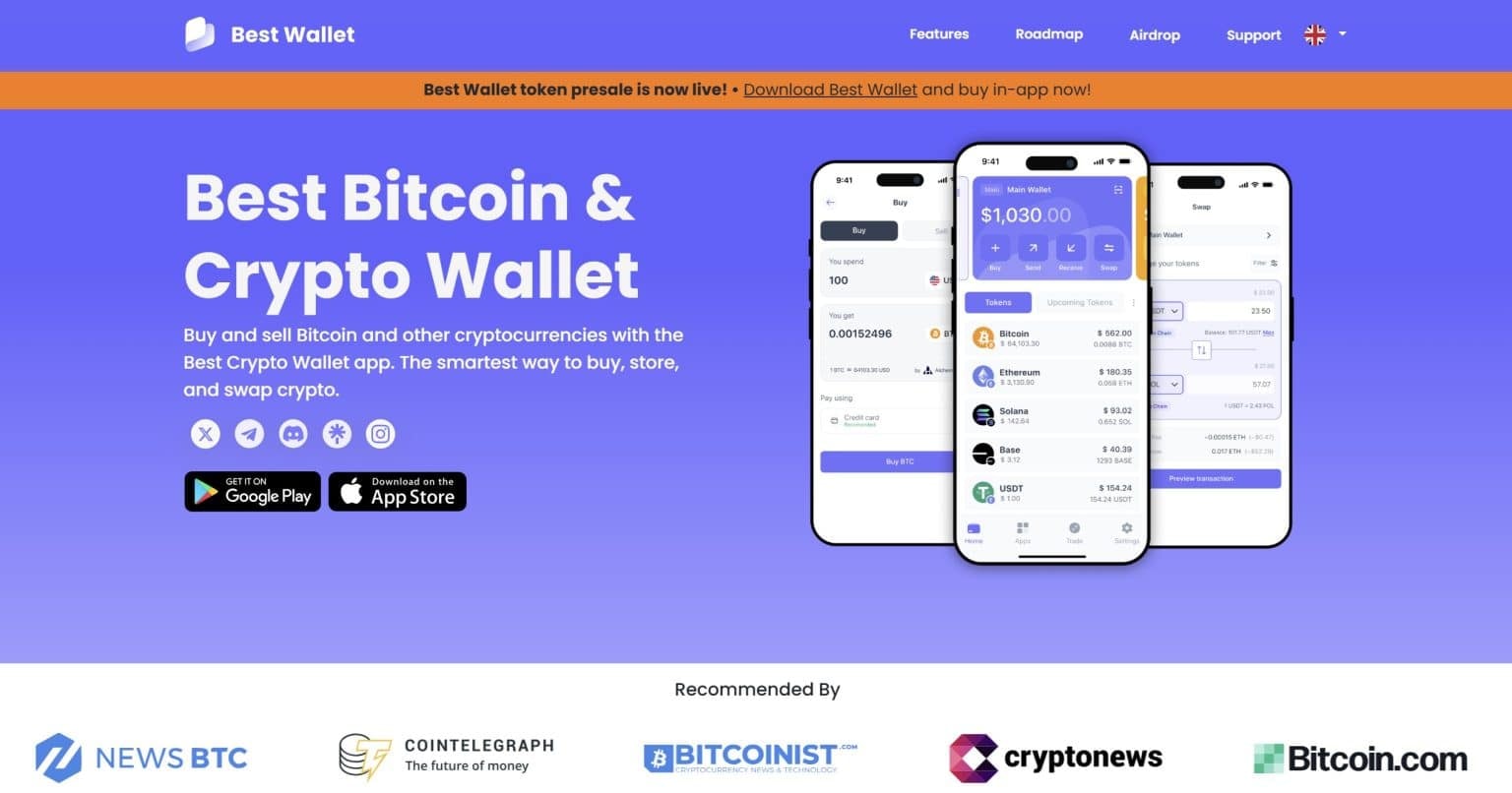
That includes full Polkadot integration, so you can hold, buy, swap, or stake DOT directly in the app.
There’s a built-in DEX aggregator to help you get solid swap rates, plus good security features like PINs, biometrics, backup phrases, and optional 2FA. It’s simple to use, but doesn’t feel limited, whether you’re new or already deep in crypto. You may ask what the best part of using this mobile wallet is. It’s the “Upcoming Tokens” feature where Polkadot (or any other coin’s) holders may participate in crypto presale projects.
Why Best Wallet Is Our Top Choice?
Best Wallet Pros & Cons
Pros
-
Supports Polkadot plus 60+ other networks
-
You stay in control with local key storage
-
DEX aggregator helps you get better swap rates
-
Fiat buying options with fewer KYC hoops
-
Good security setup: PIN, biometrics, and scam filters
-
Clean and beginner-friendly mobile interface
Cons
-
No desktop version, mobile only for now
-
Missing advanced DOT features like governance voting
-
Standard network fees and some regional limits apply
Best Wallet is a straightforward way to manage Polkadot without giving up control. It’s mobile-only, but it packs in everything you need, multi-chain support, a solid security setup, and a smooth buying experience. For everyday use, it keeps things simple without holding you back.
You can also call it the best Polkadot wallet for beginners, and if you’d like to learn more, check out our dedicated Best Wallet review.
Binance Wallet: DOT Wallet With Easy-to-Use Interface
Binance Wallet gives you an easy way to manage Polkadot (DOT) through your Binance account. You can buy, stake, and trade DOT all in one place without needing extra apps.

Staking works through Binance Earn, and security is handled using modern tools like multi-party computation (MPC) and extra protections like SAFU.
Because the wallet connects directly to your Binance account, everything feels smooth and fast, whether you’re moving DOT, checking balances, or swapping tokens. Just keep in mind, this setup leans on Binance’s platform, so it may not suit users looking for something fully decentralized or focused only on Polkadot features.
Binance Wallet Pros & Cons
Pros
-
Fast access to trading, staking, and transfers with your Binance account
-
Built-in staking for DOT with a few clicks
-
Security setup avoids seed phrases by using MPC
-
You stay in control of your funds
-
Warns you about risky contracts and strange DOT activity
-
Lets you manage loads of tokens, NFTs, and more from one place
Cons
-
Still tied to Binance, so not fully independent
-
Depends on Binance’s legal status, which changes by region
-
Doesn’t support Polkadot extras like governance or parachains
-
Withdrawing DOT to other wallets can get tricky if the network doesn’t match
Binance Wallet works well if you want to keep things simple, especially if you’re already on Binance. It’s fast, it covers the basics, and it offers added tools like staking and contract warnings. But if you’re diving deep into the Polkadot ecosystem, like voting on proposals or managing parachains, you’ll probably need a more specialized wallet.
Check out our Binance Wallet review for a full deep dive.
ByBit Wallet: Polkadot Wallet With Staking Support
ByBit Wallet is built into the ByBit exchange, making it easy to manage Polkadot (DOT) right after you buy it. Well, if you don’t know the process of buying this coin, take a look at our “How to buy Polkadot” guide.
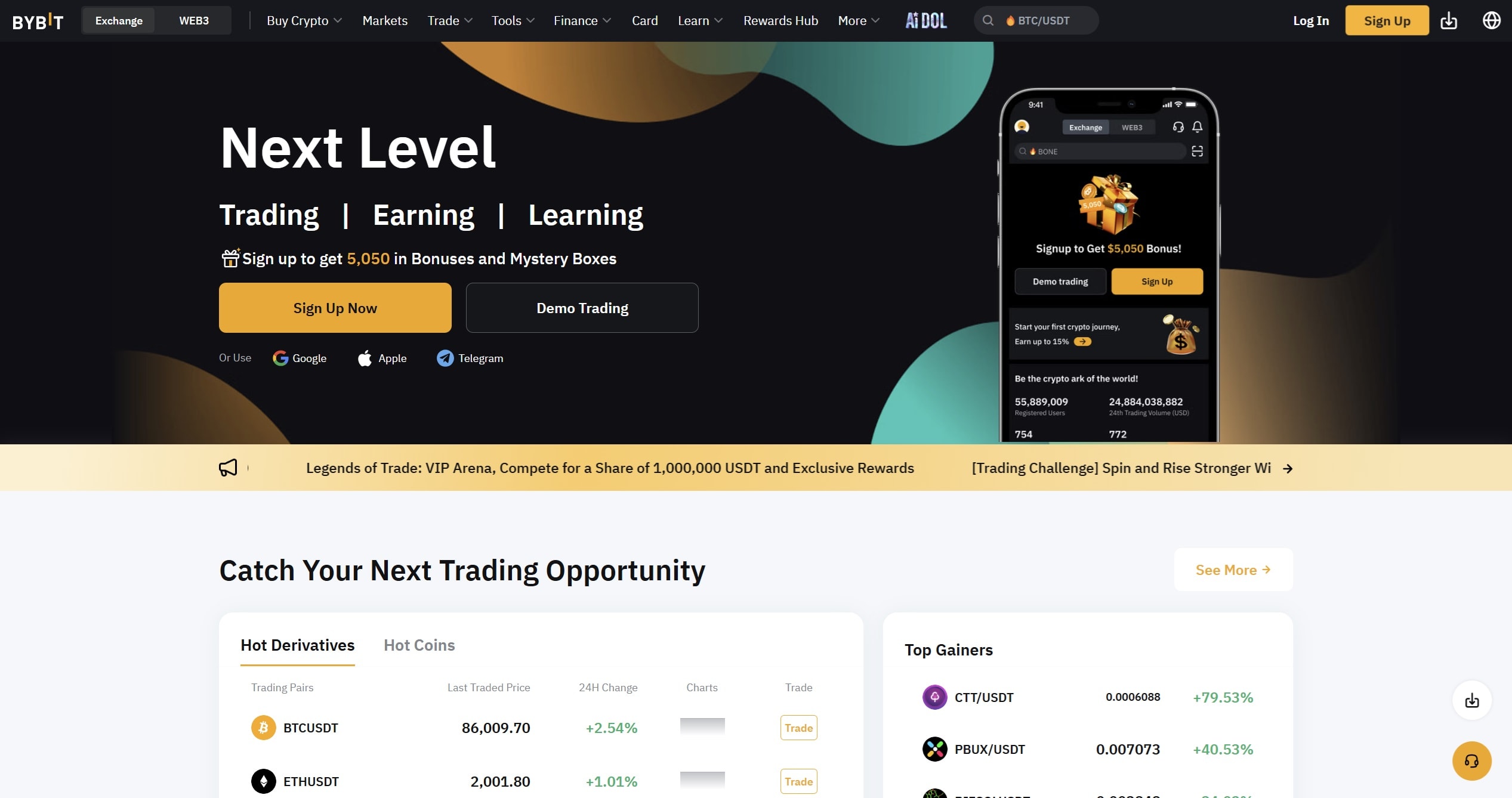
It offers three wallet types: a custodial Cloud Wallet, a Keyless Wallet that skips seed phrases, and a standard non-custodial Seed Phrase Wallet. You can pick the setup that works best for you.
Once you’re in, you can buy DOT, stake it, swap tokens, and interact with Web3 apps, all without leaving the platform. Everything runs inside the ByBit environment, so there’s no need to juggle different apps or extensions. That said, there are limits if you want more control or stronger offline protection.
ByBit Wallet Pros & Cons
Pros
-
Lets you choose between custodial, keyless, or seed phrase wallets
-
Staking, swaps, and Web3 access are built right into the wallet
-
No extra apps needed, everything works inside ByBit
-
Swaps and internal transfers come with no added fees
-
DOT shows up in your wallet instantly after buying
Cons
-
Wallets are locked to the ByBit platform, you can’t export them elsewhere
-
No offline storage options, so less protection than cold wallets
-
Web3 and NFT access may be limited to apps supported by Bybit
-
ByBit was hacked in 2025, and even though funds were replaced, it’s still something to keep in mind
ByBit Wallet is a solid pick if you’re already using the ByBit exchange and want everything in one place. It gives you a flexible setup, easy access to DOT, and the tools to stake, swap, and explore Web3.
But if you care more about long-term control or going beyond the ByBit ecosystem, it might not be the best fit. Consider a dedicated Polkadot wallet if those things are a priority.
Ledger Stax: Top Hardware Wallet To Store Polkadot
Ledger Stax is Ledger’s sleekest hardware wallet so far. Designed with help from the guy who made the iPod, it looks more like a high-end gadget than a crypto tool. It features a curved E Ink touchscreen, supports wireless charging, and feels more like a premium accessory than a traditional cold wallet.
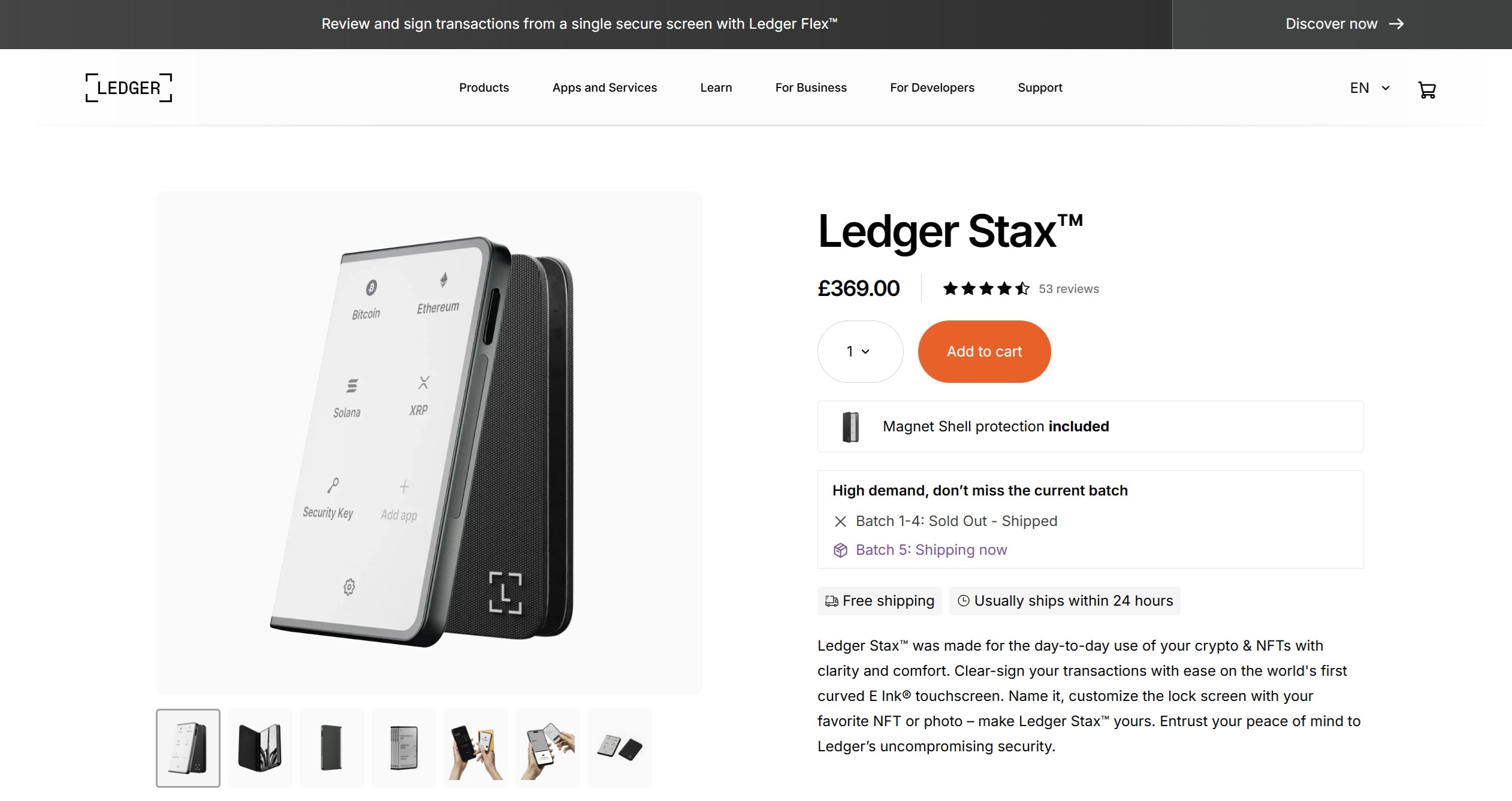
Under the hood, it’s still all business. You get Ledger’s trusted security setup with a certified Secure Element chip, Bluetooth support, and access to over 5,000 assets, including Polkadot (DOT) and its parachain tokens. With Ledger Live, you can buy, store, swap, or stake DOT and still hold full control of your keys. It’s built to look good and work even better.
Ledger Flex Pros & Cons
Pros
-
Curved E Ink touchscreen is easy to use and feels polished
-
Top-tier security with certified Secure Element chip
-
Supports 5,500+ tokens, including DOT and its parachains
-
Ledger Live integration lets you buy, stake, and manage DOT in one place
-
Wireless charging and Bluetooth make it smooth to use daily
-
Magnetized design stacks neatly if you own more than one
Cons
-
Costs around $399, which is steep compared to other models
-
More features than you may need if you just want simple cold storage
-
E Ink screen has no backlight, which can be annoying in low light
-
Still relatively new, so it hasn’t been battle-tested like the Nano series
Ledger Stax is made for people who want more than just a basic cold wallet. It’s stylish, secure, and packed with features, great for Polkadot holders who plan to stake, swap, and stay active. We believe this is the best hardware wallet for Polkadot.
If you want to learn more, take a look at our Ledger Stax crypto wallet review.
Ellipal Titan 2.0: Top Cold-Storage Option For DOT Holders
Ellipal Titan 2.0 is built for people who take security seriously. It doesn’t connect to Wi-Fi, Bluetooth, USB, or anything else. Instead, everything runs through QR codes, keeping your wallet completely offline. If someone tries to tamper with the device, it wipes your keys to keep your assets safe.
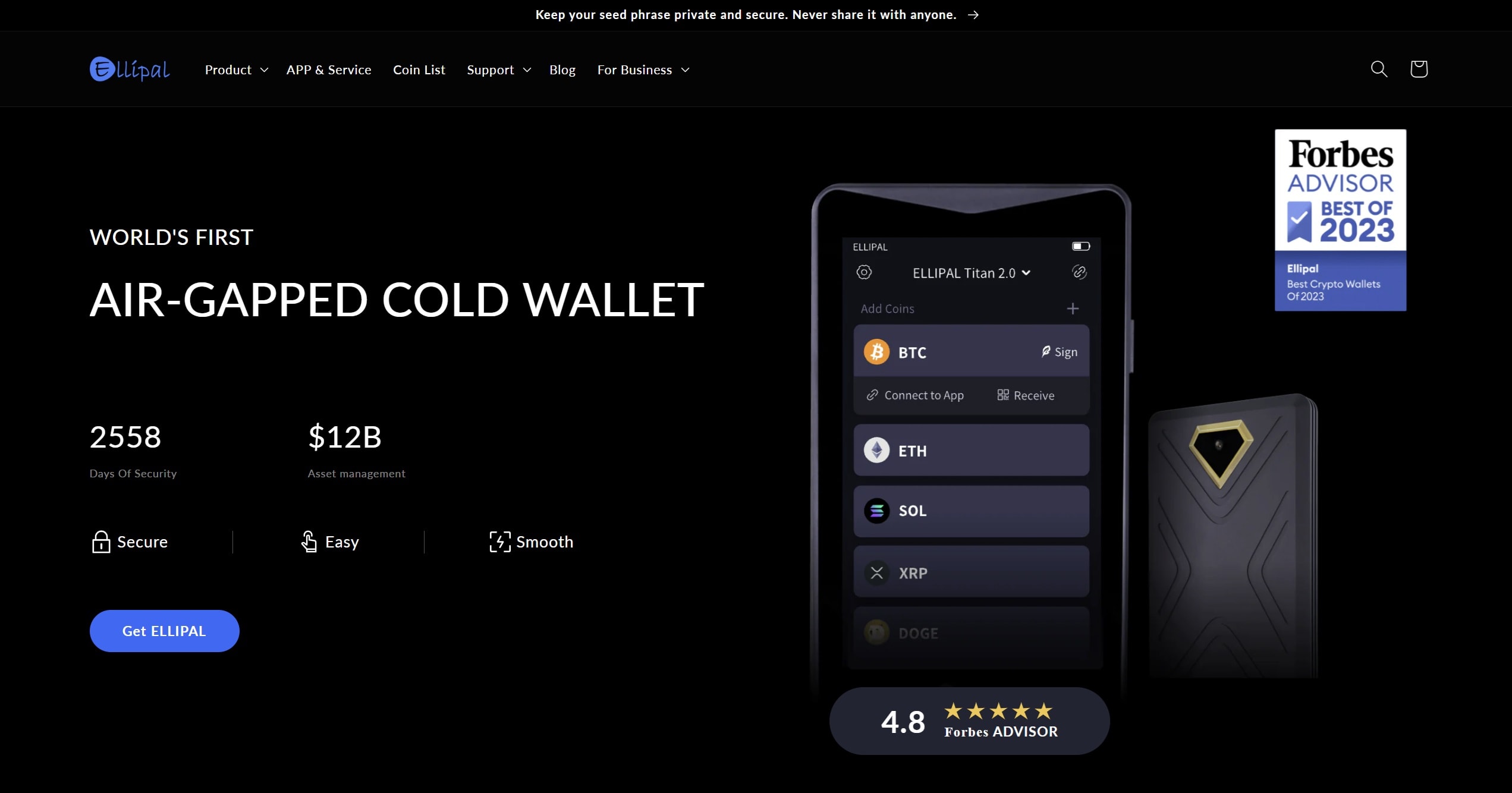
The device itself feels solid, made of metal, with a big 4-inch screen and a camera for scanning. It holds over 10,000 tokens, supports 40+ blockchains, and works with MetaMask and WalletConnect so you can still use DeFi tools without plugging in. It also supports 24-word seed phrases and updates much faster than the original model.
Ellipal Titan 2.0 Pros & Cons
Pros
-
Totally offline design means no direct connections to the internet
-
Built-in tamper protection wipes keys if it detects physical damage
-
Big touchscreen and onboard camera make it easier to scan and sign
-
Supports 10,000+ tokens and 40+ blockchains, including DOT
-
Works with MetaMask and WalletConnect for DeFi access
-
Faster firmware updates and full 24-word seed phrase support
-
Solid metal casing feels premium and durable
-
Battery-powered, so it works on its own without being plugged in
Cons
-
Heavier and bulkier than most wallets, less portable
-
No USB or Bluetooth means you have to get used to QR code transfers
-
No support for multi-sig, xpubs, or automatic new Bitcoin addresses
-
Mobile app required, there’s no full desktop-only option
-
Costs more than basic wallets, priced around $169
Ellipal Titan 2.0 is built like a tank and keeps your Polkadot and other assets far away from online threats. If you want strong physical protection and don’t mind scanning QR codes instead of plugging things in, it delivers a high level of safety.
Just know that it’s on the heavier side, and some advanced features are missing. For those who want serious offline security with modern tools, Titan 2.0 gets the job done without overcomplicating things.
We have a full Ellipal Titan 2.0 Review to help you get acquainted with the wallet and its features:
Safest Polkadot Wallets’ Comparison
Choosing between different Polkadot wallets comes down to how you balance convenience, security, and features. Some users want speed and simplicity with a Polkadot mobile wallet, while others prefer the peace of mind that comes from a Polkadot hardware wallet. Below, we’ve laid out the best polkadot wallets for a range of needs, from exchange-linked options to full cold storage. This way, you can easily see which wallets support Polkadot and decide which setup works best for you.
Wallet
Custody Type
Polkadot Features
Security Setup
Best For
Best Wallet
Non-custodial
Hold, buy, swap, stake DOT
PINs, biometrics, 2FA, scam alerts
Beginners and multi-chain users
Binance Wallet
Custodial (MPC)
Buy, trade, stake DOT
MPC tech, SAFU fund, account protections
Fast trading and staking
ByBit Wallet
Custodial + Non-custodial options
Buy, swap, stake DOT, Web3 access
Choice of seed phrase, keyless, or custodial setup
Users who want flexibility within ByBit
Ledger Stax
Non-custodial
Store, swap, stake DOT
Secure Element chip, Bluetooth, Ledger Live
Premium cold storage + daily use
Ellipal Titan 2.0
Non-custodial (air-gapped)
Store DOT + 40+ blockchains, DeFi via WalletConnect
Offline QR transfers, tamper wipe, metal case
Maximum offline security
When looking at wallets that support Polkadot, it’s clear that not all options deliver the same level of control. Some prioritize usability, like Best Wallet, while others lock down security, such as Ellipal. If you’re after Polkadot multisig wallets, hardware models or advanced setups may be better, though most everyday users will stick with simpler wallets for Polkadot like Best Wallet or exchange-based picks.
Overall, this roundup shows the top Polkadot wallets across mobile, custodial, and hardware setups. By weighing the strengths of these Polkadot-supported wallets, you can narrow down the Polkadot crypto wallets that meet your goals.
If security is your top concern, nothing beats a secure Polkadot wallet like Ledger or Ellipal. But if you want fast trades and fiat options, mobile solutions give you an edge.
Pro Tip: While Polkadot wallets are tailored for DOT and parachain tokens, you might also want to explore broader options in our Bitcoin and Crypto Wallets guide.
How We Ranked the Best Polkadot Wallets (Methodology)
When it comes to the Polkadot ecosystem, not every wallet delivers the same mix of functionality, security, and convenience. Some prioritize everyday access on mobile apps, while others focus on cold storage or advanced features like nomination pools and relay chain integrations.
To fairly compare these options, we looked at how each wallet balances control, usability, and long-term reliability for different kinds of users.
Here’s what we considered:
By weighing all these angles, we highlighted the wallets that not only keep your DOT safe but also make it easy to use. The result is a lineup that works for both first-time holders and seasoned traders who want deeper integration with the Polkadot ecosystem.
What Are Polkadot (DOT) Wallets?
Polkadot wallets are apps or devices that let you manage your DOT, whether that means sending it, staking it, or simply holding it. But more importantly, they control access to your private keys, which is what actually gives you ownership of your funds. If someone else controls your keys, they control your crypto.
That’s why most people serious about DOT use non custodial Polkadot wallets. These are wallets where only you hold the keys. That might be a secure wallet like Ledger, or a mobile wallet like Best Wallet or Trust Wallet, which gives you a fast and user friendly way to handle everyday DOT actions without giving up control.
Beyond holding DOT, some wallets also help you interact with Polkadot’s staking system, nomination pools, or parachain assets. And for anyone who also holds tokens across Ethereum ecosystems, multi-chain support makes managing everything from one place much easier.
Some wallets focus on simplicity. Others are designed for people who want tighter control or more advanced tools. Whether you’re holding for the long term, staking for rewards, or building apps as a developer, the type of wallet you choose can shape how you interact with Polkadot. If you’re still unsure about the coin after exploring these wallet suggestions, check out our “What is Polkadot” guide for a quick overview. And if you’re curious about the potential returns from holding DOT in your portfolio, we recommend reading our Polkadot Price Prediction article.
How to Select the Best Wallet For Polkadot?
When you’re choosing a Polkadot wallet, it’s not about what’s “best” in general, it’s about what’s best for you.
If your priority is safety, look for a secure wallet that gives you complete control over your private keys. Hardware wallets and non custodial Polkadot wallets are ideal for this. They don’t rely on a third party, and they let you back up your wallet using a recovery phrase. That gives you a higher level of protection, but also more responsibility.
If you’re newer to crypto or just want something simple, a user friendly mobile app like Best Wallet or Trust Wallet is a solid place to start. These apps let you send, receive, and store Polkadot without digging through complex settings. The best ones include staking options, token swaps, and compatibility with other networks like Ethereum ecosystems.
For more advanced users or anyone working as a developer, check if the wallet offers extra features like custom RPC support, validator tools, or governance access. Some wallets also make it easier to manage parachain tokens or connect across different chains without needing a separate app.
Also think about how often you’ll use it. If you plan to access your wallet every day, speed and layout matter. A clean, responsive interface with clear labels and predictable actions is important, since a user friendly design makes it easier to get started.
How to Set Up a Polkadot Wallet?
This setup is for anyone taking control of their DOT. Best Wallet runs on mobile and supports non-custodial access, meaning you hold your own private keys. The steps below cover everything from installation to adding Polkadot and securing the wallet properly.
This walkthrough shows how to set up a Polkadot wallet using Best Wallet, a mobile option that supports DOT and other networks. The steps below cover wallet creation, basic security settings, and how to start managing your funds.
Download Best Wallet on iOS or Android from the official app stores. Open the app once installation finishes. Set up your wallet. Let the app generate a new seed phrase. This phrase is the only way to recover funds if the phone is lost. Write the seed phrase on paper or a steel backup and store it offline. Do not screenshot it or save it to cloud storage. Confirm the phrase inside the app when prompted. Set a PIN and enable device biometrics so the app locks when not in use. Search for “Polkadot” or “DOT” and add it to your home screen so balances and actions are easy to reach. Tap “Receive” to show your DOT address and send a small test amount from another wallet. If you prefer to purchase in-app, use the buy flow to pay by card or crypto, then wait for confirmation. (Best Wallet supports purchases and management across many networks.) Use the built-in swap aggregator for token exchanges, or open the staking section to review available options and estimated yields before committing any DOT. Make a tiny transfer to learn the flow, check fees, and verify that your address book entry is correct before sending larger amounts. Keep the app updated, verify addresses before every send, and store the seed phrase offline. Consider pairing this hot wallet with a hardware or Vault setup for long-term holdings. Best Wallet makes it easy to store Polkadot, stake it, and manage other assets too, all while keeping full control of your private keys. It’s designed to be fast and user friendly, without skipping out on features or flexibility. And for anyone working across Ethereum ecosystems or juggling multiple tokens, it keeps everything under one roof. Each wallet covered here serves a different type of user. Some prioritize simplicity, others focus on security or long-term storage. What matters is choosing based on how you actually manage your assets, not just features on a list. Before settling on any wallet, make sure you understand how it handles backups, how it protects your access, and how it fits into your overall routine. A good setup should do what you need without adding complexity or risk. DISCOVER: Yes, as long as you use the official site and keep your seed phrase backed up. It’s trusted by the Polkadot community and works well with hardware wallets. Ledger and Polkadot Vault. Both keep your keys offline and away from potential threats. It does. You can store DOT and stake it directly in the app. Most are free to download and use. You’ll only pay network fees when you send or stake. You won’t be able to access your wallet or recover your funds. There’s no backup or reset. Some wallets only support DOT. Others, like Enkrypt or Trust Wallet, let you hold multiple coins. Always check the supported assets first. Established in 2013, 99Bitcoin’s team members have been crypto experts since Bitcoin’s Early days. Weekly Research Monthly readers Expert contributors Crypto Projects Reviewed
Install the app
Create a new wallet
Back up the seed phrase securely
Add basic security
Find Polkadot (DOT) in the asset list
Receive or buy DOT
Explore swaps and staking (optional)
Practice on a small amount first
Maintain good hygiene
Conclusion: Polkadot Wallets
FAQ
Is Polkadot.js wallet safe?

Which is the safest wallet for Polkadot?
Does Trust Wallet support Polkadot?
Are Polkadot wallets free?
What happens if I lose my Polkadot wallet seed phrase?
Can I store other cryptocurrencies in a Polkadot wallet?
References

Why you can trust 99Bitcoins