
In This Article
In 2026, buying cryptocurrency is easier than ever. Looking to buy Bitcoin (BTC) with PayPal but don’t know where to start? You clicked right. Thanks to PayPal’s growing support for crypto and its integration with tons of platforms, you’ve got plenty of ways to get your hands on Bitcoin and other coins. That said, it’s important to know what you’re getting into.
Looking to buy Bitcoin with PayPal? In this beginner’s guide, we’ll show you how to purchase Bitcoin and other cryptocurrencies using PayPal safely and easily. We’ll also cover the best platforms that support PayPal crypto purchases and key tips to avoid high fees or scams. Let’s get started.
- PayPal: Buy Bitcoin directly in your account (U.S. only) with flexible payment options and instant wallet access.
- Best Wallet: Use PayPal via third-party integrations like Stripe or Revolut, then store BTC securely and with full control.
- Zengo: Buy Bitcoin in-app using PayPal with top-tier facial recognition security, which is great for beginners.
- CEX.IO: U.S. users can instantly purchase BTC with PayPal through its beginner-friendly Instant Buy feature.
- Coinbase: Link your PayPal account to fund BTC purchases easily, with high daily limits for U.S. users.
- Kraken: Deposit EUR, GBP, or AUD via PayPal in select countries and trade Bitcoin securely with pro tools.
- Ledger Live: U.S. users can buy Bitcoin with PayPal and send it straight to their cold storage Ledger wallet.
- LocalCoinSwap: Use PayPal on this global P2P platform to buy Bitcoin directly from verified sellers.
- Bitstamp: Buy Bitcoin with PayPal in USD, EUR, or GBP on one of the most regulated exchanges in the world.
Buying Bitcoin with PayPal: Summary
PayPal has shown its commitment to integrating cryptocurrencies into everyday financial services by providing users with a stable and versatile digital asset for various transactions, PayPal USD (PYUSD). Launched in August 2023, PYUSD is a stablecoin tied to the US dollar. It is fully backed by US dollar deposits, short-term US Treasuries, and other cash equivalents, ensuring that the PYUSD issued by Paxos Trust Company maintains a 1:1 redemption value with the US dollar.
Buying Bitcoin with PayPal in 2026 is faster and more accessible than ever. With PayPal now supporting crypto purchases directly and through several top exchanges, you can buy Bitcoin and other altcoins using your PayPal account in just a few clicks. Although you can purchase and hold BTC using a PayPal crypto wallet, there are better options if you want to use PayPal solely as a payment method. Our top choice for buying crypto with PayPal is to go directly to the platform or through Best Wallet, CEX.IO, and Ledger Live. However, several alternatives exist, including crypto wallets, crypto apps, and crypto exchanges. Let’s dive straight in!
Key Takeaways
- You can buy Bitcoin with PayPal on platforms like PayPal itself, Best Wallet, CEX.IO, etc.
- Most platforms require ID verification, but peer-to-peer sites like LocalCoinSwap allow anonymous buying.
- PayPal crypto purchases may come with higher fees and country restrictions, so always check first.
- Using PayPal is fast and convenient, but not all platforms support direct PayPal balance payments.
- After buying Bitcoin, it’s best to move it to a personal wallet for better security and control.
- Cold wallets like Ledger are safest for storing large amounts of Bitcoin in the long term.
Best Platforms to Buy Bitcoin with PayPal in 2026
Want to buy Bitcoin with PayPal in 2026 but not sure where to start? We’ve got you covered. From beginner-friendly apps to trusted crypto exchanges, here are the best platforms that let you use PayPal to buy Bitcoin quickly, safely, and with minimal hassle.
1. Buy Bitcoin Directly on PayPal
PayPal’s crypto feature is restricted by region and is available primarily to United States-based users. You only need a PayPal Balance account or a verified business account that qualifies, and investing can start for as little as $1. If you’re outside the US, you have to use an external platform that accepts PayPal as a payment option.
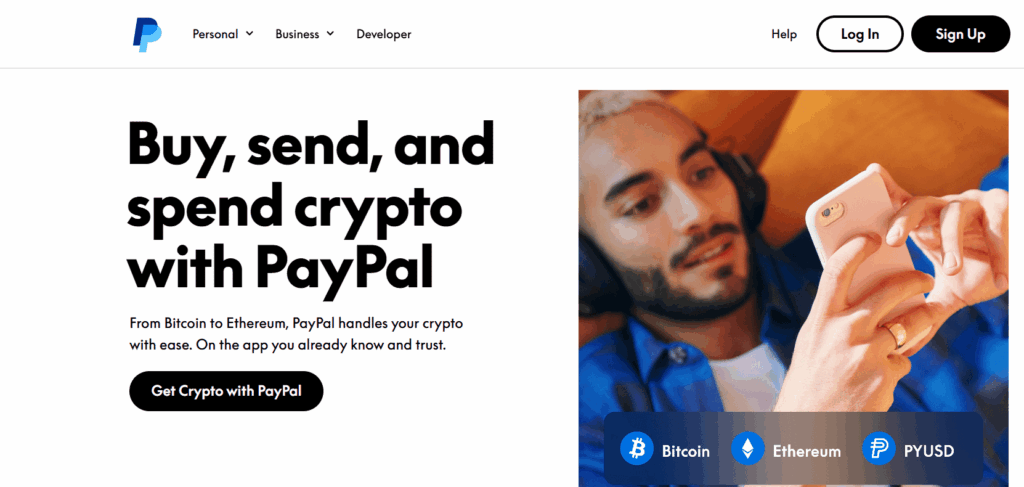
PayPal rolled out direct purchases of Bitcoin (and three other cryptocurrencies) in October 2020. It was launched within the PayPal digital wallet through a partnership with Paxos.
This allows users to hold and sell Bitcoin purchased through the service and use it to pay PayPal-supported merchants. PayPal also allows users to withdraw their coins into third-party wallets for personal storage or wider use throughout the ecosystem. It’s worth mentioning that this option is currently only available for US users, with more countries due to be added over time.
Maximum purchase limits are $100,000 per week with no annual limit, while weekly withdrawal limits max out at $10,000. Fees vary from 0.49 USD to 1.80%, depending on the size of your transaction.
Key Features
- Same Account: Buy, sell, hold, and transfer crypto directly from your PayPal Balance account.
- Low Entry Point: Start your crypto journey with as little as $1.
- Recurring Buys Made Easy: Automate purchases daily, weekly, biweekly, or monthly.
- Flexible Payment Options: Use your PayPal balance, bank account, or debit card to fund crypto buys.
- Crypto Dashboard Access: Track your holdings and activity in one streamlined hub.
- Wallet Withdrawals: Transfer supported crypto like Bitcoin and Ethereum to external wallets.
- Secure by Design: Enjoy PayPal’s built-in fraud protection and account-level security.
- Multi-Device Support: Buy and manage crypto easily via the PayPal app or desktop site.
- Popular Coins Available: Trade leading assets including BTC, ETH, SOL, and LINK.
- US-Only Access: Crypto services are currently available to eligible US users with verified accounts.
Pros & Cons
Pros
Cons
So you just checked out the value of Bitcoin and decided that crypto prices are right where you want them. You’re ready to buy, but don’t feel like going through a crypto exchange. Don’t worry. All you need is PayPal, and you can load your Bitcoin wallet.
How to Buy Bitcoin with PayPal (Web): Step-by-Step Guide
Buying Bitcoin on PayPal’s website is quick. Follow these steps to complete your purchase through your desktop browser:
-
Log in to Your PayPal Account
Go to PayPal.com and log in with your email and password.
-
Click on ‘Finances’
Once logged in, head to the top menu and click on the Finances section.
-
Click on ‘Buy’ Under Crypto
Inside the Finances tab, choose Buy under the cryptocurrency section.
-
Select Bitcoin
From the list of supported cryptocurrencies, select Bitcoin (BTC).
-
Choose Your Purchase Amount
Enter how much Bitcoin you want to buy. You can make a one-time purchase or set a recurring schedule (daily, weekly, biweekly, or monthly).
-
Pick a Payment Method
Choose to pay using your PayPal balance, a linked bank account, or a debit card. Credit cards are not supported.
-
Click ‘Buy Now’ to Confirm
Review your details and click Buy Now to complete your purchase instantly.
How to Buy Bitcoin with PayPal (Mobile App): Step-by-Step Guide
Using the PayPal app makes it just as easy to buy Bitcoin on the go. Here’s how:
-
Open the PayPal App
Launch the PayPal app on your smartphone and log in to your account.
-
Tap ‘Accounts’ and Then ‘Crypto’
From the home screen, tap Accounts, then select the Crypto tab to get started.
-
Tap ‘Buy’ and Choose Bitcoin
Tap on Buy, then select Bitcoin from the list of supported cryptocurrencies.
-
Set Amount and Frequency
Enter how much Bitcoin you want to buy and choose whether it’s a one-time purchase or recurring (daily, weekly, biweekly, or monthly).
-
Pick a Start Date for Recurring Buys
If setting up a recurring buy, choose when you want it to start. You can edit this later.
-
Select Your Payment Method
Choose your preferred funding source: PayPal balance, linked debit card, or connected bank account.
-
Tap ‘Authorize and Schedule’
Review your order and confirm by tapping Authorize and Schedule. Your Bitcoin will be added to your PayPal crypto balance.
PayPal is great for simplicity, but it’s not the most flexible option. If you want more control over your crypto, consider moving your Bitcoin to a non-custodial wallet like Best Wallet.
2. Buy Bitcoin with PayPal on Best Wallet
Best Wallet is a secure, non-custodial crypto wallet designed for users who want full control over their Bitcoin and other digital assets. With support for 60+ blockchains, built-in decentralized trading, and no-KYC setup, it’s ideal for anyone looking to manage crypto on their own terms.
While PayPal isn’t natively integrated into Best Wallet, users can still buy Bitcoin using PayPal through supported third-party providers. For example, PayPal is available as a funding method with Revolut Business accounts in countries like the UK, France, Germany, and more. Stripe Connect allows PayPal to be used for crypto purchases on supported online platforms as well. Once funded, users can move assets into Best Wallet to trade, store, or stake.

While PayPal is a convenient way to buy Bitcoin, some users prefer wallets that offer more features and flexibility. That’s where Best Wallet comes in.
Best Wallet also has its own token, called $BEST. This native token gives you extra perks like discounted fees, priority access to the best crypto presales, and a say in how the wallet evolves through governance voting. So, even if you start your crypto journey with PayPal, using a wallet like Best Wallet can give you more control, rewards, and investment opportunities over time.
Key Features
- Built-In DEX Access: Buy, sell, and swap crypto across chains without leaving the wallet with the decentralized exchange (DEX) aggregator.
- Multichain Support: Supports 60+ blockchains including Bitcoin, Ethereum, Solana, and Base.
- Secure by Default: Non-custodial design with local key storage, biometric login, and 2FA.
- Fiat On-Ramp & Off-Ramp: Fund your wallet or cash out using bank transfers or third-party partners.
- Presale Aggregator: Get early access to trending new crypto tokens before exchange listings.
- Staking Aggregator: Earn passive income from a wide range of crypto assets directly in-app.
- $BEST Token Perks: Holders enjoy lower trading fees, early presale access, and governance rights.
- User-Friendly Design: Simple interface for beginners, with advanced tools for experienced traders.
- iOS & Android App: Easily accessible with a clean mobile experience; browser extension coming soon.
- Planned Debit Card: Spend your crypto like cash with the upcoming Best Card integration.
Pros & Cons
Pros
Cons
If you’re looking for a secure way to store Bitcoin after buying, Best Wallet is a smart choice. It gives you complete control, multi-chain flexibility, and access to early token opportunities from your phone.
Check our Best Wallet Review for complete information.
How to Buy Bitcoin with Best Wallet: Step-by-Step Guide
-
Download and Open Best Wallet
Install the Best Wallet app from the iOS App Store or Google Play Store and open the app on your device.
-
Set Up Your Wallet
Create a new wallet or import an existing one. Back up your recovery seed phrases and enable security features like biometric login and 2FA.
-
Go to the Buy Crypto Section
Tap the “Buy” button inside the wallet to access the fiat on-ramp partners integrated within the app.
-
Choose a Payment Provider
Select a supported third-party provider that allows PayPal-based transactions in your region, such as through Stripe Connect or Revolut Business (where eligible).
-
Select Bitcoin and Enter Amount
Choose Bitcoin (BTC) from the list of supported cryptocurrencies and type in the amount you wish to purchase.
-
Log in to PayPal to Complete Payment
When redirected, log in to your PayPal account and authorize the payment using your available PayPal balance, linked debit card, or bank account.
-
Receive Bitcoin in Best Wallet
Once the transaction is confirmed, your Bitcoin will be delivered directly to your Best Wallet address and will appear in your portfolio.
3. Buy BTC with PayPal on Zengo
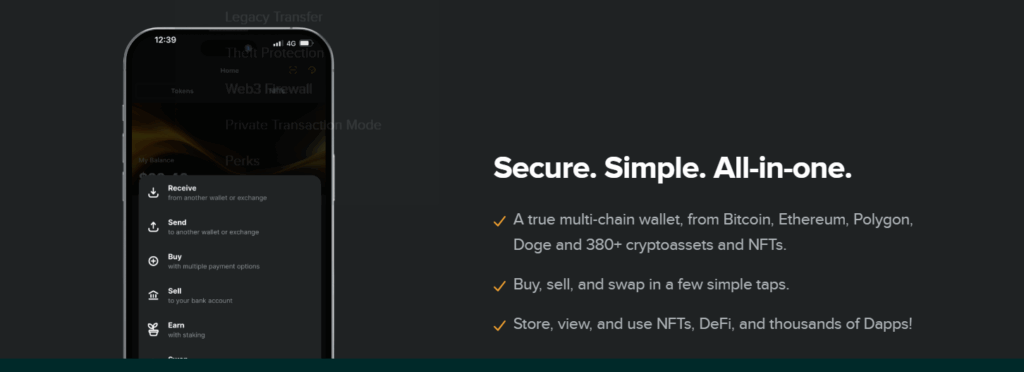
Zengo is a mobile-first, non-custodial cryptocurrency wallet renowned for its top-tier security and user-friendly interface. With over 1 million users worldwide, it’s trusted by crypto investors globally. Instead of seed phrases, Zengo utilizes facial biometrics and MPC (multi-party computation) to safeguard and recover your assets, without compromising control.
What makes Zengo stand out for PayPal users? You can directly buy Bitcoin (BTC) in the Zengo app using PayPal in supported countries. No external integrations needed. Download the app, verify your ID, and choose PayPal at checkout to get Bitcoin straight into your Zengo wallet.
Zengo’s focus on safety, support, and ease of use makes it one of the most beginner-friendly crypto wallets available today.
Key Features
- PayPal Integration: Buy Bitcoin directly in the app using PayPal as a payment method, but country restrictions apply.
- Keyless Security: No seed phrases. Assets secured with facial recognition, 3FA, and threshold key signatures (MPC).
- Full Control: Send, receive, and swap crypto assets without custodial interference or hidden markups.
- Multicoin Support: Store Bitcoin, Ethereum, USDC, Tezos, MATIC, DOGE, SHIBA INU, and more.
- Effortless Recovery: Lost your phone? Zengo’s secure recovery system ensures you can always restore your wallet.
- Zengo Pro Perks: Reduced fees and priority features for power users.
- 24/7 Live Support: Real humans available anytime inside the app.
Pros & Cons
Pros
Cons
Zengo is one of the most seamless ways to buy Bitcoin, especially if you’re new to crypto. With its biometric security and in-app support, Zengo helps you skip the stress and jump straight into your crypto journey.
Check our Zengo Review 2026 for more details.
How to Buy Bitcoin with Zengo: Step-by-Step Guide
-
Download and Install Zengo
Get the Zengo app from the iOS App Store or Google Play Store. Install it and open the app.
-
Create a Wallet and Set Up Security
Follow the steps to create your wallet. Set up facial recognition and save your recovery info as prompted.
-
Tap on the ‘Buy’ Button
Inside the Zengo app, tap “Buy” and enter the amount of Bitcoin (BTC) you want to purchase (minimum $50).
-
Verify Your Email and Identity
Enter the code sent to your email, agree to terms, and submit your billing address. Provide any additional verification documents if required.
-
Choose PayPal as Your Payment Method
Select PayPal when prompted and complete your transaction using your PayPal balance, bank account, or linked card.
-
Receive Bitcoin in Your Zengo Wallet
After payment is confirmed, your BTC will be delivered directly to your Zengo wallet address.
4.Buy BTC with PayPal on CEX.IO
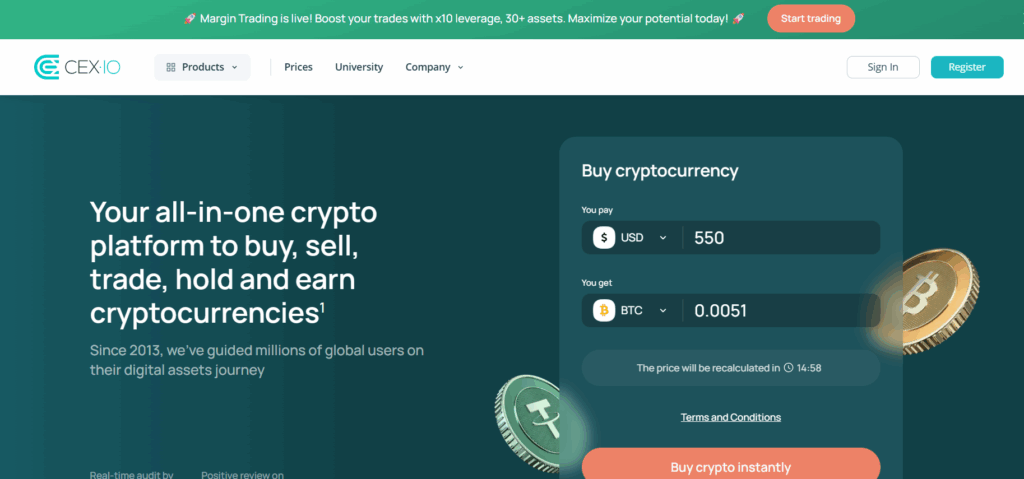
CEX.IO is a long-standing crypto exchange founded in 2013, known for its regulatory compliance, strong security, and easy access to over 200 cryptocurrencies. It offers both a trading platform and a brokerage service, making it suitable for beginners and advanced users alike.
For PayPal users, CEX.IO provides a seamless way to buy Bitcoin using its Instant Buy feature. You can purchase BTC directly with your PayPal account, choosing from pre-set amounts or entering a custom value. While CEX.IO charges higher fees compared to some competitors, it delivers a fast and intuitive buying process.
Key Features
- PayPal Integration: Available to U.S. customers for BTC purchases via Instant Buy with a minimum purchase of $20 and a maximum of $1,000/day via PayPal.
- Instant Buy Access: A beginner-friendly way to buy crypto fast with various fiat methods.
- Wide Crypto Selection: Trade or invest in 200+ cryptocurrencies including BTC, ETH, ADA, and MATIC.
- Custodial Wallet: Instantly store your BTC in CEX.IO’s secure hot wallet with optional withdrawals to PayPal or external wallets.
- Flexible Payment Options: Use PayPal, credit/debit cards, bank transfer, Apple Pay, and more.
- Advanced Trading Tools: Includes spot trading, margin trading, and an API for pro users.
- Earn with Crypto: Stake supported assets or save to earn passive income.
- Global Regulation: Licensed in 30+ countries with strong AML/KYC compliance and PCI DSS certification.
Pros & Cons
Pros
Cons
If you’re a U.S. user looking for a fast and secure way to buy Bitcoin with PayPal, CEX.IO is one of the best-regulated platforms to do it. You’ll get instant access to BTC with a trusted name in the crypto industry plus the ability to manage everything in one place.
Check out our CEX.IO review, which includes all the features in one place.
How to Buy Bitcoin with CEX.io: Step-by-Step Guide
-
Create an Account
Visit CEX.IO or download the app. Click Create Account, choose your country, enter your email, set a password, and confirm your email.
-
Complete Identity Verification
Provide your address, phone number, and a government-issued ID. Complete facial recognition to verify your identity.
-
Go to Instant Buy
From the dashboard or Products menu, select Instant Buy to begin the crypto purchase process.
-
Select Bitcoin and Enter Amount
Choose BTC from the dropdown, then enter how much USD you want to spend (min $20).
-
Choose PayPal as Payment Method
Select PayPal, log in to your PayPal account when prompted, and complete the account linking.
-
Review & Confirm
Review all transaction details and finalize the payment. Your BTC will appear in your CEX.IO wallet shortly after.
5. Buy Bitcoin with PayPal on Coinbase
Coinbase is one of the most recognized names in crypto, especially in the United States. Founded in 2012 and publicly traded since 2021, it’s a highly regulated and beginner-friendly exchange supporting multiple cryptocurrencies. While PayPal is supported as a payment method, not everyone can buy Bitcoin using their PayPal balance directly. So, for them, Coinbase allows PayPal-linked debit cards or bank accounts for crypto purchases.
However, U.S. users can fund their Coinbase accounts instantly via PayPal and buy crypto with just a few taps. The daily purchase limit through PayPal is generous up to $25,000 per day, making it one of the most flexible platforms for large-volume buyers.
Key Features
- PayPal Debit & Bank Support: If your region doesn’t allow using your PayPal balance directly, you can buy Bitcoin using a debit card or bank account linked to your PayPal profile.
- Fiat Withdrawals to PayPal: Easily cash out to your PayPal in several regions.
- No Direct Card Exposure: You don’t need to add card or bank details directly to Coinbase as PayPal handles that for you.
- Coinbase Wallet: Store assets in a secure non-custodial crypto wallet or within your Coinbase account.
- Advanced Tools: Access Coinbase Advanced Trade for real-time charts, low fees, and hundreds of trading pairs.
- Learn and Earn: Watch videos and earn free crypto by learning about projects and blockchain concepts.
- Regulated and Secure: Licensed in the U.S. with insurance coverage, 2FA, cold storage, and AES-256 encryption.
- Mobile-Friendly: Fully functional iOS and Android app for trading, buying, and cashing out on the go.
- Account Matching Security: Extra protection with email and identity matching between Coinbase and PayPal for linking.
Pros & Cons
Pros
Cons
Suppose you want a seamless way to buy Bitcoin in the U.S. with PayPal-linked payment methods and prefer using a highly secure and regulated platform. In that case, Coinbase is an excellent option, especially for large purchases or beginners looking for an easy onboarding experience.
See our Coinbase Review to understand the pros and cons further.
How to Buy Bitcoin with Coinbase: Step-by-Step Guide
-
Create a Coinbase Account
Go to Coinbase or download the mobile app. Register using your email, verify your ID, and set up 2FA.
-
Go to the Buy Section
Click “Buy” on the main dashboard (or tap “Buy & Sell” at the bottom in the app).
-
Choose Bitcoin
Select BTC as the cryptocurrency you want to purchase.
-
Link Your PayPal Account
Click “Add a Payment Method,” then choose PayPal. Log in to your PayPal account and authorize the link. You can now use any debit card or bank account linked to your PayPal.
-
Enter the Amount and Review Fees
Enter the amount of BTC you want to buy (up to $25,000 daily). Coinbase will display applicable fees.
-
Confirm and Buy
Click “Buy Now” to complete the transaction. Your Bitcoin will be added to your Coinbase account or Coinbase Wallet.
6. Buy Bitcoin with PayPal on Kraken
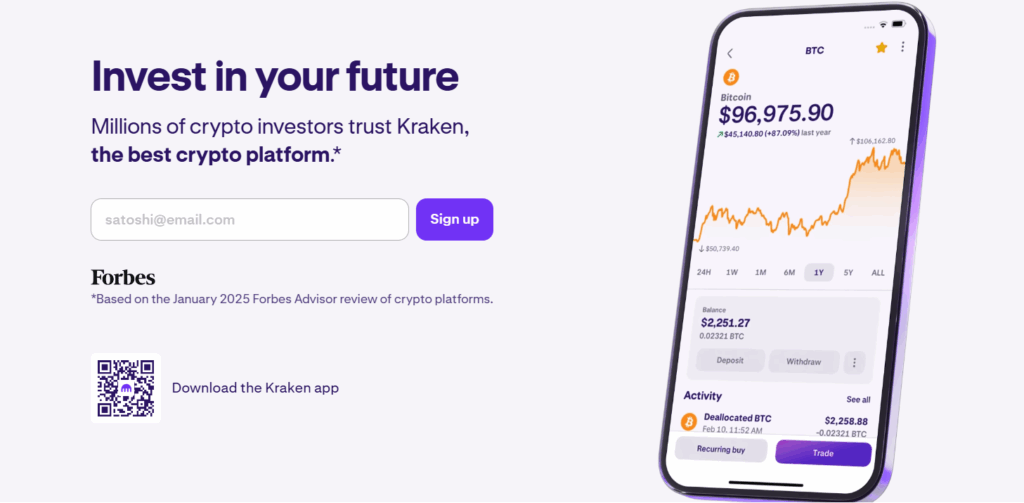
Kraken is one of the most reputable crypto exchanges globally. Founded in 2011, it is known for its advanced security, broad asset support, and institutional-grade tools. For users in the UK, European Economic Area (excluding Hungary and Croatia), and Australia, Kraken now supports PayPal deposits, making it easier than ever to fund your account and buy Bitcoin.
With Kraken, you can deposit EUR, GBP, or AUD using your PayPal account, then trade instantly for BTC and other crypto assets. Deposits are nearly instant, but note that they come with a 72-hour withdrawal hold for added fraud protection.
Key Features
- PayPal Deposit Support: Available in the UK, EEA (excluding Croatia and Hungary), and Australia for EUR, GBP, and AUD.
- Instant Buy and Trade: Deposits via PayPal are processed instantly and available immediately for trading.
- Advanced Security: Kraken is known for its unmatched security, including cold storage and zero hacking incidents.
- Flexible Limits: Weekly deposit limits of €7,000 (EUR), £7,000 (GBP), or $14,000 (AUD).
- Pro Trading Tools: Access Kraken Pro for spot, margin, and futures trading.
- Regulated Platform: Fully compliant with regional regulations, including Intermediate/Pro account verification.
- Mobile and Desktop Access: Buy Bitcoin using PayPal through the Kraken app or website.
- 24/7 Global Support: Kraken’s live support helps you resolve payment issues or account linking questions.
Pros & Cons
Pros
Cons
If you’re based in Europe, the UK, or Australia and want a secure, globally trusted platform to buy Bitcoin with PayPal, Kraken is a great choice. Just deposit your local currency using PayPal, and trade instantly while enjoying Kraken’s professional-grade tools and safety standards.
See our Kraken Review to understand the platform further.
How to Buy Bitcoin with Kraken: Step-by-Step Guide
-
Create or Log in to a Kraken Account
Go to Kraken.com or open the Kraken app. Register and complete Intermediate or Pro-level identity verification.
-
Go to the Deposit Section
In the app, tap the Action icon and select Deposit. On desktop, click the Deposit button on your dashboard.
-
Choose Currency (EUR, GBP, AUD)
Search for and select your local fiat currency—PayPal supports deposits in EUR, GBP, or AUD.
-
Connect PayPal to Kraken
If not already connected, you’ll be redirected to sign into PayPal. Click Save and Continue to link your account.
-
Enter Deposit Amount
On the deposit screen, select PayPal, enter your desired amount, and confirm the fee shown (typically 3.39% in the EU).
-
Review and Complete Deposit
Review your details and swipe or click to confirm. Your funds will be credited instantly and available for trading.
7. Buy Bitcoin with PayPal on Ledger Live
Ledger Live is the official app for Ledger hardware wallets trusted by over 7 million users globally. It combines world-class security with an intuitive interface for managing Bitcoin, Ethereum, NFTs, and thousands of other assets. Thanks to PayPal integration, U.S. users (except Hawaii) can now buy Bitcoin in Ledger Live using their PayPal Balance account, with crypto sent directly to their Ledger wallet.
This offers a rare combination of instant PayPal purchases and true self-custody. You get the speed and familiarity of PayPal with the security of a cold wallet with no middlemen and no custodians.
Key Features
- PayPal Integration (U.S. Only): Buy BTC and other crypto with PayPal inside Ledger Live. No additional KYC needed if PayPal is verified.
- Hardware-Level Security: Crypto is sent directly to your Ledger device, so there is no exposure to hot wallets or exchanges.
- No Middleman: Ledger Live connects you with multiple third-party providers to compare pricing and execute secure transactions.
- Fast Setup: PayPal purchases require only a linked PayPal Balance account.
- Full Control: As a self-custodial wallet, you only hold the keys. The ledger never has access to your funds.
- Broad Crypto Support: Supports BTC, ETH, XRP, USDT, SOL, ADA, MATIC, DOGE, SHIB, DOT, and many others.
- Cross-Platform: Available on Windows, macOS, Linux, iOS, and Android.
- Ledger Companion App: Securely manage, stake, swap, and track your crypto from one app.
Pros & Cons
Pros
Cons
If you want to buy Bitcoin with PayPal and store it directly in one of the most secure wallets available, Ledger Live is a perfect match. It’s ideal for long-term holders, DeFi users, and anyone who wants to avoid leaving crypto on exchanges.
See our Ledger Review to understand the platform further.
How to Buy Bitcoin with Ledger Live: Step-by-Step Guide
-
Set Up Your Ledger Device
Download the Ledger Live app and follow the instructions to initialize your Ledger Nano X or Nano S Plus. Make sure your device is ready to receive crypto.
-
Create a Bitcoin Account in Ledger Live
Open Ledger Live, navigate to “Accounts,” and create a BTC account if you haven’t already.
-
Select Buy and Choose PayPal
Tap “Buy,” select Bitcoin, and choose PayPal as your payment method. Note: PayPal Balance account is required.
-
Connect Your PayPal Account
Log in to your PayPal account through Ledger Live when prompted and authorize the transaction.
-
Confirm and Receive Bitcoin
Once payment is complete, your Bitcoin is sent directly to your Ledger wallet—no waiting or middlemen involved.
8. Buy Bitcoin with PayPal on LocalCoinSwap
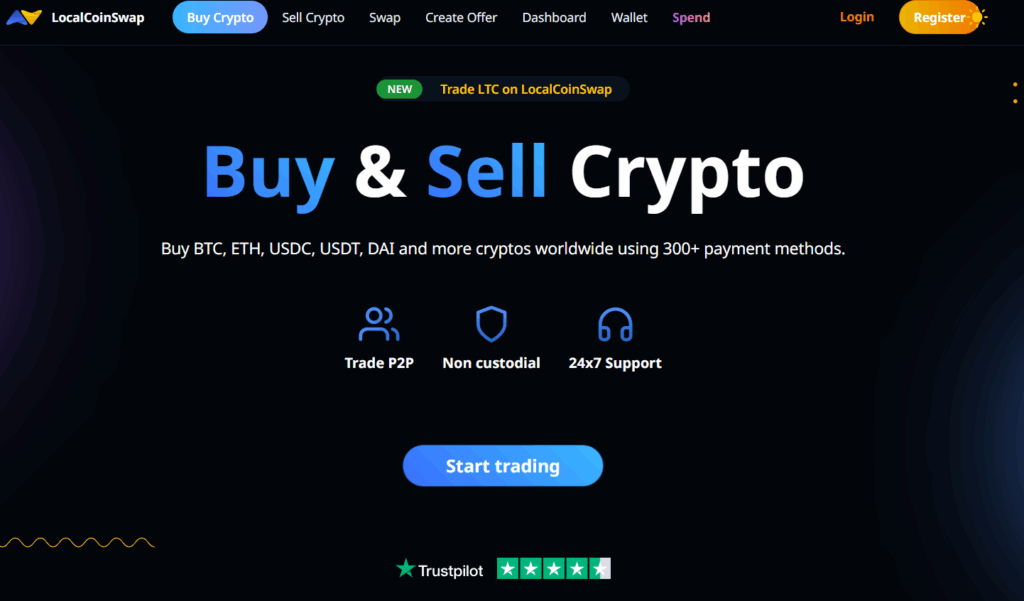
LocalCoinSwap is a global peer-to-peer (P2P) crypto marketplace that supports several payment methods, including PayPal. It lets you buy Bitcoin directly from individual sellers worldwide, making it one of the most flexible ways to enter the crypto space.
With PayPal, you can find listings that match your local currency, preferred limits, and transaction speed. LocalCoinSwap also supports non-custodial trading, meaning you keep control of your private keys and can export them or connect MetaMask for Ethereum-based assets.
Key Features
- PayPal-Friendly P2P Trades: Easily filter listings to find sellers that accept PayPal worldwide.
- Non-Custodial Wallet: You hold your keys; crypto never sits on a centralized exchange.
- Global Accessibility: Trade BTC, ETH, USDT, DAI, and more in over 190 countries with 24/7 access.
- Escrow Protection: Smart contract-based escrow secures your funds until the trade is completed.
- Payment Options: Including PayPal, cash, bank transfer, mobile money, and gift cards.
- Low Barriers: No ID required for basic use. Just an email to get started.
- Seller Ratings & Feedback: Helps you choose trusted traders based on community trust scores.
Pros & Cons
Pros
Cons
If you want to buy Bitcoin with PayPal without using an exchange, LocalCoinSwap offers you complete freedom. Just make sure to verify seller feedback, read trade terms, and always use the escrow system for protection.
Just read our full LocalCoinSwap review here.
How to Buy Bitcoin with LocalCoinSwap: Step-by-Step Guide
-
Go to LocalCoinSwap and Click ‘Buy Crypto’
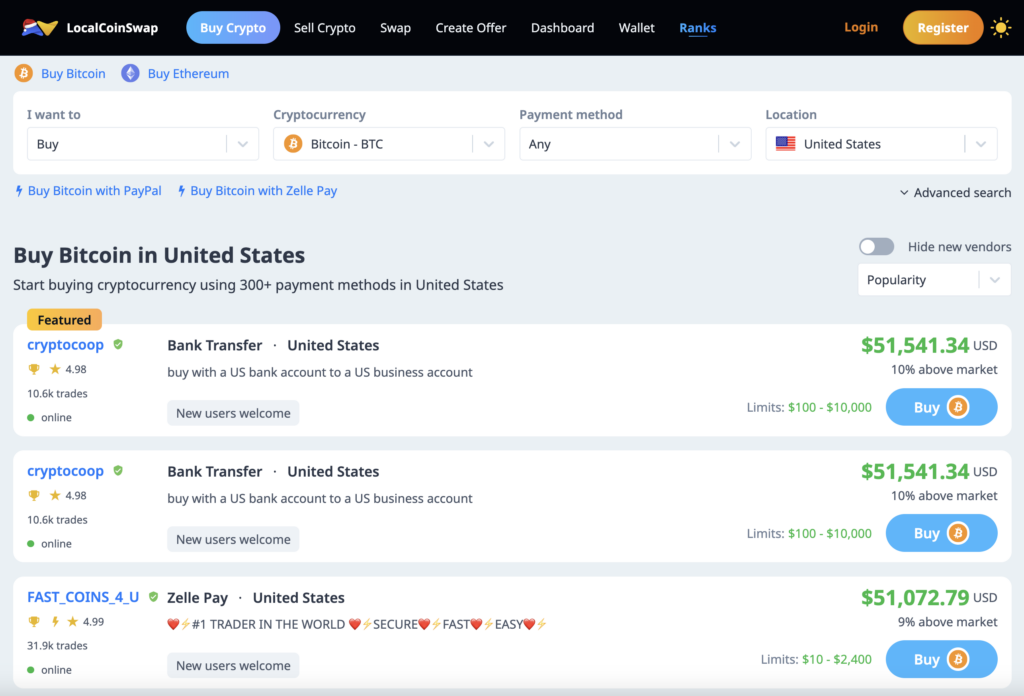
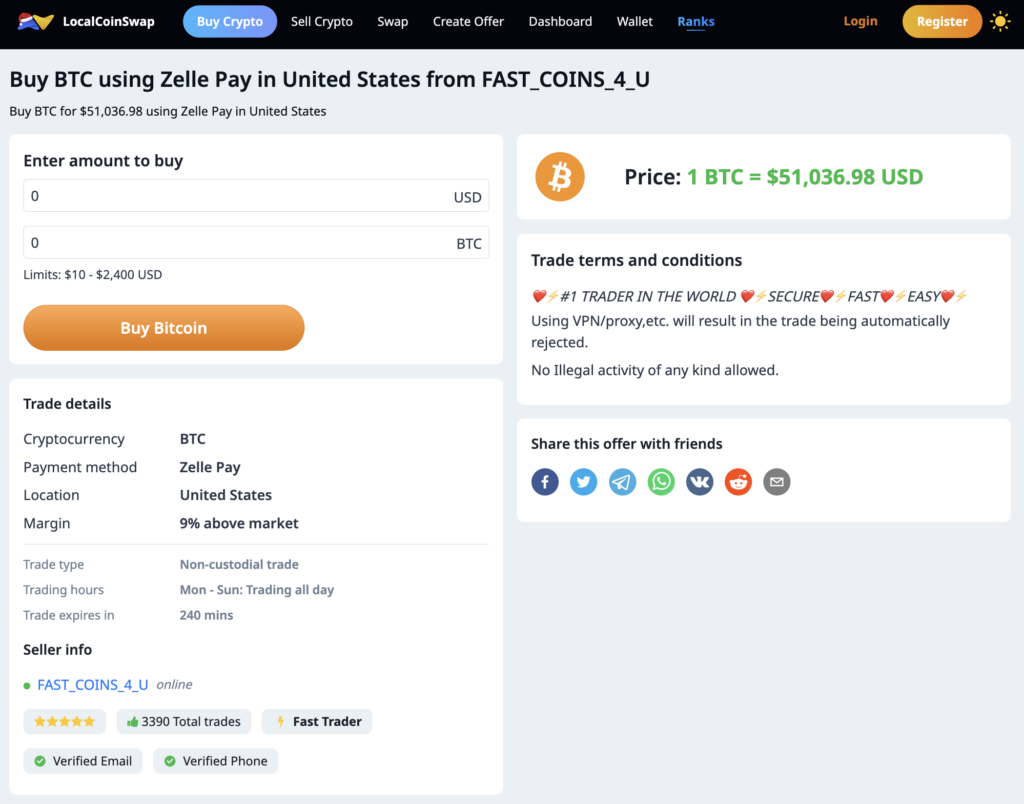
Head to LocalCoinSwap and select “Buy Crypto” from the top menu. Choose Bitcoin as the asset and PayPal as the payment method.
-
Set Your Search Parameters
Filter by payment method (PayPal), currency, and location. Use “Worldwide” if you’re open to global sellers.
-
Review Seller Listings
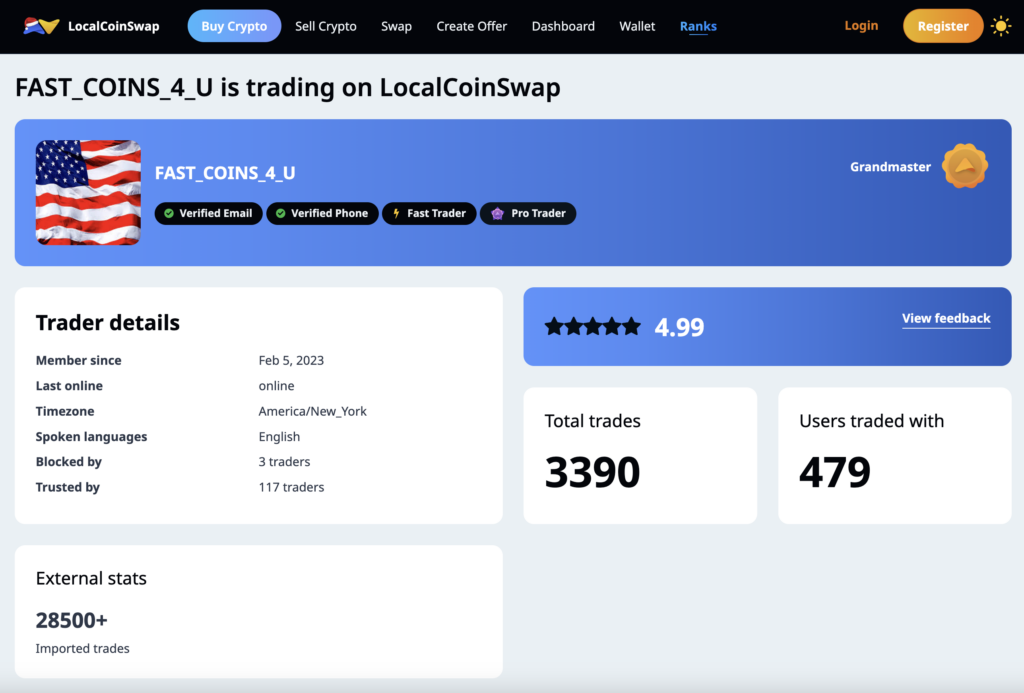
Browse available offers. Check each seller’s reputation, number of trades, trust score, and any trade restrictions.
-
Start the Trade
Click “Buy Bitcoin” on your chosen offer. Read and accept the seller’s terms, enter the amount, and initiate the trade.
-
Pay with PayPal and Confirm
Follow the seller’s instructions to send payment via PayPal. After sending, mark the payment as completed in the chat.
-
Wait for Escrow Release
The seller will release Bitcoin from escrow once they confirm receipt. The funds will appear in your LocalCoinSwap wallet.
Step 1 – Enter your search parameters
Step 2 – Choose your seller
Step 3 – Complete the trade
9. How to Buy Bitcoin with PayPal on Bitstamp
Bitstamp is one of the oldest and most regulated crypto exchanges in the world, offering PayPal integration for users in the US and EU (excluding Croatia, Hungary, and Iceland). With over 50 global licenses and institutional-grade security, Bitstamp allows users to buy Bitcoin and other major cryptocurrencies directly via PayPal in USD, EUR, or GBP.
To buy Bitcoin with PayPal, users simply select BTC from the asset page and click on “Buy with PayPal” or head to the Direct Crypto Purchase section on the Deposit page. After entering the fiat amount, you’ll be redirected to PayPal to link your account. Transactions are processed instantly once confirmed, but withdrawals to PayPal are not currently supported everywhere.
Key Features
- Buy Bitcoin via PayPal: Seamlessly connect your PayPal account and purchase BTC in USD, EUR, or GBP.
- Trusted Exchange Since 2011: Licensed across US, EU, and UK with strong regulatory oversight.
- Secure Storage: 95% of user funds are held offline in cold wallets.
- Advanced Trading Tools: Use Bitstamp Tradeview and Pro for detailed analytics and portfolio management.
- Earn & Lend Programs: Stake or lend your crypto to earn passive income.
- Mobile App Access: Full trading, deposit, and security control on Android and iOS.
- High Monthly Limits: Buy up to $20,000 in crypto per month using PayPal.
Pros & Cons
Pros
Cons
Bitstamp is ideal for users who value regulatory protection, transparency, and advanced trading tools. It supports PayPal for instant crypto buys, but keep in mind that all PayPal account details must match your Bitstamp account for successful linking.
Click here to read a full review of Bitstamp and its services.
How to Buy Bitcoin with Bitstamp
-
Log in to Bitstamp
Visit Bitstamp, log in to your account, or create a new one with email verification and KYC.
-
Select Bitcoin and Click 'Buy with PayPal'
Choose Bitcoin (BTC) from the asset list or go to the Deposit page and select “Direct Crypto Purchase”.
-
Enter Fiat Amount
Input how much you want to spend in USD, EUR, or GBP.
-
Connect Your PayPal Account
You’ll be redirected to PayPal—log in and confirm. Your PayPal name and email must match your Bitstamp credentials.
-
Confirm Purchase
Authorize the transaction and complete the crypto purchase. Funds will reflect in your Bitstamp account instantly.
PayPal vs Other Payment Methods for Buying Bitcoin: Compared
| Payment Method | Speed | Fees | Refund Options | Best For |
| PayPal | Instant | High (~3.5%) | Buyer Protection |
Beginners, convenience buyers
|
| Bank Transfer | 1–3 Days | Low | Bank-Dependent |
Large, secure transactions
|
| Credit Card | Instant | High (3–5%) | Yes (but risky) |
Fast purchases, impulse buys
|
| P2P with Cash | Varies | Low to None | None |
Privacy-focused users
|
| Crypto Vouchers | Instant | Medium | No |
Offline or gift purchases
|
It’ll be great if you can visit Best Crypto Wallets in 2026 for more information on crypto wallet options.
Did You Know?
Buying Bitcoin with PayPal is just one of several methods available today. For a full overview of all the ways to buy BTC, including cash, bank transfers, cards, and P2P trading, check out our complete guide to How to Buy Bitcoin in 2026.
Buy BTC: Mistakes to Avoid with PayPal
- Don’t leave Bitcoin in PayPal long-term – You don’t control the private keys, so your funds are technically held by a third party.
- Transfer to a non-custodial wallet – Use wallets like Best Wallet, Trust Wallet, or Ledger to gain full control of your crypto.
- Enable two-factor authentication (2FA) – Protect both your PayPal and crypto wallet accounts with 2FA for extra security.
- Double-check wallet addresses – Mistyping a wallet address during withdrawal can lead to permanent loss of funds.
- Avoid using public Wi-Fi for transactions – Always make crypto transfers on a secure, private connection.
- Keep your seed phrase backed up offline – This phrase is the only way to recover your funds if you lose access to your wallet.
- Know the PayPal transfer limits – You can’t send unlimited Bitcoin; review your account’s daily and monthly caps.
- Watch out for PayPal account mismatches – Your name on PayPal must match the name on your crypto platform or wallet account to avoid rejected transfers.
- Don’t rely on PayPal for active trading – It’s limited in features compared to real crypto exchanges and wallets.
Can You Really Buy BTC with PayPal in 2026?
PayPal now offers built-in crypto features that let users buy, hold, and sell Bitcoin directly through their accounts. Whether you’re using the PayPal app or web browser, purchasing Bitcoin can be done in just a few taps. However, not every region has access, and there are still some limitations you’ll want to understand before getting started.
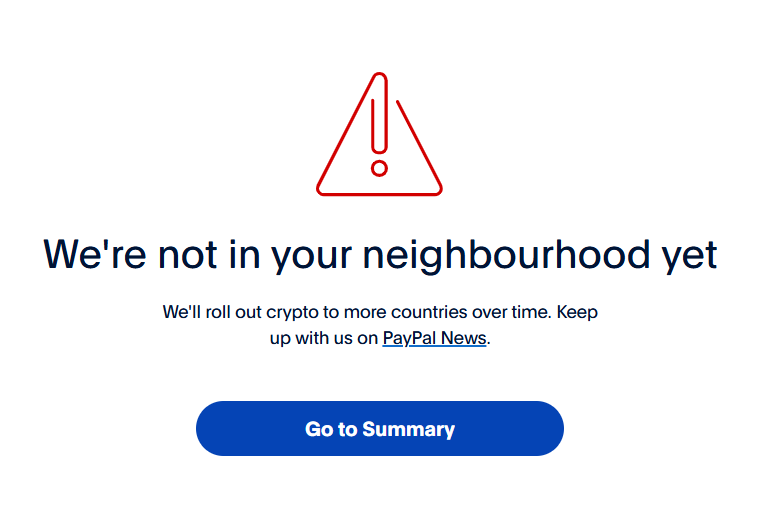
PayPal allows Bitcoin purchases in select countries, but there are limits to be aware of. U.S. and EU residents can spend weekly on crypto, with transfer limits around $25,000. You’ll also need to use the same name on both your PayPal and crypto platform accounts to avoid rejected payments. Make sure to review local regulations.
Conclusion: Can I Use PayPal to Buy Bitcoin?
Using PayPal to buy Bitcoin in 2026 is absolutely possible, but each platform offers a different experience. Coinbase provides high limits but doesn’t support direct PayPal balance payments. CEX.IO allows instant PayPal purchases but only for U.S. users and with higher fees. Zengo makes the process smooth but has purchase minimums and requires full verification.
If you’re looking for a long-term solution after your PayPal purchase, the best approach is to transfer your Bitcoin to a secure, non-custodial wallet. This is where Best Wallet stands out. While it doesn’t support direct PayPal purchases, it integrates with third-party services and gives you full control over your crypto with no KYC, built-in swaps, and advanced tools like presale and staking aggregators.
Till then, always conduct thorough research and consider consulting financial advisors before making investment decisions.
See also:Best Mobile Crypto Wallets for October 2026
References:
- Guadamuz, Andres. “PayPal: The Legal Status of P2P Payment Systems.” International Review of Law, Computers & Technology, vol. 18, no. 3, 2004, pp. 345–356.
- “Cryptocurrency Awareness, Acceptance, and Adoption: The Role of Trust.” Humanities and Social Sciences Communications, vol. 10, no. 1, 2023, https://www.nature.com/articles/s41599-023-02528-7.
- “Transferring Trust, Risk and Security on Users’ Intention to Trade Cryptocurrency.” European Conference on Information Systems (ECIS) 2022 Proceedings, 2022, https://aisel.aisnet.org/ecis2022_rp/119/.
- “PayPal’s Investments Are Leading the Mass Adoption of Crypto Payments.” Forbes, 5 Oct. 2024, https://www.forbes.com/sites/digital-assets/2024/10/05/paypals-investments-are-leading-the-mass-adoption-of-crypto-payments/.
- “PayPal Launches New Service Enabling Users to Buy, Hold and Sell Cryptocurrency.” PayPal Newsroom, 21 Oct. 2020, https://newsroom.paypal-corp.com/2020-10-21-PayPal-Launches-New-Service-Enabling-Users-to-Buy-Hold-and-Sell-Cryptocurrency.
FAQs
Can I buy Bitcoin with PayPal on Coinbase?

Yes. Though it requires a debit card or a bank transfer, Coinbase allows you to buy Bitcoin, as well as sell and withdraw the balance to your PayPal account.
Can I transfer Bitcoin to PayPal?
Yes, you can receive Bitcoin to your PayPal crypto wallet address without paying any fees (apart from the Bitcoin network fees you’re paying to send BTC).
Can I buy Bitcoin with PayPal anonymously?
No, KYC is required to be able to use PayPal.
How to buy Bitcoin with PayPal credit?
You can use your PayPal balance, bank, and debit card to buy cryptocurrencies; however, you will not be able to use a credit card or PayPal Credit to do so.
How to buy Bitcoin with PayPal?
To buy Bitcoin with PayPal, you can use platforms like PayPal itself, or exchanges like Coinbase. On PayPal, simply log into your account, go to the cryptocurrency section, select Bitcoin, and choose the amount to purchase using your PayPal balance or linked bank account.
How to buy and send Bitcoin on PayPal?
On PayPal, after buying Bitcoin through its crypto section, you can send it by selecting the Bitcoin balance in your PayPal account, choosing the Send option, and entering the recipient’s wallet address. This feature is only available in regions where PayPal allows sending crypto.
How to buy Bitcoin with PayPal in the UK?
In the UK, you can buy Bitcoin with PayPal directly through PayPal’s platform, or use exchanges like Coinbase that accept PayPal as a payment method. After linking your PayPal account, you can use it to purchase Bitcoin on these platforms.

Why you can trust 99Bitcoins
Established in 2013, 99Bitcoin’s team members have been crypto experts since Bitcoin’s Early days.
Weekly Research
100k+Monthly readers
Expert contributors
2000+Crypto Projects Reviewed