




In This Article
Pudgy Penguins wallets are a key part of the broader Pudgy Penguins ecosystem, allowing holders to securely store, manage, and interact with their NFTs and related digital assets. Designed with accessibility in mind, these wallets support smooth NFT transfers, ecosystem integrations, and future utility as the Pudgy Penguins brand continues to expand beyond collectibles into gaming, licensing, and mainstream Web3 adoption.
In this article, we’ll break down what Pudgy Penguins wallets are, how they work, and which wallet options are best suited for holding Pudgy Penguins NFTs. You’ll also learn about supported blockchains, security features, setup steps, and key considerations for safely managing your assets within the Pudgy Penguins ecosystem.
Here’s a quick look at the top wallets to store Pudgy Penguins NFTs in 2026, each offering a unique combination of features for mobile, desktop, or cold storage use:
- Best Wallet – Most secure and user-friendly non-custodial mobile wallet, built for cross-chain NFT collectors, #1 choice on our list.
- Trust Wallet – A beginner-friendly mobile wallet with broad chain support and built-in dApp browsing.
- OKX Wallet – A Web3 power wallet with a native NFT dashboard and strong DeFi integrations.
- MetaMask – The most popular browser extension wallet for Ethereum NFTs like Pudgy Penguins.
- Coinbase Wallet – A clean and secure wallet for Ethereum-based NFTs, backed by the Coinbase ecosystem.
- Trezor Safe 5 – An elite hardware wallet for long-term PENGU holders looking for maximum offline protection.
- Ledger Flex – Ledger’s mid-range hardware wallet with a 2.3-inch touchscreen.
- OneKey Pro – An air-gapped cold wallet with open-source firmware and secure QR-based signing for advanced users.
Each of these options excels in different areas, from speed to security and together they make up the Best Wallets for PENGU NFTs across any use case in 2026.
Best Pudgy Penguins Wallets: Summary
With the rise of cross-chain NFTs and expanding marketplace support, Pudgy Penguins-compatible wallets must do more than store JPEGs, they need to manage assets securely, offer cross-platform access, and support both Ethereum and Solana-based activity.
If you’re looking for NFT wallets for Pudgy Penguins, Best Wallet leads the pack with its non-custodial control and sleek mobile experience. Trust Wallet and MetaMask remain go-to hot wallet choices for flexibility and user familiarity, while Ledger and Trezor dominate the cold wallet category with hardened offline security. For Solana-native Pudgy collectors, wallets like OKX and OneKey offer layered staking and multi-chain management without the bulk.
This guide breaks down the top options to help you store Pudgy Penguins safely while keeping full control of your assets.
Key Takeaways
- Best Wallet offers top-tier non-custodial security with support for storing and managing Pudgy Penguins NFTs.
- Trust Wallet and MetaMask remain strong choices for mobile and browser-based users with cross-chain access.
- Ledger and Trezor provide unmatched offline security for long-term holders seeking a cold storage solution.
- Some wallets support Solana-based Pudgy Penguins drops, offering broader flexibility across ecosystems.
- User-friendly interfaces and NFT viewing support are key when choosing a wallet for Pudgy Penguins NFTs.
- Multi-chain support and integrated marketplaces improve accessibility for active traders and collectors.
Best Software Wallets for Pudgy Penguins
If your Pudgy Penguin lives in your head rent-free, then it better live somewhere safer than your exchange account. That’s where software wallets come in hot, fast, and non-custodial. They’re not here to keep your hand warm. They’re here to give you access, autonomy, and just enough flexibility to move like a pro without needing a PhD in private key management.
This section covers the best wallets for Pudgy Penguins NFTs that are built for speed, swaps, and Solana-level versatility. We’re talking mobile-first experiences, browser-based bridges, and slick UIs that don’t choke on your JPEGs. You want to mint? Trade? List? Stake PENGU in the future? These wallets are your front line.
But don’t let convenience fool you. The right hot wallet isn’t just a pretty interface, it’s your defense against getting wrecked by a bad click or a fake link. So if you’re serious about where your Pudgy Penguins crypto lives, start here.
However, before you can hold $PENGU, you’ll need to buy some first. Check out our ‘How to Buy $PENGU’ guide for easy step-by-step instructions. And if you’re curious about where the price of this NFT token might be headed over the next five years, don’t miss our ‘Pudgy Penguins ($PENGU) Price Prediction’.
1. Best Wallet: Best & Most Secure Non-Custodial Crypto Wallet
Best Wallet is the top-ranking wallet, and no, it isn’t trying to be cute. It’s not chasing buzzwords. It’s built for one job: give you full control over your crypto and that includes NFTs. If you’re storing high-value assets like Pudgy Penguins, this is the kind of wallet that doesn’t flinch when things get messy.
This mobile-native wallet is non-custodial by default, meaning you hold the keys, the seed phrase, and the responsibility. It supports a broad range of blockchains, with custom token and NFT integration. Best Wallet can be configured to manage your PENGU NFTs securely and flexibly. You’re not limited to preset tokens, you can manually import contract addresses, which is crucial in the rapidly evolving world of cross-chain NFT deployments.
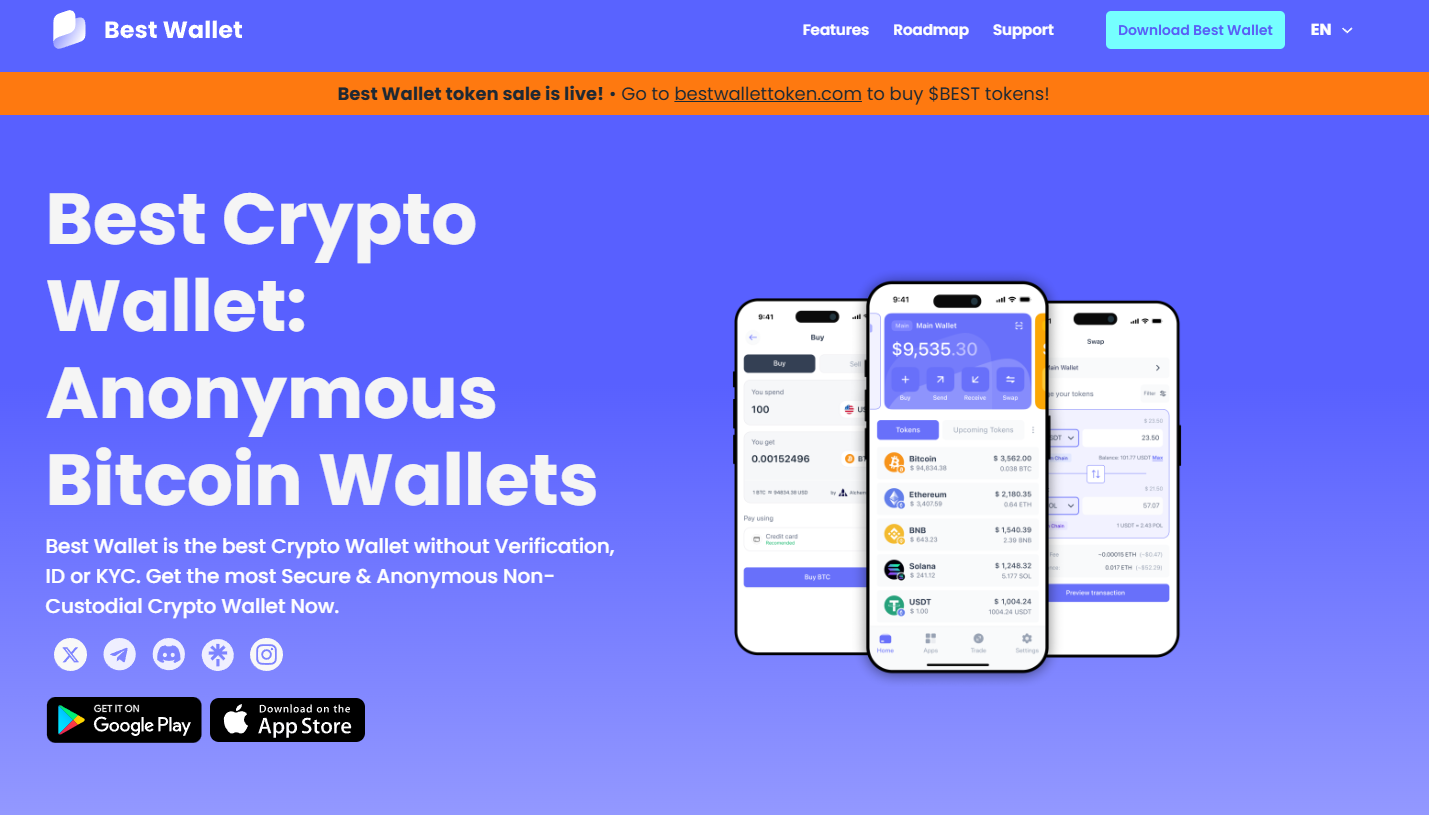
It also features a built-in Decentralized Exchange, meaning you don’t have to leave the app to make swaps. Everything is contained in a single mobile experience designed with speed and clarity in mind. There is no fluff, no distractions, just access, ownership, and execution.
If you’re looking for the best mobile NFT wallet for PENGU, Best Wallet should be at the top of your list, especially if you want to keep your penguin warm without exposing it to centralized exchange risk. Now, you might ask why Best Wallet stands out from its competitors. Thanks to its ‘Upcoming Tokens’ feature, which lets users participate in the best crypto presale projects with just a click of a button and without any hassle.
To know more about this wallet, check out out Best Wallet review for 2026.
Best Wallet Key Features
Best Wallet is engineered as a non-custodial mobile wallet, giving users full sovereignty over their assets through locally stored private keys and 12-word seed phrase backups. It supports manual token and NFT imports, which allows users to add Pudgy Penguins NFTs by inputting verified contract addresses. This flexibility is essential for collectors navigating both Ethereum-based and potentially cross-chain NFT ecosystems like Solana.
The app features a built-in DEX aggregator, enabling native token swaps across supported chains without leaving the wallet. This is executed through seamless smart contract interaction, preserving gas efficiency and optimizing transaction routes. Security is prioritized at the architecture level, using device-level encryption, biometric authentication (Face ID and fingerprint), and secure enclave storage for key data on supported phones.
Best Wallet is EVM-compatible, meaning it supports Ethereum, BNB Chain, Polygon, and other major chains where Pudgy Penguins-related activity may occur. It’s designed for low latency and instant transaction signing, ideal for users who need fast execution in competitive NFT markets. Regular app updates and its roadmap for staking dashboard integration also suggest growing utility for future PENGU staking scenarios.
Best Wallet Pros & Cons
Pros
- Non-custodial with full control over private keys and recovery phrases.
- Supports NFT and token import across multiple blockchains.
- Built-in DEX for token swaps without leaving the app.
- Sleek mobile UI with iOS and Android compatibility.
- Secure onboarding and quick setup for beginners.
Cons
- No desktop or browser extension support (mobile only).
- Requires manual NFT import for unsupported collections.
- Doesn’t support hardware wallet pairing (as of now).
- Limited in-app NFT marketplace browsing features.
2. Trust Wallet: Most Popular Wallet for Pudgy Penguins NFTs
Trust Wallet is what happens when usability meets serious blockchain versatility. Built for mobile, backed by Binance, and used by millions, this wallet gives you access to NFTs, tokens, and dApps across over 70 blockchains, including Ethereum, Solana, and other chains that Pudgy Penguins might swim into.
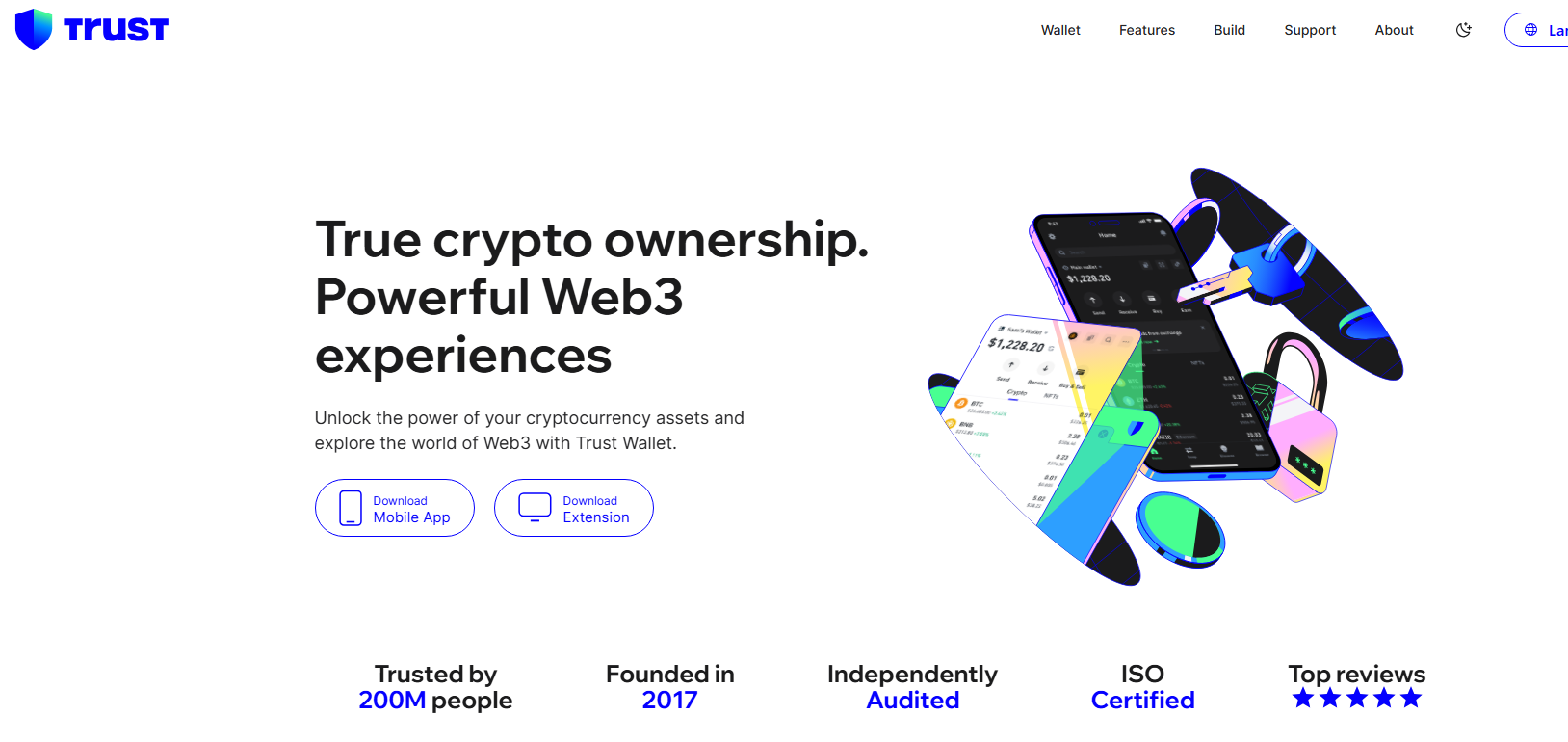
For NFT holders who don’t want to think too hard about infrastructure but still want full custody, Trust Wallet is the move. You get a clean UI, fast token imports, and tight mobile integration. It doesn’t require a browser extension or clunky setup. It just works. That makes it a go-to for beginners and power users alike, especially those diving into Wallets for Pudgy Penguins NFTs for the first time.
To get a detailed insight into this wallet, read our separate Trust Wallet review.
Trust Wallet Key Features
Trust Wallet offers native support for both Ethereum and Solana, which means Pudgy Penguins can be displayed, managed, and transferred directly within the app. It supports custom NFT contract imports, allowing users to add any ERC-721 or SPL-based collection not already listed. Your private keys and seed phrases are stored locally on your device and never leave it, giving you full control from setup to sale.
The wallet includes a built-in dApp browser (on Android), allowing direct access to OpenSea, Magic Eden, and other NFT marketplaces. Transactions are signed securely within the app, with built-in gas fee optimization for Ethereum-based transactions. Security is enhanced through biometric login, secure keystore encryption, and on-device recovery options.
Trust Wallet is available on iOS and Android, with future plans to roll out native NFT staking and gallery features, positioning it as not just a hot wallet, but a true NFT hub.
Trust Wallet Pros & Cons
Pros
- Supports Ethereum, Solana, and 70+ blockchains.
- Custom NFT import via contract address.
- Built-in dApp browser for direct marketplace access.
- Secure, non-custodial key management.
- Beginner-friendly with strong mobile UX.
Cons
- No desktop or browser extension version.
- Limited NFT gallery features (as of now).
- Built-in staking doesn’t support PENGU NFTs.
- NFT management can be buggy on some Solana tokens.
3. OKX Wallet: Prime Hot Wallet To Store PENGU Tokens
The OKX Wallet is part of a much bigger machine. It’s not just a crypto wallet, it’s your gateway into a full-blown Web3 ecosystem. DeFi, NFTs, DEXs, cross-chain swaps, multichain asset management, all inside one non-custodial, battle-tested interface. Some people even call it “the best NFT wallet.” For Pudgy Penguins holders looking to manage both NFTs and tokens across Ethereum, Solana, and beyond, OKX Wallet delivers enterprise-grade performance with a user-first approach.

What makes it especially compelling is its multi-platform reach. You get a browser extension, a mobile app, and web support, all synced across a single seed phrase. That means wherever you are, on desktop or in the field, your PENGU NFTs and tokens are just a click away.
Know more about this wallet by reading our comprehensive OKX Wallet review.
OKX Wallet Key Features
OKX Wallet supports over 70 blockchains, including Ethereum and Solana, making it an ideal candidate for users holding Pudgy Penguins NFTs across different ecosystems. It offers seamless NFT integration, allowing you to view, send, and list NFTs directly from the wallet. With its Web3 DeFi dashboard, users can monitor token balances, farm yield, and engage with dApps from a unified hub.
The wallet supports wallet-connect, multi-chain account switching, and cross-chain bridge access. NFTs are organized under a dedicated “NFT” tab, and metadata is automatically fetched for supported collections. You also get granular gas control, private key export, and layered biometric security on mobile. Its desktop extension integrates smoothly with NFT marketplaces like OpenSea and OKX’s native NFT launchpad.
Developers will appreciate OKX’s support for custom RPCs, testnet switching, and smart contract interaction for advanced functionality. All of this makes it more than just a wallet, it’s an operating system for Web3-native cryptocurrencies and NFT use cases.
OKX Wallet Pros & Cons
Pros
- Multi-chain support including Ethereum and Solana.
- Integrated NFT dashboard with listing and transfer tools.
- Supports browser, mobile, and desktop platforms.
- Secure, non-custodial access with biometric security.
- Built-in access to OKX NFT marketplace and launchpad.
Cons
- UI may feel overwhelming for new users.
- Advanced features require some technical familiarity.
- No hardware wallet integration in mobile app.
- NFT display may vary by chain compatibility.
4. MetaMask: Reliable Wallet to Hold, Send & Mint PENGU NFTs
MetaMask is the OG. It’s the browser extension and mobile app that practically wrote the rulebook for non-custodial wallet interaction with Ethereum-based NFTs, and yes, that includes Pudgy Penguins. If you’ve touched a mint, signed a transaction, or lurked OpenSea, chances are you’ve done it through MetaMask. But don’t let the familiarity fool you, this wallet still packs serious technical chops.
MetaMask works best for users who want granular control over their transactions, wallets, and dApp access. It’s developer-friendly, wallet-agnostic, and endlessly customizable. While it doesn’t support Solana, its unmatched compatibility with Ethereum Layer 1 and Layer 2 chains makes it a reliable tool for minting, buying, selling, and securing PENGU NFTs, especially if you’re operating in the blockchain fast lane.
Want to know more about MetaMask? Check out our separate MetaMask Wallet review.
MetaMask Key Features
MetaMask supports ERC-721 and ERC-1155 NFTs, giving users full access to their Pudgy Penguins through OpenSea, LooksRare, and any other Ethereum-based marketplace. It integrates natively with any EVM-compatible chain, allowing users to manually import networks like Arbitrum, Polygon, and Optimism, handy if PENGU collections expand cross-chain.
Transactions are signed locally, with seed phrases stored in encrypted browser storage (desktop) or secured by device-level biometrics on mobile. MetaMask also allows custom RPC setup, token contract imports, and permissioned smart contract approvals. It provides advanced fee controls and supports integration with Ledger and Trezor for cold storage pairing.
For users with multiple wallets, MetaMask’s account-switching and network dropdown system allows for fast identity swaps across testnets, mainnets, and sidechains.
MetaMask Pros & Cons
Pros
- Native support for Ethereum-based Pudgy Penguins NFTs.
- Browser extension and mobile app access.
- Compatible with Ledger and Trezor for extra security.
- Custom RPC and token contract support.
- Widely integrated across all major NFT platforms.
Cons
- No Solana or SPL token support.
- Limited built-in NFT gallery features.
- Browser storage of seed phrase (unless paired with hardware wallet).
- Beginners may find transaction management confusing.
5. Coinbase Wallet: Front-Running Ethereum NFT Wallet Supporting $PENGU
Coinbase Wallet is the non-custodial counterpart to the Coinbase exchange, giving users full control over their keys while still offering the familiar UX polish of a mainstream brand. For Pudgy Penguins holders operating primarily on Ethereum, this wallet strikes a balance between usability and sovereignty, perfect for those who want access to NFTs without venturing too deep into the DeFi weeds.
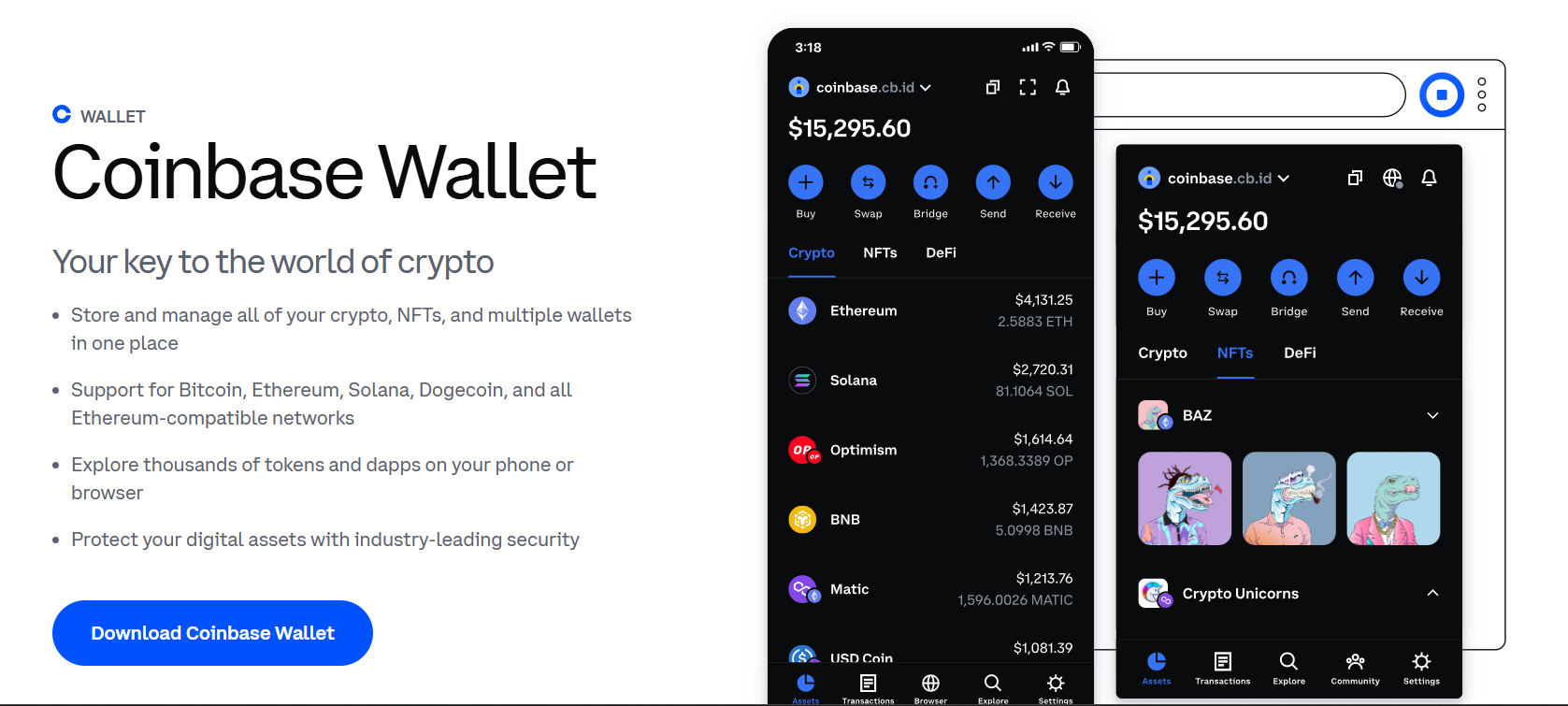
What makes Coinbase Wallet stand out is its focus on seamless onboarding. You don’t need to be a protocol wizard to navigate this interface. Everything is clean, simple, and optimized for users who want to store Pudgy Penguins safely and view them in-app without needing to integrate third-party tools. Plus, it comes with browser extension support, making it a solid desktop wallet for NFTs.
Read more about it in our separate Coinbase Wallet review.
Coinbase Wallet Key Features
Coinbase Wallet supports ERC-721 and ERC-1155 tokens natively, allowing full display and management of Pudgy Penguins NFTs. It includes built-in access to dApps and NFT marketplaces like OpenSea through its integrated browser (mobile) and extension (desktop). Unlike the centralized Coinbase exchange, this wallet is entirely non-custodial, users hold their private keys, which are encrypted locally and secured via seed phrase backup.
The wallet supports cross-chain token swaps, NFT display, and staking features for select tokens. It handles Ethereum NFTs flawlessly and syncs seamlessly with the main Coinbase platform for fiat on-ramps, giving users a frictionless way to fund their wallets and begin collecting. It’s also Web3-ready, allowing users to explore DeFi protocols directly from the app.
Coinbase Wallet Pros & Cons
Pros
- Clean UX backed by Coinbase’s trusted brand.
- Full NFT display and management for Ethereum assets.
- Supports both mobile app and browser extension.
- Easy fiat on-ramp for new NFT users.
- Secure seed phrase backup and local encryption.
Cons
- Limited customization compared to MetaMask or OKX.
- Lacks support for advanced DeFi integrations.
- NFT functionality still catching up to competitors.
Top Hardware Wallets for Pudgy Penguins NFTs
Hot wallets might get you through mint season, but if you’re holding high-value NFTs like Pudgy Penguins, it’s time to think cold. Cold wallets, hardware devices that keep your private keys offline, are still the gold standard for long-term NFT storage. They remove the biggest risk from the equation: being online.
In this section, we’re breaking down the Best Pudgy Penguins cold wallets in 2026. These wallets aren’t built for flipping JPEGs all day. They’re for the collectors who plan to hold, stake (eventually), or simply sleep well knowing their NFTs and crypto assets are shielded from malware, phishing, and front-end exploits.
So, if you’re parking your Pudgies for the next cycle or just want an added layer of security, these hardware wallets are your best bet to store Pudgy Penguins safely, offline, untouchable, and under your control.
For Users Looking Beyond PENGU
While this guide focuses on wallets that support Pudgy Penguins and $PENGU, you might also want a wallet that supports other crypto assets too. In that case, take a look at our Best Crypto Wallets list for October 2026.
6. Trezor Safe 5: Popular Cold Wallet for Pudgy Penguins in 2026
The Trezor Safe 5 is the newest evolution in the Trezor lineup, and it’s serious about NFT security. Designed for those who want rock-solid offline storage with no compromises, Safe 5 brings together air-gapped protection, a full-color touchscreen, and open-source transparency. It’s tailor-made for Pudgy Penguins holders who understand that the wallet you choose today determines how safe your assets are tomorrow.

The device doesn’t connect via Bluetooth or WiFi. Instead, everything is executed via USB or QR-based authentication, keeping your private keys completely isolated from online environments. And thanks to native support for Ethereum-based NFTs via Trezor Suite + third-party integrations like MetaMask, you can hold, view, and transfer your PENGU NFTs with confidence.
To know more about this cold wallet, check out our comprehensive Trezor Safe 5 review for 2026.
Trezor Safe 5 Key Features
Trezor Safe 5 runs on open-source firmware with a built-in touchscreen that verifies all transactions on-device, no need to trust your PC screen. The device supports ERC-721 and ERC-1155 NFTs, giving you the ability to manage Pudgy Penguins via MetaMask or other connected dApps. It uses Shamir Backup for secure seed phrase splitting and recovery, which enhances your key management strategy without compromising redundancy.
Security comes from its Secure Element, which safeguards key material even in the event of physical tampering. Trezor Safe 5 is also firmware-upgradable, meaning long-term support for new standards, including those for NFTs, is a core feature, not an afterthought.
Trezor Safe 5 Pros & Cons
Pros
- Top-tier cold storage for Ethereum-based NFTs.
- Touchscreen interface for transaction clarity.
- Open-source firmware with active community audits.
- Shamir Backup for multi-part seed recovery.
- Works with MetaMask for seamless NFT management.
Cons
- Does not support Solana NFTs natively.
- Requires MetaMask or third-party app for NFT interaction.
- Higher cost than most beginner hardware wallets.
- No mobile app or Bluetooth support.
7. Ledger Flex: Trusted Crypto Wallet for Pudgy Penguins NFT
The Ledger Flex is among the best hardware wallets for NFTs in the world and for good reason.
With support for nearly every popular blockchain networks, including Ethereum where the Pudgy Penguins NFT collection existst, Ledger Flex provide a secure place to store and manage your NFTs.
NFT enthusiasts will appreciate Ledger Flex’s 2.3-inch touchscreen which allows users to display their favourite NFTs on the go. Let’s not forget about the uncompromising security provided by Secure Element chip and Ledger OS technology that keeps your high-value NFTs safe from hacks.

The USB-C, Bluetooth and NPC connectivity support allows users to convienently connect their Ledger Flex wallet to their laptops and smartphones so that you can manage your Pudgy Penguin NFTs from your Windows, macOC or Linux systems as well as Android and iOS devices using the Ledger Live app.
Know more about this stellar hardware wallet by reading our Ledger Stax Vs. Flex Reviews 2025: Features, Benefits, User Guide.
Ledger Flex Key Features
The Ledger Flex features a CC EAL6+ certified Secure Element. This chip isolates private keys, ensuring they never touch an internet-connected environment. The device works in tandem with Ledger Live, which handles asset tracking, staking, and portfolio management, but for NFTs, users must pair it with MetaMask or Rabby Wallet to access platforms like OpenSea or LooksRare.
It supports ERC-721 and ERC-1155 standards, allowing full management of Pudgy Penguins and other NFT collections through secure signing.
As we mentioned earlier, the 2.3-inch touchscreen display is an awesome feature that NFT enthusiasts will appreciate. The Bluetooth and NPC connectivity support further adds to the device’s appeal.
Ledger Flex Pros & Cons
Pros
- Ledger Flex has a 2.3-inch touchscreen display to view NFTs.
- Industry-grade cold storage with a secure element chip.
- Bluetooth and NPC connectivity support for mobile NFT management.
- Compatible with MetaMask and NFT marketplaces.
- Supports over 5,000 cryptocurrencies and NFTs.
- Long-term support and frequent firmware updates.
Cons
- Priced at $249.
- Initial setup can be intimidating for beginners.
8. OneKey Pro: Safest Hardware Wallet for PENGU NFTs
The OneKey Pro doesn’t scream for attention, but beneath its minimalist design lies a fortress. It’s a fully air-gapped, tamper-resistant hardware wallet designed for serious NFT collectors and crypto holders who treat security like gospel. For those storing Pudgy Penguins NFTs long-term, this wallet gives you peace of mind by cutting off every unnecessary attack vector: no Bluetooth, no WiFi, no NFC. Just clean, cold storage.
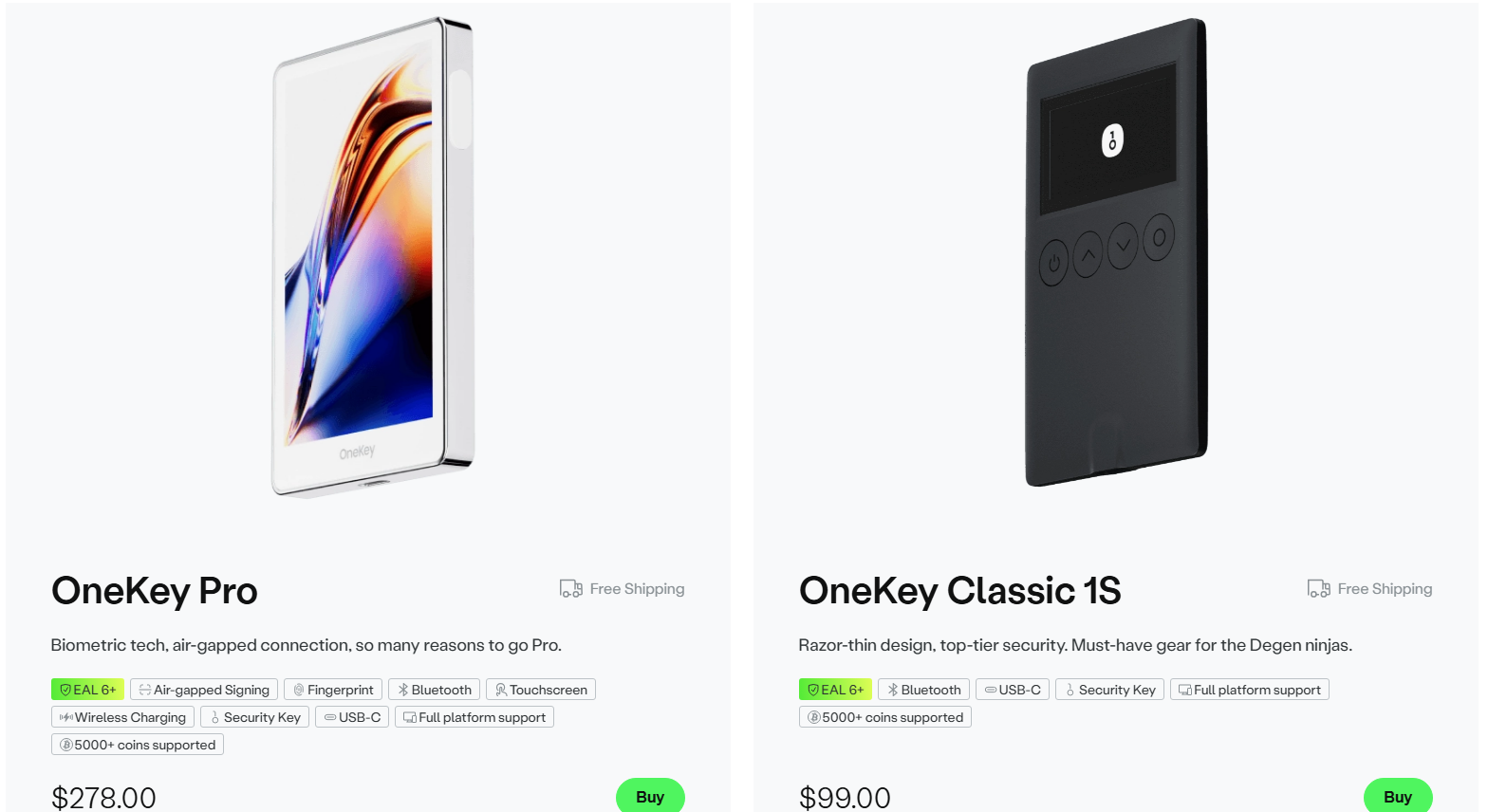
While newer to the scene compared to Ledger or Trezor, OneKey has built a strong reputation with its open-source firmware, responsive UX, and dedication to multichain compatibility. It supports thousands of assets, integrates with MetaMask, and plays well with NFT marketplaces, making it a sleeper pick for the Best Wallets for PENGU NFTs in 2026.
OneKey Pro Key Features
OneKey Pro supports Ethereum and EVM-compatible blockchains, making it fully compatible with ERC-721 and ERC-1155 tokens like Pudgy Penguins. It operates via USB-C and uses air-gapped signing through QR codes when interacting with third-party apps, ensuring your private keys never touch a networked device.
The device itself is built with a tamper-evident casing and wipes its memory if breached. Its screen displays all transaction details for on-device confirmation, and the firmware is 100% open source, allowing audits and transparency. NFT management is performed through integrations with MetaMask and OneKey’s companion app, which is available on both desktop and mobile.
With growing adoption in Asia and a rapidly expanding global user base, OneKey Pro is quickly earning its place among the top-tier Pudgy Penguins cold wallets.
OneKey Pro Pros & Cons
Pros
- Fully air-gapped design for maximum security.
- Tamper-evident hardware with self-destruct on breach.
- Open-source firmware for full auditability.
- MetaMask-compatible for seamless NFT management.
- Supports a wide range of EVM chains and tokens.
Cons
- No built-in screen for NFT previews.
- Requires third-party tools for full NFT functionality.
- Not as widely adopted or supported as Ledger or Trezor.
- Limited Solana or non-EVM NFT compatibility.
Wallets for Pudgy Penguins NFTs Compared
Choosing the right wallet isn’t just about features, it’s about fit. Below is a quick comparison of the top Pudgy Penguins compatible wallets to help you decide which best suits your needs.
| Wallets | Type | Chains Supported | NFT Support | Cold Storage | Built-in Marketplace | Best For |
|---|---|---|---|---|---|---|
| Best Wallet | Hot Wallet | Ethereum, EVM chains | Yes (manual import) | ❌ | Yes (DEX) | Non-custodial mobile PENGU storage |
| Trust Wallet | Hot Wallet | Ethereum, Solana, 70+ chains | Yes | ❌ | Yes (dApp browser) | Multi-chain NFT & token collectors |
| OKX Wallet | Hot Wallet | Ethereum, Solana, 70+ chains | Yes | ❌ | Yes (native marketplace) | Power users & Web3 explorers |
| MetaMask | Hot Wallet | Ethereum, EVM chains | Yes | ❌ | No | Advanced Ethereum NFT management |
| Coinbase Wallet | Hot Wallet | Ethereum, Layer 2s | Yes | ❌ | No | Beginners & Coinbase ecosystem users |
| Trezor Safe 5 | Cold Wallet | Ethereum, EVM chains (via dApps) | Yes (via MetaMask) | ✅ | No | Maximum offline security for Pudgy NFTs |
| Ledger Flex | Cold Wallet | Ethereum, Solana, and more | Yes | ✅ | No | Best for NFTs due to touchscreen display and Ledger Live compatibility |
| OneKey Pro | Cold Wallet | Ethereum, EVM chains | Yes (via MetaMask) | ✅ | No | Air-gapped security for advanced users |
This chart breaks down the best desktop wallets for NFTs, the most flexible Pudgy Penguins hot wallets, and the most secure options for long-term PENGU NFT storage. No matter how you collect, there’s a wallet setup that meets your goals.
How We Ranked the Top PENGU Wallets (Methodology)
This list wasn’t slapped together after a five-minute scroll through Twitter. Every wallet in this guide earned its place based on a framework built around what Pudgy Penguins holders actually need: security, compatibility, usability, and long-term value.
Here’s what we evaluated:
- NFT Compatibility: We checked for native or integrated support for ERC-721 and ERC-1155 tokens. All wallets had to fully support Ethereum-based NFTs like Pudgy Penguins.
- Cross-Chain Utility: With some Penguins waddling their way into the Solana ecosystem and beyond, multi-chain support was a big factor, especially for mobile wallets and dApps.
- Security Architecture: From cold storage features like air-gapped signing and secure elements to basic private key encryption, we evaluated how well each wallet keeps your Penguins safe from scammers and scripts.
- User Experience: We prioritized wallets that made setup simple but didn’t dumb it down. That means intuitive UI, fast imports, clean galleries, and minimal lag, even with custom token support.
- Marketplace Integration: Because listing your Penguin shouldn’t feel like launching a rocket. Wallets with dApp browsers or marketplace plugins scored higher in flexibility and ease of use.
- Open-Source Credibility: Transparency matters. Whenever possible, we gave points to wallets using open-source firmware or community-audited codebases.
These rankings weren’t influenced by sponsorships or ads. Just real criteria, real testing, and a genuine obsession with figuring out the Best Wallets for PENGU NFTs that let you store Pudgy Penguins safely, without handing over the keys.
What are Pudgy Penguins Wallets?
Pudgy Penguins wallets are crypto wallets that support the storage, transfer, and interaction of PENGU NFTs, most commonly built on the Ethereum blockchain. These wallets allow holders to maintain full custody of their Penguins, interact with NFT marketplaces, and prepare for future staking, bridging, or blockchain gaming features within the expanding Pudgy ecosystem.
Now, when you go on to choose a wallet for your Pudgy Penguins, you might as well be confused about what to pick – a hot or cold wallet and how to use them for your benefit. As per the State of CT Department of Banking,
“A common analogy used to explain how one might decide how to use a hot or cold wallet is to look at them as similar to bank accounts; the hot wallet being associated with a checking account and a cold wallet being associated with a savings account. Most users would keep enough money in their checking account to use for day-to-day transactions, while storing large amounts of money in their savings account.”
A proper wallet for Pudgy Penguins is your command center. It must support ERC-721 NFTs, display metadata and images, enable listing on platforms like OpenSea, and offer tools to manage your digital identity as a Penguin holder. That includes features like private key ownership, NFT galleries, and in some cases, cold storage for long-term collectors who don’t plan to flip every pump.
From minting new Penguins, flexing your Igloo toys in Lil Pudgys, or staking for ecosystem rewards (when available), your wallet is where it all starts, and where your blockchain assets stay safest.
Types of PENGU Wallets
Not all wallets are built the same and that matters when you’re choosing where to store something as high-value (and ridiculously adorable) as a Pudgy Penguin. Here are the main types of Pudgy Penguins compatible wallets, each serving a different kind of holder:
- Hot Wallets: These are connected to the internet and ideal for active collectors, traders, and those minting new Penguins. Think MetaMask, Trust Wallet, or Best Wallet. Great for speed and convenience, but you’ll need to be sharp about phishing and browser-based attacks.
- Cold Wallets: Offline wallets like Ledger, Trezor, or OneKey Pro that offer maximum protection. These are the best choice for long-term holders who don’t need daily access and want to store Pudgy Penguins safely with as little surface area exposed to hackers as possible.
- Mobile Wallets: Designed for collectors on the move, wallets like Trust Wallet and Best Wallet provide mobile access, NFT galleries, and integrated dApp browsers making them perfect for minting or listing Penguins straight from your phone.
- Web Wallets: Though less popular for NFTs, some wallets offer browser-based platforms that provide a balance of speed and access. OKX’s web dashboard, paired with its wallet, is one of the better options here.
- Hardware Wallets: A subcategory of cold wallets, these are physical devices that store your private keys offline. They’re your best bet for securing six-figure NFTs and yes, there are Penguins in that range.
No matter which type you choose, make sure it aligns with your usage: flipping, staking, flexing or just locking it away in the iceberg vault until 2030.
What is Pudgy Penguins?
Pudgy Penguins is more than just a top-tier NFT collection, it’s a cultural movement powered by good vibes, clean art, and an army of chubby, winter-draped avatars. First launched on Ethereum, the project has grown into a brand juggernaut with toys in Walmart, licensing deals, and a roadmap that includes gaming, storytelling, and digital identity.
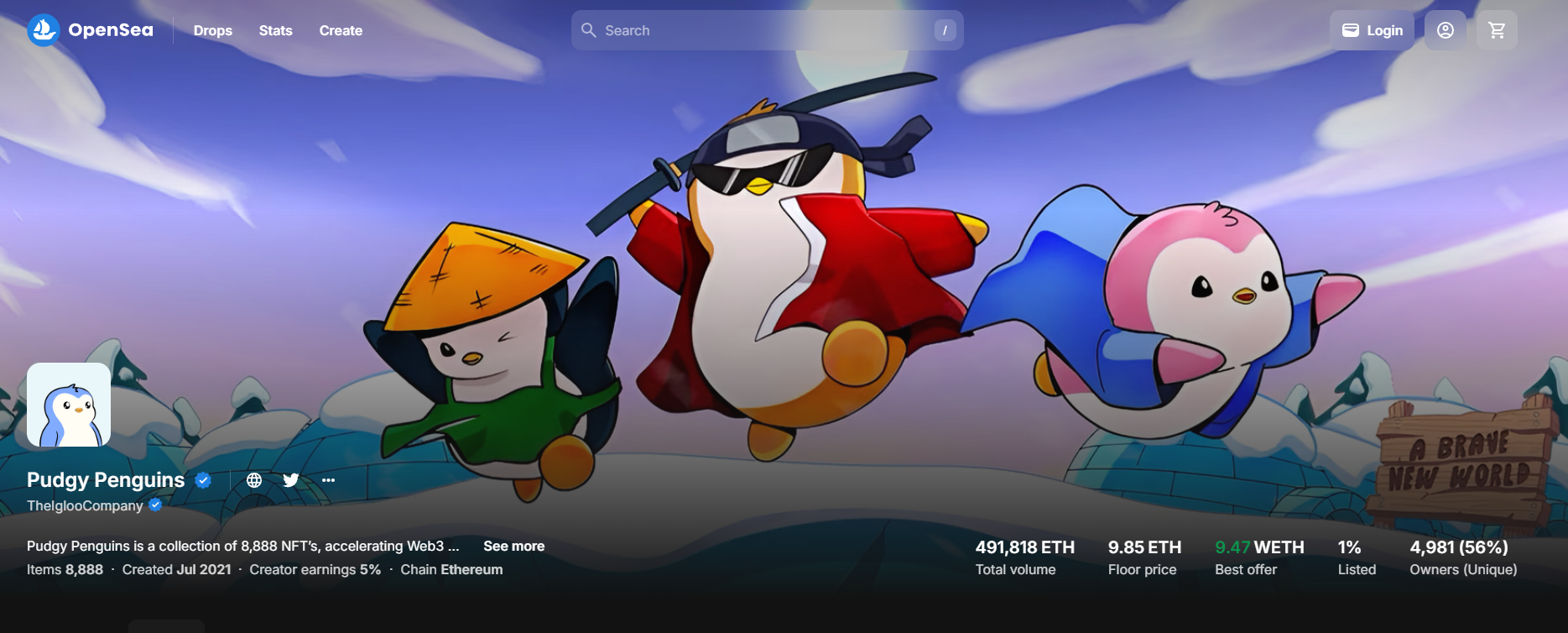
Each Penguin is a unique ERC-721 NFT that can be traded, displayed, or used to unlock future utilities within the Pudgy ecosystem. The team behind it has consistently pushed the envelope on community engagement, IP usage, and cross-chain innovation, hinting at Solana and Layer 2 integrations in the near future.
What is $PENGU Token?
$PENGU is the official Solana-based utility token for the Pudgy Penguins ecosystem, designed to extend the brand beyond profile pictures and into on-chain participation, rewards, and experiences. It launched in Q1 2024 as a way to power games, enable access to exclusive content, incentivize engagement, and fuel upcoming dApps built around the Pudgy IP. Also, check this video out to understand how $PENGU fits into the broader Pudgy Penguins ecosystem.
Unlike Pudgy Penguins NFTs, which are individual ERC-721 collectibles on Ethereum, $PENGU is a fungible SPL token meaning it can be traded, staked, or used in dApps like any other token on the Solana network. This shift to Solana gives $PENGU users faster transactions, lower fees, and better access to a vibrant on-chain community.
With future plans rumored to include token-gated content, merchandise discounts, game mechanics, and even governance features, $PENGU represents the next step in Pudgy’s Web3 evolution from adorable penguins to a full-fledged ecosystem with both culture and utility.
Top Wallets For $PENGU Token
Here are the top wallets that support $PENGU on Solana, letting you securely manage and interact with your tokens:
-
Best Wallet – #1 beginner-friendly mobile wallet with Solana support, built-in DEX, and non-custodial control. Perfect for buying, storing, and swapping $PENGU.
-
Phantom Wallet – The go-to Solana wallet for tokens and NFTs. Easy to use, supports $PENGU natively, and integrates with Solana DEXs like Jupiter.
-
Trust Wallet – A popular mobile wallet that supports SPL tokens like $PENGU. Ideal for multi-chain users who want a simple, secure mobile experience.
-
Solflare – A Solana-native wallet with staking, NFT, and SPL token support. Great for advanced users who want more control over assets like $PENGU.
-
Ledger (via Phantom) – For cold storage of $PENGU, Ledger offers the highest security when paired with Phantom for safe, air-gapped Solana access.
How to Select the Best Wallet for Pudgy Penguins?
Choosing the right wallet for your Pudgy Penguins NFTs is about aligning with how you collect, trade, and secure your digital penguin empire. Here’s what you should focus on before committing:
- Security: Look for wallets that give you full control of your private keys and support non-custodial storage. Bonus points for wallets with hardware compatibility or cold storage options like Ledger or OneKey.
- NFT Display Support: Not all wallets render PENGU NFTs correctly. Pick one that has proper gallery functionality, real-time metadata syncing, and full visual support for ERC-721 assets.
- Chain Compatibility: Pudgy Penguins are primarily on Ethereum, but with rumblings of Solana or Layer 2 bridges, a wallet with multi-chain support (like OKX Wallet or Trust Wallet) can future-proof your setup.
- Marketplace Integration: If you plan to list, buy, or trade Penguins often, choose wallets that integrate easily with platforms like OpenSea, LooksRare, and Blur.
- UI & UX: Smooth interfaces matter especially when dealing with NFTs worth thousands. A wallet that lets you send, sign, and verify transactions without second-guessing is critical.
- Long-Term Utility: If staking, gaming, or metaverse access is on the roadmap, look for wallets that support smart contract interaction and NFT-based utility tokens.
In short: your wallet should do more than hold. It should protect, interact, and evolve with your Penguins whether you’re stacking chubby birds or just holding one majestic Emperor.
How to Set Up a PENGU Wallet?
Getting your Pudgy Penguins wallet up and running doesn’t have to be complicated. Here’s a step-by-step guide using MetaMask one of the most popular wallets for Ethereum-based NFTs like PENGU.
-
Download MetaMask
Head to metamask.io and download the browser extension (Chrome, Firefox, Brave) or the mobile app for iOS or Android.
-
Create a New Wallet
Click “Create Wallet.” Set a strong password, and MetaMask will generate your 12-word seed phrase. Write this down and store it offline it’s your only way to recover the wallet if something goes wrong.
-
Add Ethereum Network
MetaMask supports Ethereum by default, so you’re ready to go for Pudgy Penguins. If you’re exploring Layer 2 options or future Solana bridges, you’ll need to add custom networks or use other wallets like Trust Wallet or OKX.
-
Fund Your Wallet
Buy ETH through MetaMask or transfer from an exchange like Coinbase, Binance, or OKX. You’ll need ETH to cover gas fees when minting, transferring, or listing your Penguin.
-
View and Manage Your Pudgy Penguins
Once you’ve bought a Pudgy Penguin from OpenSea or another marketplace, it will show up in your MetaMask-connected NFT tab or wallet-integrated gallery (depending on the tool you use).
-
Optional: Pair with a Hardware Wallet
For extra security, pair MetaMask with a Ledger Flex or Trezor Safe 5. That way, even if someone compromises your browser, your private key stays locked in hardware.
How to Keep Pudgy Penguins Wallets Secure?
When you’re holding NFTs like Pudgy Penguins, you’re holding digital property with real market value, and that makes you a target. Here’s how to store Pudgy Penguins safely and avoid becoming a headline on crypto Twitter.
- Back Up Your Seed Phrase: Your 12-word recovery phrase is the only lifeline if you lose access to your wallet. Write it down on paper or store it in a metal backup never save it on your phone, cloud, or email.
- Use a Hardware Wallet: For long-term holders, hardware wallets like Ledger Flex, OneKey Pro, or Trezor Safe 5 provide offline, air-gapped protection from malware, phishing, and keyloggers.
- Avoid Signing Unknown Transactions: Never blindly sign MetaMask prompts or approve transactions from unfamiliar dApps. Use tools like Wallet Guard or Fire to simulate transactions before signing.
- Enable Two-Factor Authentication: While not all wallets support 2FA natively, enabling it on your exchange accounts and email adds another layer of protection to your ecosystem.
- Use a Fresh Wallet for Mints or Airdrops: If you’re claiming free NFTs or minting from new projects, use a burner wallet. Don’t expose your main PENGU wallet to contracts that haven’t been audited.
- Update Firmware and Software: Whether it’s your mobile wallet or hardware device, outdated software can expose you to exploits. Stay updated and only download from official sources.
- Don’t Brag with Your Wallet Address: Flexing your rare Penguin might feel good, but linking your wallet publicly opens you up to scams and social engineering. Blur your address when sharing screenshots or portfolio views.
Security isn’t just about tools it’s a mindset. In Web3, you’re your own bank, and that means thinking like one. Stay paranoid, stay private, and treat your Penguin like it’s worth more than your car because one day, it might be.
Conclusion: Best Pudgy Penguins Wallets
You didn’t drop a couple of grand on a Penguin in a Santa hat just to let it rot in some exchange wallet you forgot the password to. Nah. You bought into a cultural asset a chubby JPEG with clout and it deserves more than a warm wallet. It deserves a fortress.
We’ve covered the spectrum: from hot wallets like Best Wallet, which let you swipe, sign, and flip from your phone like a penguin-powered ninja, to cold storage beasts like Trezor and OneKey, which lock your PENGUs so deep in cryptographic ice that not even the heat of an ETH bull run can melt them.
But here’s the truth most won’t tell you: no wallet is perfect. The best one is the one that fits how you operate. Active trader? You need speed and marketplace integrations. Long-term holder? Air-gap it and forget it. Hybrid hustler? Rock both. Just don’t be the guy signing random transactions at 2 a.m. after one too many margaritas.
Because here in the Pudgy Penguins ecosystem, the only thing cuter than your NFT is the way scammers salivate when they see it unguarded.
So choose wisely. Lock it down. And when the next wave of penguin-powered IP takes over storefronts, socials, and staking pools, you’ll know your Pudgy’s been chilling safely right where it belongs.
See Also: Best Crypto Staking Platforms for 2026 with Highest Staking APY
FAQs
What is the best wallet for storing Pudgy Penguins NFTs?

Best Wallet and Ledger Flex are two top choices one for quick mobile access, the other for secure cold storage.
Can I store Pudgy Penguins NFTs in MetaMask?
Yes, MetaMask fully supports Ethereum-based NFTs like Pudgy Penguins and lets you interact with marketplaces like OpenSea.
Are hardware wallets safe for storing Pudgy Penguins?
Absolutely, hardware wallets like Trezor, Ledger, and OneKey keep your NFTs offline and shielded from online threats.
Is Trust Wallet good for Pudgy Penguins?
Yes, Trust Wallet is beginner-friendly, mobile-ready, and supports Ethereum-based NFTs with custom token import.
How do I transfer Pudgy Penguins NFTs to another wallet?
You can transfer NFTs by using the “Send” function in your wallet, just paste the recipient’s wallet address and approve the gas fee.
How to set up my Pudgy Penguins wallets?
Set up a wallet like MetaMask or Trust Wallet, fund it with ETH, then connect it to a marketplace to buy or import your Pudgy Penguin.
What happens if I lose access to my NFT wallet?
If you’ve backed up your seed phrase, you can recover your wallet anytime, without it, your assets are permanently lost.
What’s the difference between hot and cold wallets for NFTs?
Hot wallets are online and better for active trading; cold wallets are offline and ideal for long-term, secure NFT storage.
Are there any wallets with built-in NFT marketplaces?
Yes, wallets like OKX Wallet and Trust Wallet offer built-in dApp browsers or marketplace integrations for trading directly in-app.
References
- Blockchain Council. “Hot Wallet vs Cold Wallet: Key Differences Explained.” Blockchain Council, https://www.blockchain-council.org/cryptocurrency/hot-wallet-vs-cold-wallet/
- Connecticut Department of Banking. “Cryptocurrency & Digital Wallets.” Portal.ct.gov, https://portal.ct.gov/DOB/Consumer/Consumer-Education/Cryptocurrency-Digital-Wallets
- IT Security Guru. “Cold Wallets vs Hot Wallets: Which Offers Better Security?” IT Security Guru, 13 Mar. 2025, https://www.itsecurityguru.org/2025/03/13/cold-wallets-vs-hot-wallets-which-offers-better-security/
- World.org. “Cold Wallet vs Hot Wallet: The Next Level of Crypto Security.” World.org, https://world.org/articles/crypto-next-level/cold-wallet-vs-hot-wallet
- BitDegree. “Hot Wallet vs Cold Wallet: What’s the Difference?” BitDegree, https://www.bitdegree.org/crypto/tutorials/hot-wallet-vs-cold-wallet

Why you can trust 99Bitcoins
Established in 2013, 99Bitcoin’s team members have been crypto experts since Bitcoin’s Early days.
Weekly Research
100k+Monthly readers
Expert contributors
2000+Crypto Projects Reviewed