




In This Article
Looking for the top Polygon wallets to manage your POL tokens safely and easily? You’re in the right place. In this Polygon wallets guide, we break down the most reliable options out there, whether you’re a seasoned DeFi user or just getting started with crypto. From mobile apps to hardware devices, we’ll help you find the best wallets to store POL based on security, ease of use, and features that actually matter.
Are you just starting out with the Polygon ecosystem? Don’t worry! We have created a list of the best POL wallets for beginners, so you can begin without any tricky setups or confusing layouts. Let’s explore the wallets that will help you handle your POL securely and simply.
These are the best wallets for storing, swapping, staking, and managing your Polygon (POL) tokens, whether you’re after convenience, privacy, security, or all of the above.
- Best Wallet – Best Wallet is the best Polygon wallet. A mobile-first, non-custodial wallet with no KYC and built-in DEX aggregator. Ideal for swapping POL, exploring presales, and managing tokens across 60+ blockchains.
- Zengo – A secure mobile wallet using seedless MPC technology. Offers 3FA, in-app crypto purchases, staking, NFT support, and a smooth UI for beginners.
- Binance Web3 Wallet – Tightly integrated with the Binance ecosystem. Great for presales, NFTs, swaps, and cross-chain DeFi, with strong MPC security and multi-chain support.
- Bybit Wallet – Exchange-linked wallet with MPC-based self-custody, presale access, and DEX swaps. Designed for users who want security without losing flexibility.
- Ledger Flex – Ledger’s mid-range cold wallet with a 2.3-inch touchscreen.
- Trezor Safe 5 – A convenient cold wallet by Trezor with a color touchscreen and confirmation haptic feedback.
- ELLIPAL Titan 2.0 – Fully air-gapped hardware wallet with QR code signing, NFT support, tamper-proof build, and secure mobile integration for DeFi access.
Top Polygon Wallets: Summary
In this guide, we break down the top POL wallets for 2026, whether you’re here to stake, swap, or just keep your tokens secure. No fluff, no overcomplicated tech talk, just real answers to the question: What wallets support Polygon and how do they actually work in the real world? But before you read about POL wallets, consider checking out our Polygon review to know POL’s ecosystem first. Then, you can navigate to our ‘How to Buy POL‘ guide to know the step-by-step process of buying POL tokens.
Now, back to the story. We looked at the most reliable Polygon-supported wallets, from non-custodial Polygon wallets like Best Wallet and Zengo that put you in full control, to battle-tested Polygon hardware wallet options like Ledger and Trezor for long-term storage. Need something on the go? We’ve got Polygon mobile wallets for Android and iOS, plus Polygon web wallets that plug straight into your browser for dApp access.
Every pick here is a secure Polygon wallet that works out of the box with the Polygon network, no RPC headaches, no digging through settings. Whether you’re a beginner or a DeFi pro, these are the best wallets for Polygon in terms of usability, safety, and features.
You’ve got plenty of choices when it comes to Polygon network wallets, but not all are built the same. The best Polygon crypto wallets combine ease of use with solid security, letting you hold, send, and swap POL without the hassle. And if you’re managing your tokens on your phone, there’s no shortage of reliable POL wallets for Android and ios apps that keep everything just a tap away.
So if you’re looking for wallets that support the Polygon network, this roundup has the most trustworthy and user-friendly Polygon-compatible wallets available today. Whatever your style, there’s a Polygon crypto wallet here that’ll fit how you use Web3.
Key Takeaways
- You control your crypto: Non-custodial wallets like Best Wallet and Zengo give you full control over your POL, no third parties, no KYC, just you and your private keys.
- Cold wallets = peace of mind: If you’re holding a lot of POL, a hardware wallet like Ledger or Trezor is the way to go. They keep your tokens offline and way safer from hacks.
- Swaps and dApps, built right in: Wallets like Best Wallet and Bybit come with built-in DEX support, so you can trade POL or explore DeFi without jumping between apps.
- Mobile wallets are super convenient: Apps like Best Wallet and Zengo work great on Android and iOS. They’re fast, secure, and perfect for managing POL on the go.
- Exchange wallets offer more tools, but less privacy: Binance and Bybit wallets give you extras like presale access and cross-chain swaps, but you’ll need to complete KYC.
- Different wallets fit different users: Whether you’re a casual user, a DeFi explorer, or a long-term holder, there’s a POL wallet that matches how you use crypto day to day.
Best Hot Wallets for Polygon (POL)
Hot wallets are perfect for everyday access to your Polygon (POL) tokens. They let you send, receive, and interact with dApps on the fly. Since they stay connected to the internet, they offer speed and convenience, ideal for active users who want quick access without sacrificing security.
1. Best Wallet: Best Polygon Wallet- Non-Custodial, No-KYC Secure POL Storage!
Best Wallet is a non-custodial, mobile-first web3 wallet made for people who want to explore DeFi and NFTs without giving up control of their crypto. If you’re holding Polygon (POL) tokens, this wallet feels tailor-made. It integrates smoothly with the Polygon ecosystem and supports over 60 blockchains in total.
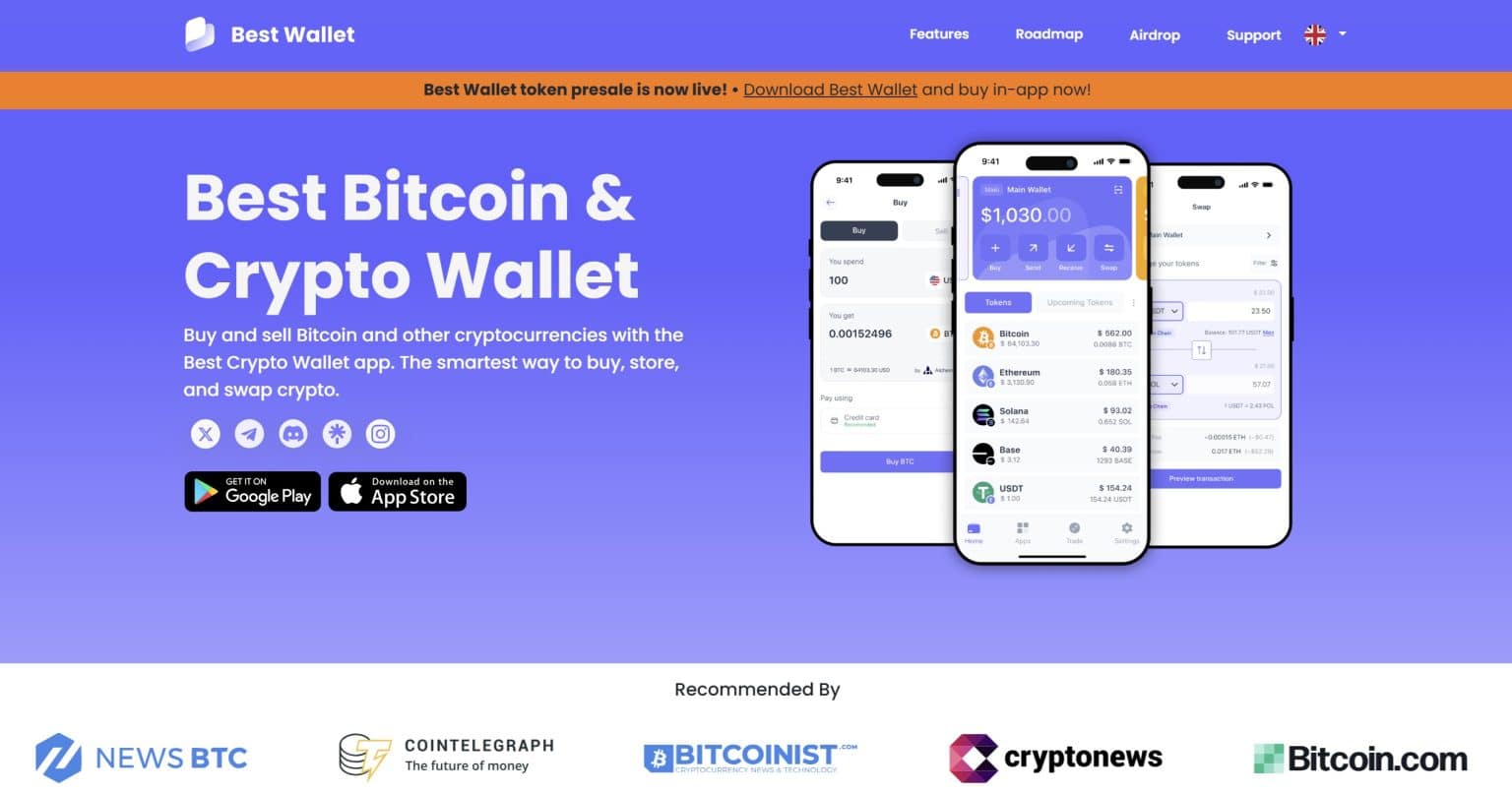
Let’s start with the basics: you get full self-custody and no-KYC requirements. Your private keys stay on your device, and nobody else touches them. And thanks to a sleek built-in DEX aggregator, swapping POL or any Polygon-based tokens is fast and intuitive, without having to connect to third-party sites.
But here’s where it gets spicy: Best Wallet isn’t just about storage. It includes early access to vetted presales, giving POL holders a chance to explore the best crypto presale projects across chains before they become mainstream. This is ideal for anyone chasing alpha or wanting to get in early without jumping through hoops.
If you want to know more about this wallet, consider checking out our separate Best Wallet review.
Why Best Wallet Is Our Top Choice?
Best Wallet is built for people who want to take full control of their crypto without sacrificing usability or security. From the moment you open the app, it feels like a tool designed for how crypto should work: private, intuitive, and completely in your hands.
At its core, it’s a non-custodial wallet, which means you, and only you, hold the keys. There’s no company hovering over your assets or locking you out of your own funds. Everything stays under your full control, the way it was always meant to be.
And unlike so many platforms that demand your ID and a stack of personal documents just to get started, Best Wallet skips all that. There’s no KYC process to slow you down, no personal information to hand over, no hoops to jump through. It’s a wallet that respects your privacy from the start.
It’s also built for the real-world, multi-chain reality of Web3. Whether you’re trading tokens on Ethereum, exploring dApps on Polygon, or experimenting with new projects on BNB Chain, Best Wallet supports over 60 networks, letting you move across chains without switching tools or breaking your flow.
What really makes it stand out, though, is how much you can do without ever leaving the app. The built-in DEX aggregator automatically finds the best swap rates available, so you don’t have to open five different tabs or connect to unfamiliar dApps just to trade. It’s all right there, fast, simple, and efficient.
The interface ties it all together. It’s clean and thoughtfully designed, striking the right balance between simplicity and functionality. Whether you’re new to crypto or managing a diverse portfolio, everything feels intuitive and easy to navigate. When it comes to security, Best Wallet doesn’t leave anything to chance. With biometric authentication, encrypted key storage, and optional two-factor authentication, it offers a strong, layered defense, without getting in your way.
Best Wallet is more than just a place to store your crypto. It’s a thoughtfully crafted tool that combines privacy, power, and ease of use, giving you everything you need to navigate Web3 with confidence.
How to Use Best Wallet For POL?
Managing your POL with Best Wallet is refreshingly straightforward. Here’s a quick walkthrough:
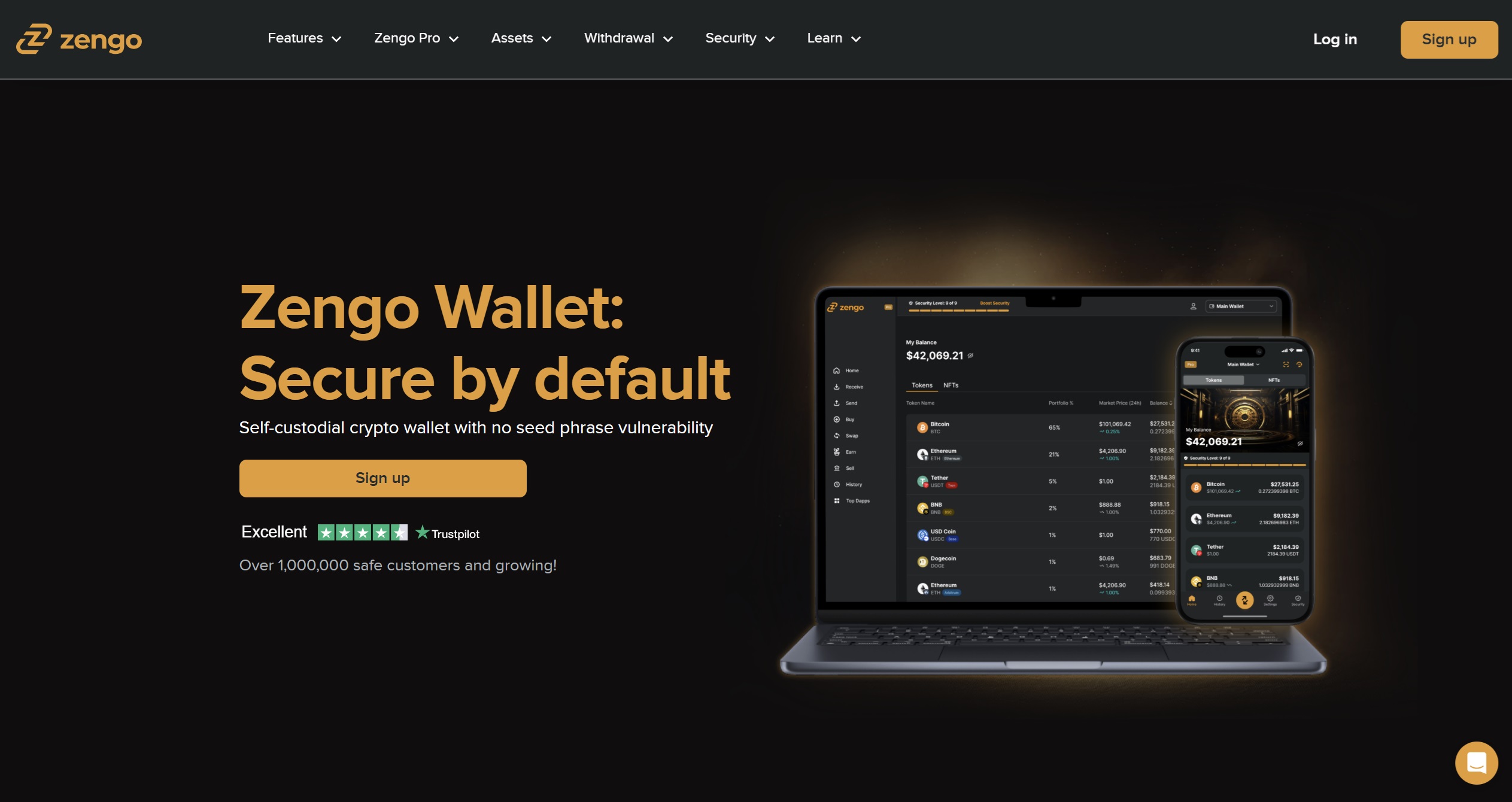
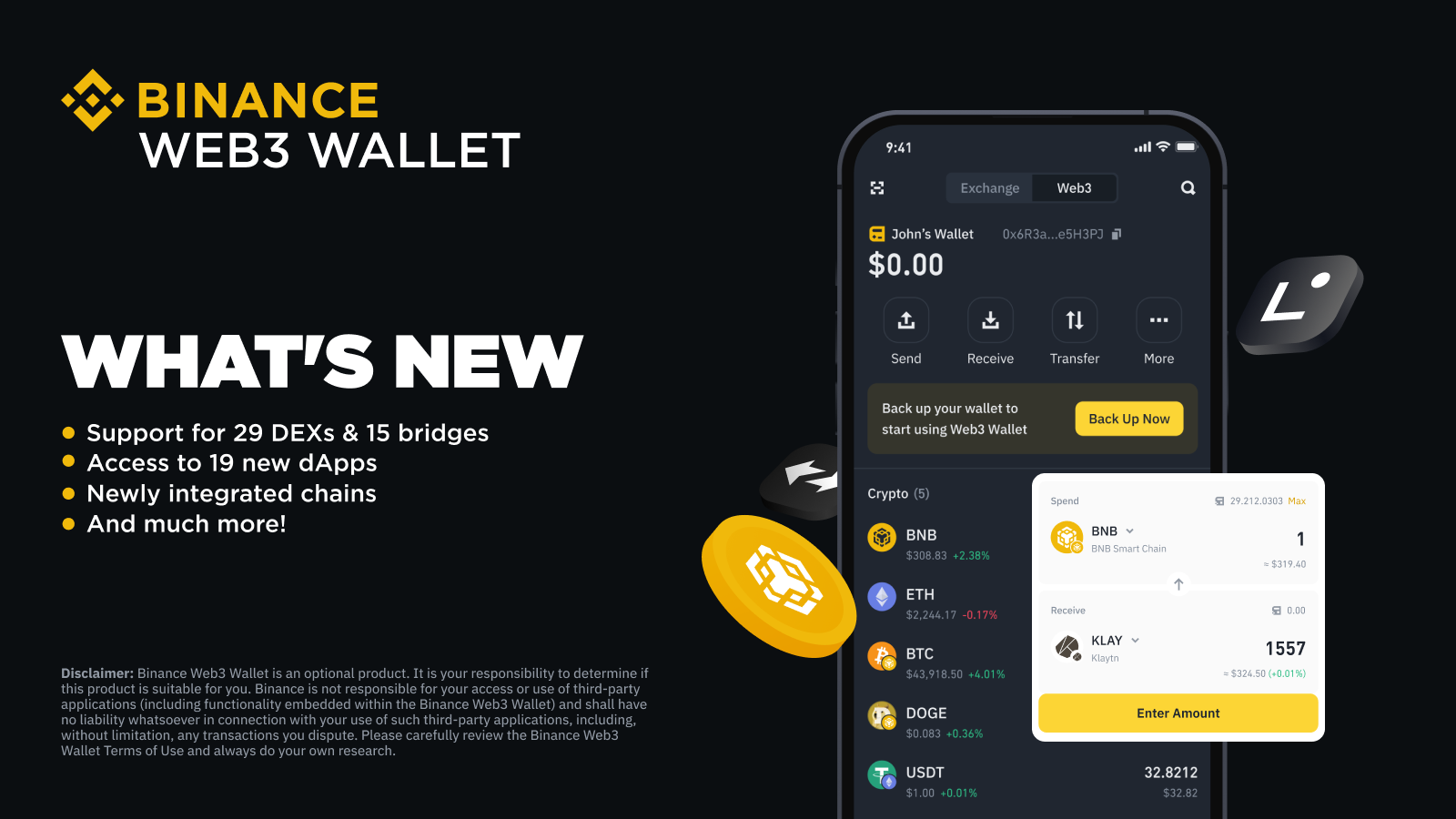
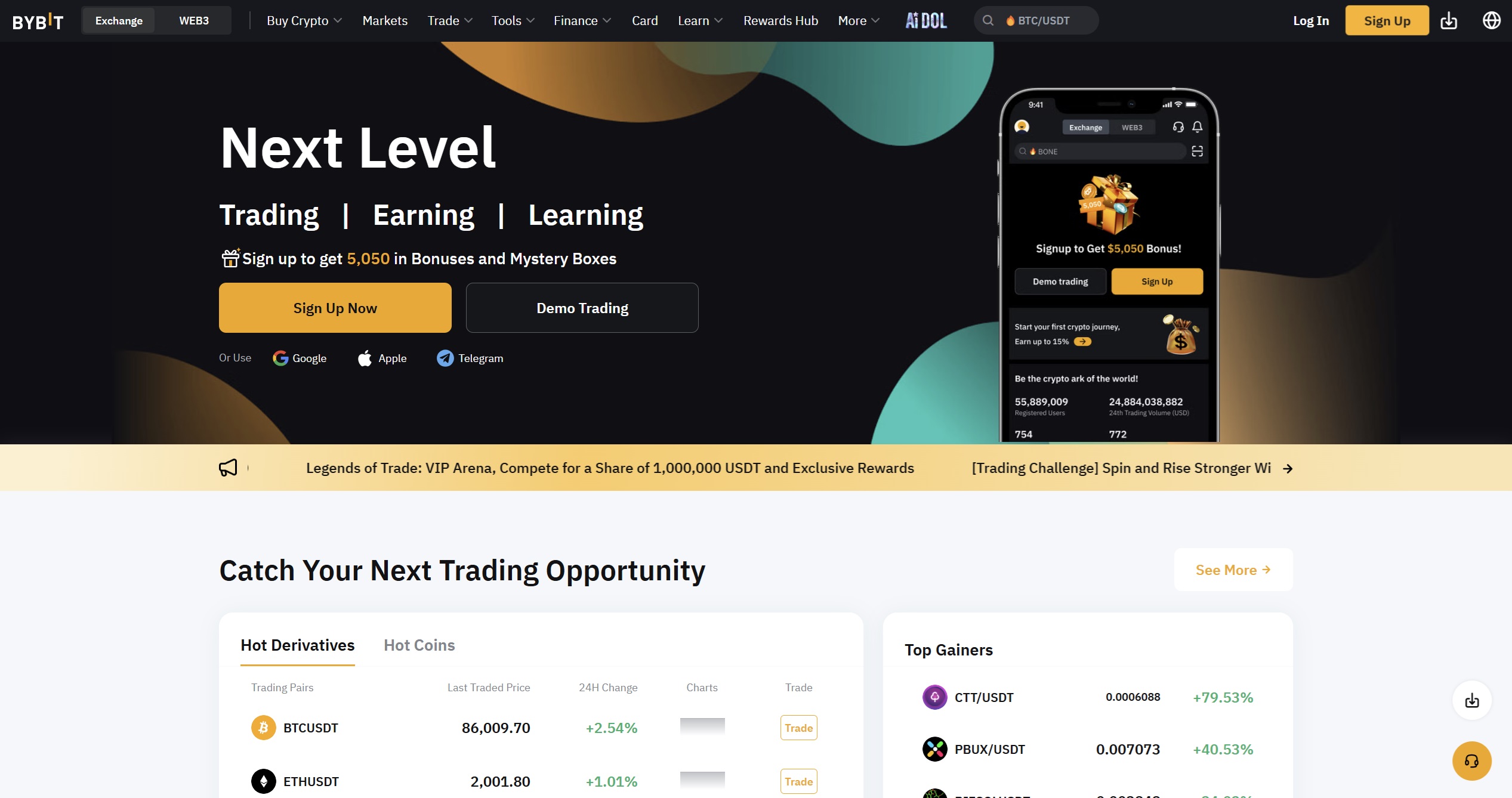
Pros: Cons: Best Wallet makes a strong case for being your go-to Polygon wallet. It offers a private, user-first experience with a bunch of useful features rolled into a single app, from token swaps to presale access. The mobile-only setup might not suit everyone, but if you’re comfortable on your phone and like keeping your coins (and your data) close, it’s a top-tier option for managing POL and beyond. Zengo flips the script on how wallets usually handle security. It ditches the whole “memorize-this-seed-phrase-or-else” routine and goes with a keyless setup using Multi-Party Computation (MPC). In plain English? Your keys are split up and encrypted, then tucked away in a combo of your face scan, cloud backup, and a recovery file. That means no seed phrase to lose, no single point of failure, and less chance of waking up in a cold sweat because you misplaced your crypto keys. If you’re holding Polygon’s POL token, Zengo makes it easy to send, receive, and manage your funds without fuss. The interface is clean and doesn’t bombard you with charts or lingo, so it works for both beginners and those who’ve been around the crypto block. That said, it’s not an all-in-one powerhouse. Zengo doesn’t have its own DEX aggregator or a built-in presales hub. So if you’re hunting for low-cap crypto gems or trading obscure tokens, you’ll have to plug into outside platforms via WalletConnect. Still, it offers plenty under the hood: 24/7 live chat support (yes, from actual humans), support for NFTs, and an impressive range of supported coins. It’s mobile-first, simple to use, and built with safety in mind, so it’s a solid pick if you value security without the stress. To know more about this wallet, read our comprehensive Zengo review for 2026. Pros: Cons: Zengo’s doing things differently, and that’s not a bad thing. It’s not for power users hunting obscure altcoins, but it’s a killer option for anyone who wants peace of mind, solid security, and a wallet that doesn’t feel like it was built in 2015. The Binance Wallet isn’t just tacked onto the Binance app, it’s a full-on DeFi command center. It gives you the keys to explore staking, NFTs, token presales, and cross-chain swaps, all without stepping outside the app. If you’re part of the Polygon crowd holding POL, this wallet plays especially nicely with your setup. It supports the Polygon network natively, which means you can send, stake, and interact with Polygon dApps with low fees and without having to constantly jump between platforms. Plus, the built-in Decentralized Exchange (DEX) aggregator makes swapping POL across other networks feel like a smooth slide instead of a puzzle. One of the wallet’s secret weapons is its access to Binance Launchpad and presales, often before the rest of the crypto world catches on. If you’re someone who likes getting in early on new projects, this gives you a definite edge, especially on chains like Polygon, BNB Chain, and Ethereum. Binance doesn’t cut corners security-wise. The web3 2allet is separated from your main Binance account, giving you more control over your assets, and yes, you control the keys. For details on the wallet, read our Binance Wallet review. To learn more about the exchange, check out our Binance Exchange review. Pros: Cons: The Binance Web3 Wallet is a solid option for POL holders who want speed, convenience, and a full suite of tools in one app. It’s user-controlled but still plugged into the broader Binance universe. If you’re okay with creating a Binance account and don’t mind a bit of centralization in exchange for powerful features, it’s a wallet worth checking out. Bybit Wallet is Bybit’s entry into the self-custody game, and it’s surprisingly good. It ditches seed phrases in favor of MPC (multi-party computation), meaning your keys are split, encrypted, and more secure by design. No scribbled recovery phrases. No cold sweat if you misplace a piece of paper. If you’re holding Polygon’s new POL token, this wallet makes things easy. It natively supports the Polygon network, so you can move, stake, and interact with dApps without constantly toggling between settings or paying ridiculous gas fees. The UI is beginner-friendly, but there’s plenty under the hood for experienced users too. What sets it apart? You’ve got a built-in DEX aggregator and access to early-stage token sales, Bybit launchpad, all inside the app. That means you can swap or discover new projects before they blow up, especially those launching on Polygon or BNB Chain. It’s fast, simple, and, thankfully, doesn’t send you off to a dozen different sites. And yes, while it’s tied to the Bybit ecosystem (so KYC is required), it operates like a standalone wallet. You stay in control of your assets while getting access to some of the perks of an exchange. If you want to know about the exchange, consider checking out our detailed Bybit exchange review. Pros: Cons: Bybit Wallet is a flexible, security-focused option for anyone looking to get more out of their POL tokens. It’s simple enough for casual holders, but powerful enough for DeFi hunters. Just be aware it lives within the Bybit ecosystem, so full decentralization purists might want to look elsewhere. If you’re serious about security, a cold wallet is your best bet for storing Polygon (POL). These offline wallets keep your private keys disconnected from the internet, making them ideal for long-term holding and protection against hacks. Whether you’re managing large holdings or just want extra peace of mind, cold storage is a smart move. The Ledger Flex is a reliable crypto wallet if your main concern is keeping your crypto where it belongs: under your control. It’s a cold storage hardware wallet, which means your private keys stay offline, safe from hackers, rogue exchanges, and random internet disasters. For anyone holding POL, it’s a rock-solid way to manage and secure their tokens on the Polygon network. The Ledger Flex connects with the Ledger Live app, which is kind of like your command center, for sending, receiving, and tracking POL without exposing your keys to the internet. Need to use a DEX like QuickSwap or access a presale? No problem. The Ledger Flex pairs with MetaMask or WalletConnect so you can interact with dApps while still keeping your private keys safely offline. It’s like browsing the web from behind a bulletproof glass window: you can click buttons, but nothing gets through unless you say so. Launched in 2024, Ledger Flex comes with a 2.3-inch touchscreen that makes it easier than ever to review and accept signature requests on the go. USB-C, Bluetooth, and NPC connectivity support allow this cold wallet to seamlessly connect with your laptop and smartphone. Know more about this stellar hardware wallet by reading our Ledger Stax Vs. Flex Reviews 2025: Features, Benefits, User Guide. Pros: Cons: The Ledger Flex is the go-to for people who don’t want to take chances with their crypto, especially long-term holders of POL. It’s not trying to be trendy or packed with bells and whistles. It just works. You get real ownership, serious security, and a straightforward interface without the fluff. The Trezor Safe 5 is like that ultra-reliable friend who never loses your stuff. It’s a hardware wallet built for serious peace of mind, especially if you’re holding assets like Polygon (POL). With support for over 8,000 cryptocurrencies, it’s perfect for people who dabble in more than just Bitcoin and ETH. For POL holders, Trezor Safe 5 brings strong offline protection with a few layers of armor. PIN codes, passphrases, and a Secure Element chip mean your private keys stay out of reach from hackers, snoops, or even accidental clicks. Your assets never touch the internet unless you say so. Trezor Safe 5 provides security as well as usability. The crypto wallet comes with a 1.54-inch touchscreen that displays a signature request. Meanwhile, the confirmation haptic feedback ensures that you never miss transaction notifications. Read more about it in our Trezor Safe 5 review. Pros: Cons: The Trezor Safe 5 is a great fit for anyone serious about keeping their crypto, especially POL, offline and away from risk. It’s secure, trustworthy, and doesn’t take a tech degree to use. If you want to sleep better at night knowing your assets are under lock and key, this wallet gets the job done. The ELLIPAL Titan 2.0 is basically a digital Fort Knox you can hold in your hand, except it doesn’t need Wi-Fi, Bluetooth, or even a USB cable to do its job. This thing is fully air-gapped, which means it’s totally sealed off from the internet. If you’re holding POL, big on security, and want to play in the world of NFTs and dApps, the Titan 2.0 has your back. What makes it unique? Instead of plugging into your computer or phone, it uses QR codes to sign transactions. Your private keys never touch anything online, ever. That’s a big win if you’re worried about hacks or phishing. For POL holders, that means you can safely store your tokens offline and still interact with DeFi apps on Polygon through the ELLIPAL mobile app. Want to hit a DEX like QuickSwap or join an IDO? You can do that too, right from the app, with the Titan handling secure approvals from the sidelines. It also has a built-in touchscreen, feels like a tank with its metal body, and if someone tries to mess with it? Boom, auto self-destruct (well, not literally, but it wipes itself clean). To know more about this wallet, check out our comprehensive ELLIPAL Titan 2.0 review. Pros: Cons: If you’re a POL holder who’s serious about keeping your assets (and NFTs) safe, the ELLIPAL Titan 2.0 is a strong choice. It’s air-gapped, secure, easy to use, and mobile-friendly. Sure, it’s not the cheapest wallet on the block, and it leans on the mobile app a bit, but for the peace of mind it offers, it’s a tradeoff many are happy to make. Trying to figure out the best wallet for your Polygon (POL) tokens? Whether you’re after rock-solid cold storage, mobile-friendly DeFi access, or presale alpha, this chart breaks down the top options, no fluff, just the features that actually matter. At the end of the day, the “best” wallet depends on how you use your crypto. If you want total control, go non-custodial. If you’re big on security, go cold. And if you want everything in one place? An exchange wallet might just do the trick.
While these wallets are perfect for POL token users, some crypto holders prefer wallets that support multiple blockchains. You can find those in our Best Crypto Wallets in 2026 roundup. Here’s a quick look at how we picked the best wallets for holding and managing your Polygon (POL) tokens: Polygon (POL) wallets are your control center for anything happening on the Polygon network. They let you hold, send, receive, and interact with POL. A good wallet also makes it easy to participate in Polygon staking—no hassle, just a few simple steps. As the network expands into a multichain ecosystem, POL isn’t just a token, it’s the glue that holds it all together. Whether you’re looking to stake, vote, or just move assets around, your wallet is where that all happens. A real Polygon wallet does more than just list POL as a supported token. It needs to recognize the Polygon network out of the box, connect easily to decentralized applications (dApps), and let you move assets without jumping through hoops or copying RPC settings from blog posts. Whether it’s a mobile app, browser extension, or cold storage device, what matters is that it understands the way Polygon operates, especially as it shifts toward POL. The better it speaks Polygon’s language, the smoother your experience will be. The right wallet isn’t just for storage, it’s how you actually use the network. You can send POL to friends, receive tokens from airdrops, connect to DeFi protocols, mint NFTs, and participate in staking. You might use it to bridge assets from Ethereum, track gas fees, or monitor your whole portfolio from one place. Some wallets also make it easier to discover new projects or dApps, which can be a game-changer if you’re active in the ecosystem. The basics should be effortless: sending, receiving, and swapping POL without friction. Beyond that, you want a wallet that doesn’t make you fight the interface just to do something simple. Good security is a must, whether it’s full control of your keys, local encryption, or support for hardware wallets. As POL becomes more central to staking and governance, having those features built in (or at least easy to access) will make a big difference in how much use you get out of your wallet. Short answer: no. The transition from MATIC to POL is designed to be smooth and backward-compatible, so most wallets that currently support MATIC will handle POL without breaking a sweat. That said, you’ll still want to keep an eye on whether your wallet is staying updated. The Polygon 2.0 upgrade is a big shift, and having a wallet that keeps pace means fewer surprises when the switch is official. There’s no one-size-fits-all. Some people prefer the convenience of a mobile app that connects instantly to dApps. Others go for hardware wallets for long-term storage and peace of mind. You’ve got browser extensions that integrate well with Web3, and you’ve got custodial options if you’re okay with someone else managing the keys. What you choose depends on how often you transact, how much you’re holding, and how hands-on you want to be with your security. Safety depends less on the brand and more on how you use it. If you control your keys and follow basic security steps, like backing up your recovery phrase and using 2FA, you’re in a good spot. Hardware wallets add another layer of protection, keeping keys offline. Custodial wallets are easier to use but require a lot more trust. At the end of the day, the safest wallet is one that matches your habits and doesn’t leave you exposed due to oversight or convenience. Not all wallets are created equal when it comes to safely storing your POL tokens. The best Polygon wallets go beyond just holding assets; they make your crypto life easier, more secure, and tailored to how you actually use Web3. Below, we break down exactly what to consider before picking one. Before locking in a wallet for your POL tokens, you’ll want to make sure it plays nicely with the Polygon network right out of the gate. That means it should recognize POL automatically, let you send and receive tokens without jumping through hoops, and connect with dApps built on Polygon, no custom network settings, no RPC copy-pasting, and definitely no guesswork. Some wallets brag about multi-chain support but fall short when it comes to real Polygon integration. A solid option should not only detect Polygon without you lifting a finger but also make chain-switching between networks like Ethereum or BNB Smart Chain feel smooth and effortless. As Polygon 2.0 expands with new chains and features, having a wallet that can adapt without needing a PhD in blockchain is going to save you a lot of headaches. Let’s be honest: fancy features don’t mean a thing if your wallet’s about as secure as a screen door on a submarine. Whether you’re holding POL for the long haul or moving tokens around often, security needs to be rock solid. You want full control, meaning your private keys never leave your hands. Look for wallets with local key encryption, optional biometrics (think Face ID or fingerprint), and strong recovery options. If you’re using a mobile wallet, secure cloud backups can be a lifesaver, just make sure they’re encrypted. And if you’re extra cautious (or just really into being your own bank), go for one that pairs easily with hardware wallets like Ledger or Trezor. Because let’s face it: even the sleekest app won’t help if it can’t keep your funds safe. A wallet might support every token under the sun, but if using it feels like solving a Rubik’s Cube blindfolded, it’s not going to be fun. The best wallets keep things simple. You should be able to send and receive POL, check balances, and connect to dApps without clicking through five different menus or watching a YouTube tutorial. Whether you’re on desktop, mobile, or using a browser extension, the experience should feel natural, even if it’s your first time. Bonus points if the wallet supports local payment methods like Interac e-Transfer or Apple Pay to make buying POL easier for Canadians and others dealing in fiat. Polygon’s a hotbed for DeFi, NFTs, and all things Web3, so your wallet should do more than just store tokens, it should be your portal into that ecosystem. At the very least, you want one that connects instantly to Polygon-based dApps without you jumping through a million WalletConnect pop-ups. Some wallets even come with their own built-in dApp browser, which makes launching DeFi tools, NFT marketplaces, and blockchain games feel more like using an app than hacking a server. Whether you’re staking, minting, farming, or flipping tokens, native dApp support can make your life a whole lot easier. Let’s be real: most of us aren’t just holding POL to admire it, we want it to work for us. That’s where in-wallet staking and swapping come in. A wallet with built-in swaps means you can trade POL without leaving the app or risking sketchy DEX interfaces. Even better if you can stake directly, earn yield, or delegate your tokens to validators with just a few taps. With the shift from MATIC to POL, wallets that support these features out of the box will help you stay ahead without jumping between platforms or navigating confusing third-party tools. Nobody likes surprise charges, especially when it comes to crypto. A decent wallet should be upfront about all fees: gas, slippage, conversion rates, and any sneaky provider markups. Thinking of buying POL with fiat? You should know exactly who’s handling your payment, how long it’ll take, and what you’re being charged. On-chain? Let me pick my gas settings, thank you very much. Whether you want the fastest speed or the cheapest route, control matters, and wallets that hide this info are a no-go. Crypto moves fast, and your wallet shouldn’t feel like it’s stuck in 2021. The best ones release updates often, adapt to protocol upgrades, and patch bugs quickly. Look for changelogs and developer activity, because if no one’s home on the dev side, you’re gambling with your security. Also, if something goes wrong (and let’s be honest, it happens), support shouldn’t feel like shouting into the void. Whether it’s live chat, a helpful knowledge base, or an active community channel, good support turns tech hiccups into minor speed bumps instead of deal-breakers. Setting up your POL wallet is simple, no matter which wallet you choose. In this example, we’re using Best Wallet, a beginner-friendly option that makes getting started with Polygon (POL) easy and hassle-free. There’s no paperwork, no intermediaries, and no complicated steps. Best Wallet is a privacy-first, non-custodial mobile app that gives you full control over your crypto. It supports more than 60 blockchains, including Polygon, and lets you trade, stake, and move between fiat and crypto, all without ever needing to verify your identity. Start by heading to the App Store or Google Play, depending on your device. Download Best Wallet like you would any other app. No personal info is needed upfront, just install it and you’re good to go. Once you open the app, you’ll be prompted to create a new wallet. Enter your email, wait for the verification code to land in your inbox, and plug it back into the app. Then, set up your PIN—this is your daily access key. Want an extra layer of protection? If your phone supports biometrics, like fingerprint or face unlock, you can also turn on biometrics. This is a critical step; don’t skip it. You’ll be shown a 12-word recovery phrase. Think of it as the only key to your vault. If you ever lose your phone, this phrase is how you get your funds back. Write it down and store it somewhere offline and safe. Don’t take a screenshot. Don’t email it to yourself. Treat it like your digital safety net. To get POL into your wallet, go to the ‘Receive’ section and choose the Polygon network. You’ll see your wallet address and a QR code. You can use that to transfer POL from another wallet or exchange. If you’re starting from scratch and want to buy POL directly, jump to the ‘Trade’ section. Hit ‘Buy,’ pick POL, type in how much you want, and follow the instructions to pay using whatever method works best for you, credit card, Apple Pay, bank transfer, etc. Now that your wallet is set up and loaded with POL, you’re ready to explore what Best Wallet can actually do. You can trade POL for other tokens using the built-in DEX aggregator, earn staking rewards through the staking dashboard, or connect to dApps with WalletConnect, all without ever leaving the app. It’s designed to be smooth, so everything you need is a few taps away. Once it’s up and running, your Best Wallet becomes a control hub for everything you want to do with POL, no custodians, no data harvesting, and no nonsense. Just you, your assets, and the tools to manage them on your terms. If you’re someone who’s always on the move and loves using your mobile device to explore decentralized applications, then a software wallet like Best Wallet or Zengo might be right up your alley. These cryptocurrency wallets give you easy access to your digital assets, let you swap Matic tokens, interact with smart contracts, and explore polygon NFTs, all from your phone. No KYC, no waiting, and no handing over your personal info. Just fast, smooth access to the Matic network and your crypto assets. Prefer to keep things extra secure? That’s where hardware wallets like the Ledger Flex or Trezor Safe 5 come in. These are great for people who want to store POL offline, away from any online risks. They work with desktop devices, pair with tools like MetaMask Wallet, and support everything from the Ethereum blockchain to the Polygon staking ecosystem. If you’re holding a lot of POL coins or want long-term storage, this is a solid way to lock them down. And don’t forget the other options, like Trust Wallet, Coinbase Wallet, OKX Wallet, and other most popular hardware wallets, which offer a mix of advanced security measures, customer support, and support for both ios devices and desktop wallets. Bottom line: look for a type of wallet that fits your lifestyle, whether you’re deep into crypto, just starting out, or somewhere in between. The good ones will support the Ethereum Virtual Machine, work across blockchain networks, and give you full control of your crypto assets, with options like ledger wallets, paper wallets, and even fingerprint scanners for extra peace of mind. See Also: If you’re holding POL, you’re not short on solid wallet options. Best Wallet, MetaMask, Trust Wallet, Ledger Flex, Trezor Safe 5, and the Crypto.com DeFi Wallet all support it. Each one comes with its own strengths, some lean into mobile simplicity, others into deep security or staking features. It really comes down to how you like to manage your crypto. Nope, there’s no “one wallet to rule them all” when it comes to Polygon. That said, MetaMask is often recommended by the Polygon team and is widely used in the ecosystem. Best Wallet is also gaining attention for being mobile-first and especially smooth with everything Polygon-related. If you’re just getting started, you’ll want something that doesn’t feel like you need a PhD in blockchain. Best Wallet, Trust Wallet, and MetaMask Mobile are solid picks. They make it easy to set up, send or receive tokens, and even swap right in the app, without burying you in advanced settings. Yes, staking POL is totally possible. Best Wallet supports it directly, and if you’re using something like Ledger, you can stake via platforms like Lido or Stader. Some wallets offer built-in staking options, while others let you connect to staking dApps. For the most part, yes. Software wallets like Best Wallet, MetaMask, and Trust Wallet are free to download and use. The only costs you’ll run into are network fees when sending tokens or interacting with dApps, those go to the network, not the wallet provider. If you’re in the hardware camp, you’ve got good choices. Ledger Flex, Trezor Safe 5, and the ELLIPAL Titan 2.0 all support Polygon. You can also use them with dApps via MetaMask or WalletConnect for that extra layer of cold-storage protection. Absolutely. Wallets like MetaMask, Trust Wallet, and Best Wallet support NFTs on the Polygon network. You can view them, manage them, and sometimes even trade them, all from inside your wallet or through connected marketplaces. If you’re managing tokens across different networks, you’ll want something flexible. Best Wallet, MetaMask, Trust Wallet, and ELLIPAL Titan 2.0 all support multiple blockchains, including Ethereum, BNB Chain, Avalanche, and more. One app, many chains. Makes life easier. This one’s important. If you’re using a non-custodial wallet like Best Wallet or MetaMask, your recovery phrase is everything. Lose your phone? No problem, if you have your seed phrase backed up. Lose the phrase too? Unfortunately, there’s no reset button. It’s mostly about what network you’re connected to. Since Polygon is built as an Ethereum Layer 2, most Ethereum wallets double as Polygon wallets; you just switch the network. Polygon transactions are faster and cheaper, but it’s still the same token standards under the hood. Established in 2013, 99Bitcoin’s team members have been crypto experts since Bitcoin’s Early days. Weekly Research Monthly readers Expert contributors Crypto Projects Reviewed
Install the App
Download Best Wallet from the official site or app store.
Create Your Wallet
Follow the prompts, back up your recovery phrase, and lock it down.
Turn On Security
Set a strong passcode and enable biometrics or 2FA.
Add Polygon Network
If it’s not already there, add the Polygon chain to your wallet.
Receive POL
Go to “Receive,” select POL, and copy or scan your wallet address.
Send POL
Head to “Send,” fill in the destination address, and hit confirm.
Swap POL
Tap “Swap,” select tokens, and let the DEX aggregator do its thing.
Track Your Assets
Check your balance and history anytime under your portfolio tab.
Best Wallet Pros & Cons
2. Zengo: Multi-Chain Wallet Supporting Polygon
What Makes Zengo Unique?
Zengo Wallet Pros & Cons
3. Binance Wallet: Most Secure Custodial Wallet to Store POL
Why is Binance Wallet Popular?
Binance Wallet Pros & Cons
4. ByBit Wallet: Top Exchange Wallet to Store POL Tokens
What Makes Bybit Wallet Stand Out?
ByBit Wallet Pros & Cons
Best Cold Wallets for Polygon (POL)
5. Ledger Flex: Best Hardware Wallet for Polygon

Ledger Flex Features
Ledger Flex Pros & Cons
6. Trezor Safe 5: Top Hardware Wallet for Storing POL

What Makes Trezor Safe 5 Unique?
Trezor Safe 5 Pros & Cons
7. ELLIPAL Titan 2.0: Best POL Wallet for NFTs
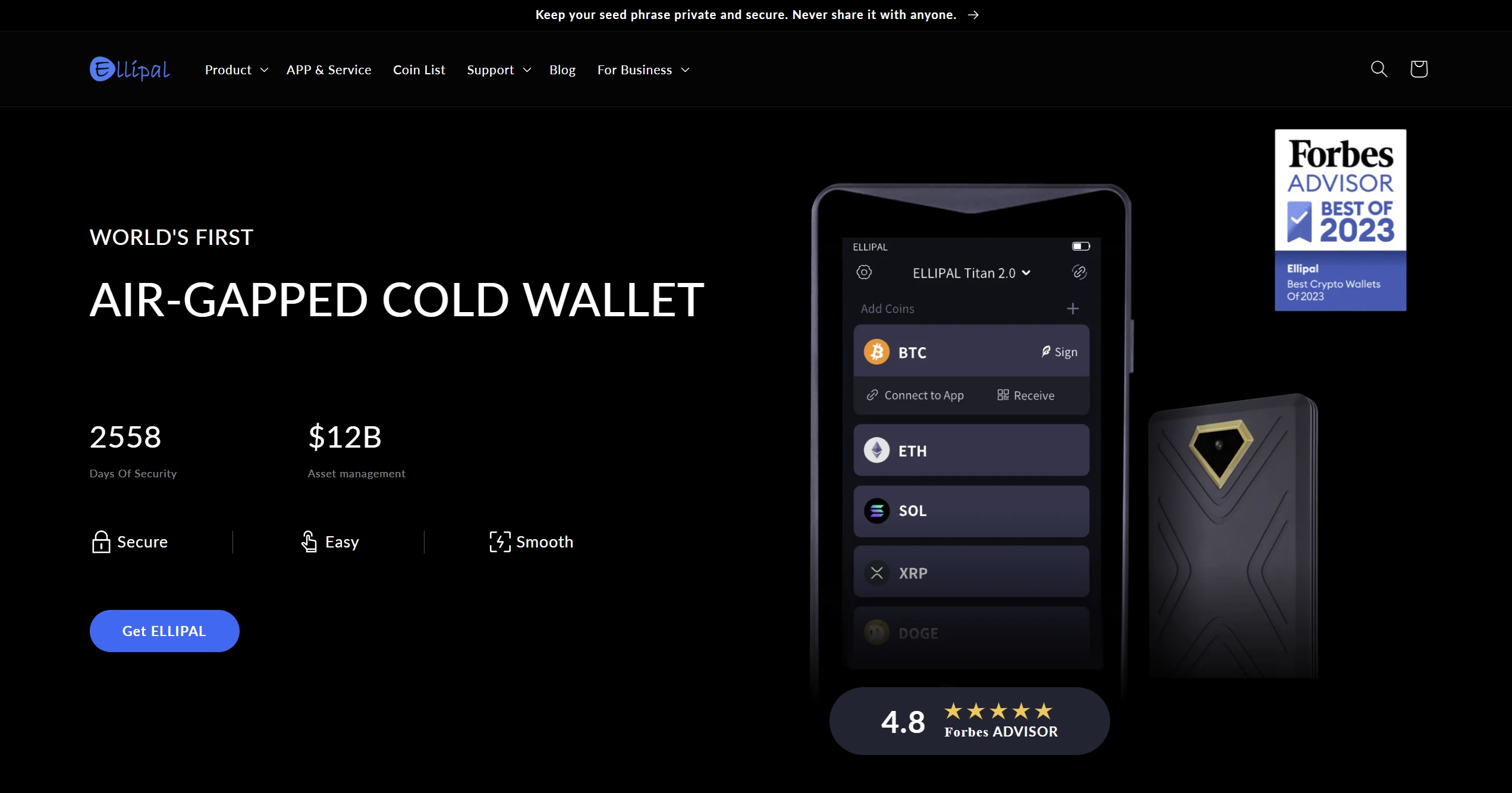
Why ELLIPAL Titan 2.0 is a Popular Hardware Wallet?
ELLIPAL Titan 2.0 Pros & Cons
Best Polygon Wallets’ Comparison
Wallet Name
Type
Custody
KYC Required
DEX Aggregator
Presale Access
NFT Support
Chain Support
Unique Security Feature
Mobile/Desktop
Price
Key Downsides
Best Wallet
Mobile Software
Non-custodial
❌
✅
✅
❌
60+ chains incl. POL
Biometric + 2FA + Encrypted local key storage
Mobile-only
Free
No desktop access, no fiat on-ramp, slight learning curve
Zengo
Mobile Software
Non-custodial
❌
✅ (basic)
❌
✅
380+ coins
MPC + 3FA (email, FaceID, recovery file)
Mobile-only
Free/$ (Pro)
No desktop version, paywalled features, no Solana/Cardano
Binance Wallet
Exchange Wallet
Self-custody
✅
✅
✅
✅
Multi-chain incl. POL
MPC + separate Web3 wallet from main account
Mobile-only
Free
Requires Binance account, limited decentralization
Bybit Wallet
Exchange Wallet
Self-custody
✅
✅
✅
❌
Multi-chain incl. POL
MPC with no seed phrase
Mobile-only
Free
KYC required, no desktop version, not fully decentralized
Ledger Flex
Hardware Wallet
Non-custodial
❌
❌ (via dApps)
❌
✅
5,500+ assets incl. POL
Touchscreen, Secure Element Chip + offline storage
Desktop/Mobile
$249
Expensive compared to other hardware devices, not suited for beginners
Trezor Safe 5
Hardware Wallet
Non-custodial
❌
❌ (via dApps)
❌
❌ (via dApps)
8,000+ assets incl. POL
Touchscreen, haptic feedback, Secure Element + Shamir Backup
Desktop-only
$169
No Bluetooth and NPC connectivity
ELLIPAL Titan 2.0
Hardware Wallet
Non-custodial
❌
❌ (via app)
✅ (via app)
✅
10,000+ assets
Air-gapped + QR-based signing + Self-destruct
Mobile via app
$$$ (~>$150)
Needs mobile app, no wireless, higher price point
Looking for a Multi-Chain Wallet Beyond Polygon?
How We Ranked the Top Polygon Wallets (Methodology)
What Are Polygon (POL) Wallets?
What Can You Do With a Polygon Wallet?
Key Features to Look for in a Polygon Wallet
MATIC to POL Migration: Do You Need a New Wallet?
Types of Polygon (POL) Wallets
Are Polygon Wallets Safe?
How to Select the Best Polygon Wallets?
Polygon Network Compatibility
Strong Security Features
User Interface and Accessibility
dApp and DeFi Integration
Support for Staking and Swapping POL

Transparent Fees and Control
Regular Updates and Active Support
How to Set Up a POL Wallet?
Step 1: Download and Install Best Wallet
Step 2: Create Your Wallet
Step 3: Secure Your Wallet
Step 4: Add POL Tokens to Your Wallet
Step 5: Checkout Additional Wallet Features
Conclusion: Top Polygon Wallets
References
FAQs
What are some best wallets for storing Polygon (POL)?

Is there an official wallet for Polygon?
Which Polygon wallets are best for beginners?
Can I stake POL using a Polygon wallet?
Are Polygon wallets free to use?
Which hardware wallets support Polygon (POL)?
Can I store NFTs on a Polygon wallet?
Which Polygon wallets have multi-chain support?
How do I recover my Polygon wallet if I lose access?
What is the difference between a Polygon wallet and an Ethereum wallet?

Why you can trust 99Bitcoins