




In This Article
Tangem is a hardware wallet that supports native staking on Tron, Cosmos, Solana, Binance Smart Chain, and Polygon (on ETH). This is a non-custodial wallet, meaning that its users will have full control over their private keys. Tangem staking includes delegating your tokens to a validator and entering the amount you wish to stake. You can stake multiple cryptocurrencies simultaneously; however, you will be limited to one validator per transaction.
In this guide, we will show you how Tangem staking works and discuss its staking terms and rewards. We will also list the main benefits and risks of staking crypto on Tangem to help you make an informed decision.
Key Takeaways
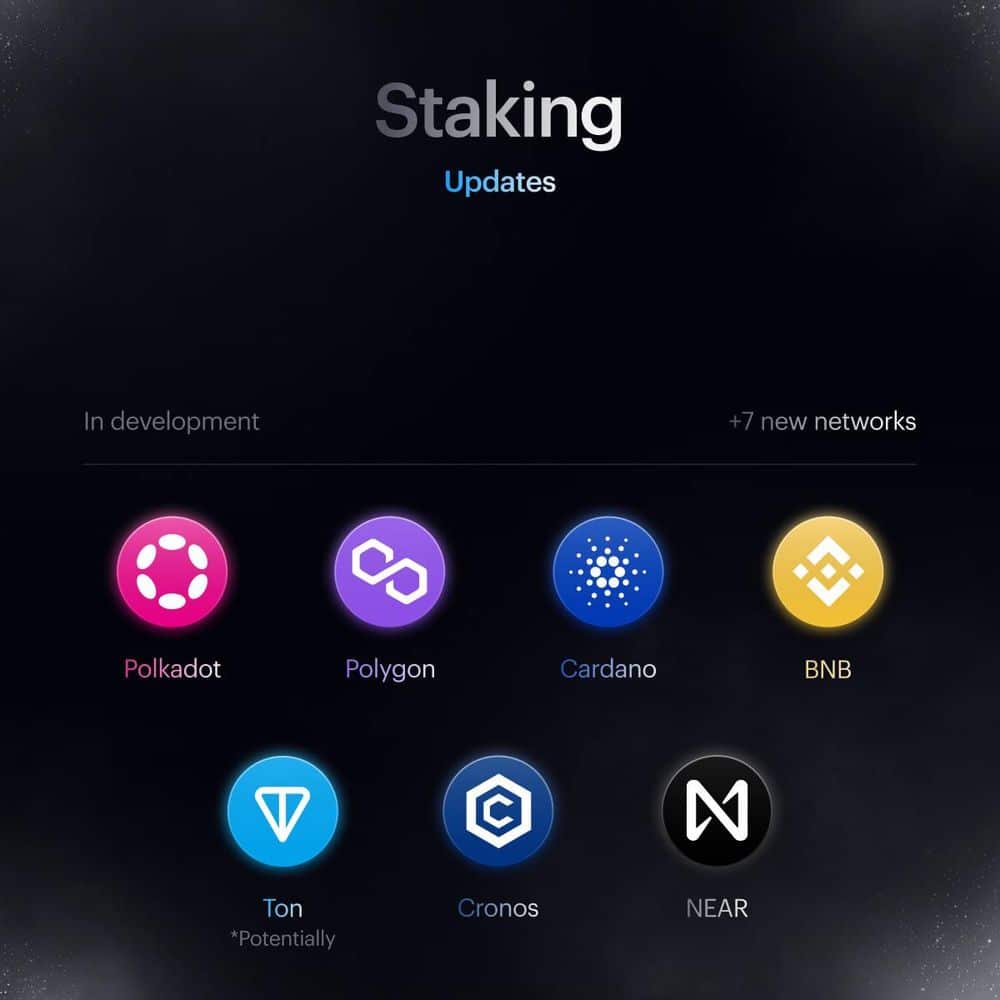
- Tangem is a non-custodial hardware wallet enabling its users to stake Tron, Cosmos, Solana, Binance Smart Chain, and Polygon (on ETH), with plans to add Cronos, Cardano, Polkadot, Avalanche, Kava, Tezos, and Near.
- Users can stake multiple cryptocurrencies simultaneously, but are limited to one validator per transaction.
- Supports liquid staking for Solana and EVM networks such as Arbitrum, Avalanche C-Chain, Base, BNB Smart Chain, Cronos, Ethereum, Manta Pacific, and Polygon.
- Staking process involves downloading the Tangem Wallet app, selecting a crypto to stake, and entering the stake amount, with automatic validator recommendations.
- Recently introduced a new validator for Solana staking, offering a competitive APR of 7.35%.
How Does Staking on Tangem Wallet Work?
Tangem Wallet is one of the best hardware wallets and stands out for its credit card design and NFC technology. This cold wallet also uses the EAL6+ security standard to provide the highest level of protection. That said, the staking process includes:
You will be able to stake multiple cryptocurrencies simultaneously. However, you won’t be able to delegate your staked tokens to multiple validators. The minimum staking requirement will depend on the chosen network. For example, the minimum staking requirement for Tron is 1 TRX. You will also be able to participate in governance. However, it does not come directly from the Tangem app.
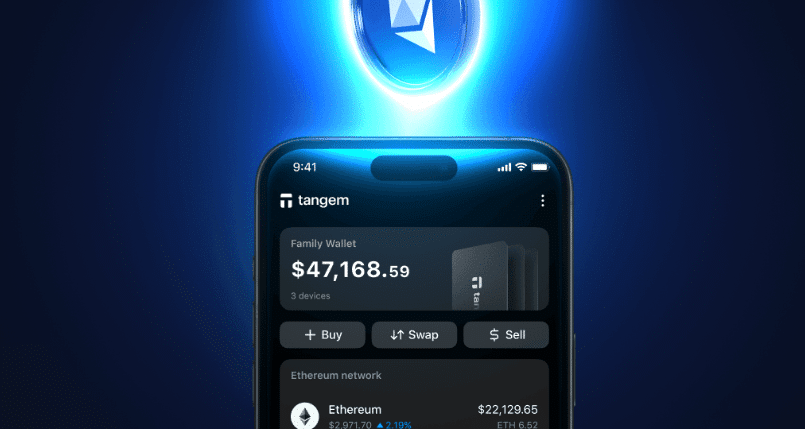
To maximize your potential rewards and reduce the risk of slashing, choose validators with a high uptime (close to 100%) and a good track record. Tangem users can participate in liquid staking, currently available for the Solana and EVM networks.
We recommend reading our detailed Tangem Wallet review before proceeding.
What Cryptocurrencies Can You Stake on Tangem?
Tangem wallet supports 81 blockchains. However, at the time of writing, you can only stake Solana, Tron, Polygon (on ETH), Binance Smart Chain, and Cosmos. According to Tangem’s roadmap, more networks will be added soon, including Cardano staking and Tezos staking alongside Polkadot, Avalanche, Kava, Near, and Cronos staking.
Tangem Staking Rates
The Tangem staking rates will be based on validator performance, staked amount, network conditions, and the current APR of the token you stake. Tangem doesn’t charge staking fees. However, the network on which you stake your tokens may charge fees for certain actions, such as delegation and unstaking.
Staking rewards on Tangem are generally variable and may fluctuate over time. You will be able to compound your rewards by restaking them. This process will be automatic sometimes, while you must manually restake your rewards in others.
How Do Tangem’s Staking Rewards Work?
The Tangem staking rewards are generally variable, meaning they will change over time. The staking rewards will be based on the staked amount and overall network and validator performance.
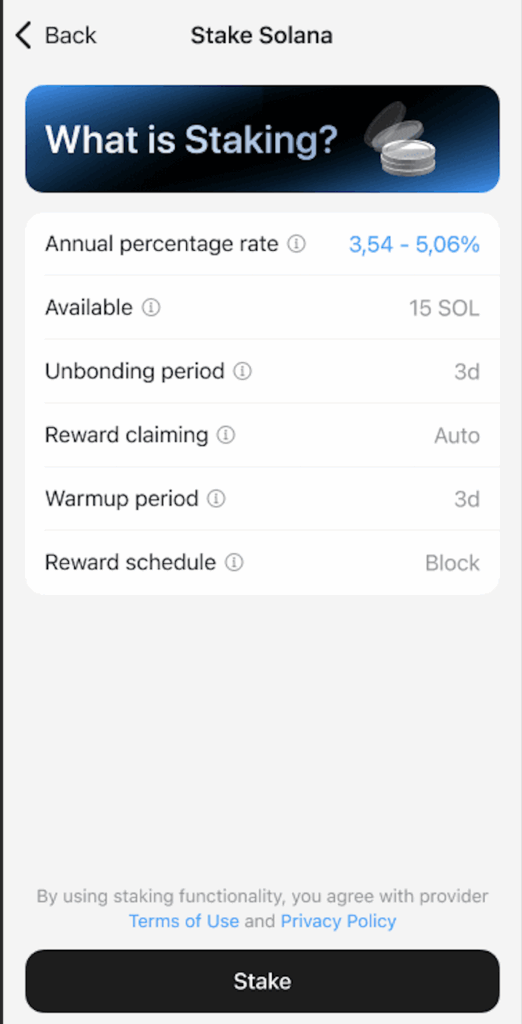
The time required to earn staking rewards will depend on the chosen network. Some networks will generate staking rewards in a few hours, while others will take several days. For example, Solana distributes its staking rewards per epoch, which lasts between 2 and 4 days.
As mentioned, some networks will automatically distribute their staking rewards, while others will require users to manually claim them. For example, if you stake Polygon, Solana, and Tron, you will have to claim your rewards manually, that is, by unstaking your tokens.
The Tangem wallet will automatically recommend the most profitable validator, and you can track and compound your staking rewards directly from the app.
How Competitive is Tangem Staking APY?
Tangem will estimate the expected rewards based on the current APR of the token you stake. If you compare Tangem’s APR with the APR of its competitors, Ledger and Trezor, you will notice that Tangem offers the most competitive APR for Solana staking.
For example, the current APR on Solana stands at around 5% (minus the validators’ commission rate) on Ledger and around 7% on Trezor.
For a better comparison, also visit our Ledger staking and Trezor staking reviews.
Tangem recently introduced a new Tangem validator for Solana staking, offering an APR of 7.35%.
On the other hand, staking Solana on centralized exchanges (CEX), like Kraken and Binance, comes with variable and fixed staking terms. The current APR for Solana staking on Binance ranges between 1.59% and 5.64%, while on Kraken, this figure varies between 6% and 12%. Kraken will also charge a commission fee that varies between 14% and 26%, depending on the staked amount.
Read more details about Kraken staking in our separate article. Below you will find a comparison table to understand the APRs better.
| Solana APR | Reward distribution | |
| Tangem | 7.35% | Staking rewards will be distributed per epoch (every 2-3 days) |
| Ledger | 5% | Staking rewards will be distributed every 2-3 days |
| Trezor | 7% | Staking rewards will be distributed per epoch (every 2-3 days) |
| Binance | 1.59% ~ 5.64% | Staking rewards will be distributed per epoch (every 2-3 days) |
| Kraken | 6%-12% | Staking rewards will be distributed every week |
Is Staking on Tangem Safe?
The Tangem Wallet is a non-custodial wallet, which makes the staking process safe since you will have full control over your private keys. Your private keys will be stored on your Tangem card, meaning that no one but you can access them. The private key will be generated once you activate your card. You can also create a seed phrase based on the BIP39 seed phrase standard.
The Tangem wallet is audited by two companies – Kudelski Security and Riscure, and it uses the EAL6+ security standard to provide an extra layer of protection. However, staking on Tangem comes with certain risks that you should be aware of.
- Slashing Risks – If validators misbehave, they will be slashed. This means that they will lose a portion of their staking rewards. Tangem’s native staking provider, StakeKit, will cover all losses related to slashing and node downtimes. This means that your initial stake will be unaffected.
- Losing the Cards – Tangem wallet includes 2 or 3 physical cards storing your private keys. However, if you lose all three cards, you won’t be able to regain access to your funds. This is why you should create a seed phrase during the initial setup.
How to Stake on Tangem: Step-by-Step Guide
The process of staking on Tangem includes:
-
Open the Tangem Wallet App
Launch the Tangem Wallet app and log into your wallet.
-
Select the Crypto to Stake
Choose the cryptocurrency you want to stake. At the time of writing, supported options include TRX, ATOM, SOL, BNB, and POL (on Ethereum).
-
Tap the Stake Button
Press the “Stake” button to start the staking process.
-
Review Staking Terms
Read the staking terms, including estimated APR, unbonding period, and reward schedule. Click the “Stake” button to proceed.
-
Enter the Amount to Stake
Input the amount you wish to stake (or its dollar equivalent) and click “Next.”
-
Select a Validator
Tangem will automatically suggest the most profitable validator, but you can choose any validator from the list. After selecting, tap “Continue.”
-
Confirm Staking Transaction
Click the “Stake” button to proceed with the transaction.
-
Sign the Transaction
Enter your access code or use your biometric ID to sign the transaction.
-
Close the Process
Tap the “Close” button once staking is complete.
How to Claim Staking Rewards on Tangem?
Here’s a step-by-step guide on how you can claim your staking rewards with Tangem.
Here is how to claim staking rewards on Tangem:
-
Open the Tangem Wallet App
Launch the Tangem Wallet app on your device.
-
Navigate to the Staked Token Page
Go to the page for the token you have staked.
-
Click on the Native Staking Bar
Tap the “Native staking” bar to access staking options.
-
Tap on the Rewards Button
Press the “Rewards” button to view your available rewards.
-
Claim Your Rewards
Tap the “Claim rewards” button to initiate the claiming process.
-
Sign the Transaction
Enter your access code or use biometric ID to sign and confirm the transaction.
Staking Alternative to Tangem – Best Wallet
Tangem’s strength lies in its hardware-level security, making it a solid choice for cold storage and limited native staking. However, for users who want a wider selection of assets, higher yields, and built-in DeFi access, Best Wallet is the stronger alternative in 2026.
Unlike Tangem, which currently supports staking on just five networks, Best Wallet integrates 60+ blockchains and uses a staking aggregator to find the best available APYs across validators. That means you’re never locked to a single validator choice or capped on yield potential. For everyday stakers who value both yield and flexibility, Best Wallet edges ahead as the #1 wallet for staking in 2026.
Best Wallet Key Features
- Highest APYs
- Fast and secure staking
- Built-in token swaps
- Feature-rich mobile interface
Best Wallet is also mobile-first and self-custodial, giving you the same security benefits as Tangem without needing to safeguard physical cards. On top of staking, it adds features like token swaps, early crypto presale access, and a launchpad, making it a complete ecosystem for investors who want to grow and actively use their crypto. Users can also buy the $BEST token for added perks. See our complete Best Wallet review 2026 for more details
Did You Know?
Tangem offers secure staking with hardware-level protection, but its supported assets are still limited. For broader choices and higher yields, see our Best Crypto Staking Coins guide and our Best Crypto Staking Platforms article to expand your staking strategy.
How to Unstake Tokens in Tangem Wallet?
Let’s go over the process of unstaking tokens on Tangem:
-
Open the Tangem Wallet App
Open the Tangem app and log in to your account.
-
Select Your Staked Cryptocurrency
Choose the cryptocurrency you have staked.
-
Open Native Staking Options
When the pop-up window appears, click on the “Native staking” button.
-
Choose a Validator
Select a validator from the “Your Stakes” section. Note: You cannot select a validator if the warm-up period is still active (applies to SOL only).
-
Click Unstake
Press the “Unstake” button to start the process.
-
Sign the Transaction
Enter your access code or use biometric ID to sign and confirm the transaction.
-
Withdraw After Unbonding
Once the unbonding period ends, click the “Unstake” button under the “Your Stakes” section, tap “Withdraw,” and scan your card to sign the transaction.
Pros & Cons of Tangem Staking
Tangem wallet staking comes with numerous benefits and a few risks. The Tangem app has a user-friendly interface that facilitates the staking process. For example, Tangem will automatically recommend the most profitable validators. You will also find detailed information about the validators, including their uptime, APY, and commission rates.
In addition, you can use WalletConnect to connect your crypto wallet to different dApps to stake your assets while maintaining liquidity. Tangem incorporates EAL6+ certified chips to provide an extra layer of protection.
On the other hand, the Tangem app doesn’t support direct participation in governance. You won’t be able to use the app to participate in governance activities. You will have to use external platforms instead. You will also need to give permission to stake POL, which incurs a small network fee.
Pros
-
User-friendly interface
-
Supports native and liquid staking
-
Uses the EAL6+ security standard
Cons
-
The Tangem app doesn’t support direct participation in governance
-
Users can stake only five digital assets
-
Staking POL requires network permissions
Conclusion: Is Tangem Staking Worth It?
Tangem wallet staking will enable Tron, Cosmos, Solana, Binance Smart Chain, and Polygon holders to earn rewards by delegating their tokens to validators. To begin the staking process, you will have to open the Tangem app, choose TRX, ATOM, SOL, BNB, or POL, enter the amount you wish to stake, and select a validator.
The Tangem app will allow you to stake multiple cryptocurrencies simultaneously. However, you can only delegate your tokens to one validator, and you won’t be able to use the Tangem app to participate in governance. So, it’s definitely worth a try if you have made up your mind to stake the coins that Tangem supports.
DISCOVER:
- Crypto Exchange Promos & Discounts
- Crypto Wallet Promos & Discounts
- Uniswap Staking
- Gemini Staking Review 2026: Pros & Cons
- Bitvavo Staking Review 2026: Features & Rewards
FAQs
How are the staking rewards claimed in Tangem wallet?

You can claim the staking rewards once the unbonding period ends. To do that, you will have to open the Tangem wallet app, click on the ‘Rewards’ and ‘Claim’ rewards button, enter your access code/biometric ID, and sign the transaction.
Are there any fees for staking with Tangem wallet?
No, Tangem doesn’t charge staking fees. However, some networks will require you to pay transaction fees for delegation and reward claiming.
Can I unstake my tokens on Tangem wallet at any time?
Yes, you will be able to unstake your tokens whenever you want. However, you won’t be able to withdraw your tokens until the unbonding process is finished. The unbonding period will vary depending on the network.
Is staking on Tangem trustworthy?
Yes, staking on Tangem is trustworthy, thanks to its native staking provider, StakeKit. It enables Tangem users to stake cryptocurrencies directly from the Tangem app and protects against slashing penalties.
Can I track my staking rewards in Tangem wallet?
Yes, you can track and manage your staking rewards in the Tangem app by opening the Rewards section. The Rewards section will display the amount of rewards generated by each validator.
Is staking Solana on Tangem safe?
Yes, staking SOL on Tangem is safe since this wallet incorporates EAL6+ certified security standards to protect the digital assets and private keys of its users. The Tangem wallet is also audited by Riscure and Kudelski Security.
Is Tangem legit?
Yes, Tangem is a legitimate company based in Zug, Switzerland. Tangem also maintains branches in North America, Eastern Europe, and APAC.
References
- Tangem. “How to Stake Cryptocurrency in Tangem Wallet.” Tangem Blog. https://tangem.com/en/blog/post/how-to-stake-cryptocurrency/
- Tangem. “Help Center | Staking.” Tangem Help Center. https://tangem.com/en/help-center/staking/
- Binance Academy. “What Is Staking in Crypto?” Binance Academy. https://academy.binance.com/en/articles/what-is-staking
- Mazieres, David. “The Stellar Consensus Protocol: A Federated Model for Internet-level Consensus.” Association for Computing Machinery (ACM), https://dl.acm.org/doi/10.1145/3211933.3211953.

Why you can trust 99Bitcoins
Established in 2013, 99Bitcoin’s team members have been crypto experts since Bitcoin’s Early days.
Weekly Research
100k+Monthly readers
Expert contributors
2000+Crypto Projects Reviewed