







In This Article
The Aptos blockchain uses an innovative architecture that’s supported by a growing number of crypto wallets. In this guide, we review the top Aptos wallets, comparing features, ecosystem support, safety, and ease of use.
Which app is the best wallet for holding and managing your Aptos tokens in 2026? Let’s start by giving an overview of each contender.
Best Aptos Wallets Ranked
Top Six Aptos Wallets Reviewed
APT wallets support the Aptos network. However, several of the best crypto wallets in our roundup support additional blockchains. For example, Best Wallet supports 60+ blockchains, making it well-suited for investors who use a wide range of assets. Let’s explore each in more detail.
1. Best Wallet – Best for Ease of Use & Access to Upcoming ICOs in 2026
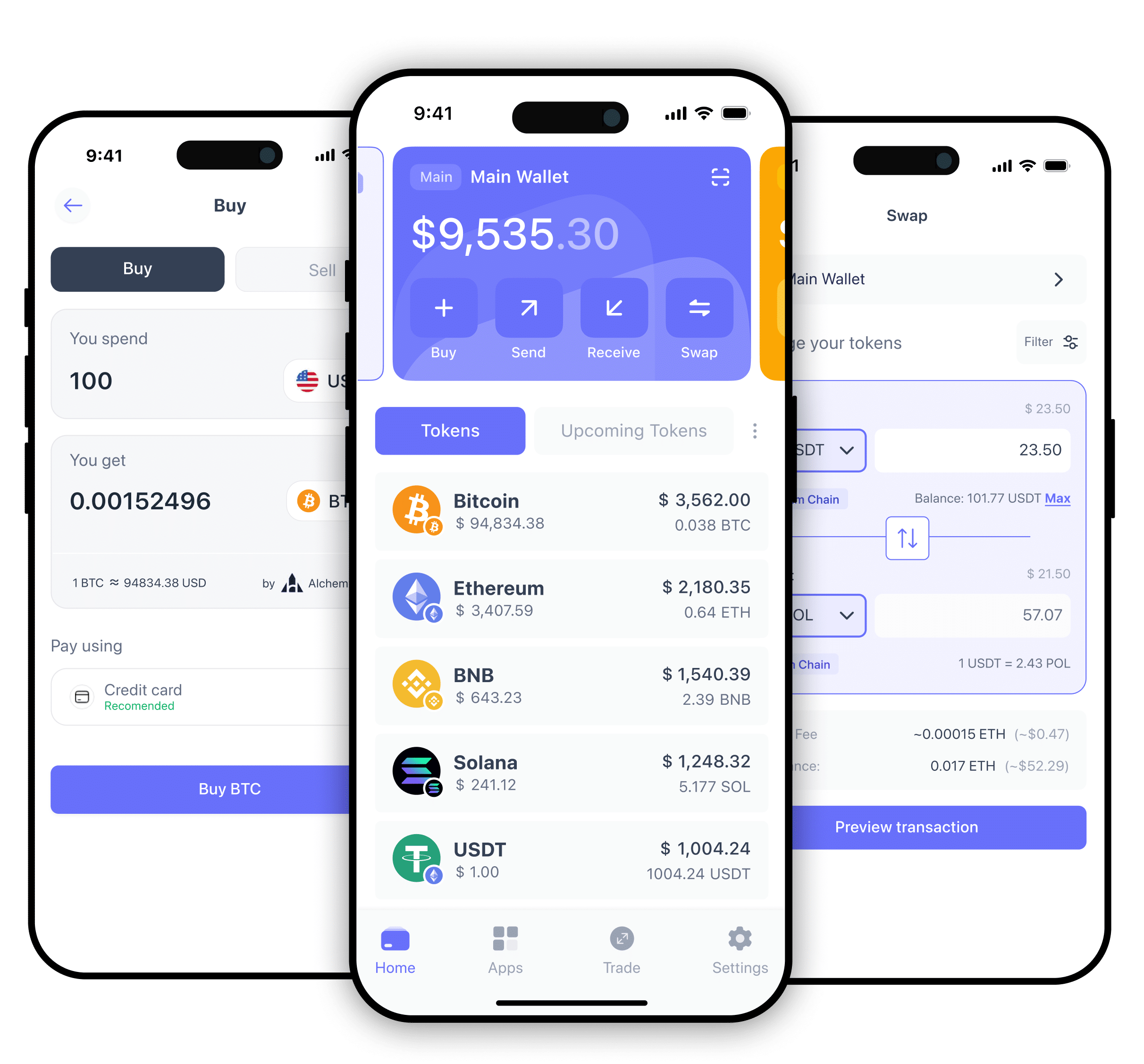
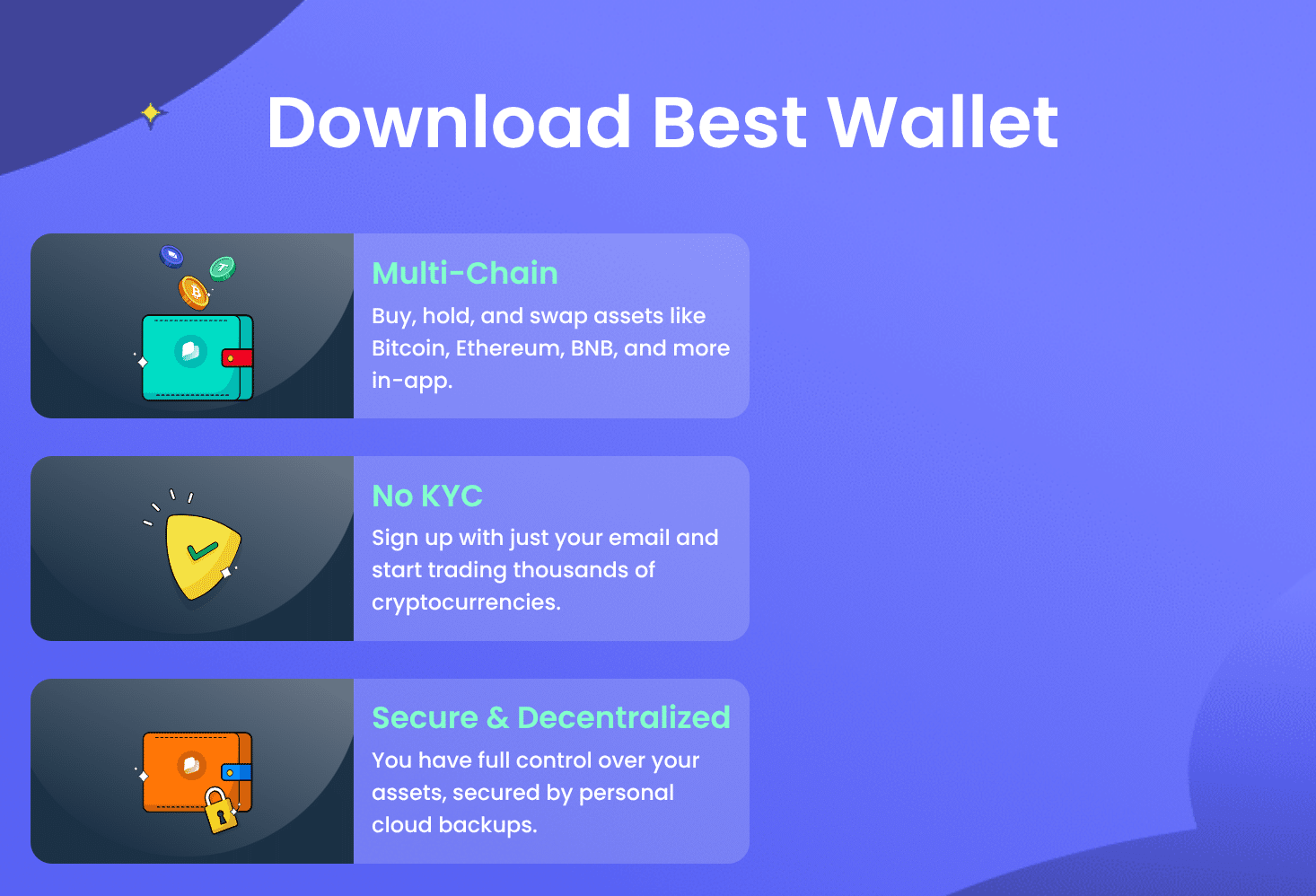
The Best Wallet App, available for Android and iOS, supports Bitcoin, Ethereum, and dozens of other chains, making it one of the best APT wallets for multi-chain users. This mobile app takes a clever approach to security by using MPC technology, which stores the wallet’s private keys in shards, preventing the private key from being revealed. This feature provides a user-friendly setup without compromising security.
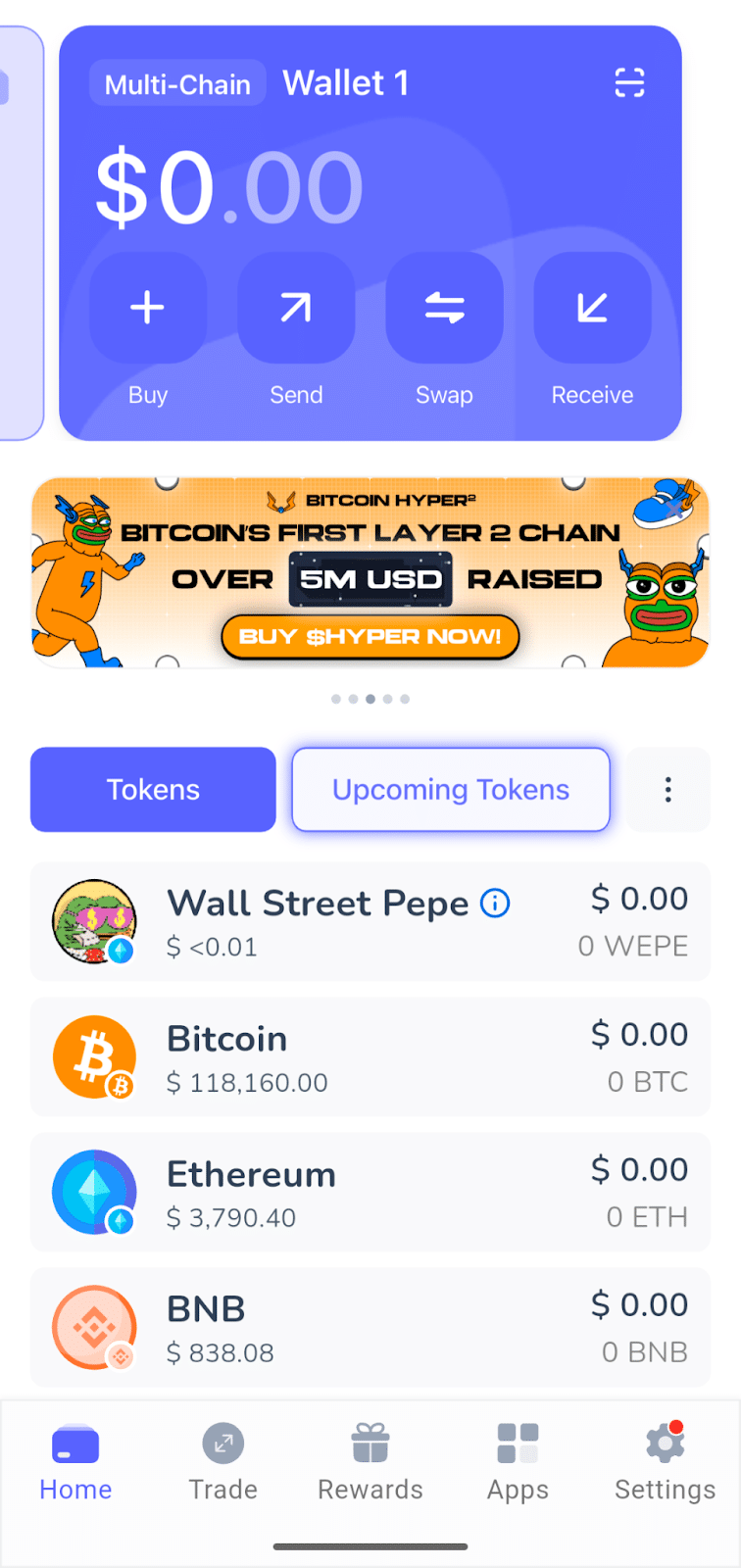
Top features include cross-chain swaps, enabling swaps across 50+ blockchains and 330+ decentralized exchanges, automatically finding the best price. Best Wallet also provides a fiat on and off ramp, allowing users to top up their wallet balance without using a centralized exchange.
Upcoming features for this free Aptos wallet app include advanced trading tools, such as limit orders and derivatives trading. While designed for ease of use, the Best Wallet app provides secure storage combined with powerful tools that make it well-suited to beginners or experienced users.
Pros
- Support for more than 60 blockchains
- Cross-chain swaps
- Integrated DEX swaps
- Newbie-friendly UI
- Secure MPC technology
Cons
- Limited focus on Aptos dApps
- No hardware wallet support
2. Ledger Nano X – Best for Secure Storage
Hardware crypto wallets store the wallet’s private keys offline, and Ledger was among the first hardware crypto wallets in 2014. The Ledger Nano X blends affordability with mobile connectivity via Bluetooth, allowing the device to work with the best Aptos wallet apps while storing the keys in an offline device.
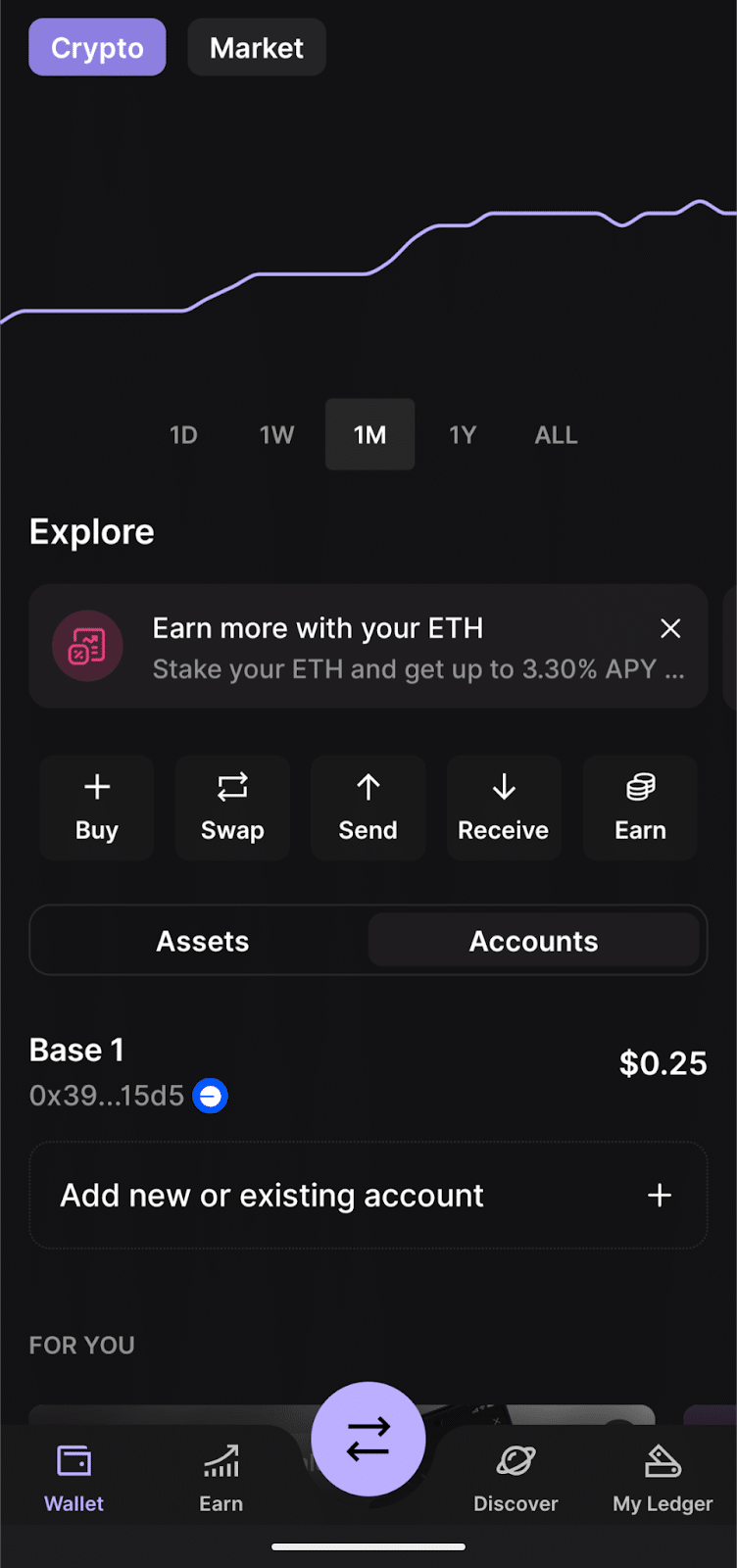
Ledger offers its own Ledger Live companion app for multi-chain asset management, but the wallet shines brightest when paired with a compatible Aptos-specific wallet like Petra or Pontem. Use a compatible mobile app to connect to dApps and authorize transactions on a separate device that safeguards crypto assets against online threats.
Ledger devices feature a Secure Element chip, the same technology used in smartphones and credit cards to protect private data. The wallet stores the private keys on a tamper-resistant chip with a seed phrase as a backup to restore the device if needed.
Although Aptos-specific features are limited, the ability to pair Ledger wallets with Aptos wallet apps makes it a popular choice: one wallet to store Aptos offline, another to interact with dApps.
Pros
- 5,500+ coins and tokens supported
- Wide support for other wallet apps
- No ledger device has ever been hacked
Cons
- Costlier than some hardware wallets
- Limited support for Aptos dApps
- Challenging UI for new users
3. Tangem – Best for Portability
Similar to Ledger devices, Tangem hardware wallets use a Secure Element chip to safeguard the wallet’s private keys that control digital assets on the blockchain. However, Tangem uses a unique credit card form factor. Rather than pressing buttons on a hardware device to navigate menus and approve transactions, this card wallet uses near-field communication (NFC) to communicate with a mobile app running on Android or iOS. NFC is the same technology used for tap-to-pay on credit cards and smartphones.
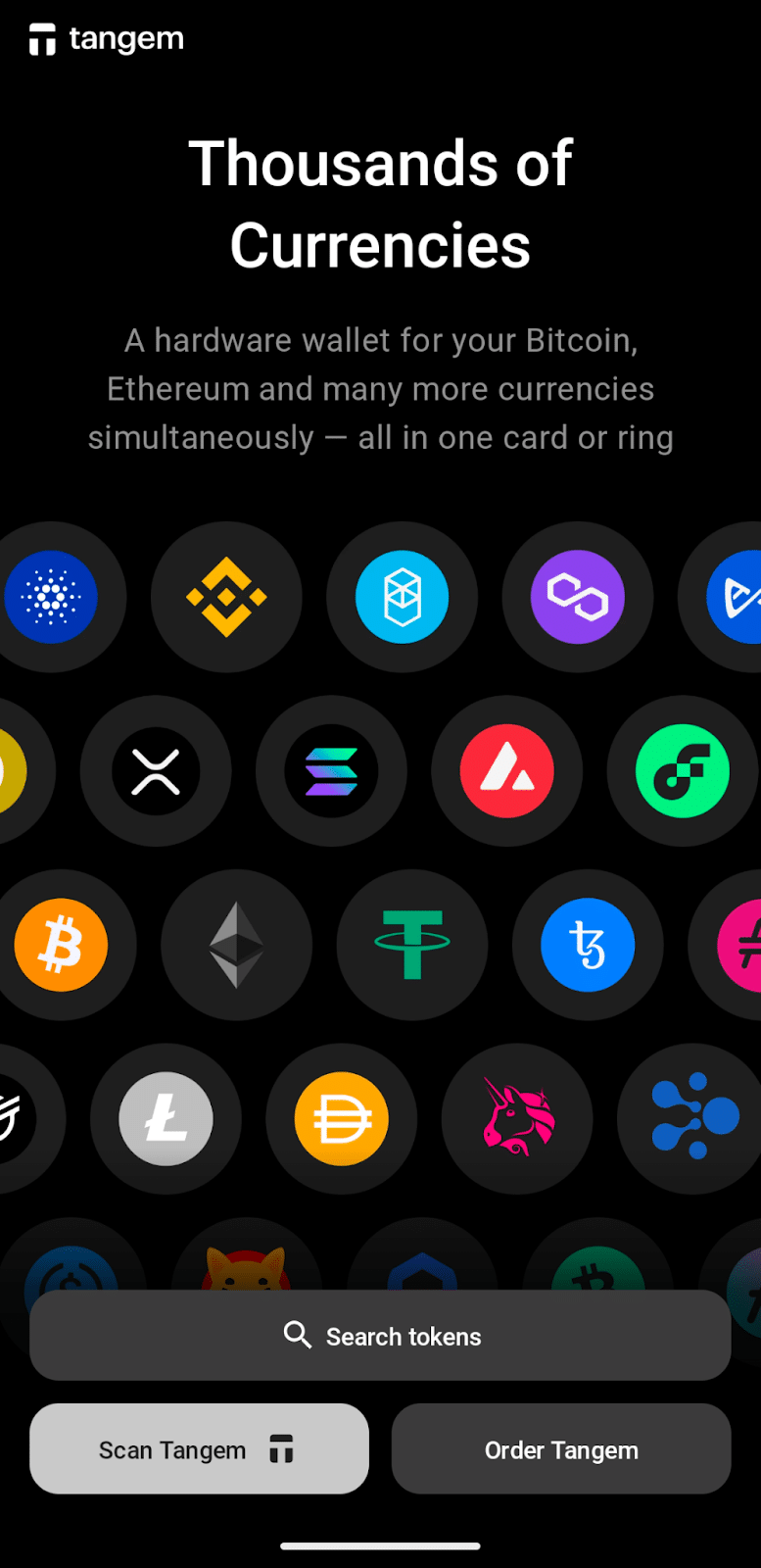
In total, Tangem supports more than 85 blockchains and has been quicker than many wallet makers to add support for up-and-coming networks like Aptos. Multi-chain support combined with an intuitive mobile app makes Tangem well-suited to crypto transactions on the go.
Although multi-chain wallets often lag in support for Aptos dApp connectivity, the Tangem mobile app’s support for WalletConnect makes connecting to supported Aptos apps a snap. Unlike Ledger, however, Tangem still sees limited support from other software wallets. Expect to interact through Tangem’s mobile app.
Pros
- Support for 85+ blockchains
- Convenient credit-card size
- No cords or Bluetooth required
- WalletConnect support for dApps
Cons
- Controversial backup strategy (multiple cards)
- Limited in-app support for Aptos dApps
- Seed-phrase leak incident (2023)
4. Petra Wallet – Best for dApp Support
Developed by Aptos Labs, the creators of the Aptos blockchain, Petra Wallet is often considered to be the “official” wallet for Aptos. Setup is a breeze, as the app supports Google or Apple accounts in addition to standard seed phrases.
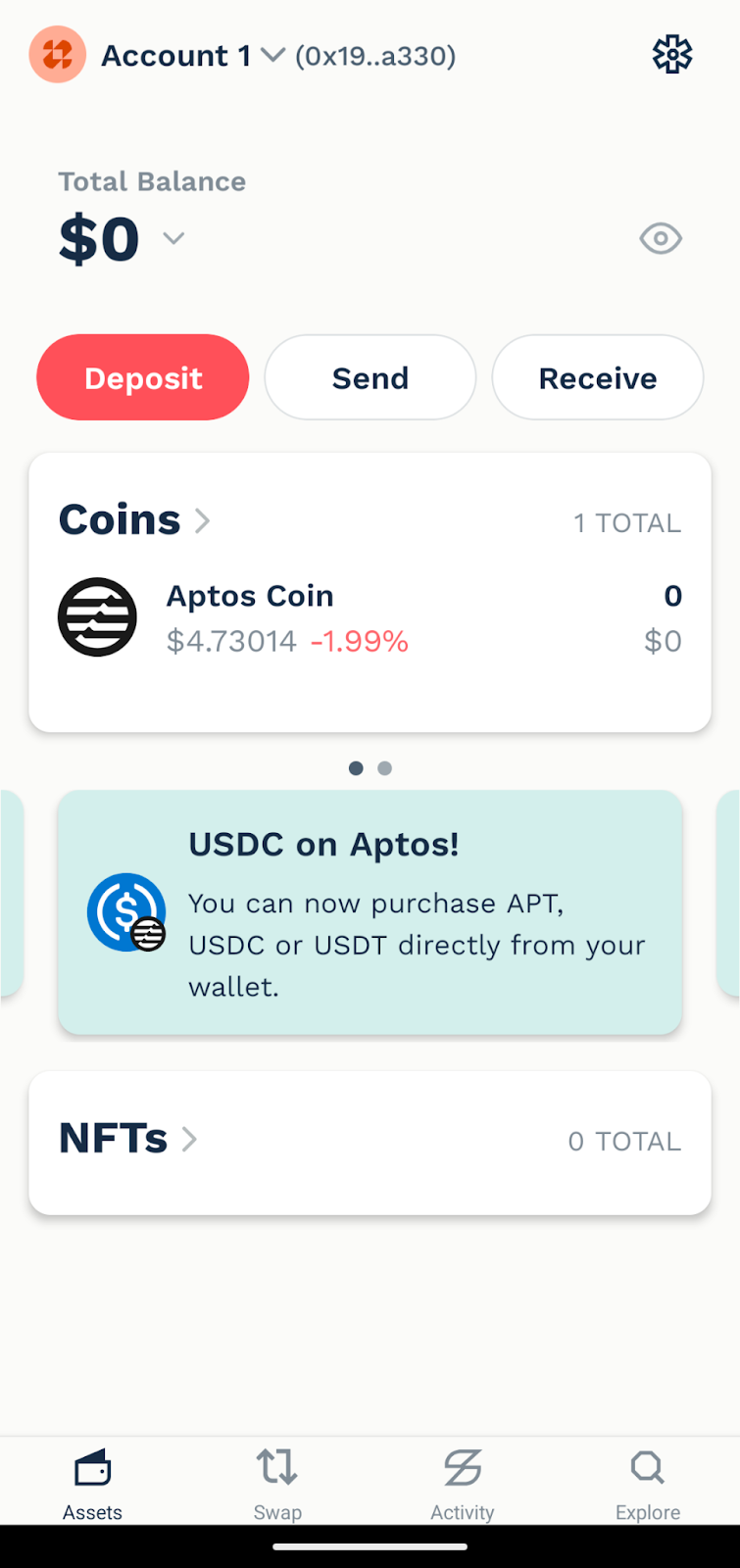
As an app built specifically for the Aptos ecosystem, Petra Wallet excels at navigating decentralized applications (dApps). This gives users easy access to gaming, decentralized finance (DeFi), and NFTs. The app also supports APT staking, which allows users to earn a yield on their APT tokens.
Funding the wallet is also straightforward. Users can transfer APT and Aptos tokens to the wallet using a QR code. Alternatively, Petra Wallet also integrates trusted third-party providers, including Banxa, Coinbase, Stripe, and Transak.
An in-app dApp browser and swap capabilities help users discover the Aptos ecosystem. However, Petra Wallet does not support other blockchains. Multi-chain users will need an additional wallet app.
Pros
- Available browser extension
- Excellent support for Aptos dApps
- Easy wallet setup
- Coinbase integration
- Integrated yield on stablecoins
- Ledger support
Cons
- Aptos only
- Limited features on the mobile app
- Geo-restrictions on some features
5. Pontem Wallet – Best for DEX Traders
The Pontem Wallet has become a leading choice for Aptos users, although the Chrome wallet extension expands upon the mobile wallet’s features. Using the web extension, users gain access to several popular blockchains in addition to Aptos. Desktop users can store and manage assets on Ethereum, Solana, Lumio (Pontem’s Layer 2 network), and Base, with Bitcoin support available as well. For now, mobile support focuses on Aptos.
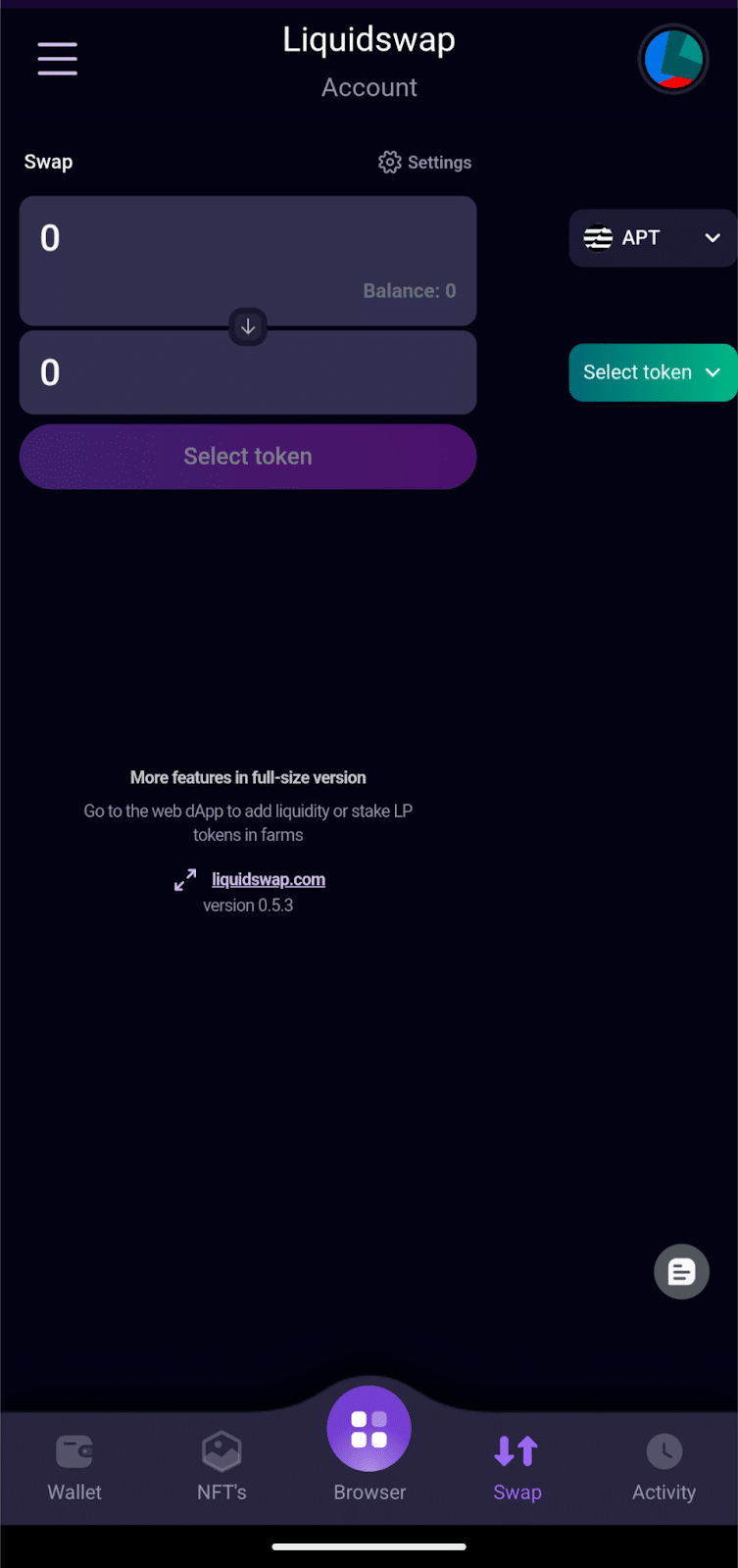
Pontem Wallet offers top-tier security, with audits from Halborn, OtterSec, and Zellic, as well as native support for Ledger hardware wallets. On mobile, the app features password protection or biometric locks to secure crypto assets on unattended devices.
Pontem also developed the first decentralized exchange on Aptos: the Liquidswap DEX, and much of the mobile app’s functionality centers around efficient swaps. In 2025, Pontem acquired Martian Wallet, another popular app in the Aptos space, making Pontem one of the most impactful players in the Aptos ecosystem.
Pros
- Strong support for Aptos dApps
- Liquidswap DEX integration
- Coinbase integration
- Staking and liquid staking support
- Ledger support
Cons
- Limited chain support on mobile
- Smaller selection of in-app dApps
- Limited functionality on mobile
6. Trust Wallet – Best for Multi-Chain Users
Trust Wallet began as an independent project but was acquired by Binance, the world’s largest crypto exchange by trading volume, in 2018. Backing by a crypto giant means direct purchasing for more chains than some competing apps and also makes Trust Wallet well-suited to Binance users.
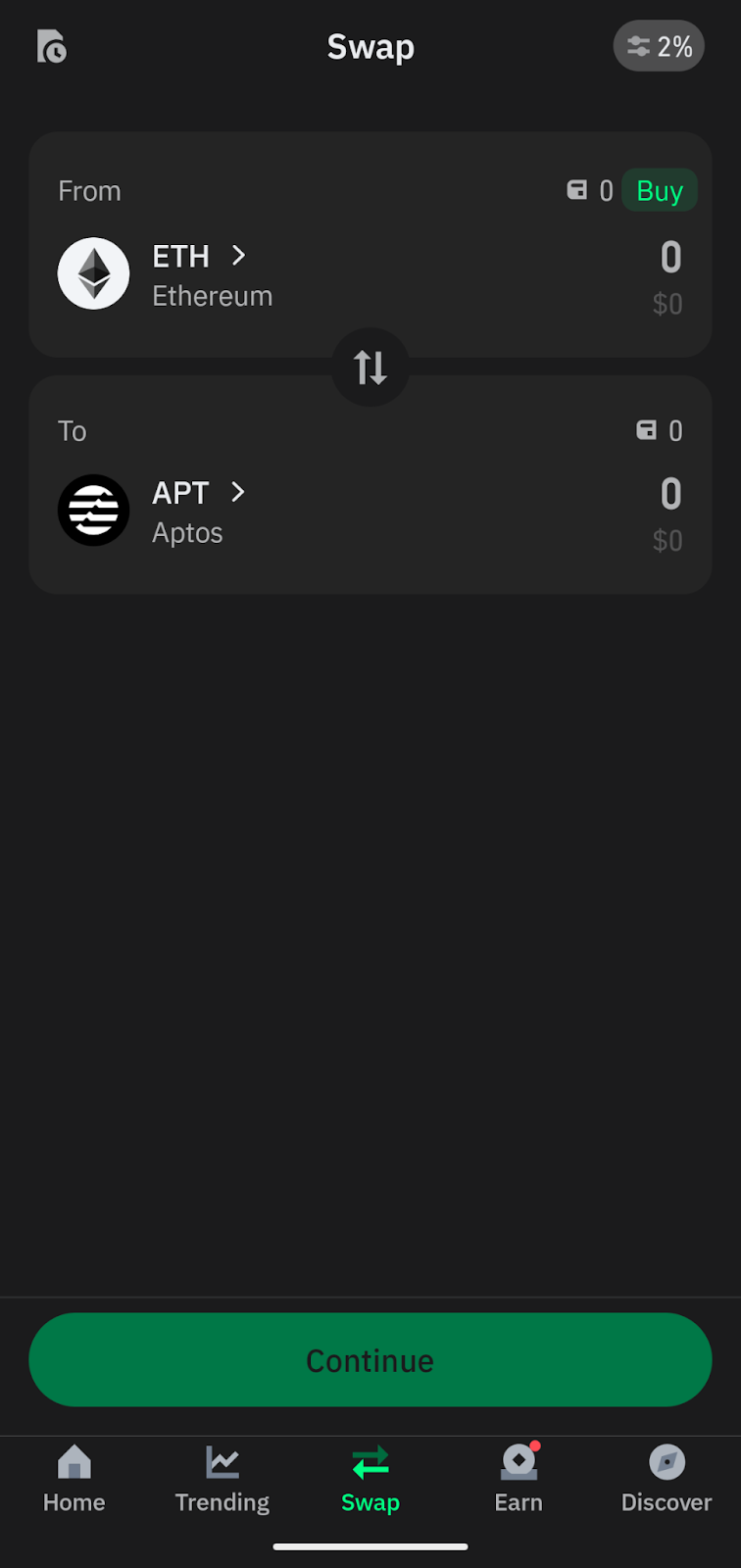
Trust Wallet’s support for more than 100 chains makes it appealing to those who want to manage multiple crypto assets in one place. However, the wallet’s broad range can also mean less direct support for specific chains. Although Trust Wallet supports Aptos and connecting to Aptos dApps, the in-app dApp browser focuses on other chains, including BNB, Ethereum, and Solana, as well as Binance’s exchange services.
On mobile, there’s no support for Ledger hardware wallets, another possible drawback for security-conscious users. However, Trust Wallet has been battle-tested and audited by third-party security firms like Halborn and Certik, with more than 40 security scans performed annually.
Pros
- 100+ blockchains supported
- Binance integration
- 200 million users worldwide
- Regular audits
Cons
- No Ledger support for mobile
- Limited support for Aptos dApps
- Complicated user interface
How to Pick the Best Aptos Wallet for You
Choosing the best wallet for Aptos will depend on the features you need. Some choices offer better security, while others prioritize anonymity or Aptos-specific features. Let’s examine some of the considerations to weigh before deciding which Aptos wallet app is right for you.
Security
A crypto wallet stores the private keys that control crypto assets on the blockchain, making security paramount. For mobile apps, splitting the key into shards (as seen with the Best Wallet app) protects the key from being revealed. However, some users may prefer to store their private keys completely offline, pointing to options like Ledger or Tangem.
Fees
Crypto networks charge fees for transactions like sending crypto or interacting with dApps. These fees are determined by network traffic and transaction complexity in most cases. However, users can expect additional fees for buying crypto through wallet apps. Best Wallet and some other APT wallets compare prices from third-party providers to find the best rate, including any fees. Best Wallet extends this price comparison to swaps as well, helping to save money for users.
Anonymity
Many self-custody wallets allow users to use the wallet without revealing their identity or completing Know Your Customer (KYC) identity verification. For example, Best Wallet does not require KYC. However, if buying crypto through a third-party provider, KYC may be required in many jurisdictions. As a workaround, users can transfer funds from another crypto wallet.
Features
The growing Aptos ecosystem offers a wide selection of dApps, ranging from DEX swaps to lending and staking platforms, as well as non-fungible tokens (NFTs) and Web3 gaming. Although some wallets allow connections to dApps through WalletConnect, some users may prefer Aptos-centric wallets like Petra and Pontem, which offer an in-app browser to discover the hottest dApps.
Consider how you expect to use your Aptos assets. For example, Pontem is well-known for its DEX capabilities, making it well-suited to traders. On the other hand, a multi-chain wallet like Best Wallet lets users trade assets across blockchains.
Multi-chain Support
Multi-chain APT wallets like Best Wallet and Trust Wallet cater to users who utilize multiple blockchains. This eliminates the need for several wallets and the need to maintain multiple backups. In short, convenience meets security. However, if you have specialized requirements, multiple wallets might offer the best solution.
How to Get an Aptos Wallet
Getting started with an Aptos wallet is straightforward. Let’s walk through an example using Best Wallet. The process is similar for other wallets in most cases, with easy setup instructions available after installing the wallet app.
1) Download the Best Wallet App
Visit the Best Wallet download page to get the official Best Wallet app link. The app is available for Android or iOS mobile devices. Install the app on your device.
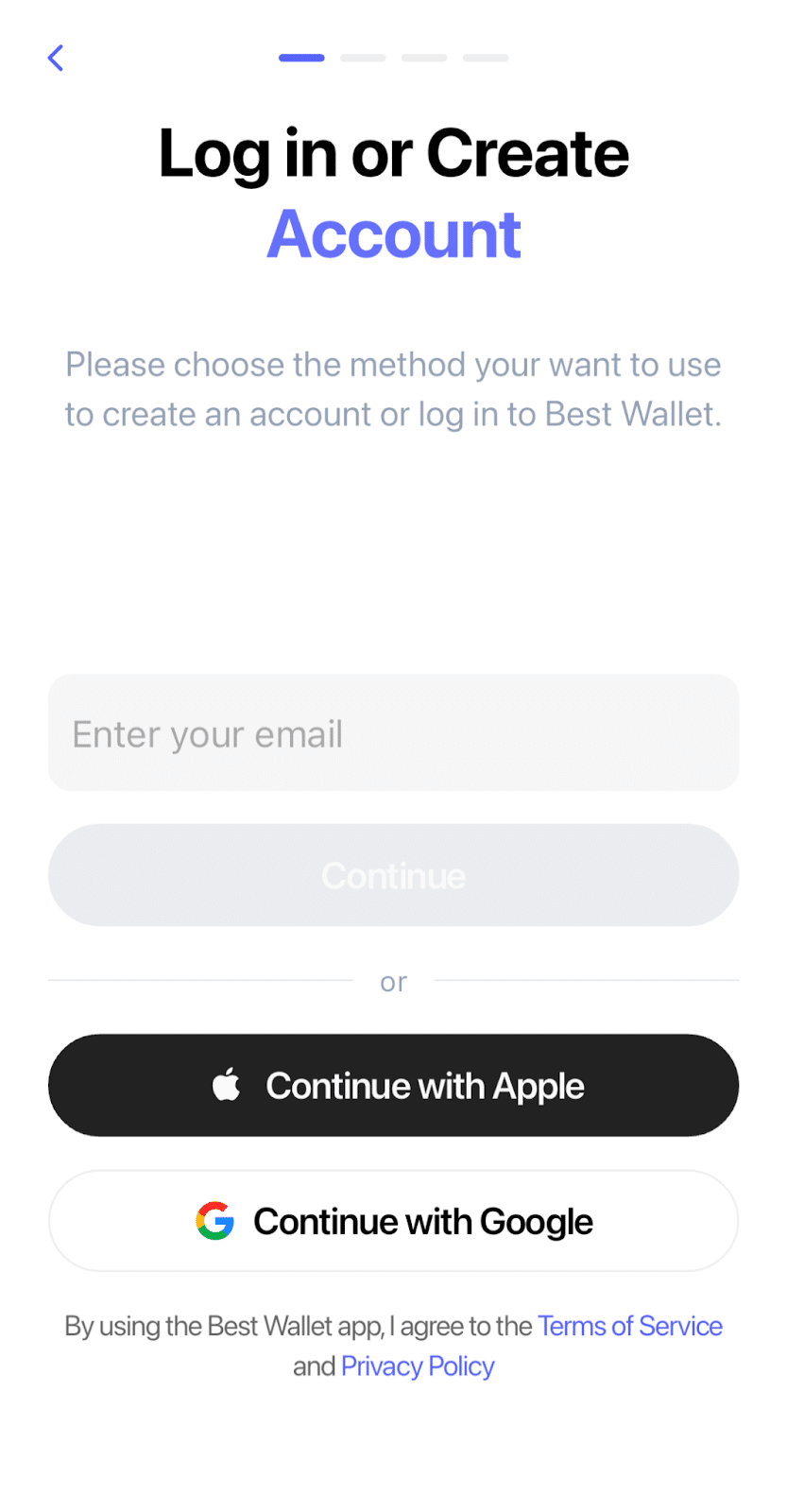
2) Create a Login ID
Use an email address to create a login ID for Best Wallet. This step lets Best Wallet create a backup for your wallet. Alternatively, you can use a Google ID or an Apple ID.
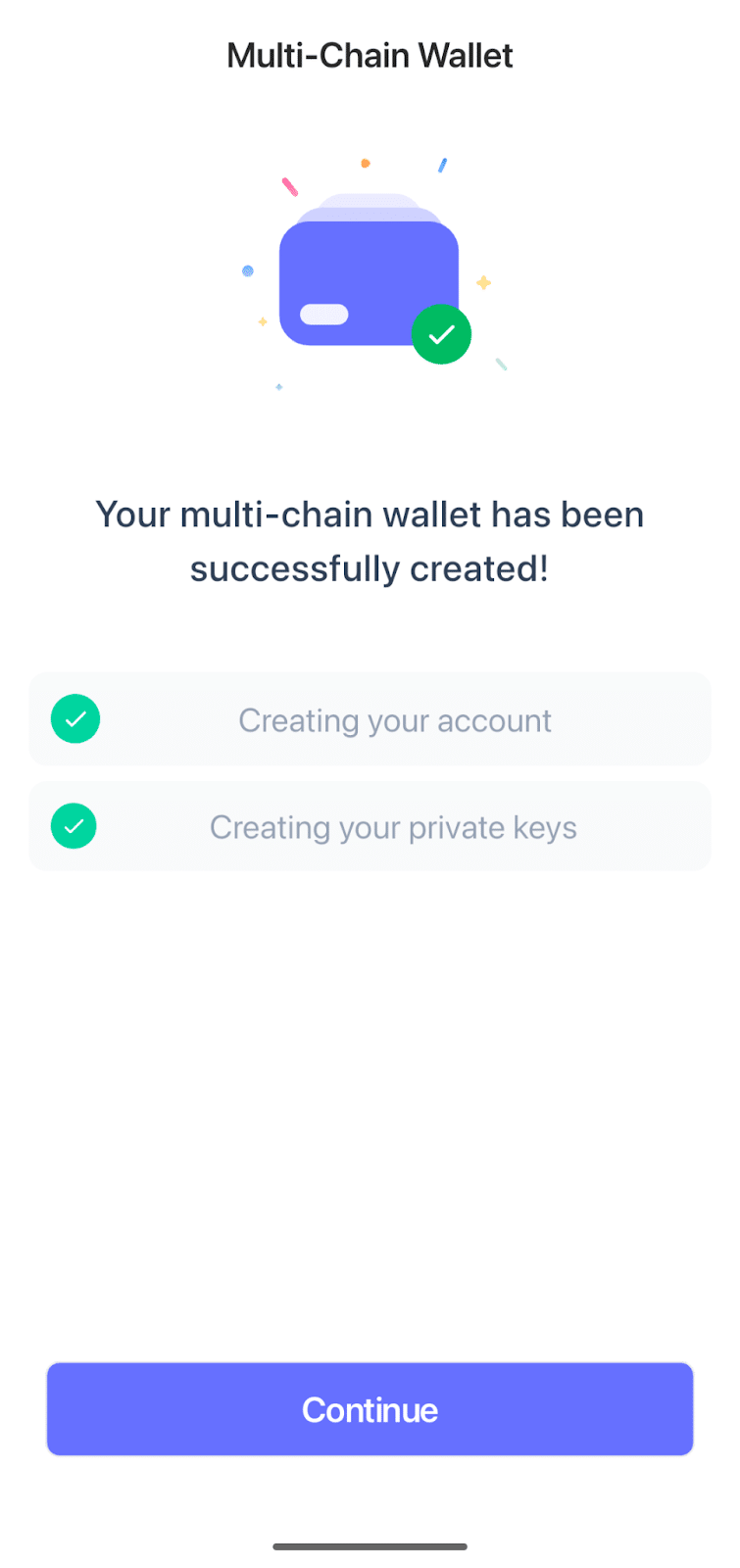
3) Create a New Wallet
Tap on Create New Wallet. The Best Wallet app automatically generates an account and the private keys for your multi-chain wallet.
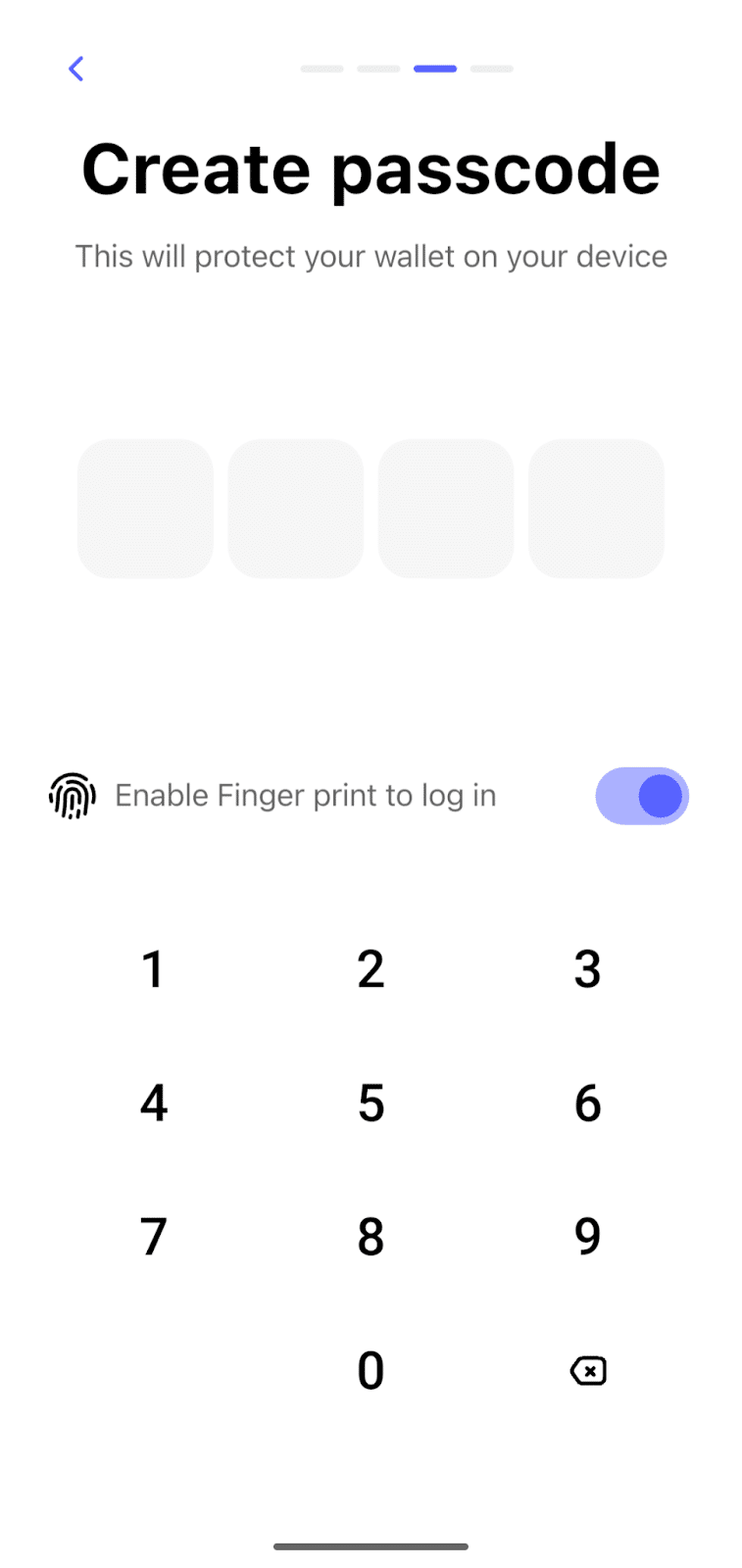
4) Create a Passcode
A PIN protects your on-chain assets when your device is unattended. You can also enable fingerprint authentication on supported devices.
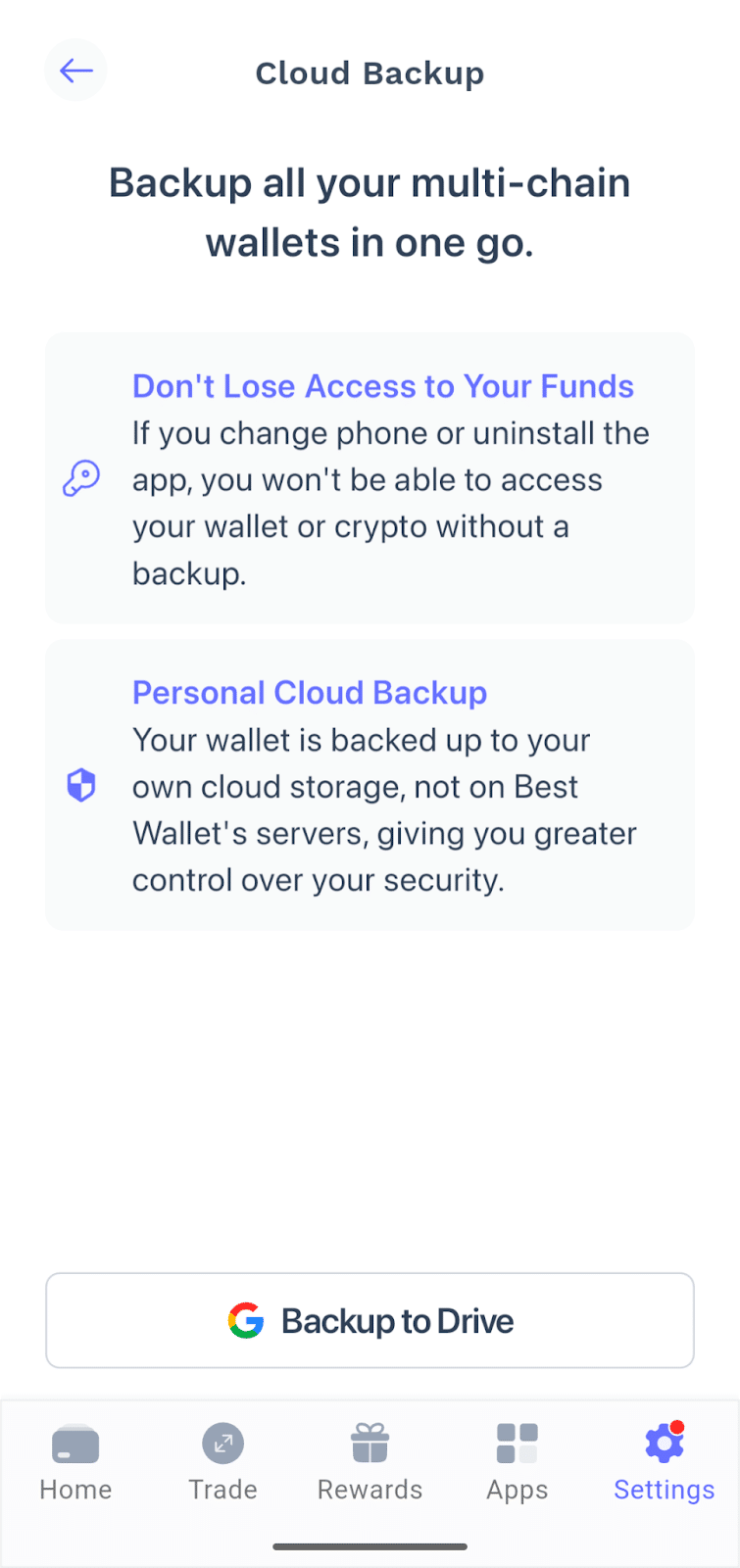
5) Back Up Your Wallet
Best Wallet supports cloud backups. For example, if you used a Google account to create your Best Wallet account, you can back up your wallet to Google Drive. This step ensures that you can access your funds if you need to reinstall the app or switch devices.
Once you’ve backed up your wallet, start exploring the Web3 world. Best Wallet supports in-app purchases, allowing you to fund your wallet immediately using a credit or debit card.
What is Aptos?
Aptos is a Layer 1 blockchain that traces its roots to the Meta Diem blockchain. Key members of the Diem project formed Aptos Labs to build this high-performance blockchain designed for scalability and security in a wide range of use cases. To enhance scalability, Aptos blends an account-centric structure with a resource-oriented programming model.
The project aims to bring Web3 to the masses, enabling permissionless access to decentralized applications, including DeFi, Web3 gaming, SocialFi, payments, and tokenized real-world assets (RWAs).
Similar to other blockchains, Aptos uses a native token to power the chain, paying for transactions and rewarding network validators that process transactions. The Aptos token (APT) powers the chain, but a number of other tokens have gained popularity within the Aptos ecosystem. These include three stablecoins pegged to the US dollar, several prominent utility tokens, and BlackRock’s BUIDL RWA token.
Although still smaller than competing chains, with a total value locked (TVL) of under $1 billion, Aptos benefits from an enthusiastic community and active development in its mission to bring Web3 to the masses.
Types of Aptos Wallets
Crypto wallets can seem complex, and the underlying technology lives up to that reputation. However, these storage solutions can be fit into simple categories. Let’s briefly discuss the types of Aptos wallets.
A hot wallet is a wallet that stores the private keys on a device connected to the Internet. Software wallets are hot wallets because they store the keys on a computer or mobile device. Apps that use MPC technology, such as Best Wallet, mitigate this risk by splitting the key into shards. By contrast, a cold wallet stores the private keys offline. For example, Ledger hardware wallets store the private keys on a separate device that communicates with a hot wallet via cable connection, Bluetooth, or other connection methods like QR codes. In effect, the software app asks the hardware wallet for permission before completing the transaction. The user approves or rejects the transaction on the hardware wallet. Most wallet apps are non-custodial wallets, meaning that the user controls the private keys for the wallet. The user also becomes responsible for backing up the wallet, although some wallets offer backup services. By contrast, a custodial wallet refers to a wallet held by a third party. For example, when using a centralized crypto exchange, the exchange stores your crypto in a wallet that the exchange controls. User access uses a username/password combination, making this storage strategy less secure. In addition, users should consider platform risk, such as insolvency. The FTX exchange collapse left crypto investors who held funds on the exchange without access to their assets. Non-custodial wallets also provide the option of using decentralized applications, a feature generally not available with custodial wallets. Best Wallet provides an outstanding starting point for non-custodial storage. It offers easy onboarding and in-app purchases to top up your wallet balance. The app combines ease of use with advanced features, making it well-suited for new users or experienced crypto enthusiasts. Expect more chains and features as Best Wallet continues with its ambitious roadmap, including a rewards hub, a staking aggregator to maximize yields, and additional trading tools. See Also: Aptos (APT) has a circulating supply of 670 million tokens with a total supply of 1.16 billion tokens. Staking rewards create an inflationary supply with an unlimited number of tokens, although Aptos’ tokenomics ensures a slow supply growth over time. You can buy Aptos using a trusted crypto exchange that allows you to exchange traditional currency for cryptocurrency. Alternatively, wallet apps like Petra, Pontem, and Best Wallet support in-app purchases for many cryptocurrencies. Yes, Ledger devices support Aptos. However, it’s important to choose a device that fits your usage needs. For example, the Nano S Plus is well-suited to desktop use, whereas Bluetooth-enabled models, such as the Nano X, support mobile use cases. Aptos has higher throughput than Solana, making it a faster blockchain. However, each chain has its pros and cons. For example, Solana’s popularity means more trading liquidity, making Solana a better choice for active traders until Aptos gains more users. No, Aptos is not currently supported by MetaMask. Generally, MetaMask focuses on Ethereum Virtual Machine (EVM) chains, although the addition of MetaMask snaps has brought support for select non-EVM chains, including Solana. Established in 2013, 99Bitcoin’s team members have been crypto experts since Bitcoin’s Early days. Weekly Research Monthly readers Expert contributors Crypto Projects ReviewedHot vs. Cold Wallets
Custodial vs. Non-Custodial
FAQs
How many Aptos Tokens are there?

How to buy Aptos?
Can Ledger hold Aptos?
Is Aptos better than Solana?
Is Aptos on MetaMask?
References

Why you can trust 99Bitcoins