
In This Article
If you own the first Solana dog coin, Bonk (BONK), or plan to invest in the popular meme coin, a safe and user-friendly wallet is essential. Wallets allow users to send, receive, and store BONK, as well as access Solana-based applications like Pump.fun and Raydium.
We tested over 20 non-custodial wallets across desktops and mobiles to ascertain the top providers. Key research methods included security features, accessibility, supported operating systems, and built-in tools like token swaps and staking.
Read on to explore the best Bonk wallets in 2026 and choose the right option for your requirements. Learn how to set up and secure a Bonk wallet for your Bonk assets, and which security practices ensure safety.
According to our research methodology, these are the best Bonk wallets to use in 2026:Best Bonk Wallets Ranked
Key Takeaways
- Bonk is a meme coin that operates on the Solana blockchain.
- Investors may use any wallet that supports Solana, including mobile and desktop applications.
- Experts recommend non-custodial wallets when storing Bonk, since users control its private keys.
- We rate Best Wallet as the overall best Bonk wallet for its user-friendly interface and multi-chain support.
- Those with substantial Bonk holdings prefer cold wallets like Cypherock and Ledger Nano for their enhanced security.
- Evaluating wallet best practices is crucial, such as securing seed phrases and activating two-factor authentication.
Top Bonk Wallets Reviewed
The following reviews help investors select the best wallet for Bonk tokens. Learn why we rate each wallet provider, and how they compare for key factors like safety, features, and fees.
1. Best Wallet – The Overall Best Bonk Wallet App for Beginners
In our view, Best Wallet is the top choice for Bonk investors who favor user-friendliness, security, and market access. The free mobile app supports millions of Solana meme coins, from Bonk and dogwifhat (WIF) to Fartcoin (FARTCOIN) and SPX6900 (SPX). It’s also compatible with over 60 other blockchains. Users store top cryptocurrencies like Bitcoin (BTC), Ethereum (ETH), and BNB (BNB), and add any custom token on supported networks.
The app has a built-in WalletConnect feature that lets users seamlessly access Bonk applications like Bonkbets, Bonkmark, and Bonkscooper. It also connects with other Solana ecosystems such as Raydium, Pump.fun, and Saber.
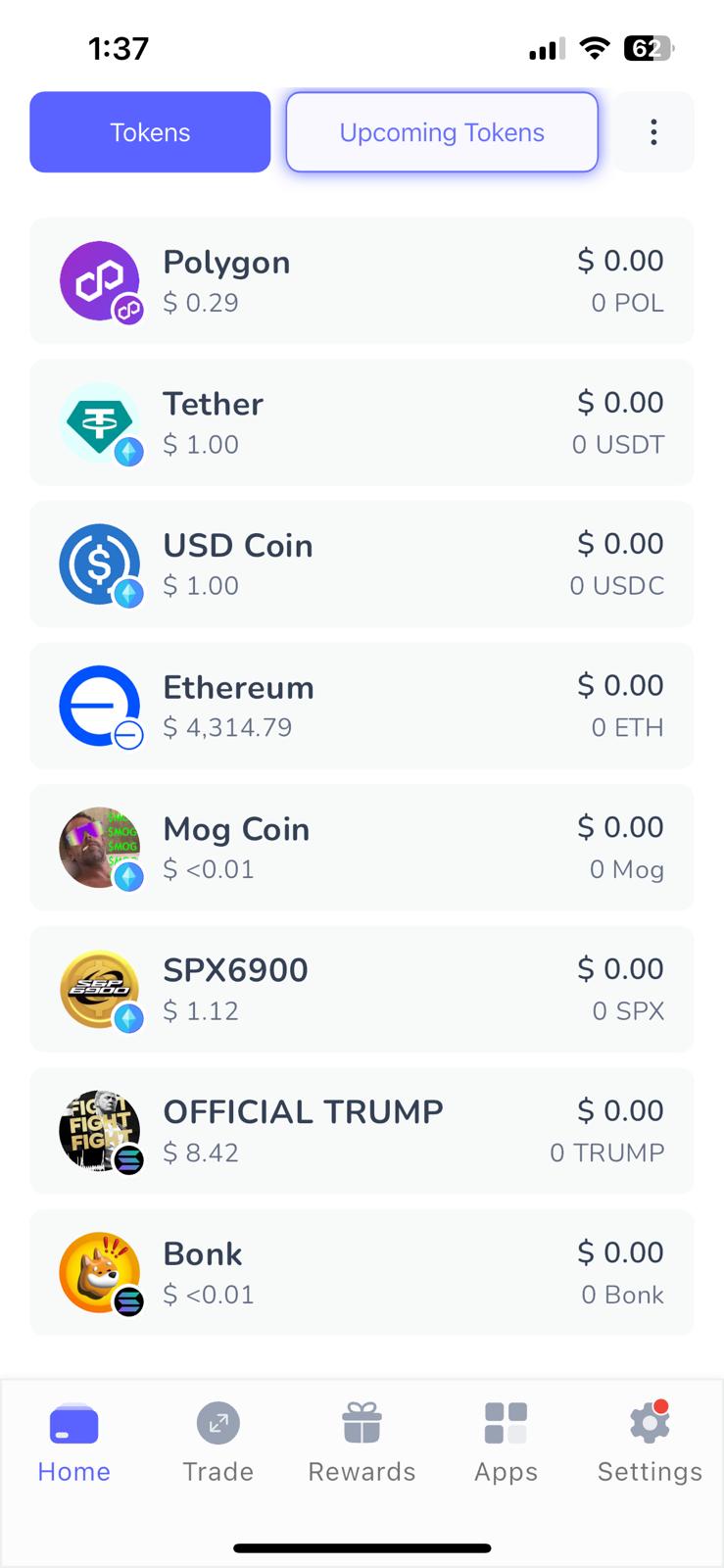
Best Wallet is a great option for decentralized trading, too. The instant swap tool allows you to trade Bonk for any Solana token at market-leading rates. The Bonk wallet enables instant fiat purchases without KYC, and payment methods include debit/credit cards and e-wallets.
While Best Wallet comes packed with features, it’s also one of the best Bonk wallets for safety. Users receive encrypted private keys and a 12-word seed phrase for wallet recovery. Additional security tools include biometrics and two-factor authentication. A recent CertiK audit confirmed that Best Wallet’s underlying source code was safe.
Best Wallet Pros & Cons
Pros
-
Top-rated mobile app for Bonk and millions of other tokens
-
Supports over 60 blockchains, including Solana, Ethereum, and BNB Chain
-
Easily connect to Solana applications like Bonkbets and Pump.fun
-
Non-custodial framework provides users with encrypted private keys
-
The built-in Launchpad offers access to quality presale projects
Cons
-
The roadmap confirms that derivative trading remains in development
-
Lacks support for desktop software
-
Less secure than a cold storage wallet
2. Cypherock X1 – Institutional-Grade Cold Wallet for Safe Bonk Storage
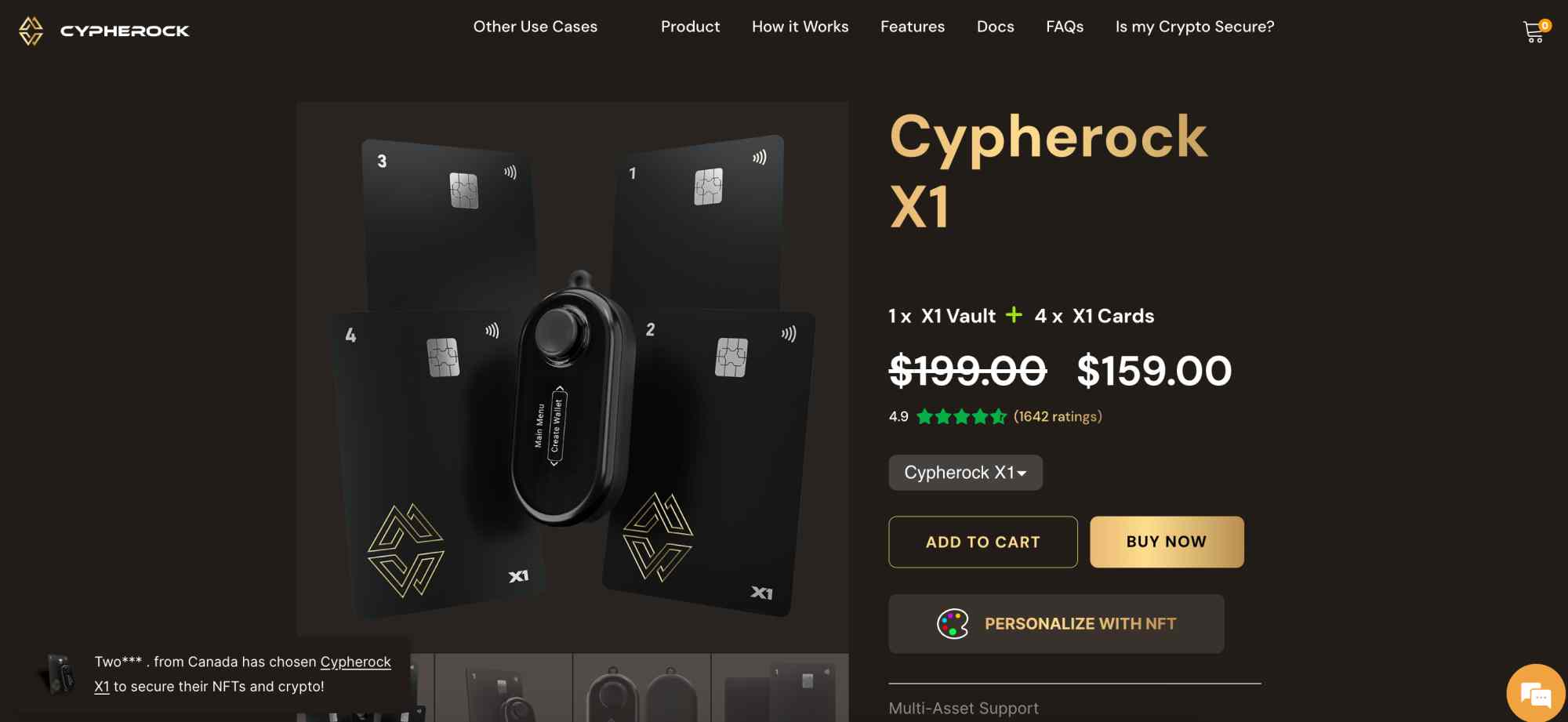
We found that Cypherock X1 is the safest wallet for storing Bonk. It offers cold storage solutions for digital assets, so users eliminate online security threats like viruses and phishing. In addition to the main hardware device, called the X1 Vault, users receive four keycards. These keycards enable users to approve Bonk transactions without relying on internet connections. They set up transactions on the desktop or mobile app and scan the keycard onto the X1 Vault for authorization.
The hardware wallet supports 18,000 cryptocurrencies, including Bonk on five different network standards: Solana, Polygon, Ethereum, BNB Chain, and Arbitrum. It also interacts with popular NFTs, and the WalletConnect feature lets users connect with decentralized applications (dApps).
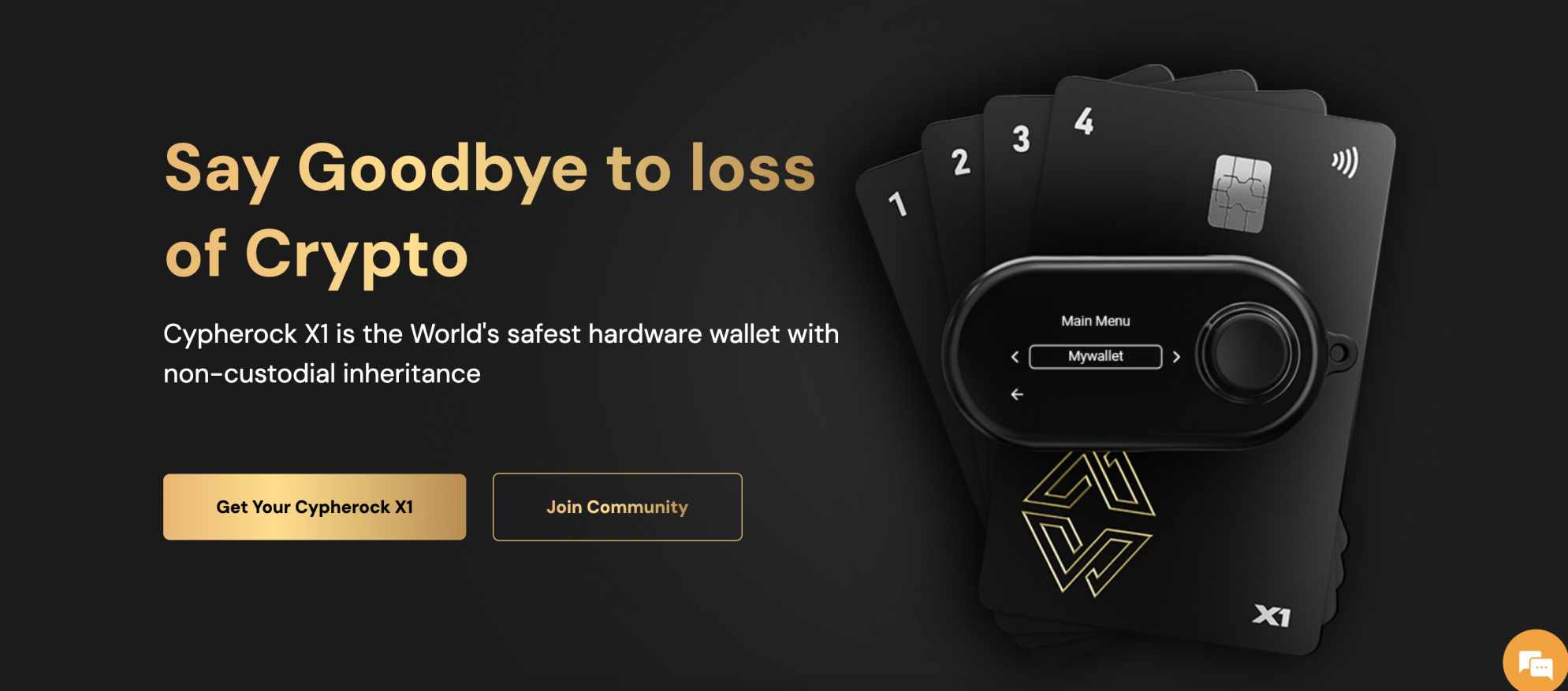
We must stress that Cypherock X1 doesn’t suit casual traders with small investment holdings. The manufacturer sells the device kit for $159.00 (reduced from $199), plus shipping. Active traders may also find the wallet inconvenient, as manual approval is needed for all transactions, including transfers, swaps, and staking.
Cypherock X1 Pros & Cons
Pros
-
Robust security via cold wallet solutions
-
Avoid internet threats via offline transaction approval
-
Supports over 18,000 popular altcoins
-
The overall safest way to store Bonk in 2026
Cons
-
Retails for $159 plus shipping fees
-
The purchase warranty lasts for 12 months only
-
Some information on the website is outdated
3. Zengo – Free Non-Custodial Wallet App With MPC Security and Three-Factor Authentication
Zengo provides an alternative to store Bonk tokens in a non-custodial environment. The mobile app replaces conventional private keys with Multi-Party Computation (MPC) cryptography. This structure splits the wallet credentials and distributes them across multiple trusted servers. Beginners prefer this method, since it protects their wallet balance even if hackers obtain one segment of the key.
Zengo also revolutionizes the wallet backup process. Instead of relying on seed phrases, it uses three-factor authentication. If users lose their mobile device, they regain access to the wallet via cloud storage, facial biometrics, and email verification.
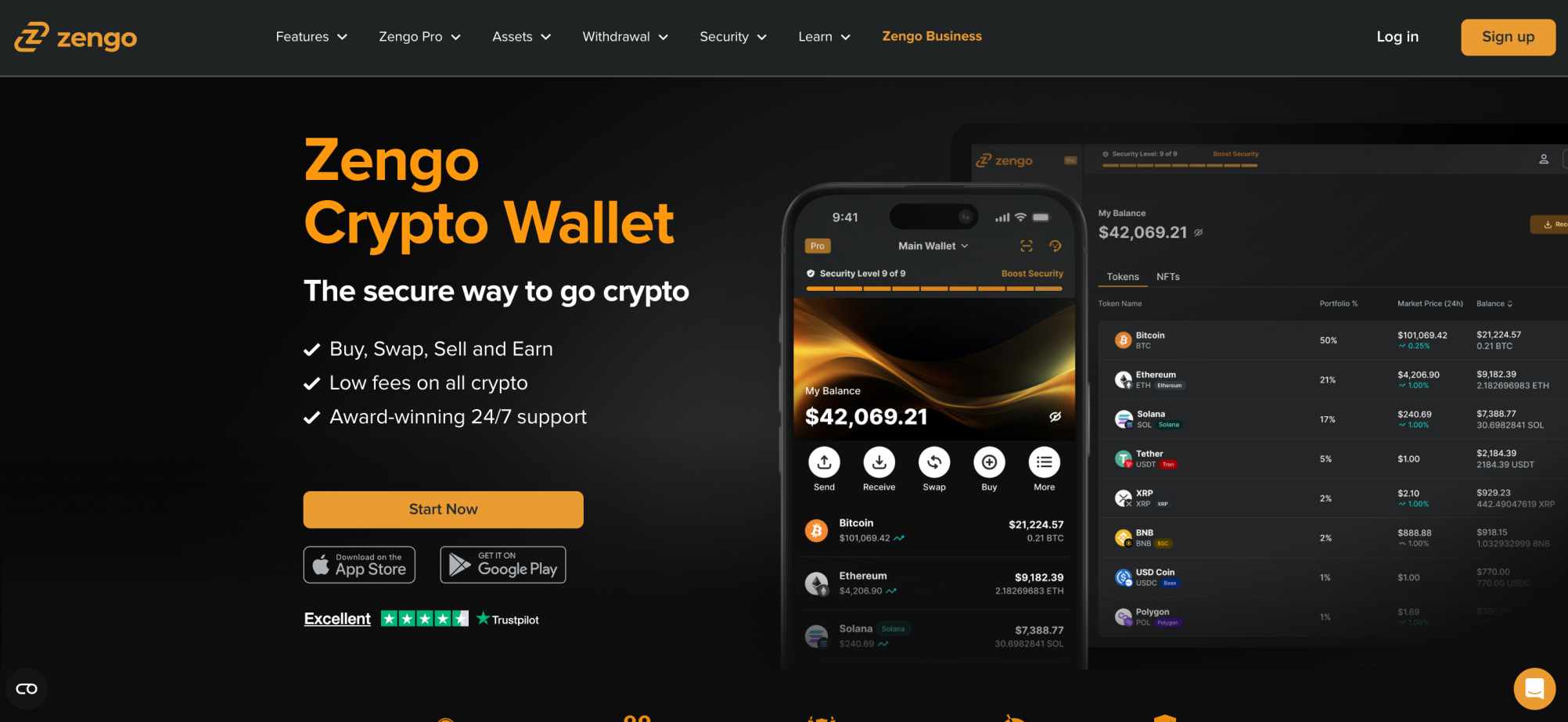
As one of the best Web 3.0 wallets, Zengo provides several features that remain popular with Bonk holders. The built-in DEX enables anonymous token swaps across different networks, so you trade Bonk instantly without using centralized exchanges. Compatible blockchains include Bitcoin, Dogecoin, Tron, and Ethereum. Zengo also provides a fiat gateway that lets you buy and sell cryptocurrencies with local payment methods.
Zengo Pros & Cons
Pros
-
Safely store Bonk without managing private keys or seed phrases
-
Uses MPC cryptography to distribute wallet credentials across different locations
-
Supports instant token swaps and fiat gateways
Cons
-
Premium features require a monthly subscription
-
Some users report issues with the three-factor authentication process
-
Lacks support for popular assets like Bitcoin Cash (BCH) and Hyperliquid (HYPE)
4. Ledger Nano S Plus – Store Bonk Tokens in a Hardware Device for Just $59
We rate Ledger Nano S Plus as one of the best hardware crypto wallets for those on a budget. The established and reputable wallet manufacturer has sold millions of cold storage devices since its inception in 2014.
While the S Plus remains the most affordable Ledger model, it offers institutional-grade security features for Bonk investors. Encrypted private keys never leave the physical device, and users confirm transactions via a USB-C cable instead of relying on the internet. The secure element chip protects users from physical tampering, and they recover lost or stolen devices via a 24-word seed phrase.
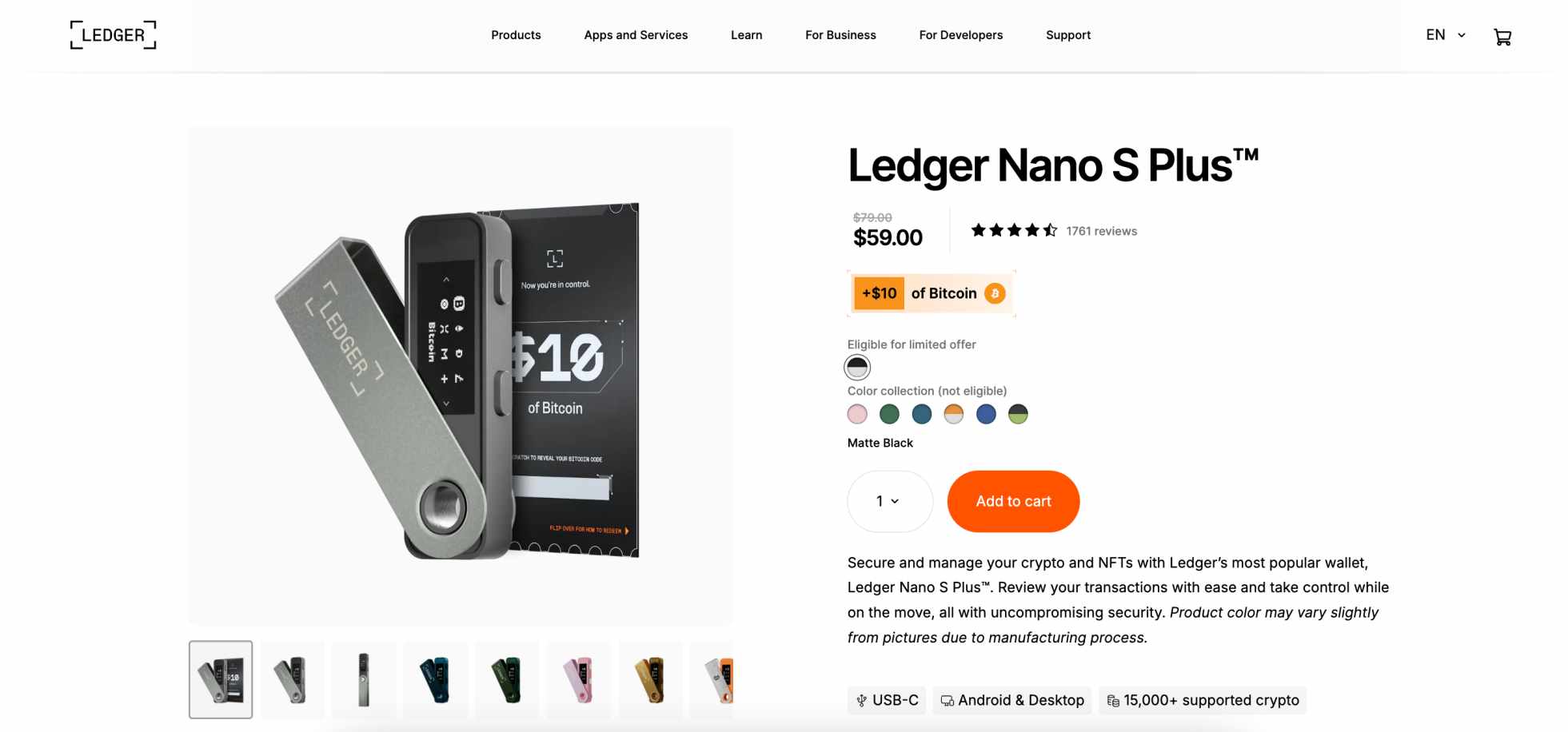
The Ledger Nano S Plus is also ideal for discreet transportation. The device weighs just 21 grams, with minute dimensions of 62.39 x 17.40 x 8.24mm.
In terms of asset compatibility, Ledger initially supports over 15,000 cryptocurrencies, including the best meme coins on Solana, Ethereum, and BNB Chain. It allows users to add custom tokens via the Ledger Live software, which is also where they set up transactions. Ledger Live works with WalletConnect, too, so users may engage with Solana dApps.
Ledger Nano S Plus Pros & Cons
Pros
-
A secure hardware wallet at just $59 offers superb value
-
Encrypted private keys are never exposed to remote hacking risks
-
Available in multiple colors without additional charge
Cons
-
Less durable than the more recent Ledger models
-
Some Google Play reviews cite a poor Android experience
-
Users pay high fees when they buy crypto with debit/credit cards
What is Bonk?
Bonk is a dog-themed meme coin that launched in December 2022 via a large-scale airdrop campaign. The anonymous founders distributed 50% of the Bonk supply to wallet addresses that previously engaged with the Solana blockchain. Airdrop recipients included developers, NFT artists, and general ecosystem users.
While Bonk was initially a meme coin pure-play, it has since morphed into a fully-fledged utility project. The team develops new applications to provide Bonk holders with unique use cases. One of its latest ventures is Bonk.fun, a Launchpad platform that lets anyone create new meme coins on the Solana blockchain. Other popular applications include decentralized token swaps and liquidity provision, Telegram bots, and sports betting.

As one of the top Solana meme coins, Bonk boasts almost one million holders. Most tier-one exchanges list Bonk, as well as mainstream brokerages such as Robinhood, Webull, and Revolut. According to on-chain data, the Bonk price increased by over 18,000% since launch, yet it trades at a massive discount from its all-time high.
How to Pick the Best Bonk Wallet for You
Since the meme coin uses the Solana standard, over 100 of the top crypto wallets support Bonk. Investors initially consider their preferred custodianship, device, and operating system before they explore core criteria like security and built-in features.
This section helps holders choose the best Bonk wallet for their needs.
Custodianship and Wallet Type
We recommend investors use non-custodial wallets only when storing Bonk. These wallet providers ensure investors own and control their private keys, which eliminates third-party risks. You can send, receive, and even swap Bonk without needing permission from a custodian, such as an exchange.
In addition, consider the type of device you wish to manage the Bonk wallet on. Popular options include mobile apps and browser extensions, plus desktop software for Windows and Mac.
Hot or Cold Storage
Cold storage is the safest way to store Bonk. You alleviate remote threats like phishing attacks and malware because hardware devices store encrypted private keys offline. To transfer funds or engage with smart contracts, users must approve transactions on the device, usually via PIN or biometrics. However, cold storage solutions cost money, and they’re less convenient for day-to-day transactions.
If you’re an active investor or simply don’t want to spend money, consider hot wallets. Free providers like Best Wallet are still secure, as they protect users with two-factor authentication and other safety measures. As they’re always connected to live servers, it makes transacting more seamless.
Security Features and Reputation
Robust security controls ensure you store Bonk tokens safely. Available features depend on the wallet and device type. Mobile Bonk wallets often use fingerprint ID or facial recognition, while desktop software may rely on two-factor authentication.
Zengo offers a unique security framework based on MPC technology. It splits private key credentials across different locations, and even if one segment is compromised, it doesn’t provide access to the wallet funds.
Spend time reading reviews when exploring the best Bonk wallets for safety. The top providers boast excellent ratings and solid customer satisfaction.
Supported Chains and Custom Tokens
The wallet must support the Solana blockchain, or it isn’t compatible with Bonk tokens. Many Bonk investors also own cryptocurrencies on different blockchain standards, so it’s best to choose a wallet with multi-chain support.
One example is Best Wallet. It works with millions of cryptocurrencies on 60+ networks, including Solana, Base, Ethereum, BNB Chain, and Polygon. Its custom token feature is a core tool, as it lets users add any asset from a supported blockchain.
We found that most online Bonk wallets offer a similar user experience when adding custom tokens. Users enter the project’s unique contract address, and the wallet automatically retrieves the smart contract data from the respective blockchain. The wallet interface then shows the token balance and allows users to engage with transactions.How to Add Custom Tokens to a Crypto Wallet?
Built-In Features
Modern crypto wallets offer more than just storage. They often provide built-in features that let users invest, trade, and earn.
The Zengo app, for instance, has a WalletConnect feature that unlocks access to thousands of dApps like Bonkbets and Orca. Once connected, you purchase DeFi products and services directly from the wallet balance for a seamless experience.
Best Wallet also offers innovative features, including one of the best crypto launchpads. App users invest in new cryptocurrencies from the ground up, which are listed on exchanges after the Launchpad event ends.
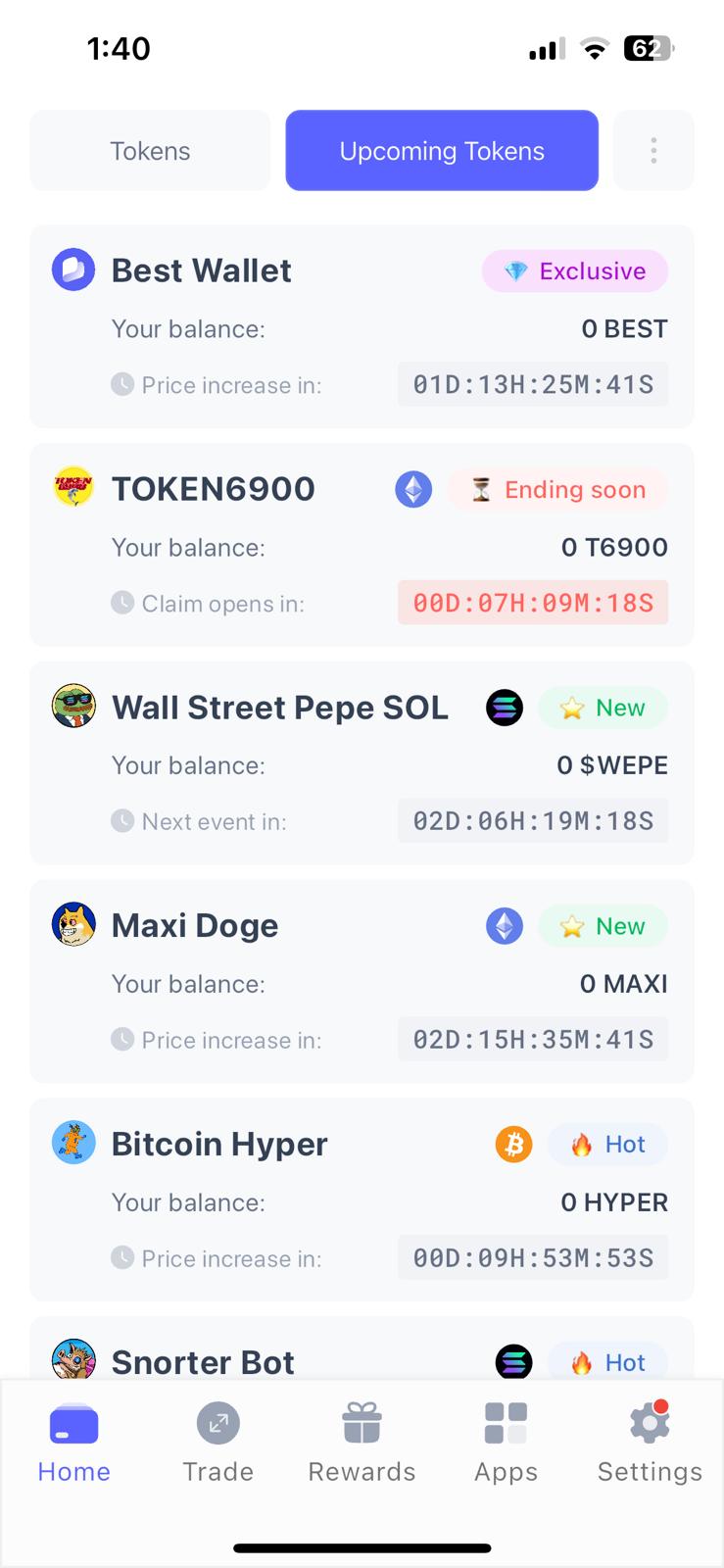
Look for Bonk wallets with fiat features if you’re planning to buy additional tokens. Many providers support debit/credit cards and e-wallets for instant and secure payments.
Fees
Our research shows that the best Bonk wallets offer free storage and incoming transfers. They rarely charge additional fees when users transfer Bonk to another wallet, other than the Solana network fee.
While hot wallets are free to download and use, hardware wallets cost money. Budget-friendly options like the Ledger Nano Plus S retail for just $59, yet some competitors charge hundreds of dollars.
How to Get a Bonk Wallet
Learn how to set up a Bonk wallet in this beginner’s walkthrough, including security steps, making transfers, and using ecosystem features. As the overall best Bonk wallet, we explain each step via the Best Wallet app.
Step 1: Download the Best Wallet App
Visit Best Wallet to download its free crypto wallet app for iOS or Android.
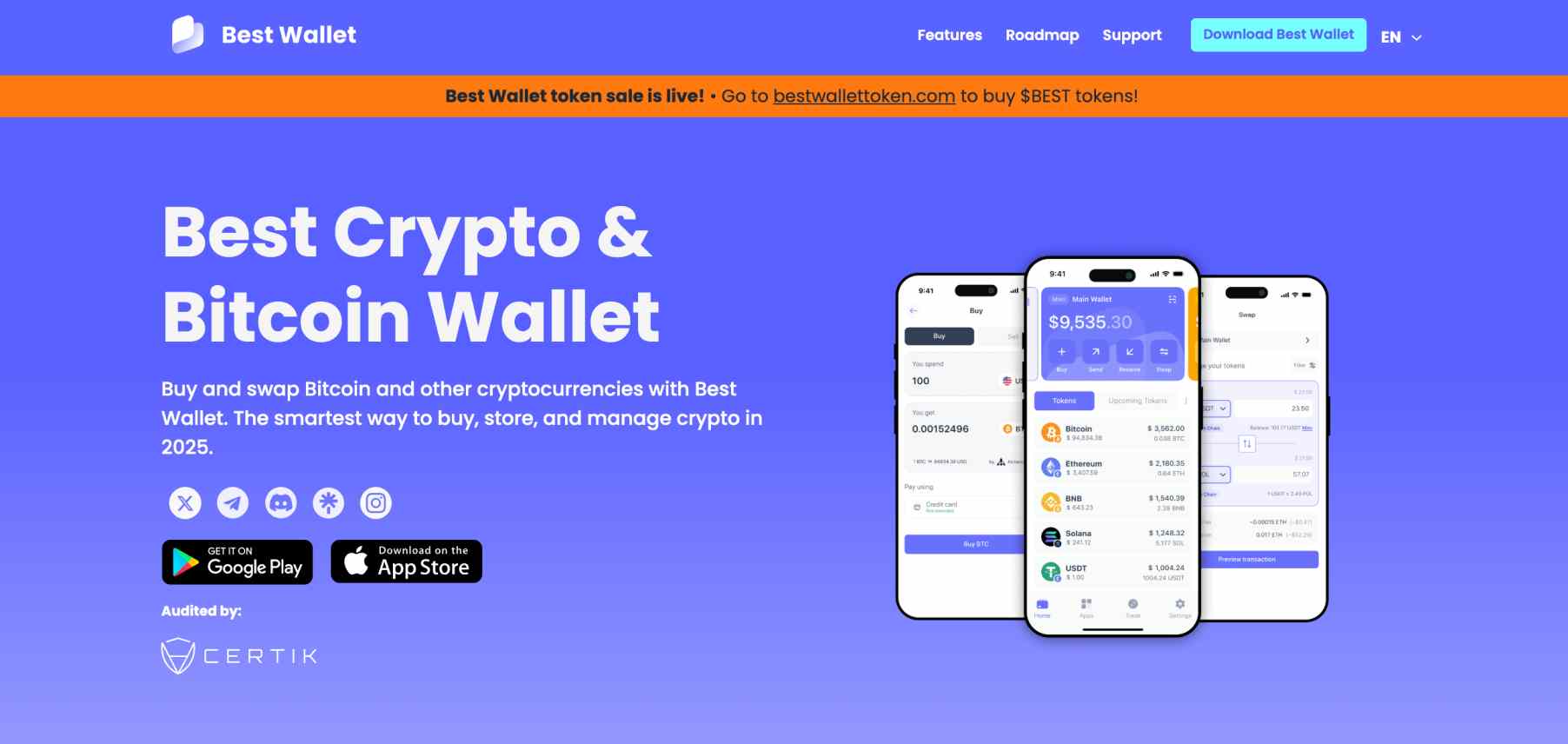
The encrypted private keys install immediately on the smartphone device.
Step 2: Secure Your Bonk Wallet
It takes less than five minutes to secure the Best Wallet app.
First, choose a four-digit PIN and write down the 12-word seed phrase.
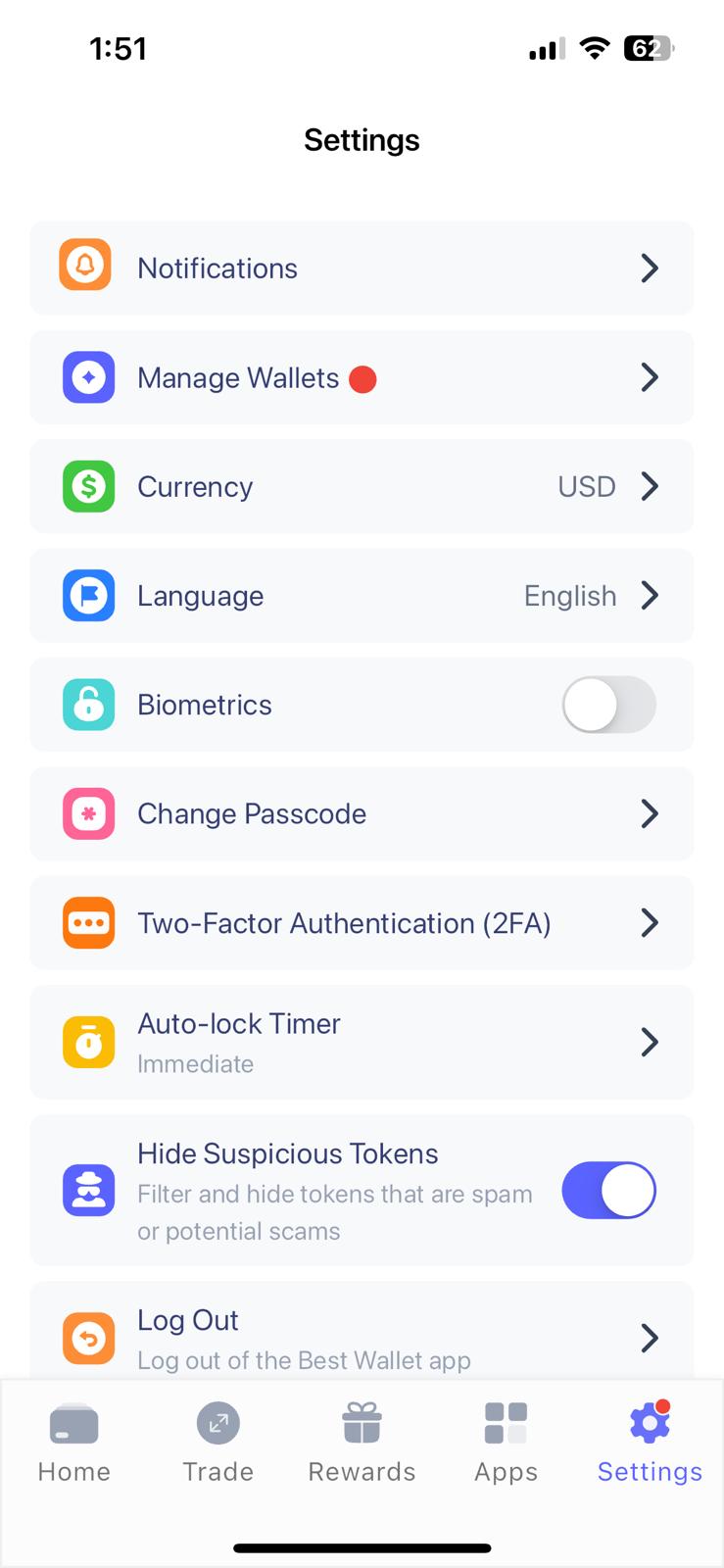
Then tap the settings button and activate two-factor authentication. Input a mobile number and confirm the verification code.
An optional step is to replace the PIN with biometrics. Best Wallet uses the same biometric system as the smartphone, such as facial or fingerprint ID.
Safety Tip The seed phrase provides access to Best Wallet from any device. Hackers employ various tactics to obtain seed phrases, including deception, phishing, and remote hacks. Make sure you store the seed phrase offline (like on a sheet of paper) and avoid sharing it.
Step 3: Deposit Bonk Tokens
If you hold Bonk tokens in an online exchange or another wallet, you can easily transfer them to Best Wallet.
Tap the home icon and search for “Bonk”. Then click “Receive” to reveal the wallet address. Either copy and paste the address or scan it from another mobile wallet.
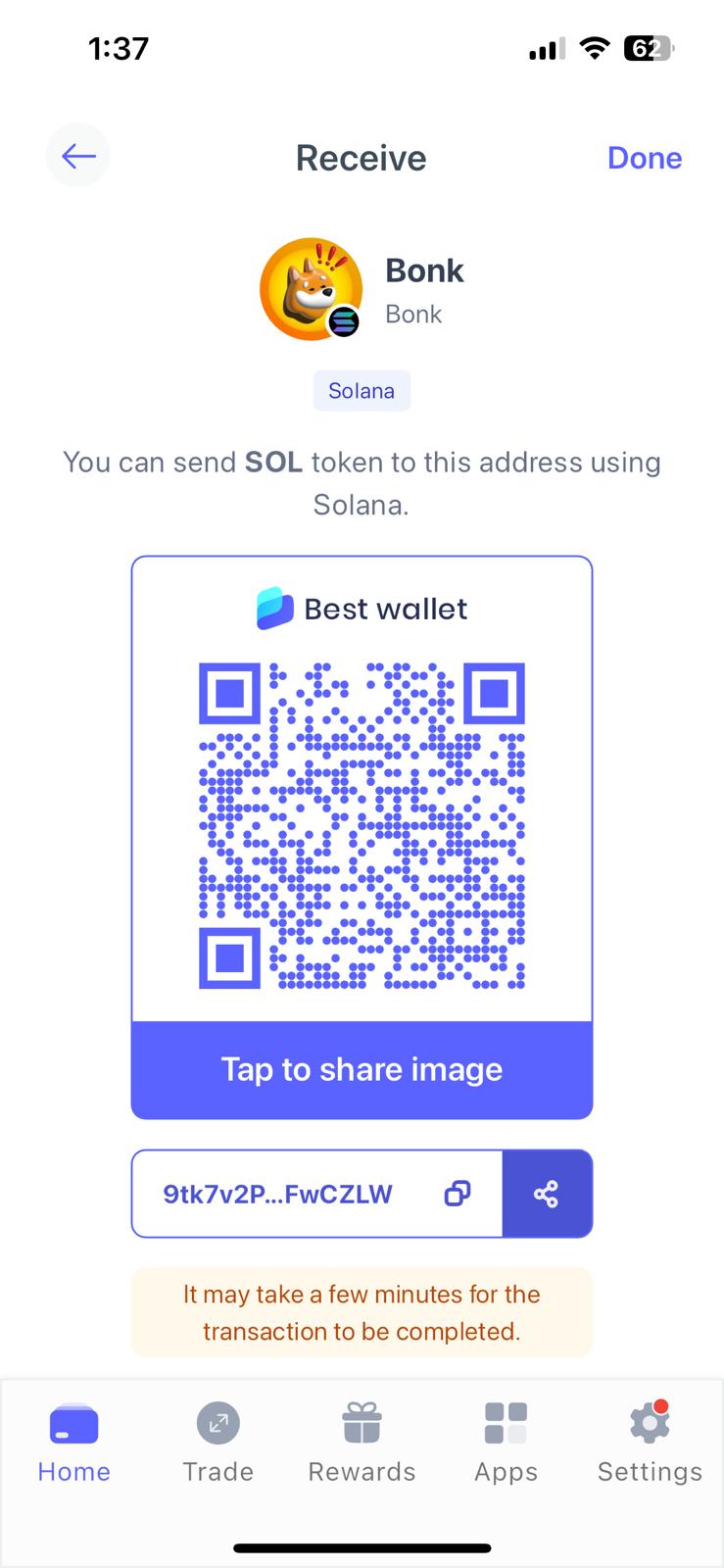
As Bonk operates on the Solana blockchain, Best Wallet should credit the transfer in seconds. A mobile notification appears when the funds arrive.
Step 4: Send Bonk Tokens
Best Wallet users also transfer Bonk tokens without hassle. Click “Bonk” followed by “Send”. Input the wallet address and amount, and confirm the transaction.
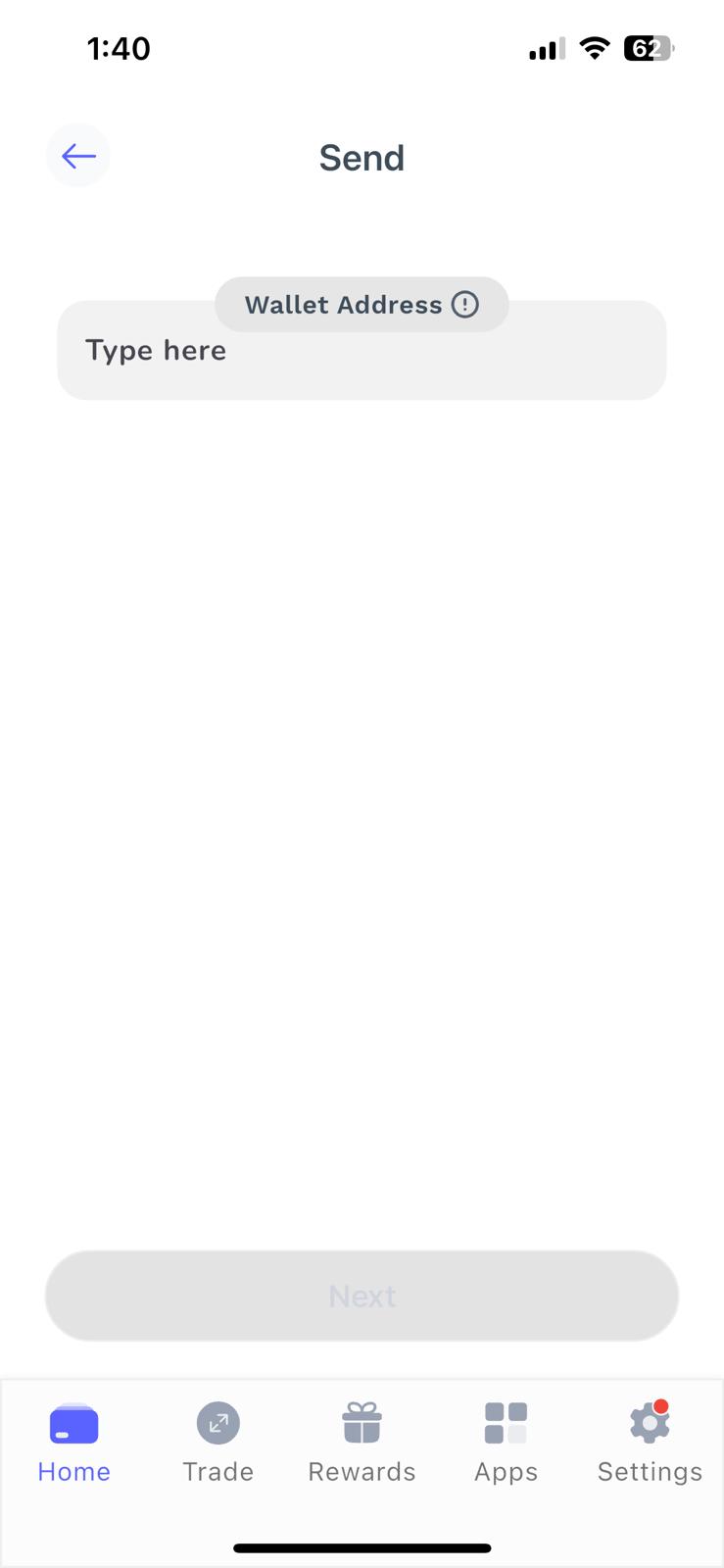
Fees align with the Solana blockchain fee, which is often less than a cent.
Step 5: Swap Bonk Tokens
Looking to swap Bonk tokens for other Solana meme coins, or perhaps cryptocurrencies from other blockchains like Ethereum and BNB Chain? Best Wallet’s built-in DEX offers instant trades at competitive fees.
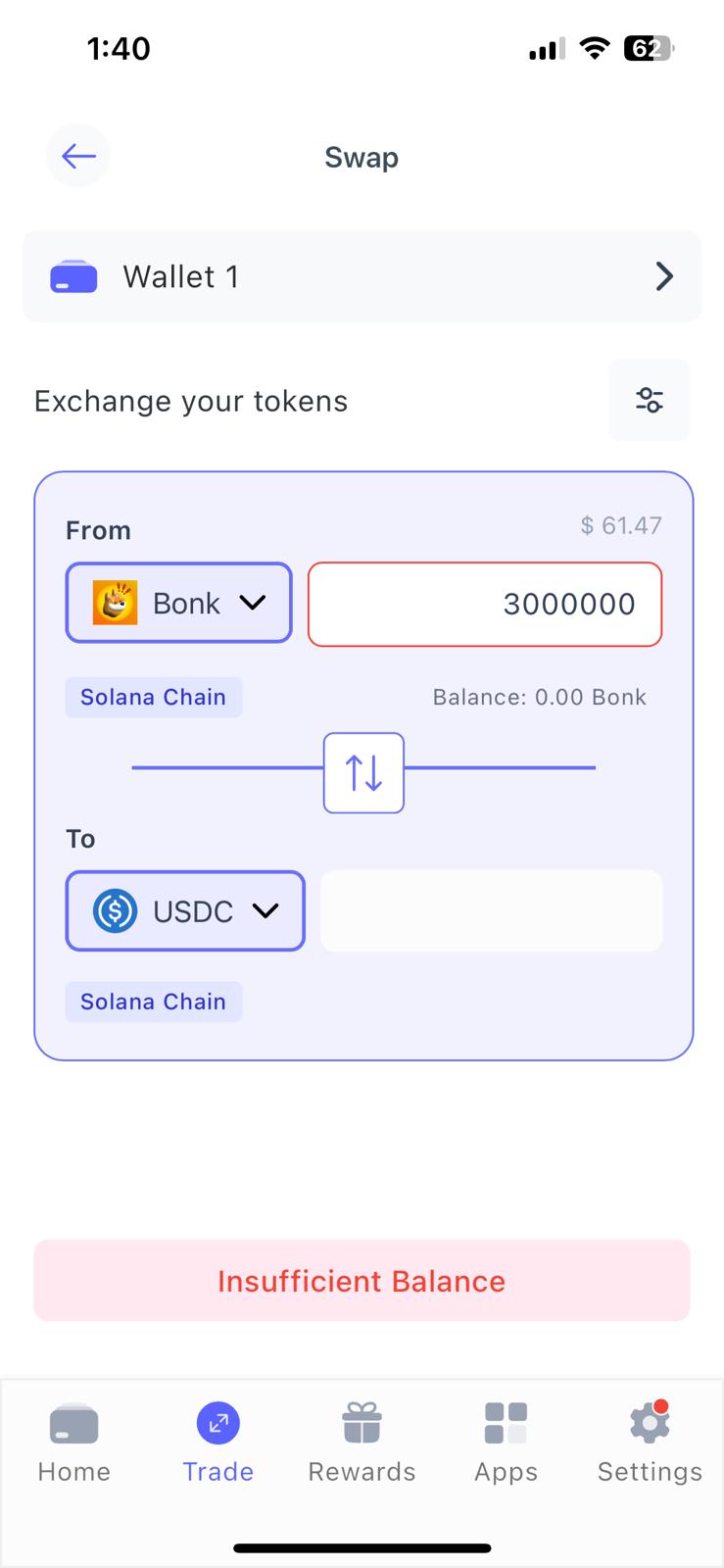
Click “Buy” and “Swap”, and select “Bonk” as the payment token. Then choose the asset you want to buy, enter the amount, and confirm. Wait a few seconds for the smart contract to complete the swap, and you’ll find the new tokens in your wallet balance.
Types of Bonk Wallets
Here’s a recap on the different types of Bonk wallets in the market:
- Hot Wallets: Software-based wallets that process transactions via the internet. Device types include mobile apps, desktop software, and browser extensions. Hot wallets are super convenient, but their internet-ready nature makes them vulnerable to hacks.
- Cold Wallets: The safest way to store Bonk, cold wallets remain offline at all times. They broadcast transactions via USB-C cables, Bluetooth, or NFC. As hardware devices, you purchase cold wallets directly from the manufacturer’s website.
- Custodial Wallets: These are centralized wallets that intermediates control, like online exchanges and brokerages. Users do not have access to their private keys, which creates counterparty risks.
- Non-Custodial Wallets: Experts recommend non-custodial wallets when storing digital assets, as you manage the private keys exclusively. This Bonk wallet type supports both hot and cold solutions.
In summary, the best Bonk wallets offer non-custodial storage in a safe and user-friendly environment. While cold wallets are the safest method, they cost money and make it cumbersome to transact.
Our top pick, Best Wallet, provides the ideal balance between accessibility and security. The free Bonk wallet app for iOS and Android protects users with two-factor authentication and encrypted private keys. It offers a wide range of decentralized features, too, including a crypto Launchpad, instant token swaps, and no-KYC fiat payments.
FAQs
Which wallet supports BONK?

Any crypto wallet that works with the Solana blockchain is compatible with Bonk. Ensure the wallet supports custom tokens if Bonk isn’t initially supported.
How many wallets hold BONK?
According to the Bonk website, and confirmed by on-chain data, there are almost 1 million unique wallet holders. This makes Bonk one of the largest communities in the meme coin space.
How many Bonk tokens are there?
The initial BONK supply at launch was 100 trillion tokens. Bonk’s ongoing burn mechanism reduced the maximum supply to approximately 88.87 trillion.
Is BONK on Trezor?
While the Trezor Safe 3 and 5 support Bonk and all other Solana tokens, the Model One does not. This is reflected in the Model One’s low price point of just $24.50.
How to buy Bonk tokens anonymously?
You can buy Bonk tokens anonymously on the Best Wallet app. The wallet supports instant payments via debit/credit cards and e-wallets, as well as crypto swaps.

Why you can trust 99Bitcoins
Established in 2013, 99Bitcoin’s team members have been crypto experts since Bitcoin’s Early days.
Weekly Research
100k+Monthly readers
Expert contributors
2000+Crypto Projects Reviewed