In This Article
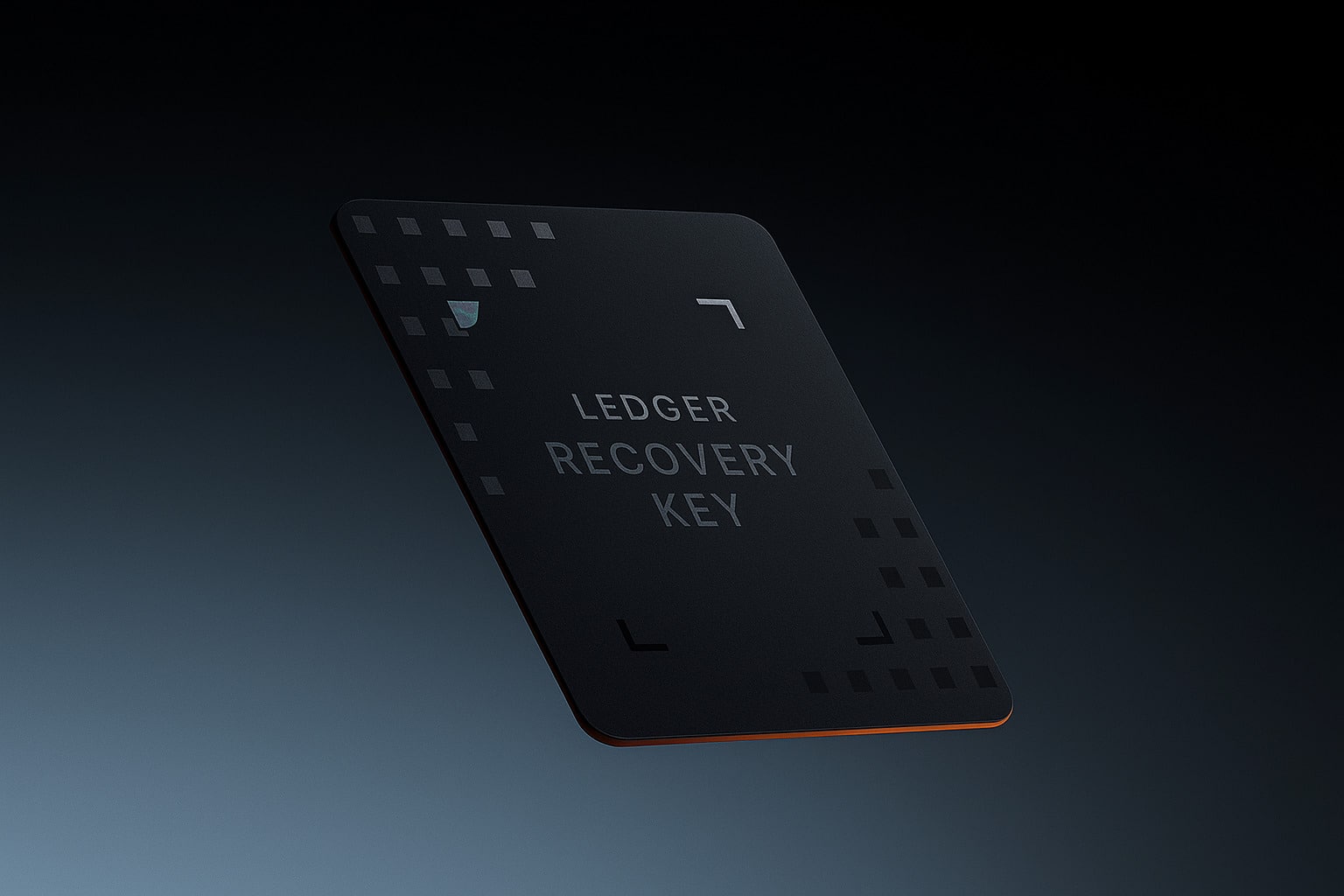
Ledger Recovery Key is a “spare key” for Ledger hardware wallets, designed to help users recover their wallets quickly and with minimal friction.
Losing access to a wallet can be costly, especially for beginners. Juggling hardware devices, recovery sheets, and seed phrases often leads to mistakes. In this review, we explain how Ledger Recovery Key works and who it’s best suited for.
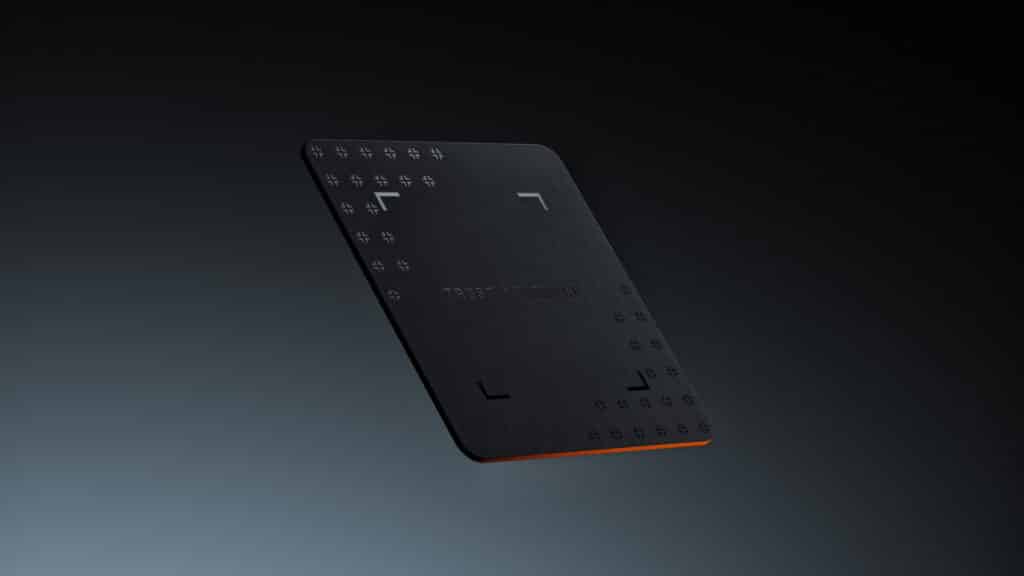
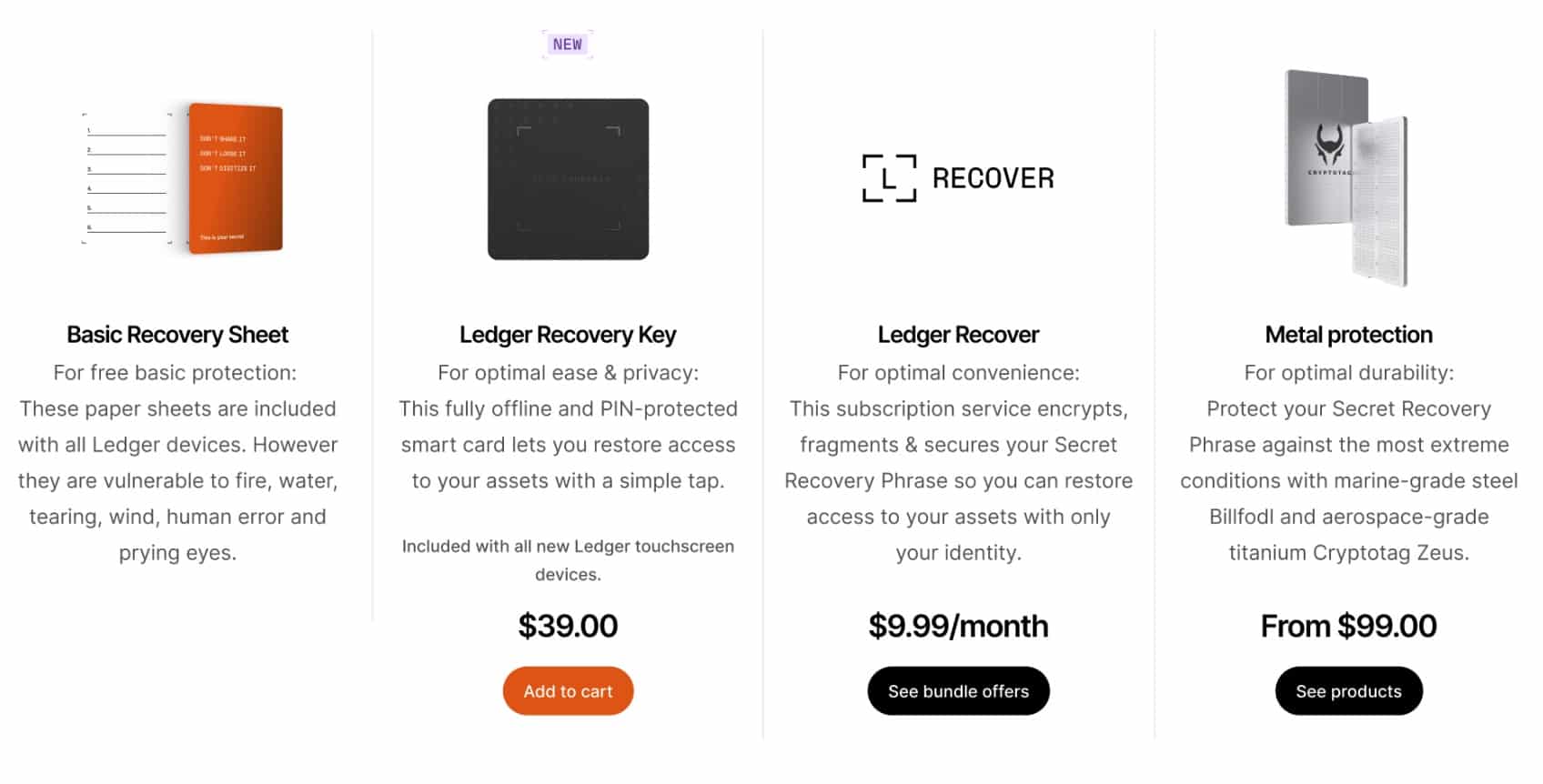
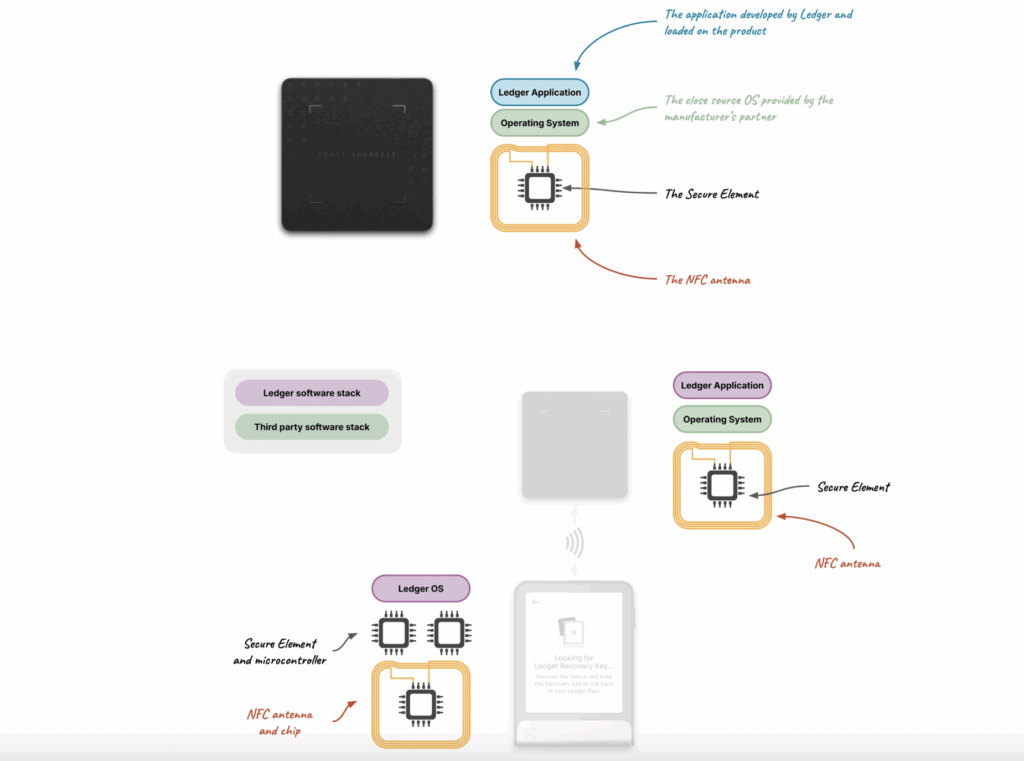
This article explains what the Ledger Recovery Key is, how it works, and who it’s designed for. We’ll cover supported devices, pricing, security features, and how it compares to paper, metal, and cloud-based recovery options. You’ll also learn the pros and limitations of using a physical backup device, plus when it makes sense to use one. By the end, you should know whether the Ledger Recovery Key fits your setup or if another recovery method is a better choice. The Ledger Recovery Key is a physical card that stores a copy of your 24-word secret recovery phrase offline. It’s designed to help you restore access to your crypto wallet if your main device is lost or damaged. It was commercially launched in 2025. Ledger now offers two recovery options: Ledger Recover and the Ledger Recovery Key. They solve the same problem but work very differently. Ledger Recover is a paid cloud service that encrypts your recovery phrase, splits it into parts, and stores them with third-party providers. Recovery requires identity checks and an active subscription. The Ledger Recovery Key takes a local approach instead. It stores your recovery phrase fully offline on a small, PIN-protected card and never relies on cloud storage. Users can simply tap the physical Ledger Recovery Key to their Ledger hardware wallets to restore access. The Ledger Recovery Key costs $39. It is priced as a one-time purchase, not a subscription. Ledger also sells a three-pack for $99, allowing you to store backups in multiple locations. This setup mirrors how people keep spare keys for important physical assets. Compared to Ledger Recover, which costs $9.99 per month, the Recovery Key is a one-off expense. That makes it a cheaper long-term option for users who prefer offline, self-custodied backups without identity checks or cloud storage. Pricing may vary slightly by region and retailer, so it’s best to check availability directly through Ledger or authorised sellers. Below, you will find Ledger Recovery Key features you should be aware of. Most issues come from setup rather than design flaws. Pairing can fail if Ledger Live or device firmware isn’t updated. It’s a physical electronic device, so durability depends on how and where you store it. Prolonged exposure to heat, moisture, or poor handling could shorten its lifespan over time. Finally, readers should note that Ledger is not fully open-source. This means users must place some trust in Ledger’s hardware design and security audits rather than being able to independently verify every component The Recovery Key works with both Ledger Stax and Ledger Flex. If you’re unsure which device suits you better, our Ledger Stax vs. Flex review for 2026 breaks down the differences clearly.. A core part of the Ledger Recovery Key is its tap-to-restore design. Instead of typing 24 words by hand, you simply tap the card on a compatible Ledger device to start recovery. This makes the process much easier, especially for beginners. There’s no risk of miswriting words, mixing up the order, or losing a paper backup over time. Compared to metal plates or handwritten sheets, the Recovery Key removes a lot of the friction that makes wallet recovery stressful. The tap works through NFC (Near Field Communication), which connects only at close range and keeps the data encrypted inside the device. Because recovery requires physical contact, it stays simple while avoiding the complexity of cloud backups or manual entry methods. The Recovery Key is also PIN-protected, which adds a clear safety layer. Even if someone finds the card, they can’t use it without the correct PIN, and after three wrong attempts, the device wipes itself. This keeps things simple without lowering security. You get an offline backup that’s easy to use, but still protected against loss, theft, or casual access. Yes, the Ledger Recovery Key is built with strong security in mind. It uses the same Secure Element chip found in Ledger hardware wallets, designed to protect sensitive data from tampering. When used with Ledger’s latest hardware wallets such as Ledger Flex and Ledger Stax, all communication is encrypted, and your recovery phrase is never shown on a computer or sent online. Everything stays inside secure hardware unless you choose to restore access. Your private key is never exposed or stored in plain text. The Recovery Key only holds an encrypted version of the data needed to restore your wallet. Even if someone steals the device, they can’t use it without your PIN and Ledger device approval. After three wrong PIN attempts, the Recovery Key wipes itself, making the stored data useless to anyone else. The Ledger Recovery Key keeps you in full control of your crypto. It doesn’t change the self-custody model or give Ledger access to your assets. That said, some regions may view recovery tools as part of a broader custody setup, which mainly matters for institutions. For everyday users, it’s simply a personal backup option that works alongside your existing security practices. Like any physical device, the Recovery Key can be lost, stolen, or damaged. If it’s your only backup, that creates a single point of failure. There’s also a small risk if someone gains both the device and bypasses protections, though this is unlikely. To reduce risk, buy only from Ledger or approved sellers, keep software updated, and avoid relying on just one backup method. The Ledger Recovery Key is not a one-size-fits-all solution. It’s designed for a specific type of user, and knowing whether it fits your security strategy is just as important as understanding how it works. Who Should Use It: Who Shouldn’t Use It: Ultimately, the Ledger Recovery Key is best for users who value convenience and strong hardware-based security, but it may not align with the preferences of hardcore decentralization purists or institutional custodians. While the Ledger Recovery Key provides a secure and convenient way to safeguard your Secret Recovery Phrase, it isn’t the only option. Depending on your security philosophy, budget, and technical comfort, there are several alternatives to consider: 1. Paper Backups – Writing down your 24-word recovery phrase on paper and storing it in a secure location. 2. Metal Backups – Etching or stamping your seed phrase into steel or titanium plates for long-term durability. 3. Ledger Recover Service – Ledger’s optional subscription-based recovery service that encrypts and splits your Secret Recovery Phrase into shards, stored with trusted custodians. 4. Multisig Wallets – A security setup where multiple keys (on different devices) are required to authorize transactions. In short, this backup solution is a middle ground: more secure and convenient than paper or metal backups but without the third-party trust trade-offs of custodial solutions. For users who want to stay self-sovereign while simplifying backup management, it represents a strong balance. Ledger Recovery Key is a practical option for users who want a simpler way to back up their recovery phrase. The tap-to-restore design removes much of the stress and error that comes with paper or metal backups. It’s not for everyone. You still need to manage a physical device, trust Ledger’s hardware, and keep software updated. But if you want an offline, PIN-protected backup without relying on cloud services like Ledger Recover, it fits well. For convenience-focused users who value ease of recovery, the Ledger Recovery Key is a solid addition to a self-custody setup. DISCOVER: The Ledger Recovery Key is a physical, NFC-enabled backup device that stores an encrypted version of your secret recovery phrase (SRP). It’s designed to serve as a secondary safeguard in case you lose or damage your original backup. When paired with a Ledger hardware wallet, the Recovery Key encrypts your secret recovery phrase and stores it securely. Thanks to NFC technology, it can be accessed or restored simply by tapping the Recovery Key to your Ledger device. It’s best suited for users who want extra redundancy, peace of mind for long-term storage, or help with estate planning. It’s especially useful for those who worry about losing their written backup. Yes, when used correctly. It adds another layer of redundancy, but users should still safeguard the Recovery Key itself. If stolen, an attacker cannot access funds without your Ledger device and PIN, but physical security remains important. No. The Ledger Recovery Key is optional. You can still rely on your handwritten secret recovery phrase or other backup methods if you prefer full independence. Established in 2013, 99Bitcoin’s team members have been crypto experts since Bitcoin’s Early days. Weekly Research Monthly readers Expert contributors Crypto Projects ReviewedKey Takeaways
Ledger Recovery Key Review: Summary
What is the Ledger Recovery Key?
Ledger Recovery Key Price
Key Features of Ledger Recovery Key
Pros and Cons of Using The Ledger Recovery Key
Pros
Cons
Challenges With Ledger Recovery Key
How the Ledger Recovery Key Works?
Step-by-Step Guide to Using Ledger Recovery Key
Confirm Requirements
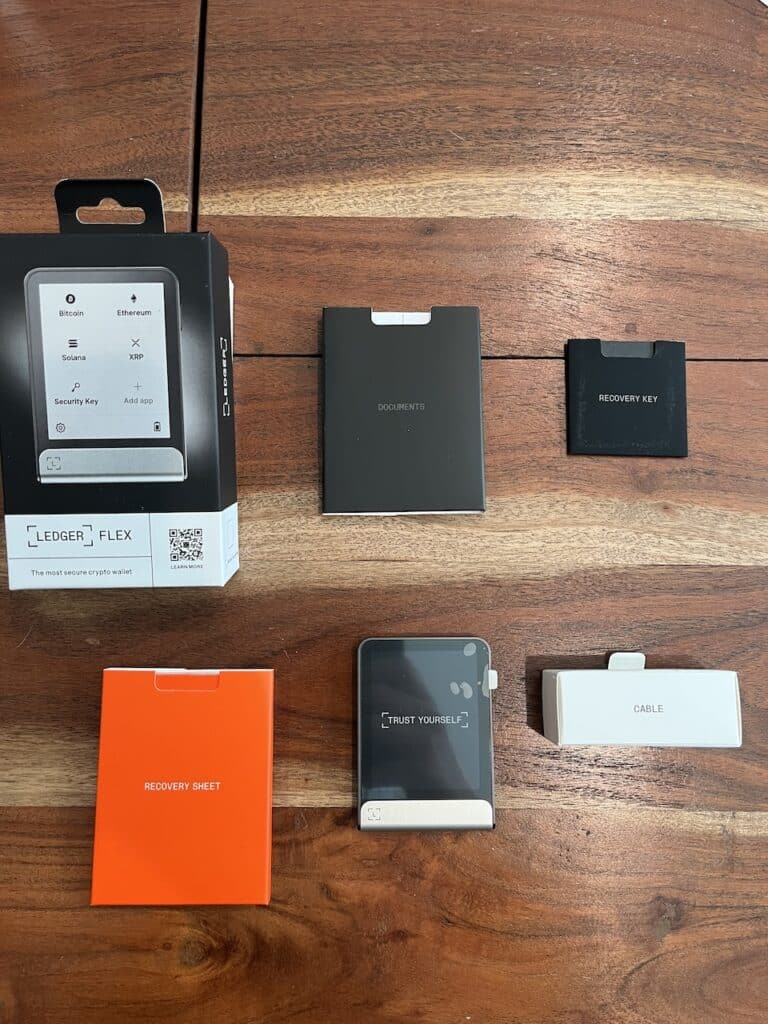
Make sure you have a supported Ledger device (e.g., Ledger Flex), the Ledger Recovery Key, and the latest Ledger Live installed. Set or confirm your device PIN and ensure firmware is up to date before continuing.
Connect Ledger Flex in Ledger Live
Open Ledger Live and follow the on-screen flow to connect Ledger Flex. This establishes a secure channel so recovery operations never expose your Secret Recovery Phrase (SRP) to your computer or the internet.
Create or Import Your Wallet
Choose to create a new wallet (generates a new SRP) or import an existing one using your recovery sheet (entered only on the Ledger device). The SRP remains inside the secure element; Ledger Live never sees it.
Enroll the Ledger Recovery Key
Start the Recovery Key setup from Ledger Live. The device securely transfers an encrypted representation of your SRP (and, if used, your passphrase) to the Recovery Key without exposing the words in plain text.
Optionally Add a Passphrase
If you use a passphrase (25th word), enroll it during setup so the Recovery Key can restore the exact wallet variant you use. Record whether the wallet is passphrase-protected so you can reproduce the same setup later.
Bind & Verify
Finalize binding between Ledger Flex and the Recovery Key. You’ll confirm on-device prompts to ensure physical possession and intent.
Perform a Dry-Run Restore
Use a test flow (or a spare device) to simulate recovery. This confirms the Recovery Key can re-enable access without typing 24 words, and that your passphrase (if any) matches.
Store the Recovery Key Securely
Keep the Recovery Key in a separate, safe location from your Ledger device. Treat it like your SRP: consider a safe or safety deposit box and document.
(Optional) Use with Ledger Recover
If you also opt into Ledger’s cloud backup service, Ledger Flex handles secure authentication to authorize shard release after identity checks. The device mediates approvals; your SRP shards are recombined only when you complete verification.
Maintain & Re-Enroll if Needed
After major firmware updates or if you rotate your SRP/passphrase, re-enroll the Recovery Key so it mirrors your current backup. Periodically test your restore process to ensure everything works when you need it.
Is the Ledger Recovery Key Safe?
What Happens to Your Private Key?
Custody Implications
Security Risks
Who Should (and Shouldn’t) Use Ledger Recovery Key?

Alternatives to the Ledger Recovery Key
Conclusion
Ledger Recovery Key
$39

Pros
Cons
FAQs:
What is the Ledger Recovery Key?

How does the Ledger Recovery Key work?
Who should consider using the Ledger Recovery Key?
Is the Ledger Recovery Key safe?
Do I need the Ledger Recovery Key to use my Ledger wallet?
References

Why you can trust 99Bitcoins