In This Article
If you already use Telegram, buying Toncoin (TON) can be one of the easiest ways to get started with crypto. TON is deeply integrated into the Telegram ecosystem, which means you can buy, store, and use it without leaving the Telegram app.
For existing Telegram users, we recommend buying Toncoin directly through in-app wallets for the smoothest experience. If you prefer a more traditional route, you can also buy and sell TON on centralized crypto exchanges or through decentralized exchanges. In this guide, we cover both methods so you can choose what works best for you.
Key Takeaways
- You can buy Toncoin (TON) in three ways: on centralized exchanges, inside the Telegram app, or on decentralized exchanges (DEXs).
- Native TON is required to use Telegram features such as mini apps, games, ads, and creator payments, and it is best obtained via Telegram wallets or major exchanges.
- TON bought on DEXs like Uniswap or PancakeSwap is usually non-native (ERC-20 or BEP-20) and cannot be used inside Telegram.
- Centralized exchanges are best for beginners, Telegram is best for everyday TON usage, and DEXs are best for users prioritizing privacy and self-custody.
- Before buying TON, decide how you plan to use it so you don’t end up with the wrong version of the token.
How to Buy Ton: Summary
Toncoin (TON) can be bought in three main ways: through Telegram-integrated wallets, on centralized crypto exchanges, or via decentralized exchanges (DEXs).
In this guide, we break down each method step by step so you can choose the safest and easiest way to buy Toncoin based on how you plan to use it. Along the way, you’ll also learn the key advantages and drawbacks of buying crypto on centralized versus decentralized platforms, making this a useful reference not just for how to buy TON, but for purchasing other cryptocurrencies as well.
Buying Toncoin (TON) on a Centralized Exchange
Centralized exchanges (CEXs) are the most straightforward way to buy Toncoin, especially if you’re new to crypto. These platforms handle custody, pricing, and execution for you, making the process feel similar to buying stocks or using a trading app.
Most major exchanges that list TON support the native Toncoin network, along with common trading pairs and fiat on-ramps. Popular options include Binance, Bybit, and OKX. Each offers different payment methods, fees, and tools, but the buying flow is broadly the same.
The main trade-off with centralized exchanges is custody. While they’re convenient and liquid, your TON is held by the platform until you withdraw it to a personal wallet like Best Wallet. Buying Toncoin on centralized exchanges is best for new users and crypto beginners.
Choosing the Right Toncoin Exchange
The first step is choosing a reliable exchange where you can buy Toncoin easily and safely. Not all crypto platforms support TON, so it’s important to pick one that actively lists it and has enough trading volume.
Popular centralized exchanges that support Toncoin include Binance, Bybit, and OKX. These platforms are well-established, widely used, and suitable for beginners.
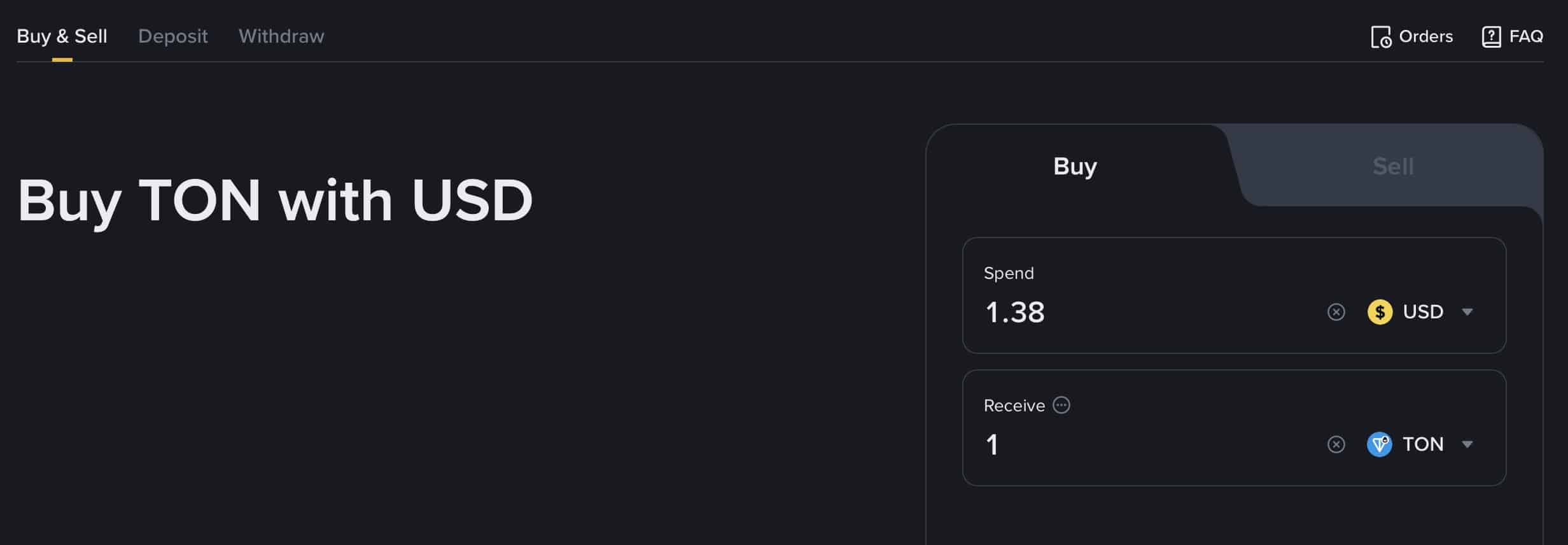
Each exchange offers a slightly different experience. Binance is known for high liquidity and multiple trading pairs, OKX offers smooth fiat payment options, and Bybit focuses on a clean interface with competitive fees.
Before signing up, check that Toncoin is available in your region and that the exchange supports your preferred payment method, such as a bank transfer or card.
Step-by-Step Guide: Buy Toncoin (TON) on Centralized Exchanges
Below is an easy-to-understand guide to learn how to buy Toncoin (TON) on centralized exchanges. We used Binance as our preferred exchange in our guide. The steps will be similar on other crypto exchanges.
-
Create a Binance Account
Sign up on Binance using your email address or phone number and create a strong password.
-
Complete Identity Verification
Follow the prompts to complete Binance verification so you can use higher deposit limits and more payment options.
-
Secure Your Account
Turn on two-factor authentication (2FA) and review your security settings before you add any funds.
-
Add a Payment Method or Deposit Funds
Choose your preferred method: deposit fiat using a bank transfer or card, or deposit crypto like USDT from another wallet.
-
Search for Toncoin (TON)
Open the Buy Crypto or Markets section and search for TON to find available buying options and trading pairs.
-
Place Your TON Order
Select a simple purchase option (like a card buy) or place a spot trade (for example, TON/USDT), enter the amount, and confirm.
-
Store or Withdraw Your TON
You can keep TON in your Binance account for convenience, or withdraw it to a personal wallet if you want self-custody.
Pros and Cons of Buying TON on Centralized Crypto Exchanges
Pros
-
Beginner-friendly interfaces make buying Toncoin simple, even for first-time crypto users.
-
Supports familiar payment methods such as debit cards, bank transfers, and fiat deposits.
-
High liquidity allows TON orders to be executed quickly with minimal price slippage.
-
Centralized exchanges provide customer support and built-in security features like account recovery.
Cons
-
You do not control your private keys while TON is held on the exchange.
-
Most platforms require identity verification (KYC), reducing privacy.
-
Withdrawals may include additional fees or processing delays.
-
Accounts can be restricted or frozen due to compliance or security reviews.
Buying Toncoin (TON) on the Telegram App
Telegram has become a massive crypto hub that lets you handle wallets and payments right inside the app, making it easy to use crypto every day without needing a separate exchange.
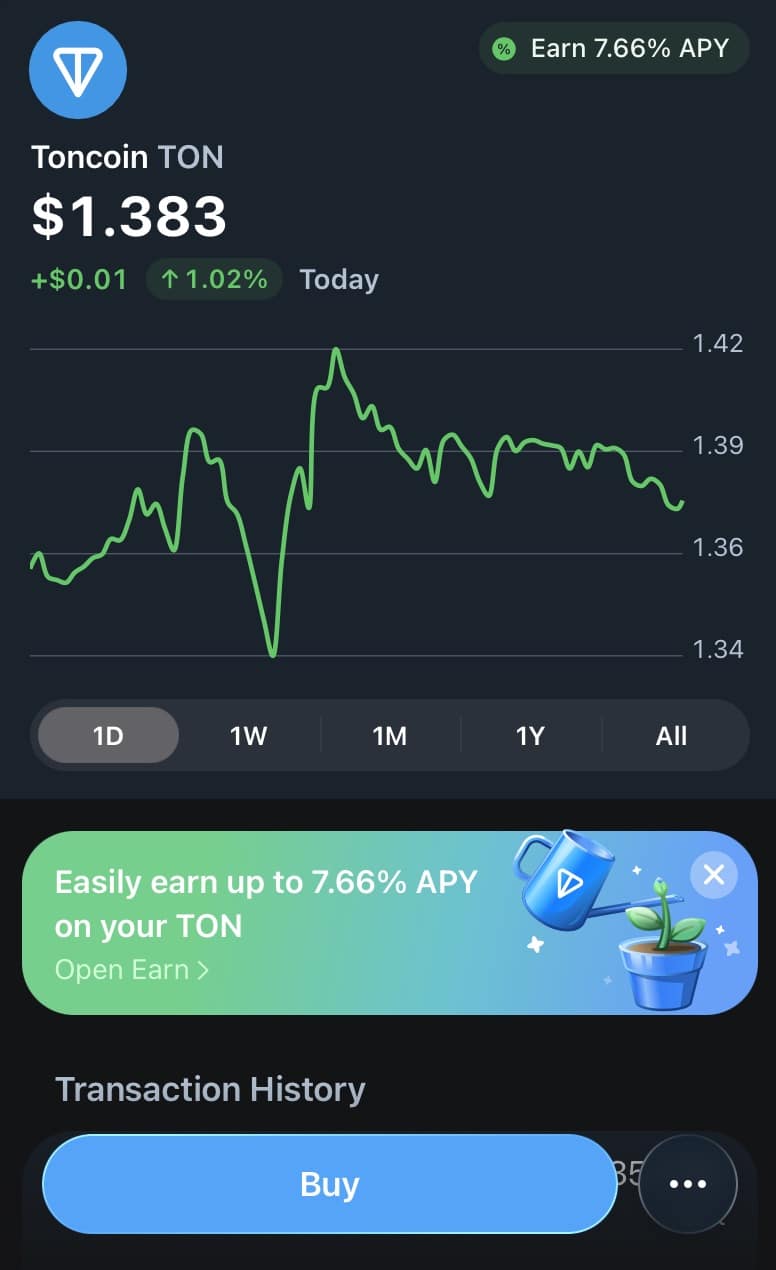
On Telegram, TON is used for advertising payments and revenue sharing with channel owners. Beyond ads, TON crypto is used across Telegram-based crypto wallets, mini apps, payments, games, donations, and creator tools. Telegram Founder, Pavel Durov, said:
On Telegram, everything runs on TON: from payouts to creators and app developers to ad payments, mini apps and collectibles like usernames, numbers, and gifts. As a result, TON is now the #2 blockchain by daily NFT trading volume, second only to Ethereum.
Step-by-Step Guide: Buy Toncoin (TON) on Telegram
-
Open Telegram and Choose a TON Wallet
Search for a TON-compatible wallet inside Telegram and open it to start the setup process. We recommend using the default Wallet App that you can access via Settings.
-
Create and Secure Your Wallet
Select “Create New Wallet.” You will need to back up your wallet so that you can recover it later when you lose access to it. You can back it up via email or manually write down the recovery phrases. -
Add Funds to Your Wallet (KYC method)
Tap on “Deposit.” Depending on your region, Telegram will have a peer-to-peer market where you can buy TON from other Telegram users using traditional payment methods. You will need to complete KYC verification for this. -
Add Funds to Your Wallet (no-KYC method)
Tap on “Deposit.” Select the “Crypto deposit” method. You will have to transfer Ton coins from your centralized crypto exchange account. -
Use TON Inside Telegram
Once purchased, your TON is instantly available for Telegram apps, games, payments, and transfers.
Pros and Cons of Buying TON on Telegram
Pros
-
Best for existing Telegram users.
-
Instant access to TON for Telegram apps, games, and creator tools.
-
No need to manage trading pairs, charts, or order types.
-
TON has a clear real-world use case inside Telegram’s monetization system.
-
P2P market available to buy crypto in some regions with popular payment methods such as Google Pay, Apple Pay, and credit/debit cards.
Cons
-
Fewer advanced trading and price control options compared to exchanges.
-
Card-based purchases may include higher fees.
-
Not ideal for large trades or active traders.
-
P2P market may not be available in some regions
Buying Toncoin (TON) on a Decentralized Exchange (DEX)
Buying Toncoin on a decentralized exchange (DEX) is the best option for users who want full control over their funds. Instead of creating an account or completing identity checks, you buy TON directly from your own external crypto wallet.
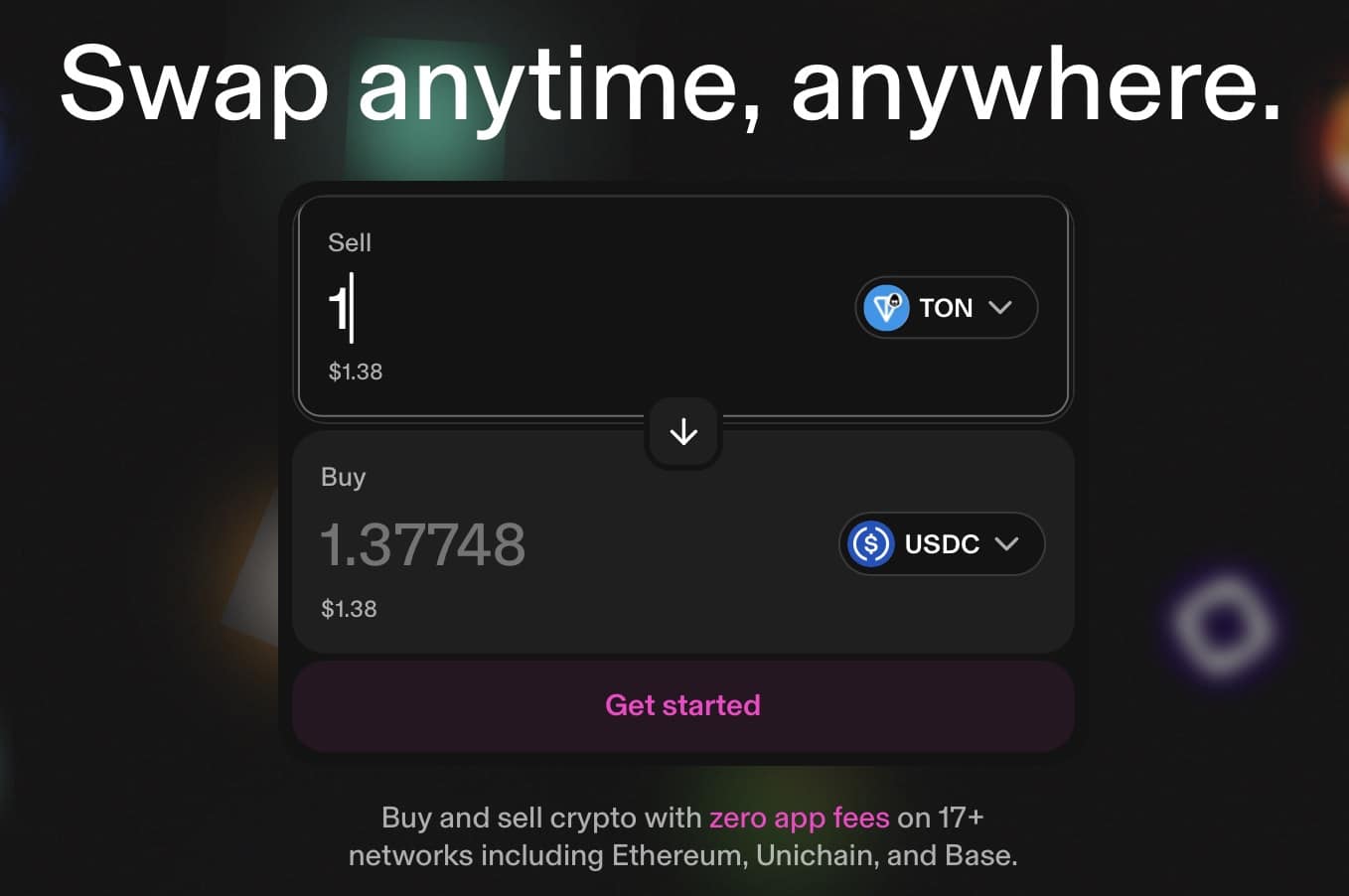
This method is best suited for users who already hold crypto and are comfortable using non-custodial wallets. When buying TON on a DEX, you keep control of your private keys at all times and can move or use your tokens immediately after the swap.
A simple way to buy TON through a DEX is by using Best Wallet, which allows you to log in to a decentralized exchange website such as Uniswap (UNI), where you can buy Toncoins and other cryptocurrencies without KYC verification.
What You Need to Buy TON on a DEX
Before getting started, make sure you have:
- A non-custodial wallet that supports TON, such as Best Wallet
- Crypto like USDT, ETH, or another supported token to swap
- A small amount of network fees
- Internet access and basic familiarity with wallet apps
Step-by-Step Guide: Buy Toncoin (TON) on a DEX Using Best Wallet
In this guide, we will use Best Wallet to buy Toncoins on Uniswap. Note that the TON tokens listed on Uniswap are not on the native Toncoin blockchain but are on other blockchains such as Ethereum and BNB Chain.
-
Install Best Wallet
Download Best Wallet from the App Store or Google Play and complete the wallet setup.
-
Secure Your Wallet
Back up your recovery phrase and enable security features such as a PIN or biometric login.
-
Add Funds to Your Wallet
Deposit crypto like USDT or ETH into your wallet, or buy crypto directly using a card if supported.
-
Log in to Uniswap
Head to the Uniswap website. Click on Connect and choose WalletConnect. Scan the QR code using your Best Wallet app. Approve permissions. -
Select Toncoin (TON)
On Uniswap, choose TON as the token you want to receive and select the blockchain you want it on: Ethereum or BNB Chain.
-
Review and Confirm the Swap
Select the crypto tokens you want to exchange to receive TON tokens. Check the exchange rate, network fees, and estimated completion time, then confirm the transaction on Best Wallet app.
-
Receive TON in Your Wallet
Once the transaction is confirmed, TON will appear directly in your wallet balance.
Pros and Cons of Buying TON on a DEX
Pros
-
You keep full control of your TON at all times.
-
No account creation or identity verification required.
-
Funds are available immediately after the swap completes.
-
TON can be used instantly for wallets, staking, and Telegram apps.
Cons
-
TON tokens listed on DEXs may not be native but on foreign blockchains such as Ethereum and BNB Chain.
-
You cannot use non-native TON coins on the Telegram app
-
You need crypto before you can swap into TON.
-
Network fees and swap rates can vary.
-
Mistakes cannot be reversed once a transaction is confirmed.
CEX vs Telegram vs DEX: Where Should You Buy Toncoin?
Here is a comparison table between CEX, DEX, and the Telegram app to help you decide where to buy Toncoins:
| Feature | Centralized Exchange (CEX) | Telegram App | Decentralized Exchange (DEX) |
| Ease of use | Beginner-friendly | Easiest for Telegram users | Requires basic crypto knowledge |
| Account required | Yes | No separate account | No |
| Identity verification (KYC) | Usually required | Optional (depends on method) | Not required |
| Payment methods | Bank transfer, cards, crypto | P2P payments, cards, crypto | Crypto only |
| Control of funds | Exchange controls funds until withdrawal | Wallet-controlled | Fully user-controlled |
| Best for | First-time buyers and traders | Every day use inside Telegram | Privacy-focused users |
| Trading tools | Advanced (spot, limits, charts) | Very limited | Basic swap functionality |
| Fees | Low trading fees, withdrawal fees | Card/P2P fees may be higher | Network + swap fees |
| TON usability | Requires withdrawal to use in Telegram | Instantly usable in Telegram | Depends on token type |
| Native TON support | Yes | Yes | Often non-native |
CEX vs Telegram vs DEX: Which TON Buying Method Is Best?
Centralized exchanges are best for new crypto users and users who want a familiar buying experience. Centralized exchanges offer strong liquidity, fiat payments, and customer support.
The Telegram app is best for existing Telegram users who want to use TON tokens for games, payments, or mini apps. Buying TON inside Telegram is the fastest and most frictionless option.
DEXs are best for crypto investors who want exposure to TON crypto price performance while prioritizing privacy and self-custody. DEXs let you buy TON without accounts or KYC, but they’re better suited for users who already understand wallets and on-chain swaps.
How to Store Toncoin (TON) Safely
Here are some pointers to safeguard your TON crypto tokens:
Tips: What to Keep in Mind When Buying Toncoin (TON)
Buying TON is simple, but a few checks can help you avoid common mistakes and unnecessary risks.
- Choose the buying method that fits your use case: Use Telegram if you want quick access for apps and games, a centralized exchange for ease and liquidity, or a DEX if privacy and self-custody matter most.
- Confirm you’re buying Toncoin (TON): Always double-check the token name and ticker before confirming a purchase to avoid lookalike tokens or scams.
- Watch fees and exchange rates: Card purchases and instant buys are convenient but often come with higher fees than spot trades or swaps.
- Start with a small amount: If it’s your first time buying TON, make a small purchase to understand the process before committing more funds.
- Plan where you’ll store your TON: Decide in advance whether you’ll keep TON on an exchange, in Telegram, or in a personal wallet.
- Be cautious of hype-driven buying: TON has strong adoption, but prices still fluctuate. Avoid rushing in based purely on short-term momentum.
- Non-native TON: Non-native TON coins cannot be used on Telegram mini-apps.
Conclusion
Centralized exchanges work best for simplicity, Telegram is ideal for everyday use, and decentralized exchanges suit users who want full control over their funds. Throughout this guide, we explained how each option works and when it makes sense to use one over the others.
Before buying TON, take time to plan your approach. Start small, watch fees, secure your wallet properly, and remember that Toncoin, like all cryptocurrencies, carries price and security risks.
See also:
FAQs:
How do I choose the best cryptocurrency exchange for TON?

Can I buy Toncoin with fiat currencies like USD?
Yes, many exchanges support fiat purchases of Toncoin, allowing you to use USD or other local currencies.
What are the main risks of investing in Toncoin?
Like all cryptocurrencies, Toncoin is subject to market volatility. Ensure you understand the risks and only invest what you can afford to lose.
How can I sell my Toncoin if I want to cash out?
You can sell Toncoin on the same exchanges where you bought it, by placing a sell order in the relevant trading pair.
Is TON a Good Investment?
The potential of Toncoin as an investment depends on various factors, including market trends and the development of the TON ecosystem. Do thorough research before making investment decisions.
What is Toncoin?
Toncoin is the native cryptocurrency of the TON blockchain, designed to support decentralized applications, smart contracts, and payment solutions.
How to Buy Toncoin
Follow the steps outlined in this guide to purchase Toncoin on centralized or decentralized exchanges.
Where to buy Toncoin
Toncoin is available on various exchanges, including OKX, Binance, Best Wallet, Margex, BingX, and Kraken.
References:
- TON Foundation. “Masterchain.” TON Documentation, TON Foundation. https://docs.ton.org/develop/blockchain/shards#masterchain.
- Durov, Nikolai. Telegram Open Network Blockchain. TON Foundation. https://ton.org/tblkch.pdf.
- U.S. Securities and Exchange Commission. “SEC Obtains Final Judgment Against Defendant in Action Against Unregistered ICO.” SEC Newsroom, U.S. Securities and Exchange Commission. https://www.sec.gov/newsroom/press-releases/2020-146.
- DeFi Llama. “TON Overview.” DeFi Llama. https://defillama.com/chain/TON.
- Binance. “Binance Will List Toncoin (TON) with ‘Seed’ Tag Applied.” Binance Announcements. https://www.binance.com/en/support/announcement/binance-will-list-toncoin-ton-with-seed-tag-applied-abba626aa0974b828f91c166bdc12afd.
- Federal Trade Commission. “Use Two-Factor Authentication to Protect Your Accounts.” Consumer Advice. https://consumer.ftc.gov/articles/use-two-factor-authentication-protect-your-accounts.

Why you can trust 99Bitcoins
Established in 2013, 99Bitcoin’s team members have been crypto experts since Bitcoin’s Early days.
Weekly Research
100k+Monthly readers
Expert contributors
2000+Crypto Projects Reviewed